Введение
This manual provides detailed instructions for the setup, operation, maintenance, and troubleshooting of your 3PLUS Vibe Pro Smart Watch. Please read this manual thoroughly to ensure proper use and to maximize the features of your device.

Image: The 3PLUS Vibe Pro Smart Watch, featuring a black watch body with a black silicone band, accompanied by an additional pink silicone band. The watch display shows time, date, activity metrics, and weather.
Настраивать
1. Зарядка устройства
Before initial use, fully charge your 3PLUS Vibe Pro Smart Watch. Connect the magnetic charging cable to the charging contacts on the back of the watch and plug the USB end into a power adapter (not included) or a computer USB port. The watch display will indicate charging status.
2. Установка приложения
To unlock the full potential of your smart watch, download the official 3Plus app on your smartphone. The app is compatible with both iPhone and Android devices.
- Искать "3Plus" in the Apple App Store (for iOS) or Google Play Store (for Android).
- Загрузите и установите приложение.
- Следуйте инструкциям на экране, чтобы создать учетную запись или войти в систему.
3. Сопряжение умных часов
Убедитесь, что Bluetooth на вашем смартфоне включен.
- Open the 3Plus app on your smartphone.
- Navigate to the device pairing section (usually found under 'Devices' or 'Profile').
- Select 'Add New Device' or similar option.
- The app will search for nearby 3PLUS Vibe Pro Smart Watches. Select your watch from the list.
- Подтвердите запрос на сопряжение на часах и смартфоне.
Инструкция по эксплуатации
Базовая навигация
- Сенсорный экран: Для навигации по меню и экранам проведите пальцем влево/вправо или вверх/вниз. Коснитесь экрана, чтобы выбрать нужный пункт.
- Боковая кнопка: Нажмите, чтобы вернуться на главный экран или вывести устройство из спящего режима. Длительное нажатие — для доступа к параметрам питания.
Основные характеристики
GPS-отслеживание
The integrated GPS allows for accurate tracking of outdoor activities without needing your phone. Ensure GPS is enabled in the watch settings for outdoor workouts.
Мониторинг сердечного ритма
Часы постоянно отслеживают частоту вашего пульса. View real-time data on the watch or detailed trends in the 3Plus app.
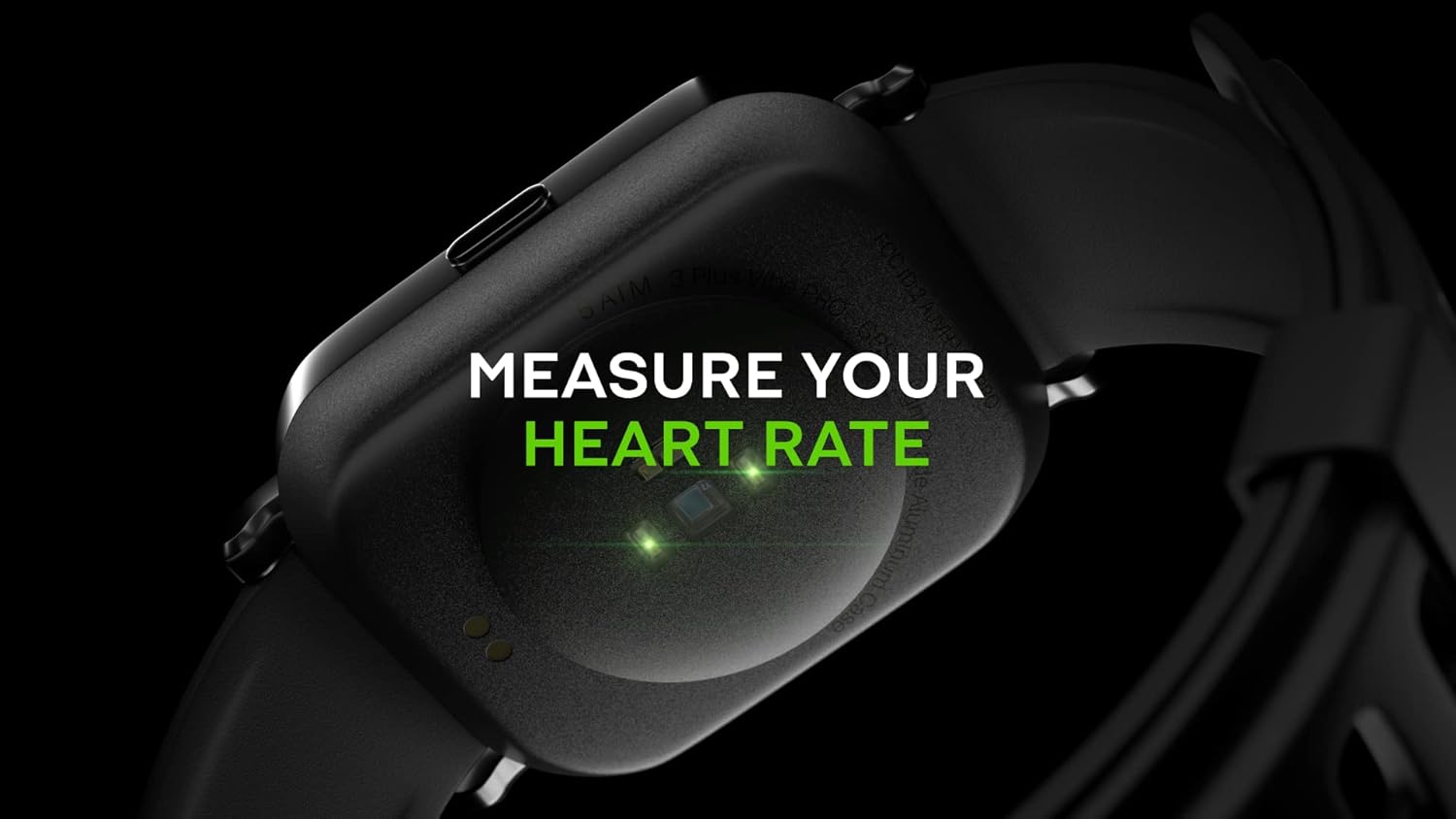
Image: Close-up of the back of the 3PLUS Vibe Pro Smart Watch, showing green LED lights indicating heart rate measurement in progress. Text overlay reads "MEASURE YOUR HEART RATE".
Мониторинг уровня кислорода в крови (SpO2)
Measure your blood oxygen saturation levels directly from your wrist. For accurate readings, remain still during measurement.

Image: The 3PLUS Vibe Pro Smart Watch display showing a blood oxygen measurement in progress, with a circular animation and text instructing the user to stay still. Text overlay reads "MEASURE YOUR BLOOD OXYGEN".
Мониторинг сна
Часы автоматически отслеживают режим сна, включая фазу глубокого сна, фазу поверхностного сна и время бодрствования.view your sleep data in the 3Plus app to understand your sleep quality.

Image: A person sleeping with the 3PLUS Vibe Pro Smart Watch on their wrist, showing the watch display with sleep data (deep sleep, light sleep, awake time). Text overlay indicates "6 HOURS 52 MINUTES SLEPT".
Несколько спортивных режимов
Select from various sports modes to track specific activities like running, cycling, basketball, and more. Each mode provides relevant metrics for your workout.

Image: The 3PLUS Vibe Pro Smart Watch display showing a list of workout modes, including Basketball and Soccer, with a basketball player in the background. Text overlay reads "MULTIPLE SPORTS MODES".
Умные уведомления
Receive notifications for calls, messages, and app alerts directly on your wrist when connected to your smartphone.

Image: The 3PLUS Vibe Pro Smart Watch display showing various notifications from messaging apps like Messenger, Instagram, and Facebook. Speech bubbles representing these apps are floating around the watch.
Водонепроницаемость 5ATM
The watch is rated 5ATM water resistant, meaning it can withstand pressures equivalent to a depth of 50 meters. It is suitable for swimming and showering but not for diving or high-pressure water activities.

Image: The 3PLUS Vibe Pro Smart Watch covered in water droplets, emphasizing its water resistance. Text overlay reads "5 ATM RATED WATER RESISTANT".
Обслуживание
Чистка умных часов
- Regularly clean the watch body and bands with a soft, damp ткань.
- For the charging contacts and sensors on the back, use a dry cotton swab to gently remove any dirt or debris.
- Избегайте использования агрессивных химикатов или абразивных материалов, так как они могут повредить устройство.
Уход за резинкой
If your watch comes with silicone bands, clean them regularly with mild soap and water to prevent skin irritation, especially after workouts or prolonged wear. Ensure the band is completely dry before reattaching it to the watch.
Поиск неисправностей
Часы не включаются
- Убедитесь, что часы полностью заряжены. Подключите их к зарядному устройству как минимум на 30 минут.
- Try performing a soft reset by pressing and holding the side button for 10-15 seconds.
Невозможно подключиться к смартфону
- Убедитесь, что на вашем смартфоне включен Bluetooth.
- Ensure the watch is within Bluetooth range (typically 10 meters or 33 feet).
- Перезагрузите часы и смартфон.
- Check if the 3Plus app is updated to the latest version.
- Если устройство уже было сопряжено, попробуйте отменить сопряжение в настройках Bluetooth вашего телефона, а затем повторно выполнить сопряжение через приложение.
Inaccurate Readings (Heart Rate, SpO2, Sleep)
- Убедитесь, что часы плотно прилегают к запястью, примерно на ширину одного пальца выше косточки запястья.
- Следите за тем, чтобы датчик оставался чистым и свободным от грязи и пота.
- For SpO2, remain still during the measurement.
Уведомления не появляются
- Убедитесь, что часы подключены к вашему смартфону через Bluetooth.
- Check notification settings within the 3Plus app to ensure app notifications are enabled.
- Ensure your phone's notification settings allow the 3Plus app to send notifications.
Технические характеристики
| Особенность | Спецификация |
|---|---|
| Название модели | Умные часы Vibe Pro |
| Размер дисплея | 1.78 Inches AMOLED Color Touchscreen |
| Водостойкость | 5 атмосфер (до 50 метров) |
| Связность | Bluetooth |
| GPS | Встроенный GPS-навигатор |
| Датчики | Монитор сердечного ритма, монитор кислорода в крови |
| Совместимость | iPhone и Android |
| Вес товара | 7.8 унции |
| Размеры упаковки | 6.69 x 4.09 x 2.28 дюйма |
| Первый доступный | 14 января 2022 г. |
Гарантия и поддержка
For warranty information and customer support, please refer to the official 3Plus website or contact their customer service directly. Details can typically be found on the product packaging or within the 3Plus mobile application.
Official 3Plus Store: Посетите магазин 3Plus на Amazon.
Официальные видеоролики о продуктах
В предоставленных данных не найдено официальных видеороликов продавца для этого продукта.


