Продукт болееview
The Baseus 9-in-1 USB-C Docking Station is a versatile multi-port adapter designed to expand the connectivity of your USB-C enabled devices. It provides a comprehensive solution for connecting external displays, network cables, USB peripherals, and memory cards, all while delivering power to your host device.

Image: The Baseus 9-in-1 USB-C Docking Station, showcasing its compact design and multiple ports including USB-A, HDMI, Ethernet, and card reader slots, with connected cables and memory cards.
Основные характеристики:
- Вывод на два монитора: Supports up to 4K@120Hz for single display and dual 4K@30Hz for extended or mirrored displays via two HDMI ports.
- Гигабитный Ethernet: Provides a stable and fast 1000Mbps wired network connection.
- Подача питания (ПД): Offers up to 85W power passthrough to charge your laptop while using the hub (requires a 100W power adapter, as the hub consumes 15W).
- Высокоскоростная передача данных: Equipped with two USB 3.0 ports (up to 5Gbps) and one USB 2.0 port (up to 60MB/s) for connecting various peripherals.
- Устройство чтения карт SD / TF: Integrated slots for SD and TF cards with data transfer speeds up to 104MB/s.

Image: A detailed diagram illustrating the various ports of the Baseus 9-in-1 docking station, including PD (100W), HDMI 1 (4K@120Hz), HDMI 2 (4K@30Hz), TF (104MB/s), SD (104MB/s), USB 2.0 (60MB/s), and two USB 3.0 (500MB/s) ports.
Руководство по настройке
- Подключение к хост-устройству: Plug the integrated USB-C cable of the docking station into the USB-C port of your laptop, tablet, or smartphone. Ensure your device's USB-C port supports video output (DisplayPort Alternate Mode) and Power Delivery for full functionality.
- Подключение питания (необязательно, но рекомендуется): For stable operation and to charge your host device, connect a USB-C power adapter (up to 100W recommended) to the PD (Power Delivery) port on the docking station. The hub itself consumes 15W, so an 85W output will be delivered to your device with a 100W input.
- Подключите внешние дисплеи:
- For single display, connect an HDMI cable from your monitor to HDMI 1 port for up to 4K@120Hz resolution.
- For dual displays, connect two HDMI cables from your monitors to both HDMI 1 and HDMI 2 ports. Resolutions will vary based on your host device's capabilities (e.g., dual 4K@30Hz).

Image: A laptop connected to the Baseus docking station, which in turn is connected to two external monitors, demonstrating the dual monitor 4K output capability.
- Подключение к проводной сети: Insert an Ethernet cable into the RJ45 port on the docking station for a stable 1000Mbps wired internet connection.

Image: The Baseus docking station connected to a laptop, with an Ethernet cable plugged into the hub, illustrating the stable Gigabit Ethernet connection.
- Подключение периферийных USB-устройств: Plug your USB devices (e.g., keyboard, mouse, external hard drive, USB flash drive) into the available USB 3.0 or USB 2.0 ports.
- Вставьте карты памяти: Insert your SD or TF (MicroSD) cards into the corresponding slots for data transfer.
Инструкция по эксплуатации
Once connected, the Baseus 9-in-1 USB-C Docking Station operates largely plug-and-play. Your operating system should automatically detect and configure the connected devices.
Конфигурация дисплея:
- Окна: Right-click on your desktop, select "Display settings," and arrange your monitors. You can choose to extend, duplicate, or show only on one display.
- MacOS: Go to "System Preferences" > "Displays" > "Arrangement" to configure your external monitors.
Power Delivery Functionality:
The PD port allows your laptop to receive power through the docking station. Ensure your power adapter is connected to the PD port on the hub and is of sufficient wattage (e.g., 100W) to provide 85W to your laptop after the hub's self-consumption.

Image: An illustration demonstrating the power delivery function of the Baseus docking station, showing a 100W input from a power adapter and an 85W output to the connected laptop, with a note about the hub's 15W self-consumption.
Передача данных:
Utilize the USB 3.0 ports for high-speed data transfer (up to 5Gbps) for devices like external hard drives. The USB 2.0 port is suitable for lower-speed peripherals such as keyboards and mice. The SD/TF card reader supports fast transfers up to 104MB/s.
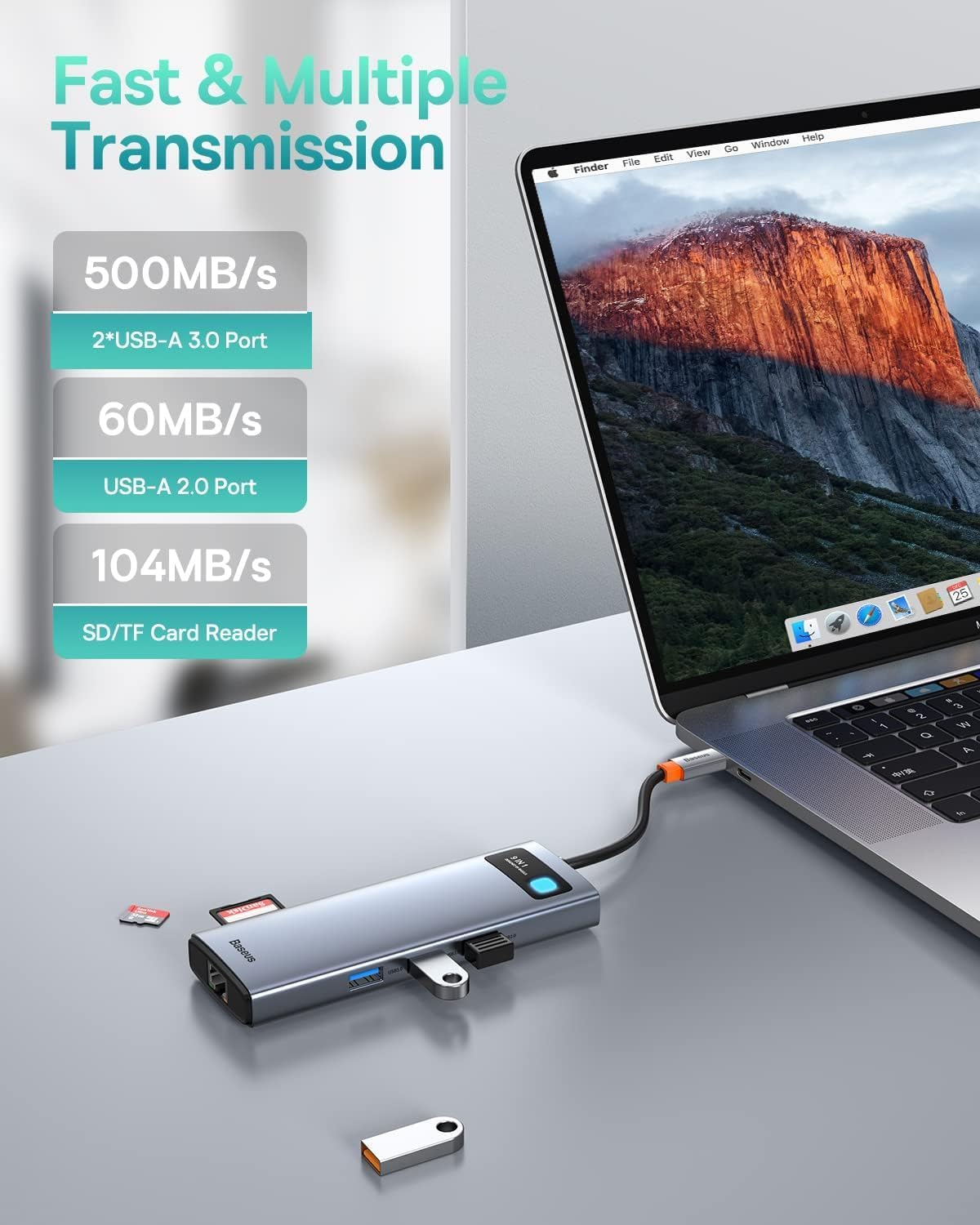
Image: The Baseus docking station connected to a laptop, with various USB devices and an SD card inserted, highlighting the fast and multiple transmission capabilities of the USB-A ports and SD/TF card reader.
Обслуживание
- Уборка: Для очистки поверхности док-станции используйте мягкую сухую ткань. Не используйте жидкие чистящие средства или аэрозоли.
- Хранилище: Храните устройство в прохладном, сухом месте, вдали от прямых солнечных лучей и экстремальных температур.
- Умение обращаться: Избегайте падений и сильных ударов, которым подвергается док-станция. Не пытайтесь разбирать или модифицировать устройство.
- Управление кабелями: Ensure cables are not excessively bent or tangled to prevent damage to the ports or internal wiring.
Поиск неисправностей
| Проблема | Возможная причина | Решение |
|---|---|---|
| На внешнем мониторе нет изображения. |
|
|
| Отсутствует подключение к интернету по Ethernet. |
|
|
| USB-устройства не распознаны. |
|
|
| Низкая скорость передачи данных. |
|
|
Технические характеристики
| Особенность | Деталь |
|---|---|
| Модель | 9-in-1 USB-C Docking Station (B0B1PT5FVM) |
| Бренд | Базеус |
| Размеры продукта | 5.31 x 1.93 x 0.63 дюйма |
| Вес товара | 5.3 унции |
| аппаратный интерфейс | MicroSD, USB Type C, Ethernet, HDMI, USB 3.0, USB 2.0, Secure Digital Card |
| Выход HDMI 1 | Up to 4K@120Hz (Single Display) |
| Выход HDMI 2 | Up to 4K@30Hz (Single Display) |
| Двойной выход HDMI | Up to 4K@30Hz + 4K@30Hz (Dependent on host device capabilities) |
| Ethernet-порт | 1000 Мбит/с Гигабитный Ethernet |
| Порт USB-C PD | Max 85W Power Delivery (100W input required, 15W for hub self-consumption) |
| Порты USB 3.0 | 2 ports, up to 5Gbps data transfer speed |
| USB-порт 2.0 | 1 port, up to 60MB/s data transfer speed |
| Устройство чтения карт SD/TF | Supports up to 104MB/s data transfer speed |
| Совместимые устройства | iPhone 15 Series, ASUS ROG Ally, Steam Deck, MacBook, MacBook Pro (2018-2021), MacBook Air (2018-2020), Mac mini (2018-2020), iPad Pro/Air (2018/2020), iPad mini 6, Dell XPS, Dell Latitude, Lenovo Yoga, Thinkpad, Microsoft Surface series, Samsung Galaxy phones/tablets, HP Spectre, Elitebook, Envy, ASUS Zenbook, Acer Aspire. |
Гарантия и поддержка
Подробную информацию о гарантии и технической поддержке можно найти на официальном сайте Baseus. webили обратитесь в службу поддержки напрямую. Сохраните чек о покупке для предъявления гарантийных претензий.
Официальный сайт Baseus Webсайт: www.baseus.com


