1. Продукт закончилсяview
The STABILA LD220 is a compact and easy-to-use laser distance measuring tool designed for quick and accurate measurements. It features an impact-resistant housing with a shock-absorbent STABILA soft grip casing, ensuring durability in various working conditions. The large digits on the display facilitate easy reading of measurements.
Основные характеристики:
- Compact, easy-to-use laser.
- 4 basic measuring functions: length, area, volume, and continuous measurement.
- Calculates measuring results quickly.
- Large digits for easy readability.
- Impact-resistant housing with shock-absorbent STABILA soft grip casing.
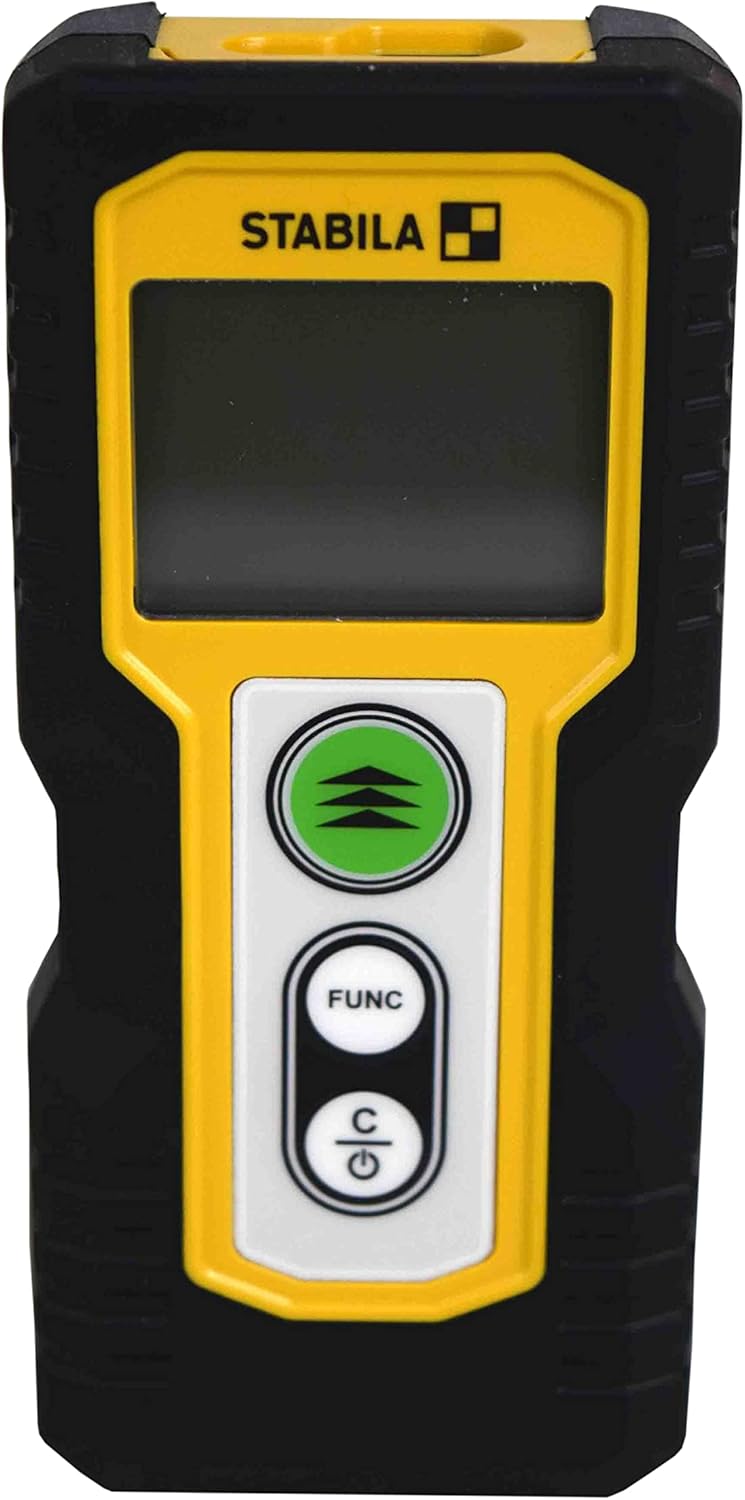
Рисунок 1.1: Передняя часть view of the STABILA LD220 laser distance measuring tool, showcasing его компактный дизайн и дисплей.
2. Начало работы
2.1 Содержимое упаковки
Убедитесь, что все компоненты присутствуют:
- STABILA LD220 Laser Distance Measuring Tool
- Batteries (Alkaline, LR03/AAA type)
2.2 Установка аккумулятора
The STABILA LD220 requires two AAA alkaline batteries for operation. Follow these steps to install them:
- Найдите крышку батарейного отсека на задней панели устройства.
- Чтобы открыть крышку, сдвиньте ее вниз или в направлении, указанном стрелкой.
- Insert two AAA alkaline batteries, ensuring the correct polarity (+ and -) as marked inside the compartment.
- Закройте крышку батарейного отсека, сдвинув ее на место до щелчка.

Figure 2.1: The STABILA LD220 device shown alongside two AAA batteries, indicating the power source.

Рисунок 2.2: Крупный план view of the two AAA alkaline batteries, which power the device.
2.3 Включение/выключение питания
Чтобы включить устройство, нажмите кнопку Power/Clear (C) кнопку. Чтобы выключить, нажмите и удерживайте кнопку Power/Clear (C) Нажмите кнопку на несколько секунд, иначе устройство автоматически выключится после периода бездействия для экономии заряда батареи.
3. Инструкция по эксплуатации
The STABILA LD220 offers four primary measuring functions. Familiarize yourself with the buttons:
- Measurement Button (Green, with three arrows): Initiates a measurement or activates continuous measurement.
- Function Button (FUNC): Cycles through different measurement modes (Length, Area, Volume, Continuous).
- Power/Clear Button (C): Powers the device on/off, clears the last measurement, or exits a function.

Рисунок 3.1: Подробный view of the STABILA LD220's control panel, highlighting the measurement, function, and power/clear buttons.
3.1 Измерение длины
This is the default mode for single distance measurements.
- Убедитесь, что устройство включено.
- Направьте лазерный луч на целевую поверхность.
- Нажмите Кнопка измерения once. The measured distance will appear on the display.
3.2 Непрерывное измерение (отслеживание)
This mode allows for dynamic measurement, displaying real-time distance as you move the device.
- Нажмите FUNC button until the continuous measurement icon (often a series of horizontal lines or a tracking symbol) appears on the display.
- Нажмите Кнопка измерения для начала непрерывного измерения.
- Медленно перемещайте устройство к цели или от нее. Дисплей будет непрерывно обновлять расстояние.
- Нажмите Кнопка измерения снова или C button to stop continuous measurement.
3.3 Измерение площади
To calculate the area of a rectangular space (Length x Width).
- Нажмите FUNC button until the area measurement icon (a square or rectangle) appears.
- Measure the first side (e.g., length) by pointing the laser and pressing the Кнопка измерения.
- Measure the second side (e.g., width) by pointing the laser and pressing the Кнопка измерения снова.
- Устройство автоматически рассчитает и отобразит площадь.
3.4 Измерение объема
To calculate the volume of a rectangular space (Length x Width x Height).
- Нажмите FUNC button until the volume measurement icon (a cube or rectangular prism) appears.
- Measure the first side (e.g., length) by pointing the laser and pressing the Кнопка измерения.
- Measure the second side (e.g., width) by pointing the laser and pressing the Кнопка измерения.
- Measure the third side (e.g., height) by pointing the laser and pressing the Кнопка измерения.
- Устройство автоматически рассчитает и отобразит объем.

Figure 3.2: The product packaging illustrating the various measuring functions, including length, area, volume, and tracking.
4. Уход и обслуживание
Proper care and maintenance will extend the life of your STABILA LD220.
- Уборка: Используйте мягкий, damp cloth to clean the device. Do not use harsh chemicals, abrasive cleaners, or solvents. Ensure the laser lens and display are kept clean for accurate readings.
- Хранилище: Храните устройство в сухом, прохладном месте, вдали от прямых солнечных лучей и экстремальных температур. При длительном хранении извлеките батарейки, чтобы предотвратить протечку.
- Умение обращаться: Although the device has an impact-resistant housing, avoid dropping it or subjecting it to severe shocks.
- Уход батареи: Замените батарейки, когда на дисплее появится индикатор низкого заряда батареи. Утилизируйте использованные батарейки в соответствии с местными правилами.
5. Поиск Неисправностей
If you encounter issues with your STABILA LD220, refer to the following common problems and solutions:
| Проблема | Возможная причина | Решение |
|---|---|---|
| Устройство не включается. | Разряженные или неправильно установленные батареи. | Проверьте полярность батареек. Замените их новыми щелочными батарейками типа AAA. |
| Неточные измерения. | Laser lens is dirty; target surface is too reflective/absorbent; device is unstable during measurement. | Clean the laser lens with a soft cloth. Use a target plate for difficult surfaces. Ensure the device is held steady. |
| На экране отображается сообщение об ошибке. | Измерение выходит за пределы допустимого диапазона; внутренняя погрешность. | Ensure target is within the 100ft (30m) range. Power off and restart the device. If the error persists, contact support. |
| Лазерный луч не виден. | Яркий окружающий свет; лазер не активирован. | Use in lower light conditions or use a laser target plate. Press the measurement button to activate the laser. |
6. Технические характеристики
Detailed specifications for the STABILA LD220 Laser Distance Measuring Tool:
| Спецификация | Ценить |
|---|---|
| Номер модели | Stabila - 06220 |
| Диапазон измерения | До 100 футов (30 м) |
| Функции измерения | Length, Area, Volume, Continuous Measurement |
| Цвет | Черный |
| Материал | Пластик |
| Размеры изделия (Д x Ш x В) | 8 x 5 x 2 дюйма |
| Вес товара | 8 унции |
| Требуются батареи | No (Included Components: Stabila - 06220, but requires 2x AAA Alkaline batteries for operation) |
| Тип батареи | Щелочные (ААА) |
| Производитель | Стабила |
| Дата первой доступности | 17 марта 2022 г. |

Рисунок 6.1: Сзади view of the STABILA LD220, displaying the product label with model number, power requirements, and laser class information.
7. Гарантия и поддержка
For information regarding product warranty, returns, or technical support, please refer to the documentation included with your purchase or visit the official Stabila webУсловия гарантии могут различаться в зависимости от региона и продавца.


