1. Введение и окончаниеview
The AC Infinity Air Filtration PRO Kit 4-Inch is a comprehensive system designed to manage the climate and air quality within your grow space. This kit includes an AI-powered controller, an inline fan, a carbon filter, and flexible ducting, providing a complete solution for cooling, ventilation, and odor control. The AI controller intelligently analyzes climate patterns to dynamically adjust the inline fan, ensuring optimal environmental conditions.
Ключевые особенности включают в себя:
- AI-Powered Controller: Analyzes climate patterns and anticipates environmental changes to program the inline fan dynamically.
- Управление через приложение Wi-Fi: Connect the controller to the WiFi app for real-time AI insights, guides, and chatbot support from any location.
- 4-Inch Inline Fan: Features a PWM-controlled EC motor for quiet and energy-efficient operation, rated at 205 CFM airflow and 29 dBa noise level.
- Australian Carbon Filter: Designed with a gunmetal finish, this filter effectively traps odors.
- Гибкий воздуховод: Routes stale air away from your grow tent efficiently.

Рисунок 1: Болееview of the AC Infinity Air Filtration PRO Kit 4-Inch components.
2. Входящие в комплект компоненты
Your AC Infinity Air Filtration PRO Kit 4-Inch includes the following items:
- 1 x 4-Inch Inline Duct Fan (CLOUDLINE 4")
- 1 x AI Controller (Controller AI+)
- 1 x Carbon Filter (Australian Virgin Charcoal)
- 1 x Flexible Ducting
- 2 x Duct Clamps
- 1 x Set of Hanging Straps
- 1 x Temperature and Humidity Sensor Probe

Рисунок 2: Подробная информация view of kit components and their dimensions.
3. Инструкции по настройке
Follow these steps to set up your AC Infinity Air Filtration PRO Kit:
- Mount the Inline Fan: Position the inline fan within your grow tent or ventilation system. Use the provided hanging straps to secure it firmly. Ensure the fan's airflow direction aligns with your ventilation needs (typically exhausting air out of the grow space).
- Connect the Carbon Filter: Attach the carbon filter to one end of the inline fan. The filter can be placed either before the fan (pulling air through the filter) or after the fan (pushing air through the filter), depending on your setup and space constraints. Use a duct clamp для надежного соединения.
- Install Ducting: Connect the flexible ducting to the other end of the inline fan (or carbon filter, if placed after the fan). Route the ducting to an exhaust point outside your grow space. Secure all ducting connections with the remaining duct clampдля предотвращения утечек воздуха.
- Расположение контроллера: Mount the AI Controller in an easily accessible location, preferably outside the grow tent for optimal visibility and interaction.
- Connect the Sensor Probe: Plug the temperature and humidity sensor probe into the controller. Place the sensor inside your grow tent, away from direct light or airflow, to get accurate readings of the ambient conditions.
- Включение питания: Connect the inline fan and controller to a power source. The controller will power on and display current environmental readings.

Рисунок 3: Example installation of the air filtration system within a grow tent.

Figure 4: Airflow diagram showing the fan and filter in operation.
4. Инструкция по эксплуатации
4.1. Controller AI+ Operation
The Controller AI+ provides advanced control over your ventilation system. Refer to the dedicated controller manual for detailed programming instructions. Key functions include:
- Ручной режим: Set a constant fan speed.
- Автоматический режим: Program the fan to respond to temperature and humidity thresholds.
- Режим таймера: Schedule on/off cycles.
- Настройки будильника: Receive alerts for out-of-range conditions.
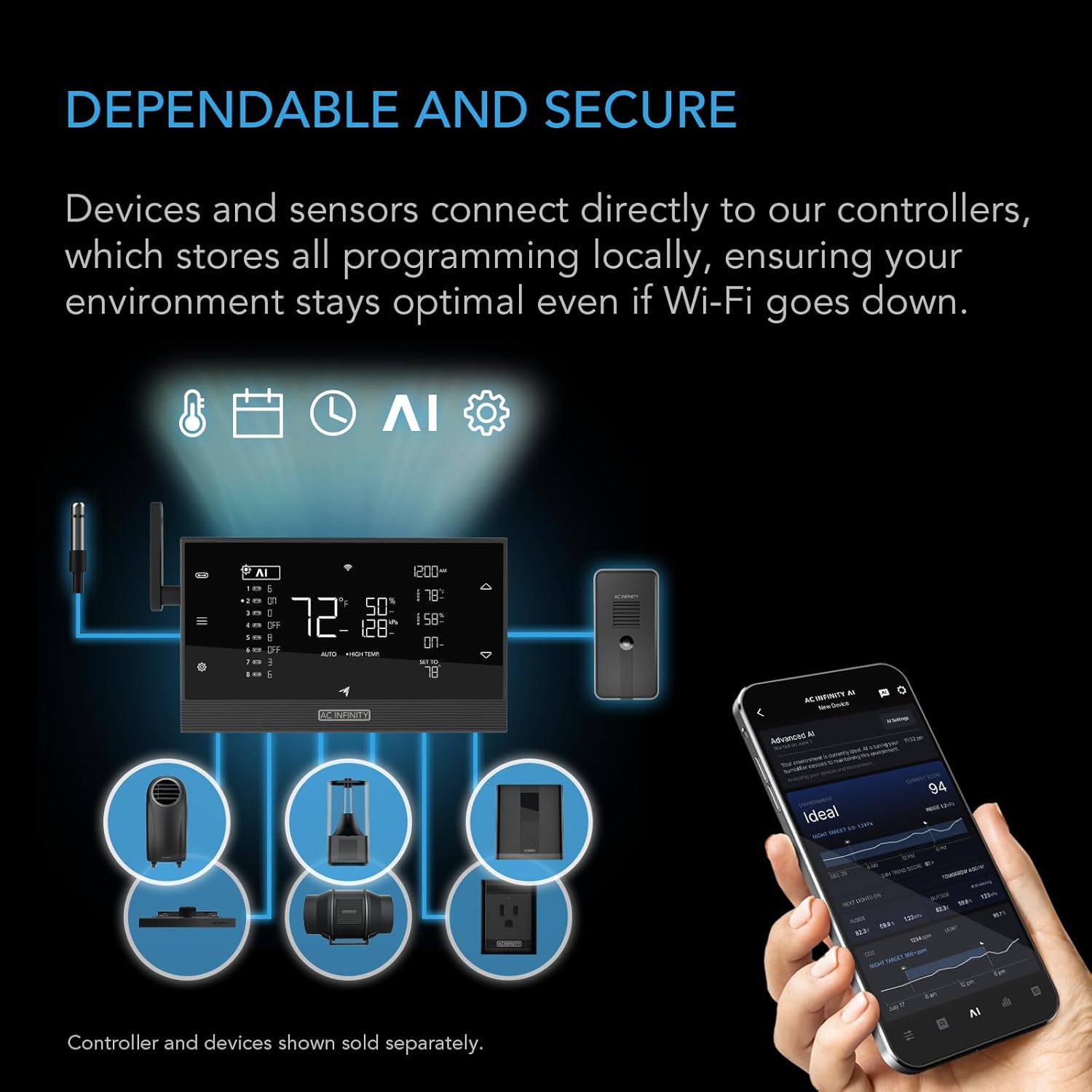
Figure 5: Controller AI+ interface and app connectivity.
4.2. Управление через приложение Wi-Fi
Download the AC Infinity app from your device's app store to unlock advanced features and remote control:
- Загрузите и установите: Искать "AC Infinity" in the App Store or Google Play Store.
- Пара устройств: Follow the in-app instructions to pair your Controller AI+ with your smartphone via WiFi.
- Удаленный мониторинг и управление: View real-time climate data, adjust settings, and receive notifications from anywhere.
- AI Insights & Automations: Utilize the app's AI capabilities for climate predictions, pattern recognition, and deep learning to optimize your environment. The system anticipates climate spikes and adjusts equipment proactively to maintain ideal conditions.

Figure 6: AC Infinity app interface for monitoring and control.
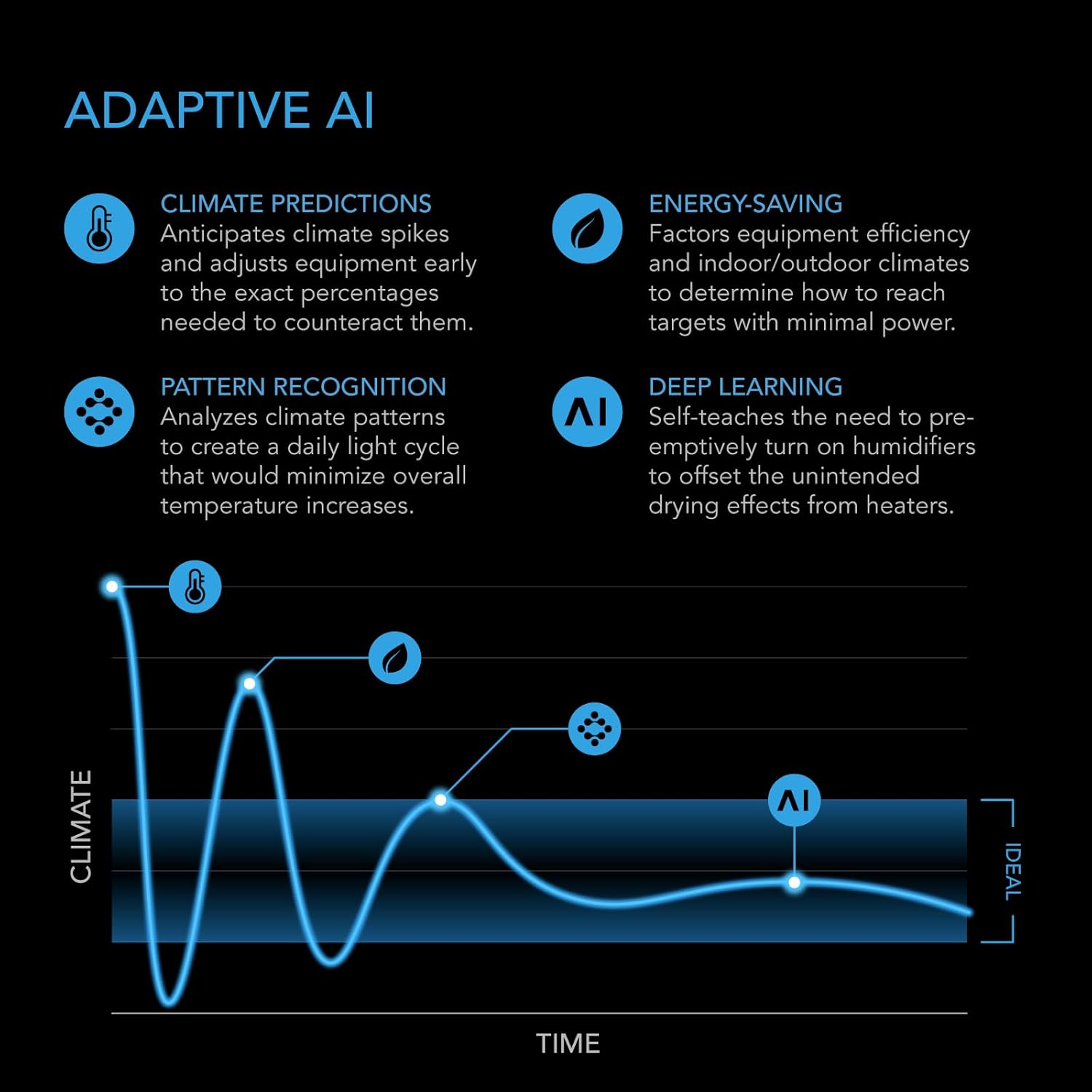
Figure 7: Explanation of the Adaptive AI functionality.
5. Техническое обслуживание
5.1. Inline Fan Maintenance
- Уборка: Periodically inspect the fan blades for dust and debris buildup. Disconnect power before cleaning. Use a soft brush or compressed air to gently remove any accumulation.
- Инспекция: Check ducting and connections for any tears or loose clamps that could affect airflow efficiency.
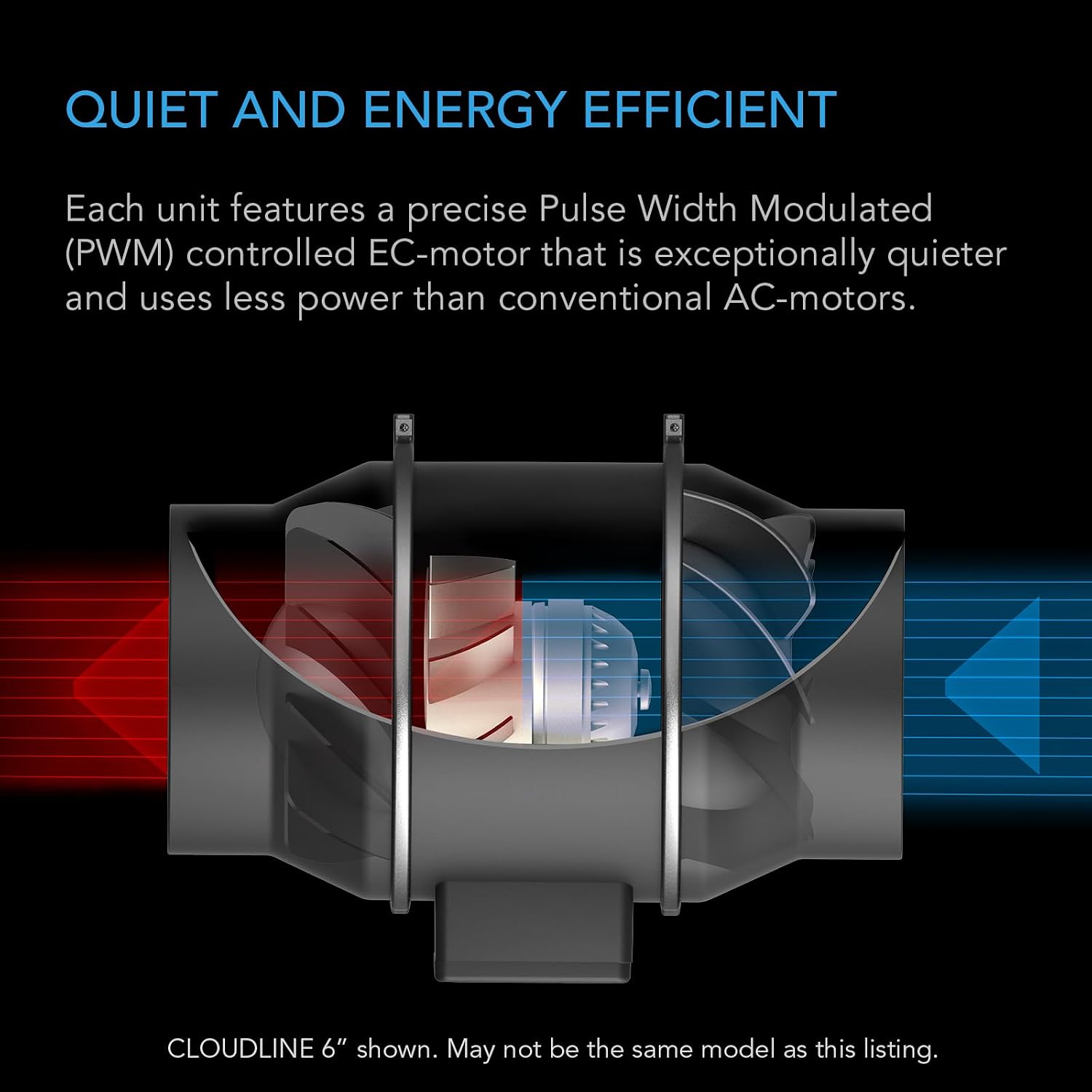
Рисунок 8: Внутренний view of the quiet and energy-efficient EC motor in the inline fan.
5.2. Обслуживание угольного фильтра
- Предварительная очистка фильтра: The carbon filter includes a pre-filter sleeve. This sleeve should be removed and washed regularly (every 2-4 weeks, depending on usage) to maintain optimal airflow and filter life. Allow it to dry completely before reattaching.
- Замена угольного фильтра: The activated carbon inside the filter will eventually become saturated and lose its effectiveness in odor removal. The lifespan of the carbon filter varies based on usage and environmental conditions, typically 6-12 months. Replace the carbon filter when you notice odors returning.

Figure 9: Construction details of the high-quality carbon filter.
6. Поиск Неисправностей
If you encounter issues with your AC Infinity Air Filtration PRO Kit, refer to the following common troubleshooting steps:
- Вентилятор не включается:
- Check all power connections to the fan and controller.
- Убедитесь, что розетка исправна.
- Verify the controller settings are not set to 'OFF' or a very low threshold that isn't being met.
- Poor Airflow/Odor Not Removed:
- Inspect ducting for kinks, blockages, or leaks. Ensure all clamps тугие.
- Clean the pre-filter sleeve of the carbon filter.
- If the carbon filter is old (6-12 months or more), it may need replacement.
- Check fan speed settings on the controller; increase if necessary.
- Контроллер не подключается к Wi-Fi/приложению:
- Ensure your WiFi network is 2.4GHz (5GHz networks are often not supported by smart devices).
- Verify your WiFi password is entered correctly.
- Move the controller closer to your WiFi router if signal strength is weak.
- Restart your router and the controller.
- Неточные показания температуры/влажности:
- Ensure the sensor probe is not in direct contact with light, water, or extreme temperatures.
- Check for any damage to the sensor cable or probe.
For further assistance, please refer to the AC Infinity support webсайт или свяжитесь со службой поддержки клиентов.
7. Технические характеристики
| Особенность | Спецификация |
|---|---|
| Бренд | Бесконечность переменного тока |
| Номер модели | AC-FKT4 |
| Размер воздуховода | 4 дюйма |
| Расход воздуха (куб.фут/мин) | 205 куб. футов в минуту |
| Уровень шума | 29 дБа |
| Потребление энергии | 21 Вт |
| Томtage | 100-240V AC |
| Контроллер | Controller AI+ |
| Датчики | Temperature, Humidity, VPD |
| Поддерживаемые устройства | 8 (32 with Splitters) |
| Управление приложениями | Wi-Fi + Bluetooth |
| Размеры продукта | 11.89"Д x 6.93"Ш x 7.48"В (вентилятор) |
| Вес товара | 18.5 pounds (Total Kit) |
| СКП | 819137022911 |
8. Гарантия и поддержка
Информацию о гарантии и технической поддержке можно получить на официальном сайте AC Infinity. website or the documentation included with your product packaging. You can also visit the Магазин AC Infinity на Amazon Для получения дополнительной информации и контактных данных.


