1. Введение
This manual provides detailed instructions for the setup, operation, and maintenance of your AWOW AK41 Mini PC. The AK41 is a compact and powerful desktop computer featuring an Intel Celeron J4125 processor, 8GB DDR4 RAM, and a 128GB NVMe M.2 SSD, pre-installed with Windows 11 Pro. It is designed for various applications including office work, home theater, study, and security monitoring.
2. Содержимое упаковки
Пожалуйста, проверьте наличие всех предметов в вашей посылке:
- AWOW AK41 Mini PC
- Адаптер питания
- HDMI-кабель
- Mounting Bracket with Screws (for VESA mounting)
- Руководство пользователя

Image 2.1: AWOW AK41 Mini PC with included accessories.
3. Продукт закончилсяview
The AWOW AK41 Mini PC is engineered for efficiency and versatility. Below is an overview of its key components and ports.
3.1 Передняя и боковая панель

Изображение 3.1: вид спереди и сбоку view of the AWOW AK41 Mini PC, highlighting the USB 3.0 ports, audio jack, and power button.
- Кнопка питания: Нажмите, чтобы включить или выключить устройство.
- Порты USB 3.0 (x2): Для подключения высокоскоростных USB-устройств.
- Аудиоразъем (3.5 мм): Для наушников или внешних динамиков.
3.2 Задняя панель

Изображение 3.2: Сзади view of the AWOW AK41 Mini PC, illustrating the DC power input, HDMI ports, Gigabit Ethernet, USB 2.0 ports, and Type-C port.
- Вход питания постоянного тока: Подключите прилагаемый адаптер питания.
- Два порта HDMI 2.0: Connect to displays for 4K@60Hz output.
- Порт Gigabit Ethernet: Для проводного сетевого подключения.
- Порты USB 2.0 (x2): Для подключения стандартных USB-устройств.
- Full-Function Type-C Port (x1): Supports data transfer, video output (4K), and PD fast charging.
- Слот для карты Micro SD: For additional storage expansion.
4. Руководство по установке
Follow these steps to set up your AWOW AK41 Mini PC:
- Подключиться к дисплею: Подключите монитор(ы) к мини-ПК с помощью портов HDMI или Type-C. Устройство поддерживает одновременное подключение до трех дисплеев.
- Подключите периферийные устройства: Подключите клавиатуру, мышь и любые другие USB-устройства к имеющимся портам USB 2.0 или USB 3.0.
- Подключение к сети: For a wired connection, connect an Ethernet cable to the Gigabit Ethernet port. For wireless, the device supports 2.4G/5G dual-band WiFi.
- Включение питания: Connect the power adapter to the DC power input on the Mini PC, then plug the adapter into a power outlet. Press the power button on the front panel to turn on the device.
- Начальная настройка: Upon first boot, follow the on-screen instructions to complete the Windows 11 Pro setup, including language, region, and network configuration.
5. Инструкция по эксплуатации
5.1 Windows 11 Профессиональная
Your AWOW AK41 Mini PC comes pre-installed with Windows 11 Pro 64-bit. Familiarize yourself with the Windows 11 interface for optimal use.
- Меню «Пуск»: Доступ к приложениям, настройкам и параметрам питания.
- Панель задач: Закрепляйте часто используемые приложения и управляйте открытыми окнами.
- Настройки: Customize system preferences, network settings, and display options.
5.2 Настройка нескольких дисплеев
The AK41 supports connecting up to three displays simultaneously at 4K@60Hz. This can be achieved using the two HDMI 2.0 ports and the full-function Type-C port.

Image 5.1: The AWOW AK41 Mini PC supporting multiple 4K displays for enhanced productivity.
Для настройки нескольких дисплеев в Windows 11:
- Щелкните правой кнопкой мыши по рабочему столу и выберите «Параметры экрана».
- Windows will detect the connected displays. You can arrange them, choose display modes (Extend, Duplicate, Show only on 1/2/3), and adjust resolution.
6. Расширение хранилища
The AWOW AK41 Mini PC offers flexible storage expansion options:

Image 6.1: Visual guide for expanding storage on the AWOW AK41 Mini PC.
- 2.5-дюймовый SATA HDD/SSD: You can add a 2.5-inch SATA hard drive or SSD (up to 2TB, not included) into the dedicated bay.
- Твердотельный накопитель M.2 SATA: An additional M.2 SATA SSD (up to 2TB, not included) can be installed. Note that the M.2 port supports PCIe X2, and compatibility with PCIe X4 might vary.
- Внешнее хранилище: Utilize the USB 3.0 and USB 2.0 ports to connect external hard drives or USB flash drives.
- Микро SD-карта: Insert a Micro SD card into the dedicated slot for portable storage.
7. Связь
7.1 Wi-Fi
The AK41 supports dual-band 2.4G/5G Wi-Fi (802.11a/b/g/n/ac) for robust wireless connectivity.
- Нажмите на значок Wi-Fi на панели задач Windows.
- Выберите нужную сеть из списка.
- Enter the network password if prompted and click "Connect."
7.2 Ethernet
For a stable and high-speed internet connection, use the Gigabit Ethernet port.
- Connect one end of an Ethernet cable to the Gigabit Ethernet port on the Mini PC.
- Подключите другой конец кабеля Ethernet к маршрутизатору или модему.
- The system will automatically detect and connect to the wired network.
7.3 Bluetooth
The Mini PC includes Bluetooth 4.2 for connecting wireless peripherals.
- Откройте «Параметры Windows» > «Bluetooth и устройства».
- Убедитесь, что Bluetooth включен.
- Нажмите «Добавить устройство» и выберите «Bluetooth».
- Select your Bluetooth device from the list and follow the pairing instructions.
8. Техническое обслуживание
Правильное обслуживание гарантирует долговечность и оптимальную производительность вашего мини-ПК.
- Уборка: Для очистки корпуса используйте мягкую сухую ткань. Для удаления пыли из вентиляционных отверстий используйте сжатый воздух. Перед чисткой убедитесь, что устройство выключено и отсоединено от сети.
- Вентиляция: Do not block the ventilation holes. Ensure adequate airflow around the device to prevent overheating. The AK41 features a built-in quiet fan for efficient heat dissipation.
- Обновления программного обеспечения: Regularly update Windows 11 and device drivers to maintain security and performance.
- Условия окружающей среды: Operate the Mini PC in a clean, dry environment, away from direct sunlight, extreme temperatures, and excessive humidity.

Image 8.1: The AWOW AK41 Mini PC's internal cooling system with a quiet large fan for effective heat dissipation.
9. Поиск Неисправностей
If you encounter issues with your AWOW AK41 Mini PC, refer to the following common solutions:
- Нет питания:
- Убедитесь, что адаптер питания надежно подключен как к мини-ПК, так и к работающей розетке.
- Попробуйте использовать другую розетку.
- Нет дисплея:
- Убедитесь, что кабель HDMI или Type-C надежно подключен как к мини-ПК, так и к монитору.
- Убедитесь, что монитор включен и настроен на правильный источник входного сигнала.
- Test with a different cable or monitor if possible.
- Нет соединения с интернетом:
- For Wi-Fi, check if the Wi-Fi adapter is enabled in Windows settings and if you are connected to the correct network with the right password.
- For Ethernet, ensure the cable is properly connected and your router/modem is functioning.
- Перезагрузите маршрутизатор/модем и мини-ПК.
- Низкая производительность:
- Закройте ненужные приложения, работающие в фоновом режиме.
- Проверьте наличие и установите все ожидаемые обновления Windows.
- Убедитесь, что на вашем SSD-диске достаточно свободного места.
10. Технические характеристики
| Особенность | Спецификация |
|---|---|
| Бренд | ВАУ |
| Номер модели | АК41 |
| Операционная система | Windows 11 Профессиональная |
| Процессор | Intel Celeron J4125 Quad-Core (2.0 GHz base, up to 2.7 GHz burst) |
| БАРАН | 8 ГБ DDR4 |
| Внутреннее хранилище | 128 GB NVMe M.2 SSD (PCIe x2) |
| Графика | Intel UHD-графика 600 |
| Вывод на дисплей | 2x HDMI 2.0, 1x Full-Function Type-C (supports 4K@60Hz, triple display) |
| Разрешение | До 4096 x 2304 (4K) |
| Беспроводное подключение | Dual-band Wi-Fi (802.11a/b/g/n/ac), Bluetooth 4.2 |
| Проводное подключение | 1x Гигабитный Ethernet |
| USB-порты | 2x USB 3.0, 2x USB 2.0 |
| Другие порты | 1x 3.5mm Audio Jack, 1x Micro SD Card Slot, 1x DC Power Input |
| Размеры (Д x Ш x В) | 12.5 х 11 х 4 см |
| Масса | 710 грамм |
| Тип мощности | DC |
| Конкретные применения | Multimedia, Personal, Professional |
11. Гарантия и поддержка
AWOW is committed to providing reliable products and customer satisfaction.
- Гарантия: Your AWOW AK41 Mini PC comes with a 1-year warranty.
- Возврат: Enjoy a 1-month free return period.
- Техническая поддержка: AWOW offers lifetime technical consulting services and 24-hour customer support.
If you encounter any issues or have questions, please contact AWOW customer service for assistance.
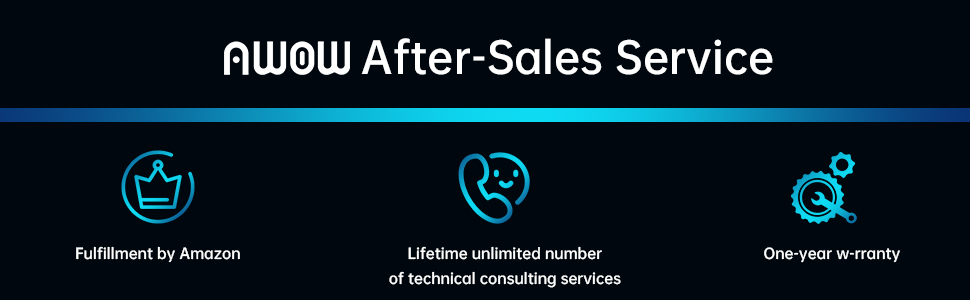
Изображение 11.1: оконченоview of AWOW's after-sales service commitments.


