1. Введение
This user manual provides essential information for the installation, operation, and maintenance of your TRAMSMART 6 Inch Smart LED Recessed Lights. Please read this manual thoroughly before installation and retain it for future reference. These smart recessed lights offer advanced features including RGBCW color changing, dimmable functionality, and compatibility with smart home assistants like Alexa and Google Assistant.
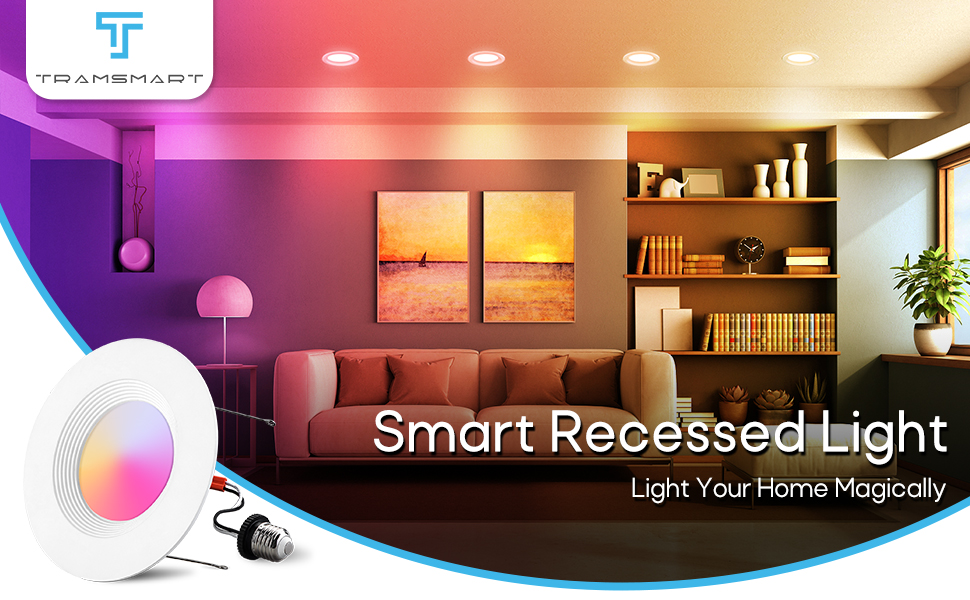
Image 1.1: TRAMSMART Smart Recessed Light in a living room setting, showcasing его осветительных возможностей.
2. Информация по технике безопасности
ПРЕДУПРЕЖДЕНИЕ: Риск поражения электрическим током. Перед установкой или обслуживанием отключите питание от предохранителя или автоматического выключателя. Неправильная установка может привести к поражению электрическим током или пожару.
- Перед установкой, демонтажем или техническим обслуживанием убедитесь, что источник питания выключен.
- Данный продукт предназначен только для использования в помещении. Не подвергать воздействию воды или влаги.
- Если вы не уверены в процессе установки, проконсультируйтесь с квалифицированным электриком.
- Не пытайтесь модифицировать или разбирать светильник.
- Используйте только с источником питания 120 В переменного тока.
3. Содержимое упаковки
Verify that all components are present and undamaged upon opening the package. If any items are missing or damaged, please contact customer support.
- 8 x TRAMSMART 6 Inch Smart LED Recessed Lights
- 8 x E26 Socket Adapters
- 1 x Remote Control (as per product specifications, though primary control is via app/voice)
- 1 x Руководство пользователя (этот документ)

Изображение 3.1: оконченоview of the TRAMSMART 6 Inch Smart LED Recessed Lights 8-pack, including packaging and a glimpse of the control app.
4. Технические характеристики
| Особенность | Спецификация |
|---|---|
| Номер модели | РЛ-8П |
| Ватtage | 13W (Equivalent 80W) |
| Выходной световой поток | 1100ЛМ |
| Цветовая температура | 2700K-6500K (RGBCW) |
| CRI | >90 |
| Угол луча | 95° |
| Томtage | 120 В переменного тока |
| Материал | Алюминий, Поликарбонат |
| Размеры (продукт) | 2.8 x 7.7 x 7.6 дюйма |
| Вес товара | 4.89 фунта (для упаковки из 8 штук) |
| Связность | Wi-Fi, Bluetooth |
| Совместимость | Alexa, Google Assistant, TUYA APP |
| Сертификаты | ЭТЛ |

Image 4.1: Detailed dimensions and key specifications of the TRAMSMART Smart LED Recessed Light.
5. Настройка и установка
The TRAMSMART Smart LED Recessed Lights are designed for easy retrofit installation. Please follow these steps carefully.
- Выключите питание: Before starting any electrical work, ensure the power to the circuit is turned off at the breaker panel.
- Подготовьте открытие: If installing in a new location, cut a hole of 2.56"-3" in diameter in the ceiling using a hole punch. For existing recessed cans, ensure the opening is compatible with a 6-inch fixture.
- Подключите адаптер: Screw the E26 socket adapter into the existing recessed can socket by turning clockwise.
- Подключите потолочный светильник: Plug the E26 adapter's male connector into the downlight's female connector.
- Insert the Downlight: Push both ends of the flip clip till it can fit into the recessed can. The spring clips will secure the light in place.
- Восстановить мощность: После надежной установки светильника восстановите подачу питания на автоматический выключатель.

Image 5.1: Step-by-step installation guide for the TRAMSMART Smart LED Recessed Light.
Важное примечание: These lights are designed to be controlled via the app or voice commands. Do not use them with external dimmer switches, as this may cause malfunction or damage.
6. Инструкция по эксплуатации
6.1 Управление через смарт-приложение
The TRAMSMART Smart LED Recessed Lights are controlled primarily through the TUYA APP. Download the TUYA APP from your smartphone's app store (iOS or Android).
- Сочетание: Follow the in-app instructions to pair your lights. This typically involves ensuring the lights are powered on and in pairing mode (often indicated by flashing).
- Индивидуальный контроль: Once paired, you can control individual lights to adjust brightness, color, and color temperature (2700K-6500K).
- Групповой контроль: Use the app's group setting feature to control multiple lights simultaneously. This allows you to manage lighting in different rooms or zones with a single command.
- Запланированное время: Set schedules for your lights to automatically turn on/off at specific times, enhancing energy efficiency and convenience.
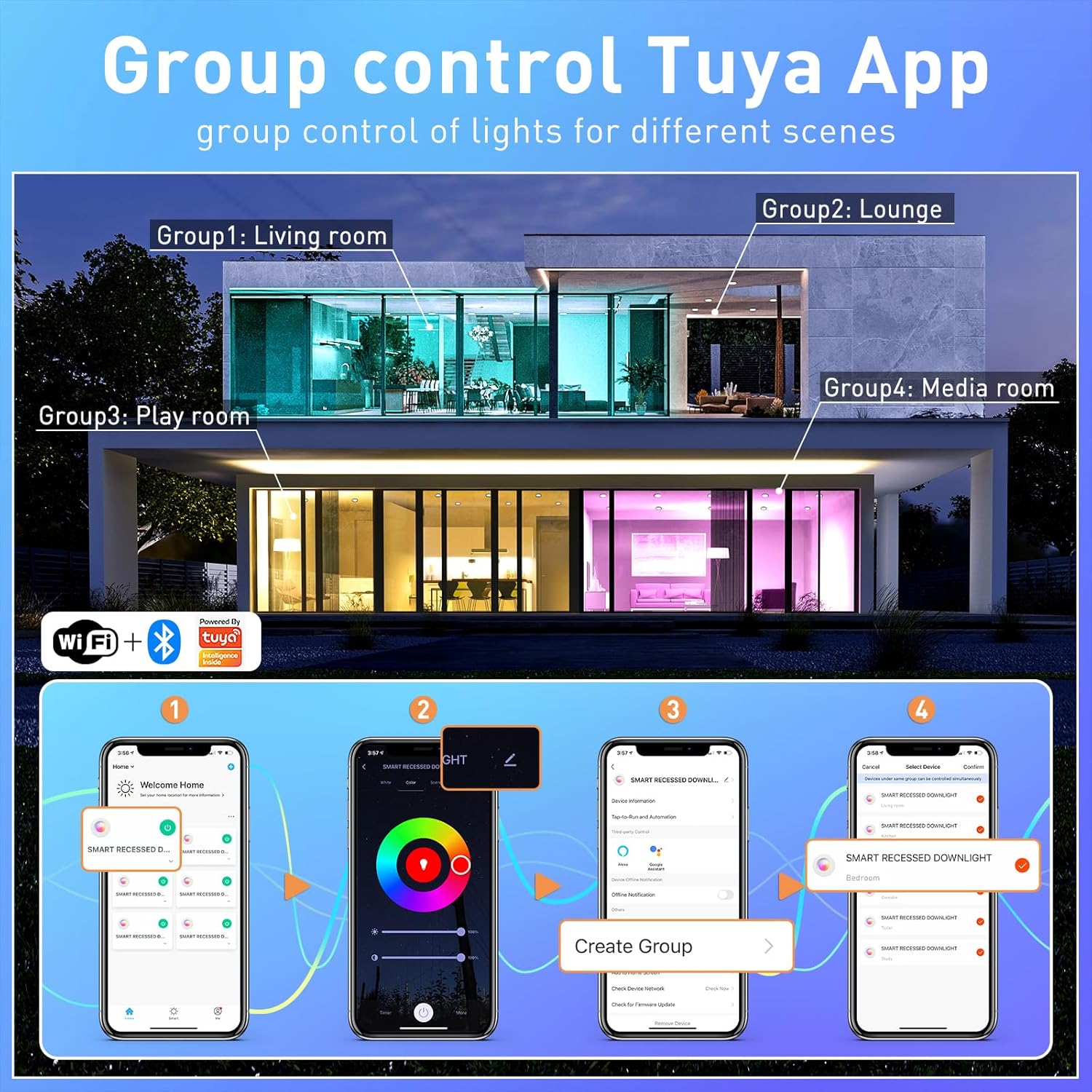
Image 6.1: Tuya App interface demonstrating group control functionality for multiple lights across different rooms.

Image 6.2: Timed adjustment feature within the app, allowing users to schedule light changes.
6.2 Голосовое управление
These smart recessed lights are compatible with Alexa and Google Assistant. After pairing your lights with the TUYA APP, link your TUYA account to your Alexa or Google Home app.
- Команды Алексы: "Alexa, turn on the living room lights," "Alexa, set the kitchen lights to blue," "Alexa, dim the bedroom lights to 50%."
- Google Assistant Commands: "Hey Google, turn off the lights," "Hey Google, change the dining room lights to warm white," "Hey Google, brighten the study lights."
6.3 Color Changing and Dimmable Features
The lights offer 16 million colors and adjustable white light from 2700K (warm white) to 6500K (cool white), along with 1% to 100% dimming capability.
- Выбор цвета: Use the color wheel in the TUYA APP to select any desired color.
- Регулировка белого света: Slide the color temperature bar in the app to choose between warm, neutral, and cool white tones.
- Регулировка яркости: Adjust the brightness slider in the app or use voice commands to set the desired light intensity.

Image 6.3: Visual representation of the 16 million color options and dimmable functionality.

Image 6.4: Illustration of the extensive color palette and tunable white light range.
6.4 Music Sync and Scene Modes
Enhance your environment with dynamic lighting effects that respond to sound or pre-set scenes.
- Синхронизация музыки: The lights can change color and intensity in rhythm with music or other sounds detected by your smartphone's microphone. Activate this feature within the TUYA APP.
- Режимы сцены: The app provides 8 pre-set scenes and 3 light modes (e.g., Night, Read, Working, Leisure, Soft, Colorful, Dazzling, Gorgeous) to suit various moods and activities.

Image 6.5: Music sync feature in action, showing lights changing with the beat of music.
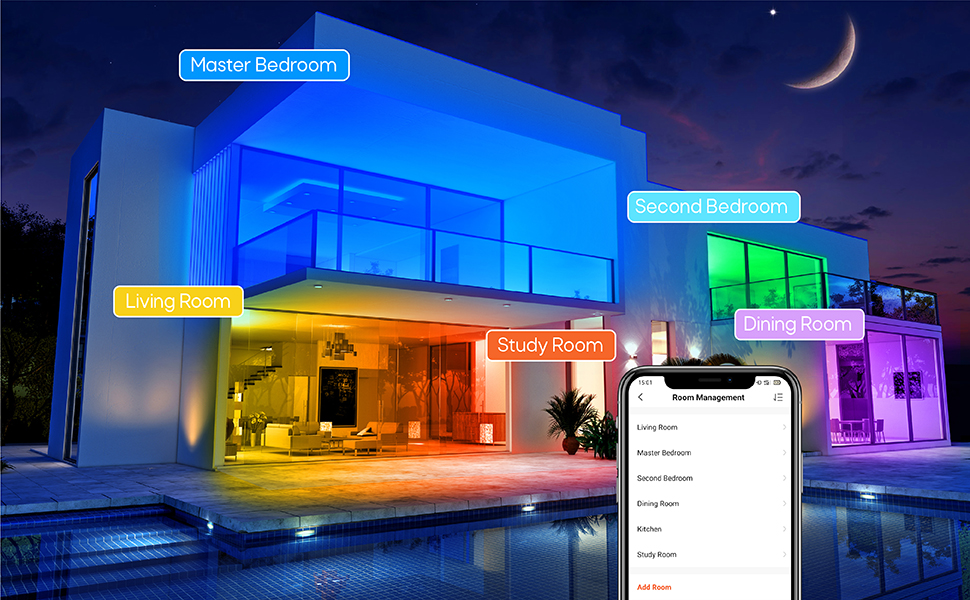
Изображение 6.6: Примерamples of colorful scenes and light modes for different moods and activities.
7. Техническое обслуживание
These LED recessed lights require minimal maintenance.
- Уборка: Ensure the power is off before cleaning. Wipe the surface of the light with a soft, dry cloth. Do not use abrasive cleaners or solvents.
- Нет деталей, обслуживаемых пользователем: There are no user-serviceable parts inside the fixture. Do not attempt to open or repair the light.
- Продолжительность жизни: LED lights have a long lifespan. If a light fails prematurely, contact customer support for assistance.
8. Поиск Неисправностей
If you encounter issues with your TRAMSMART Smart LED Recessed Lights, refer to the following troubleshooting guide:
| Проблема | Возможная причина | Решение |
|---|---|---|
| Свет не включается | No power, loose connection, faulty light. | Check circuit breaker. Ensure connections are secure. Test with a known working light if possible. |
| Lights are offline/unresponsive in app | Wi-Fi connectivity issue, light lost pairing. | Ensure your Wi-Fi network (2.4GHz) is stable. Power cycle the light (turn off/on at switch). Re-pair the light through the TUYA APP if necessary. |
| Lights in a group do not change color together | Individual light connectivity issue, app synchronization error. | Check individual light status in the app. Ensure all lights in the group have a strong Wi-Fi connection. Try re-creating the group in the app. |
| Cannot connect to Alexa/Google Assistant | TUYA account not linked, incorrect device name. | Ensure your TUYA account is correctly linked to your Alexa/Google Home app. Verify device names in TUYA match those used in voice commands. |
| Огни мерцают | Incompatible dimmer switch, unstable power. | These lights are not compatible with external dimmer switches. Ensure they are connected to a standard ON/OFF switch. Check for stable power supply. |
9. Гарантия и поддержка
TRAMSMART products are designed for quality and reliability. For specific warranty details, please refer to the product packaging or contact TRAMSMART customer support. If you require technical assistance or have questions not covered in this manual, please visit the official TRAMSMART store or contact their support channels.
TRAMSMART Store: Visit TRAMSMART Store on Amazon
10. Нормативная информация
This product complies with relevant safety and regulatory standards. For a comprehensive user guide in PDF format, please refer to the following link:
Руководство пользователя (PDF): Скачать руководство пользователя


