Введение
This user manual provides comprehensive instructions for the TERIOS Wireless Controller, designed for an enhanced gaming experience. This controller is compatible with PlayStation 4, PS4 Pro, and PS4 Slim consoles.

Изображение: Спереди view of the green TERIOS Wireless Controller, showcasinг его эргономичный дизайн и расположение кнопок.
Что в коробке?
При открытии упаковки убедитесь, что в наличии имеются все следующие предметы:
- 1 x TERIOS Wireless Controller
- 1 х USB-кабель для зарядки
- 1 x Controller User Manual (this document)

Image: The TERIOS Wireless Controller, USB charging cable, and user manual laid out, representing the package contents.
Характеристики продукта
The TERIOS Wireless Controller is equipped with several features designed to enhance your gaming experience:
- Беспроводное подключение: Connects wirelessly to your PS4 console via Bluetooth 4.2 for a stable connection up to 8 meters.
- Built-in Speaker & Headset Jack: Features an integrated speaker and a 3.5mm stereo headset jack for immersive audio.
- Мультисенсорная панель: A central multitouch pad expands gaming possibilities and interaction.
- Кнопка «Поделиться»: Allows for live-streaming and sharing gameplay moments without interrupting your session.
- Двойные аналоговые джойстики: Provides pinpoint accuracy and enhanced sensitivity for precise control.
- Двойная вибрационная амортизация: Integrated motors provide haptic feedback for an immersive gaming experience.
- Функция Turbo: Enables rapid-fire functionality for certain in-game actions.
- Аккумуляторная батарея: Equipped with a 1000mAh lithium battery, offering 10-12 hours of continuous use on a single charge.
- Эргономичный дизайн: Conforms to the palm structure for comfortable extended gaming sessions.

Изображение: Крупный план views highlighting the built-in speaker, share button, and multitouch pad functionalities of the controller.

Image: Visuals illustrating the Bluetooth 4.2 connection, ergonomic design for comfortable grip, and the placement of advanced gaming buttons.

Image: The controller with a visual emphasis on its dual analog sticks, indicating their role in providing a better gaming experience.
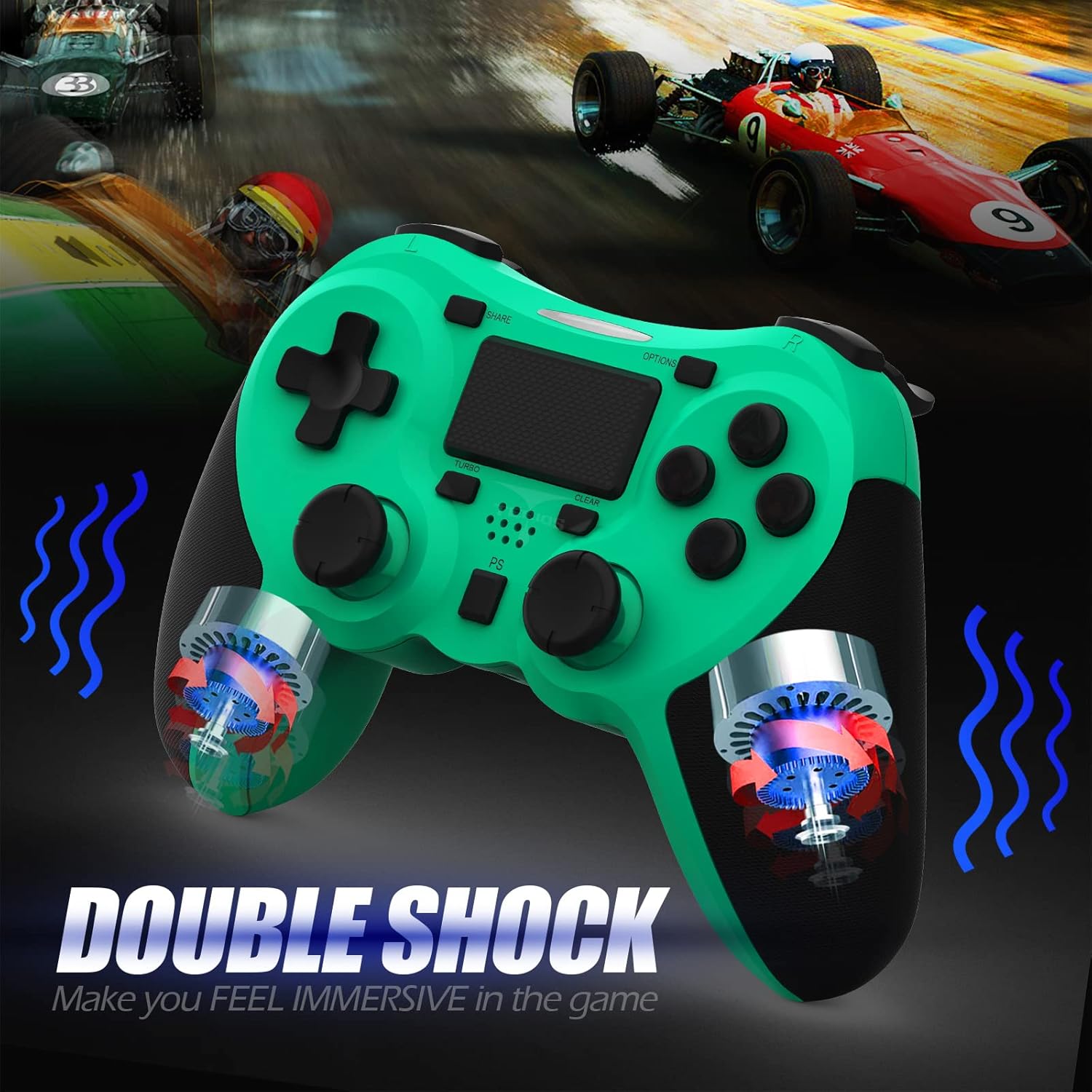
Изображение: Внутренний view of the controller highlighting the double shock vibration motors, designed to provide immersive haptic feedback.
Руководство по настройке
1. Первоначальная зарядка
Before first use, fully charge the controller. Connect the supplied USB charging cable to the controller's micro USB port and the other end to a USB port on your PlayStation 4 console or a compatible USB wall adapter.
- Время зарядки: приблизительно 2-3 часа для полной зарядки.
- Battery Life: Up to 10-12 hours of continuous gameplay.
- Время ожидания: до 30 дней.
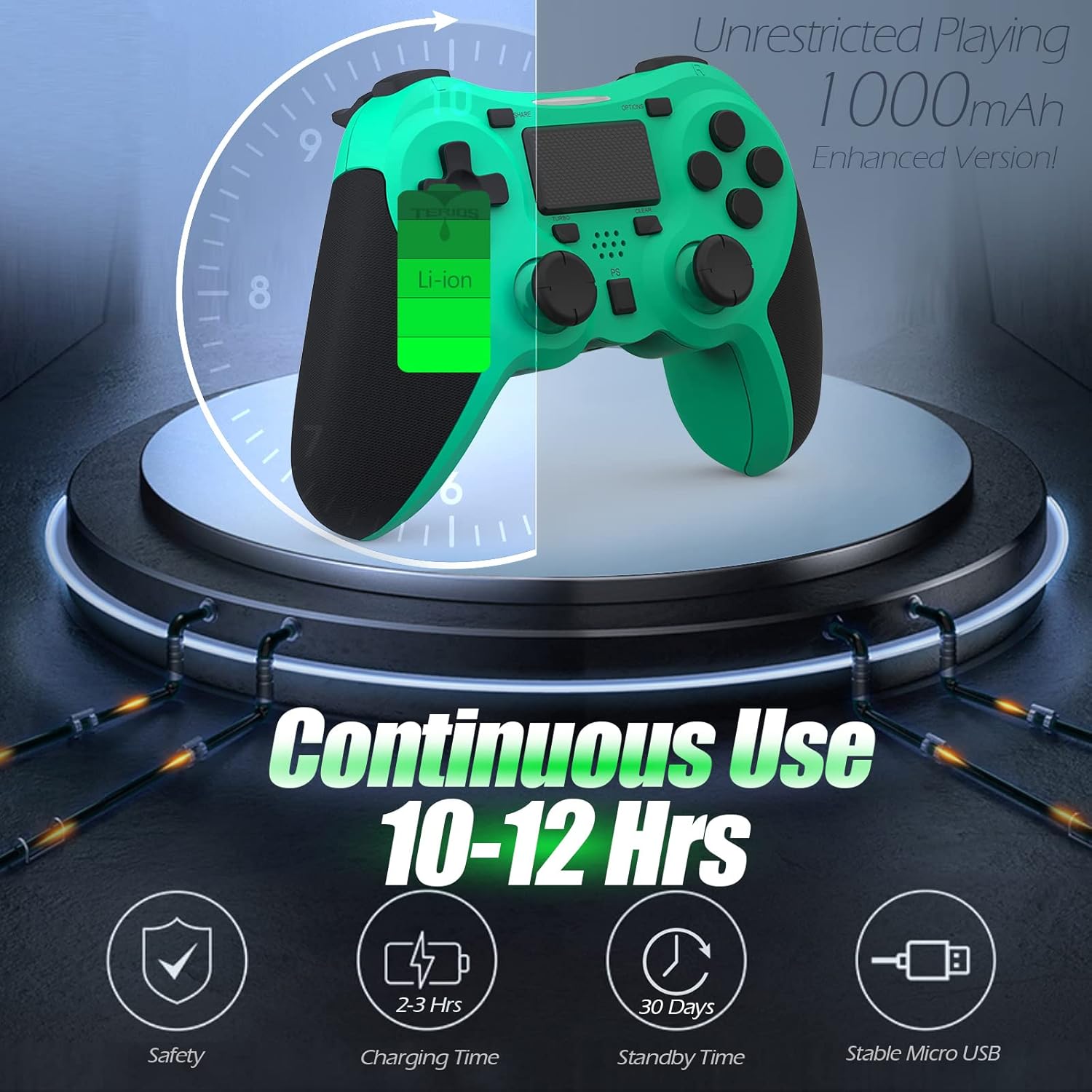
Image: A visual representation of the controller's 1000mAh battery, indicating 10-12 hours of continuous use, 2-3 hours charging time, and 30 days standby time.
2. Сопряжение с PlayStation 4
Чтобы подключить контроллер к консоли PS4:
- Убедитесь, что ваша консоль PS4 включена.
- Connect the controller to the PS4 console using the USB charging cable.
- Нажмите Кнопка PS (located in the center of the controller). The light bar on the controller will flash, then glow a solid color, indicating successful pairing.
- После сопряжения вы можете отсоединить USB-кабель для беспроводной игры.
Примечание: If the controller does not pair, ensure it is charged and try connecting it to a different USB port on the console. For persistent issues, refer to the Troubleshooting section.
Инструкция по эксплуатации
Основные элементы управления
| Компонент | Функция |
|---|---|
| Кнопка PS | Powers on the controller, accesses the PS4 home screen, switches users, or turns off the console (long press). |
| Кнопка SHARE | Accesses the Share menu to capture screenshots, record video clips, or broadcast gameplay. |
| Кнопка OPTIONS | Pauses games, accesses in-game menus, or confirms selections. |
| Directional Buttons (D-Pad) | Navigates menus and provides directional input in games. |
| Action Buttons (Triangle, Circle, Cross, Square) | Performs in-game actions, confirms, or cancels selections. |
| Left/Right Sticks (L3/R3) | Controls character movement, camera, or other analog inputs. Pressing down on the sticks activates L3/R3 buttons. |
| Кнопки L1/R1 | Trigger various in-game actions, often for aiming or secondary functions. |
| Триггеры L2/R2 | Analog triggers for actions like accelerating, braking, or firing weapons. |
| Multitouch Pad | Provides touch input for specific game interactions or navigation. |
| 3.5-мм разъем для гарнитуры | Connects compatible headsets for game audio and voice chat. |
Специальные функции
Турбо-функция
The Turbo feature allows for rapid, continuous input of a button press, useful for actions like rapid firing in games.
- Нажмите и удерживайте Кнопка TURBO (located below the touchpad).
- While holding TURBO, press the action button you wish to apply the rapid-fire function to (e.g., Square, Cross, Circle, Triangle, L1, R1, L2, R2).
- Release both buttons. The selected action button will now continuously register presses as long as it is held down.
- To disable Turbo for a specific button, repeat the process: hold TURBO and press the button again.
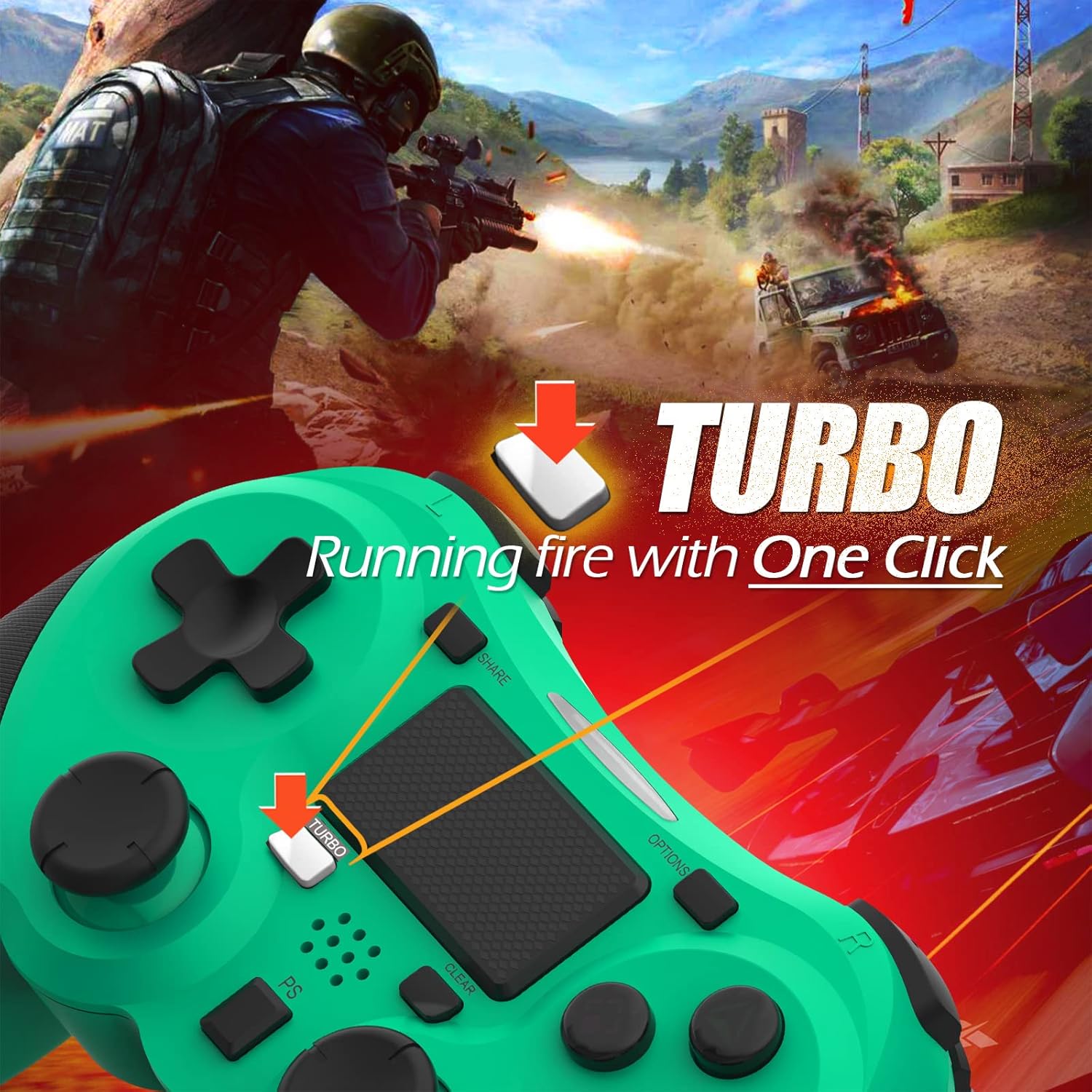
Image: A visual guide demonstrating how to activate the Turbo feature on the controller for rapid-fire actions.
Share Button Functionality
The SHARE button provides quick access to PS4's sharing features:
- Одно нажатие: Opens the Share menu, allowing you to save a screenshot, save a video clip, or start a broadcast.
- Длительное нажатие: Takes a screenshot directly.
- Двойное нажатие: Начинает/останавливает запись видео.
Обслуживание
Proper maintenance ensures the longevity and optimal performance of your TERIOS Wireless Controller.
Уборка
- Для протирки поверхности контроллера используйте мягкую сухую ткань.
- Для удаления стойких загрязнений слегкаampСмочите ткань водой или мягким неабразивным чистящим средством. Избегайте чрезмерного увлажнения.
- Do not use harsh chemicals, solvents, or abrasive materials, as these can damage the controller's finish and internal components.
Хранилище
- Храните контроллер в прохладном, сухом месте, вдали от прямых солнечных лучей, экстремальных температур и высокой влажности.
- Avoid placing heavy objects on the controller to prevent damage to buttons or analog sticks.
Уход за аккумулятором
- To preserve battery life, avoid fully discharging the controller frequently.
- При длительном хранении зарядите аккумулятор примерно до 50% перед хранением.
- Recharge the controller at least once every three months if not in use to prevent deep discharge.
Поиск неисправностей
If you encounter issues with your TERIOS Wireless Controller, please refer to the following common solutions:
Контроллер не подключается/не сопрягается.
- Проверьте аккумулятор: Ensure the controller is sufficiently charged. Connect it to the PS4 via USB cable to charge.
- Ремонт: Connect the controller to the PS4 with the USB cable and press the PS button to re-establish the connection.
- Сброс контроллера: Locate the small reset button hole on the underside of the controller (near the L2 button). Use a straightened paperclip or a similar thin object to press and hold the button for 3-5 seconds. This will reset the controller. After resetting, attempt to re-pair it with the PS4.
- Вмешательство: Move closer to the PS4 console to rule out wireless interference.
Buttons or Sticks Unresponsive/Lagging
- Сброс контроллера: Выполните полную перезагрузку системы, как описано выше.
- Чистый: Ensure no debris is lodged around the buttons or sticks. Clean the controller as per the Maintenance section.
- Прошивка: Ensure your PS4 system software is up to date.
Чрезмерная вибрация
- Сброс контроллера: A reset can often resolve unexpected vibration issues.
- Настройки игры: Check in-game settings for vibration intensity.
Технические характеристики
| Атрибут | Деталь |
|---|---|
| Модель | TERIOS 5S |
| ASIN | B09KLR5DCZ |
| Совместимость | PlayStation 4, PS4 Pro, PS4 Slim |
| Связность | Wireless (Bluetooth 4.2), USB |
| Тип батареи | Литий-полимерный (1 в комплекте) |
| Емкость аккумулятора | 1000мАч |
| Время непрерывного использования | 10-12 часа |
| Время зарядки | 2-3 часа |
| Время в режиме ожидания | До 30 дней |
| Вес товара | 10.8 унций (приблизительно 306 граммов) |
| Размеры упаковки | 6.69 x 5.24 x 2.72 дюйма |
| Производитель | ТЕРИОС |
| Дата первой доступности | 28 октября 2021 г. |
Гарантия и поддержка
TERIOS stands behind the quality of its products. This controller comes with a Гарантия 1 год с даты покупки, распространяется на производственные дефекты.
For customer support, technical assistance, or warranty claims, please contact TERIOS customer service through the platform where you purchased the product or visit the official TERIOS store page for contact information.
We are committed to providing premium customer support and ensuring your satisfaction with our products.


