Продукт болееview
The Jadfezy J-7000 is a high-performance 4K Action Camera designed for capturing dynamic moments in various environments. It features 4K/60FPS video recording, 24MP photo resolution, Electronic Image Stabilization (EIS), Wi-Fi connectivity, and a robust waterproof case for underwater use.

Image: The Jadfezy J-7000 Action Camera, shown with its protective waterproof housing, a remote control, a dual battery charger with two batteries, and a compact carrying case. This image highlights the camera's readiness for various action-packed scenarios.
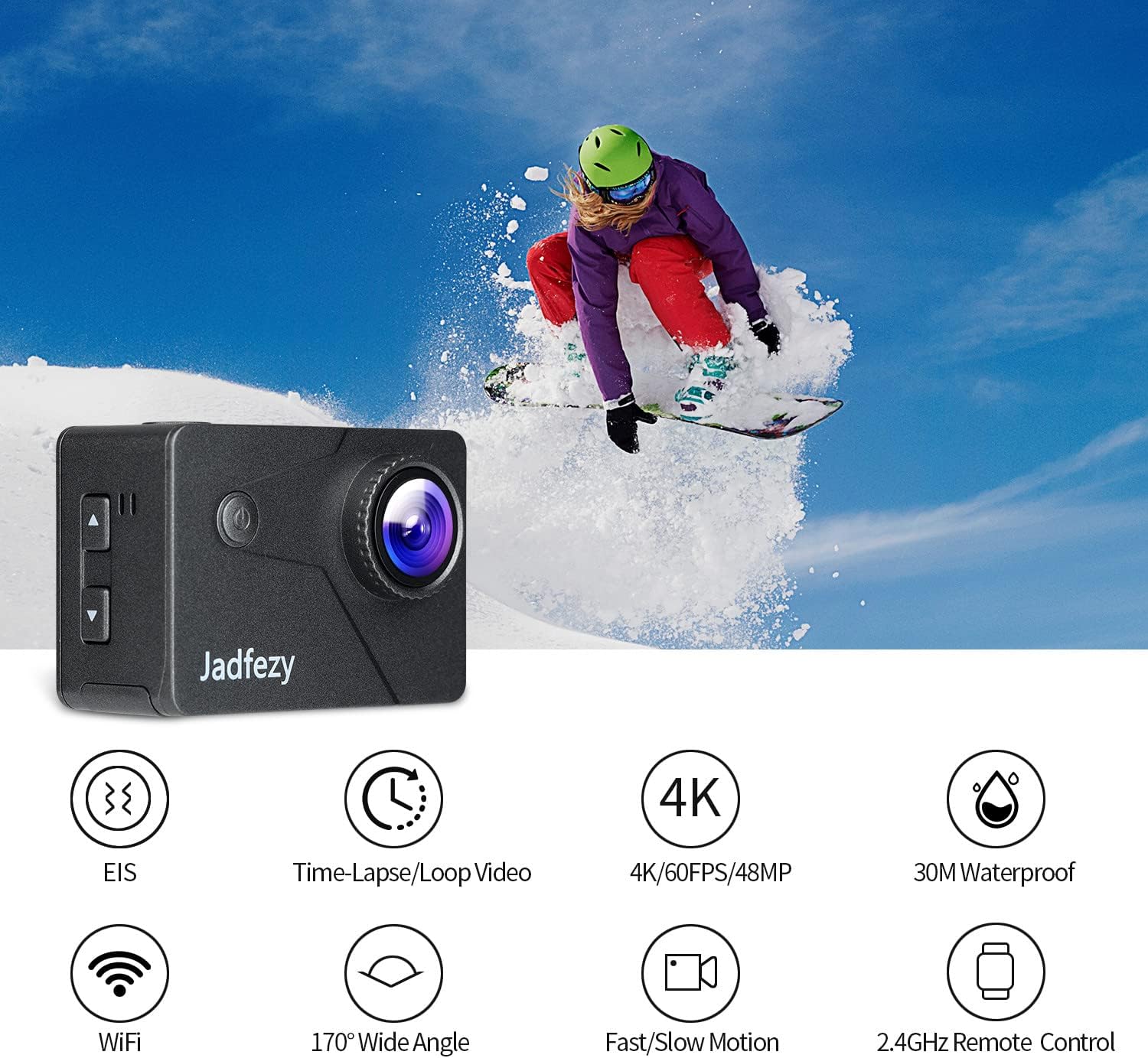
Image: The Jadfezy J-7000 Action Camera displayed alongside icons illustrating its core functionalities: Electronic Image Stabilization (EIS), Time-Lapse/Loop Video, 4K/60FPS/48MP recording, 30M Waterproof capability, Wi-Fi connectivity, 170° Wide Angle lens, Fast/Slow Motion modes, and 2.4GHz Remote Control compatibility.
Настраивать
1 Установка и зарядка аккумулятора
The camera comes with two 1500 mAh Lithium Ion batteries. Before first use, ensure batteries are fully charged.
- Откройте крышку батарейного отсека в нижней части камеры.
- Вставьте батарею, соблюдая правильную ориентацию.
- Плотно закройте крышку батарейного отсека.
- To charge, use the included dual battery charger and USB cable. Connect the charger to a USB power source. The indicator lights will show charging status.
2. Установка карты Micro SD
A Micro SD card (not included) is required for recording. The camera supports Micro SD cards up to 64GB (Class 10 or higher recommended).
- Найдите слот для карты Micro SD на боковой панели камеры.
- Вставьте карту Micro SD контактами к передней части камеры до щелчка.
- Чтобы вынуть карту, аккуратно нажмите на нее, пока она не выскочит.

Изображение: Комплексное view of the Jadfezy J-7000 Action Camera and its extensive accessory kit. This includes the camera in its waterproof housing, a dual battery charger with two batteries, a remote control, various mounts (helmet, bicycle, wrist), straps, a tripod, cleaning cloth, and a durable carrying case, demonstrating the versatility and completeness of the package.
Эксплуатация камеры
1. Основные элементы управления
- Кнопка питания / режима: Нажмите и удерживайте для включения/выключения. Кратковременное нажатие переключает режимы между видео, фото и воспроизведением.
- Кнопка спуска затвора/ОК: Нажмите, чтобы начать/остановить запись видео или сделать фото. В меню нажмите, чтобы подтвердить выбор.
- Кнопки вверх / вниз: Navigate menu options or zoom in/out.
2. Video Recording and Photo Capture
The J-7000 supports various resolutions for video and high-resolution photos.
- Разрешение видео: 4K/60FPS, 4K/30FPS, 2.7K/60FPS, 1080P/120FPS, 1080P/60FPS.
- Разрешение фото: 24МП.
- To switch between video and photo modes, press the Power/Mode button.
- Press the Shutter/OK button to begin recording or take a picture.
3. Электронная стабилизация изображения (ЭИС)
The EIS feature helps to stabilize footage, reducing blur and shakiness, especially during action-packed activities.
- Access the camera settings menu to enable or disable EIS.
- When EIS is active, the camera digitally compensates for movements, resulting in smoother video.

Image: A visual comparison demonstrating the effect of Electronic Image Stabilization (EIS). The left side shows a clear, stable image of a skier with EIS ON, while the right side shows a blurred, shaky image of the same skier with EIS OFF, highlighting the effectiveness of the stabilization feature.
4. Подключение к Wi-Fi и управление через приложение
Connect the camera to your smartphone via Wi-Fi for remote control and file перевод.
- Download the "ISMART DV" app from your smartphone's app store.
- On the camera, enable Wi-Fi through the settings menu. The camera's Wi-Fi name and password will be displayed.
- Подключитесь к сети Wi-Fi камеры с помощью своего смартфона.
- Open the "ISMART DV" app to control the camera, view жить фуtage, and download videos/photos.

Image: The Jadfezy J-7000 Action Camera positioned next to a smartphone, illustrating its Wi-Fi connectivity feature. Various action shots are displayed on the smartphone screen, symbolizing the ability to share captured moments instantly via social media platforms like Twitter, Facebook, and InstagОЗУ.
5. Дистанционное управление.
Входящий в комплект беспроводной пульт дистанционного управления 2.4 ГГц обеспечивает удобное управление на расстоянии.
- Ensure the remote control is paired with the camera (refer to the camera's settings for pairing instructions if needed).
- Use the remote to start/stop video recording or take photos without directly touching the camera.
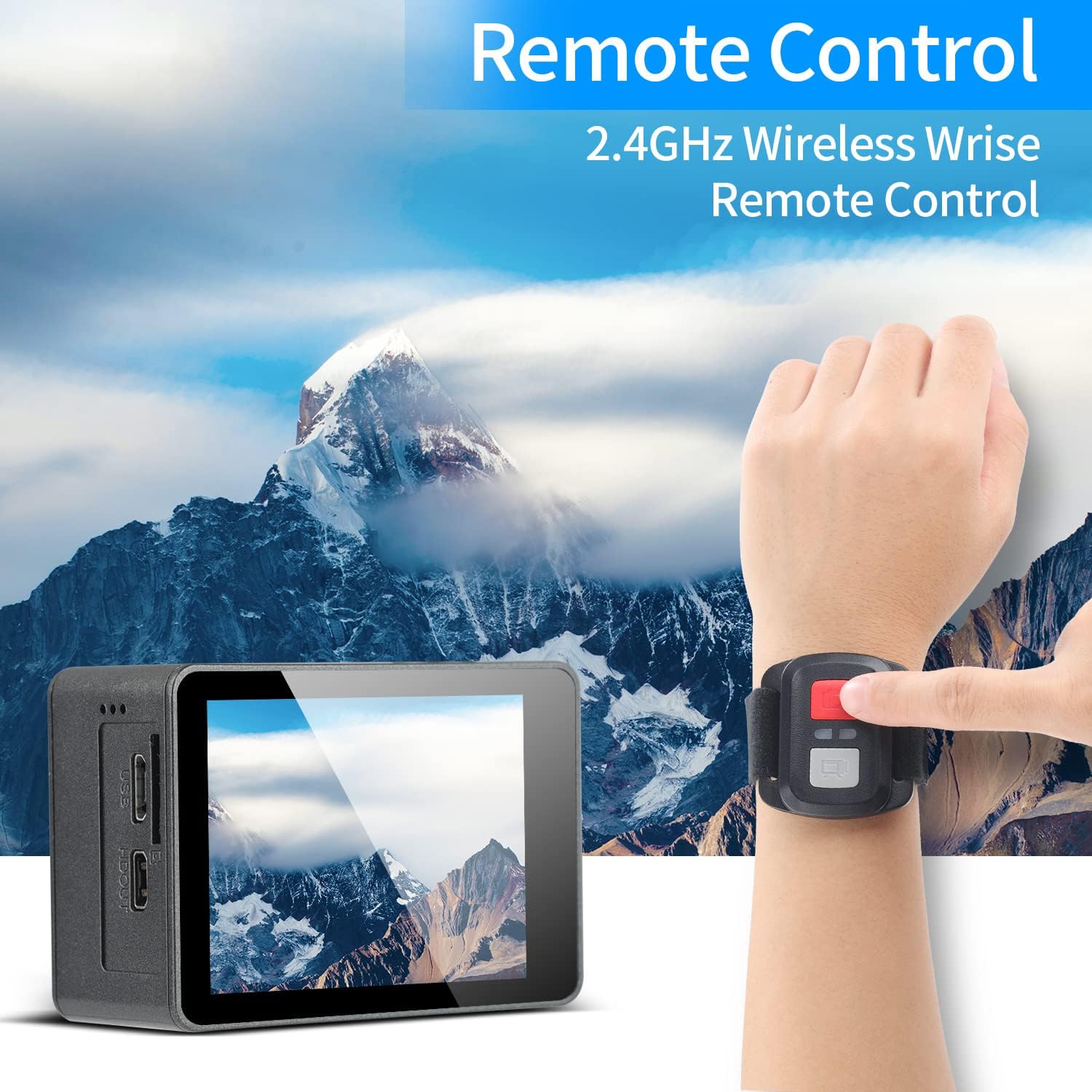
Image: A person's hand wearing the 2.4GHz wireless remote control for the Jadfezy J-7000 Action Camera, with the camera itself visible in the foreground. The background features a majestic mountain landscape, emphasizing the camera's suitability for outdoor adventures and the convenience of remote operation.
6. Underwater Usage
The camera is equipped with an IP68 certified waterproof case, allowing for dives up to 30 meters (98 feet).
- Always ensure the waterproof case is properly sealed before submerging the camera. Check for any debris or hair around the seal.
- After each use in saltwater, rinse the case with fresh water and allow it to air dry.

Image: The Jadfezy J-7000 Action Camera, enclosed in its waterproof housing, submerged underwater alongside a diver. A depth scale on the right indicates its capability up to 30 meters, highlighting its suitability for various underwater activities.
7. Multiple Modes
The camera offers various shooting modes to enhance your creative possibilities:
- Видео в режиме замедленной съемки: Захватывает кадры через заданные интервалы для создания ускоренного видео.
- Циклическая запись: Видеозапись ведется непрерывно, перезаписывая самые старые файлы.tage, когда карта памяти заполнена.
- Замедленная съемка: Records at a higher frame rate to create smooth slow-motion playback.
- Режим вождения: Functions as a dash cam, starting recording automatically when powered on.
- Покадровая фотография: Делает фотографии с заданными интервалами.
- Непрерывная съемка: Делает несколько снимков подряд.
Обслуживание
- Чистка камеры: Для чистки корпуса камеры используйте мягкую сухую ткань. Для чистки объектива используйте специальную салфетку и раствор. Избегайте использования агрессивных химикатов.
- Уход за водонепроницаемым чехлом: Regularly inspect the waterproof case's O-ring for dirt, sand, or damage. Clean the O-ring and its groove with a soft, damp cloth. Apply silicone grease to the O-ring periodically to maintain its seal.
- Уход батареи: Store batteries in a cool, dry place. If not using the camera for an extended period, remove the batteries. Avoid fully discharging batteries frequently to prolong their lifespan.
- Хранилище: Store the camera and accessories in the provided carrying case in a dry, dust-free environment away from direct sunlight and extreme temperatures.
Поиск неисправностей
| Проблема | Возможная причина | Решение |
|---|---|---|
| Камера не включается. | Батарея разряжена или вставлена неправильно. | Charge the battery fully. Ensure battery is inserted with correct polarity. |
| Низкое качество видео/фото. | Lens is dirty; incorrect settings; insufficient lighting. | Clean the lens. Adjust resolution settings. Ensure adequate lighting. |
| Протечка воды в водонепроницаемом корпусе. | Case not sealed properly; O-ring damaged or dirty. | Ensure case is securely latched. Check O-ring for debris or damage; clean or replace if necessary. |
| Проблемы с подключением к Wi-Fi. | Incorrect password; camera Wi-Fi not enabled; app issues. | Verify Wi-Fi password. Ensure camera Wi-Fi is on. Restart camera and app. |
| Пульт дистанционного управления не работает. | Remote battery low; not paired with camera. | Replace remote battery. Re-pair remote with camera according to instructions. |
Технические характеристики
| Особенность | Деталь |
|---|---|
| Бренд | Джадфези |
| Название модели | J-7000 |
| Разрешение видеозахвата | 4K (60FPS), 1080p (120FPS) |
| Разрешение фото | 24 МП |
| Стабилизация изображения | Электронная стабилизация изображения (EIS) |
| Водонепроницаемая глубина | Up to 30m (98ft) with included case |
| Размер экрана | 2 дюйма |
| Технология связи | Wi-Fi, USB |
| Тип флэш-памяти | Карта памяти Micro SD (до 64 ГБ, класс 10+) |
| Аккумуляторы | 2 x 1500 mAh Lithium Ion (included) |
| Оптический зум | 8x |
| Вес товара | 1.44 фунта |
| Размеры продукта | 1.2 x 2.3 x 1.6 дюйма |
Гарантия и поддержка
For warranty information and technical support, please refer to the documentation included with your purchase or contact Jadfezy customer service directly. Keep your proof of purchase for any warranty claims.


