Введение
Thank you for choosing the SENGBIRCH Bluetooth Keyboard Case. This manual provides essential instructions for the proper setup, operation, and maintenance of your new keyboard case. Please read this manual thoroughly before use to ensure optimal performance and longevity of your product.
Совместимость
This keyboard case is specifically designed for the following Samsung Galaxy Tab 12.4-inch models:
- Samsung Galaxy Tab S7+ (2020): Models SM-T970, SM-T975, SM-T976
- Samsung Galaxy Tab S7 FE (2021): Models SM-T730, SM-T733, SM-T736, SM-T738
- Samsung Galaxy Tab S8+ (2022): Models SM-X800, SM-X806
Please verify your tablet model number before use to ensure compatibility.

Image: Compatibility chart for SENGBIRCH keyboard case with various Samsung Galaxy Tab models.
Содержимое упаковки
Проверьте комплектацию на наличие следующих предметов:
- 1 x SENGBIRCH Keyboard Case
- 1 x Bluetooth Keyboard (QWERTZ German Layout)
- 1 x Micro USB-кабель для зарядки
- 1 x Руководство пользователя (на английском языке)
Инструкции по установке
1. Установка планшета
- Gently align your Samsung Galaxy Tab with the elastic TPU inner shell of the case.
- Carefully press the tablet into the shell, ensuring all corners and edges are securely fitted. The elastic TPU material provides a snug fit and protection against impacts.

Image: Step-by-step illustration of inserting the tablet into the protective case.

Image: Detail of the elastic TPU inner shell for tablet protection.
2. Зарядка клавиатуры
- Locate the Micro USB charging port on the keyboard.
- Connect the provided Micro USB cable to the keyboard and a USB power source (e.g., computer, wall adapter).
- Загорится индикатор зарядки. Полная зарядка обычно занимает около 2 часов.
3. Сопряжение Bluetooth-клавиатуры
- Turn on the keyboard by sliding the power switch to the 'ON' position. The power indicator light will briefly turn on.
- Нажмите Соединять button on the keyboard. The Bluetooth indicator light will start blinking, indicating it is in pairing mode.
- На вашем планшете Samsung Galaxy Tab перейдите в Настройки > Подключенные устройства > Bluetooth.
- Убедитесь, что Bluetooth включен. Ваш планшет начнет поиск доступных устройств.
- Select "Bluetooth Keyboard" (or similar name) from the list of available devices.
- Follow any on-screen prompts to complete the pairing process. Once paired, the Bluetooth indicator light on the keyboard will turn off.
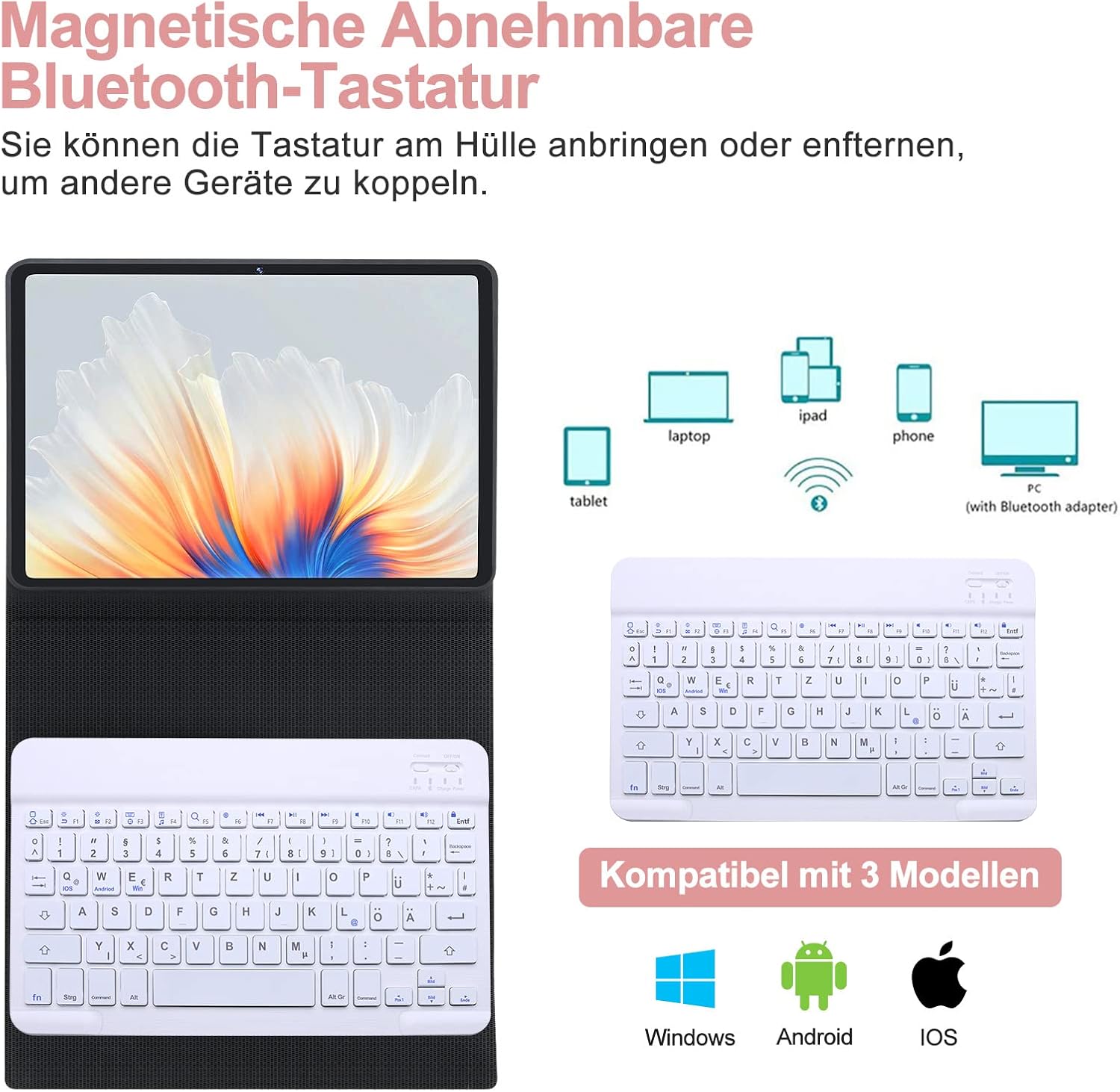
Image: Detachable Bluetooth keyboard and its multi-device compatibility.
Инструкция по эксплуатации
1. Using the Keyboard with Your Tablet
- The keyboard is magnetically attached to the case and can be easily detached for flexible positioning.
- The case features three indentations to adjust the viewing angle of your tablet (120°, 125°, 130°). Position your tablet in one of these grooves for comfortable typing or viewинж.

Изображение: Регулируемое viewуглы наклона для планшета.
2. QWERTZ German Layout and Special Keys
The keyboard features a QWERTZ German layout. Below are some common special key combinations:
- @ Symbol: Нажимать Alt Gr + Q.
- Переключение операционных систем: This keyboard supports Windows, Android, and iOS. To switch between systems, press Fn + Q (iOS), Fn + W (Android), or Fn + E (Windows). Ensure the correct system is selected for optimal key function.

Image: QWERTZ German keyboard layout with special key functions highlighted.
3. Magnetic Pen Holder
The case includes a magnetic area designed to securely hold and charge your S Pen (if applicable to your tablet model).
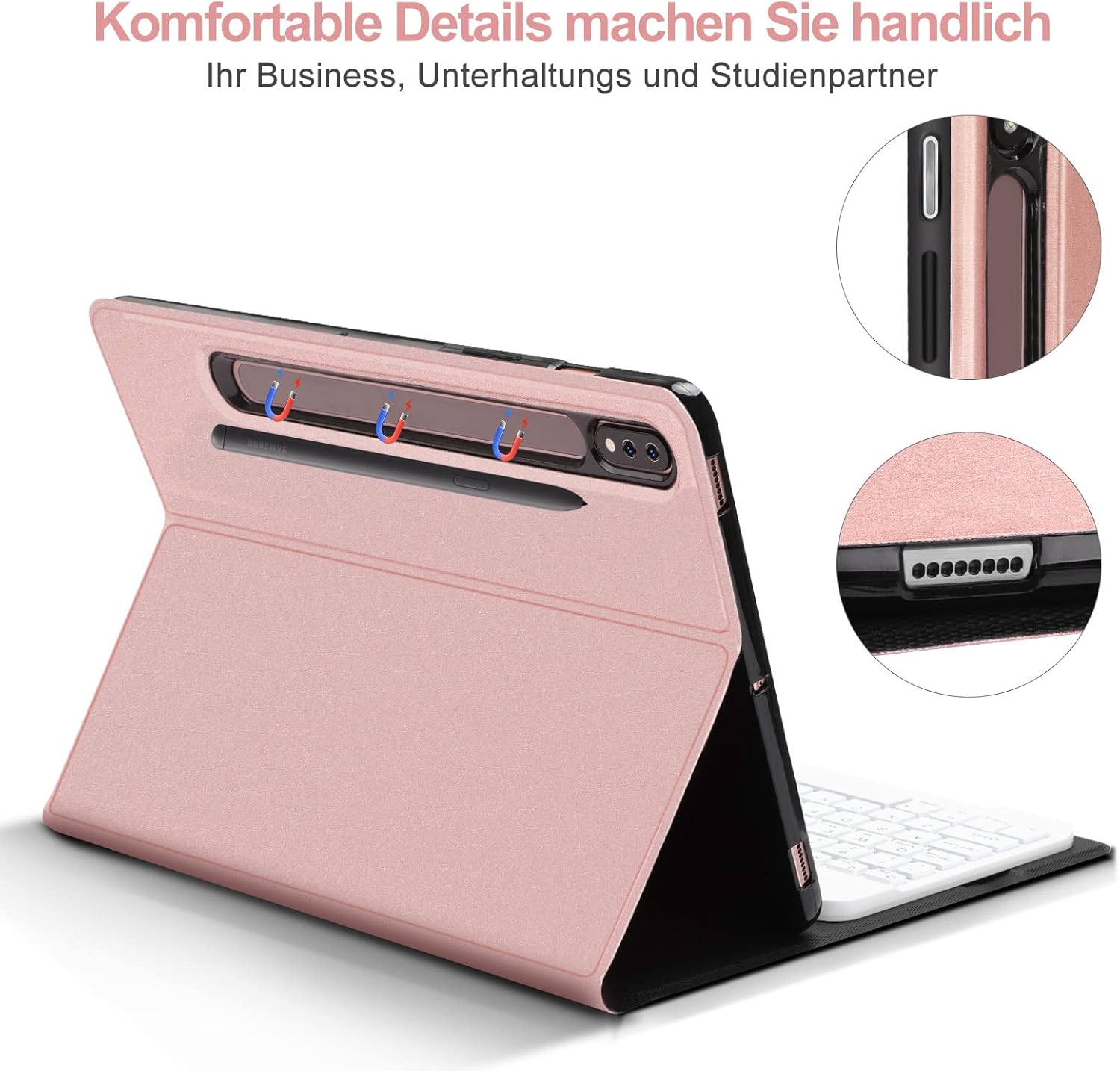
Image: Magnetic pen holder and charging area.
Обслуживание
- Чистка корпуса: Wipe the synthetic leather exterior with a soft, damp Ткань. Избегайте использования едких химикатов и абразивных чистящих средств.
- Очистка клавиатуры: Для очистки поверхности клавиатуры используйте мягкую сухую ткань. Для удаления пыли между клавишами используйте сжатый воздух. Не погружайте клавиатуру в воду.
- Хранилище: When not in use for extended periods, turn off the keyboard to conserve battery life. Store the case and keyboard in a cool, dry place away from direct sunlight and extreme temperatures.
Поиск неисправностей
- Клавиатура не подключается:
- Убедитесь, что клавиатура включена и полностью заряжена.
- Убедитесь, что на вашем планшете включен Bluetooth.
- Нажмите кнопку «Подключить» на клавиатуре, чтобы войти в режим сопряжения.
- Forget the device in your tablet's Bluetooth settings and try pairing again.
- Ensure the correct operating system mode (Fn+W for Android) is selected on the keyboard.
- Keys not responding or incorrect characters:
- Check if the keyboard is properly paired.
- Verify that the correct operating system mode is selected on the keyboard (Fn+Q for iOS, Fn+W for Android, Fn+E for Windows).
- Перезарядите клавиатуру.
- @ symbol not working:
- For QWERTZ layout, ensure you are pressing Alt Gr + Q.
- Confirm the keyboard is set to the correct operating system mode for your tablet.
- Короткое время автономной работы:
- Ensure the keyboard is fully charged (approx. 2 hours).
- Выключайте клавиатуру, когда она не используется.
Технические характеристики
| Особенность | Деталь |
|---|---|
| Бренд | СЕНГБЕРЧ |
| Совместимость моделей | Samsung Galaxy Tab S7+/S7 FE/S8+ 12.4" |
| Цвет | Розовое золото |
| Технология связи | Bluetooth |
| Раскладка клавиатуры | QWERTZ Немецкий |
| Особые возможности | Ergonomic, Detachable Magnetic Keyboard, Adjustable Viewуглы |
| Тип батареи | Литий-ионный |
| Время зарядки | Приблизительно 2 часов |
| Количество кнопок | 78 |
| Включенные компоненты | USB-кабель |
Гарантия и поддержка
SENGBIRCH offers a 2-year quality guarantee for this product. If you encounter any issues or have questions regarding the operation of your keyboard case, please contact our customer support team. We provide 24-hour online support to assist you.
For support, please refer to the contact information provided with your purchase or visit the official SENGBIRCH webсайт.