Руководство пользователя беспроводного контроллера Diswoe Pro
Model: Controller for Nintendo Switch
Введение
Thank you for choosing the Diswoe Wireless Pro Controller. This gamepad is designed to enhance your gaming experience on Nintendo Switch, Switch Lite, OLED, and PC. It features advanced functionalities such as a 6-axis gyro, adjustable Turbo function, dual shock vibration, and a comfortable ergonomic design for extended play sessions. This manual provides detailed instructions on setup, operation, maintenance, and troubleshooting to ensure optimal performance of your controller.

Figure 1: Diswoe Wireless Pro Controller
Содержимое упаковки
- Diswoe Wireless Pro Controller
- USB-кабель для зарядки
- Руководство пользователя
Схема контроллера

Рисунок 2: Расположение кнопок контроллера
- Left 3D Stick: Для направленного движения.
- Д-панель: Directional Pad for precise inputs.
- Домашняя кнопка: Возвращается на главный экран консоли.
- Кнопка скриншота: Делает снимки экрана в игре.
- Кнопка Турбо: Activates and adjusts Turbo function.
- +/- Кнопки: System menu navigation, volume control.
- Кнопки A/B/X/Y: Стандартные кнопки действий.
- Right 3D Stick: Для управления камерой или наведения.
- Кнопки L1/R1: Пуговицы на плечах.
- Кнопки L2/R2: Кнопки-триггеры.
- TAPY-C Port: Порт USB-C для зарядки и проводного подключения.
Настраивать
1. Первоначальная зарядка
Before first use, fully charge the controller. Connect the supplied USB charging cable to the controller's USB-C port and the other end to a USB power source (e.g., Switch dock, PC, or USB wall adapter). The charging time is approximately 2-3 hours for a full charge, providing up to 12 hours of continuous gameplay.

Figure 3: Battery and Charging Indication
2. Pairing with Nintendo Switch/Switch Lite/OLED
- В меню HOME выберите «Контроллеры» > «Изменить захват/порядок».
- While on the "Change Grip/Order" screen, press and hold the Home button on the Diswoe controller for 3-5 seconds until the LED indicators start flashing rapidly.
- После сопряжения соответствующие светодиоды игрока на контроллере загорятся постоянно.
- The controller supports up to 4 players simultaneously.

Figure 4: Controller in use with Nintendo Switch
3. Connecting to PC (Wired Only)
The Diswoe controller can be connected to a PC via the USB charging cable. No specific driver installation is required for basic functionality.
- Подключите разъем USB-C кабеля к контроллеру, а разъем USB-A — к компьютеру.
- The PC should automatically recognize the controller as a gamepad.
Инструкция по эксплуатации
1. Основные элементы управления
Utilize the Left and Right 3D sticks for analog movement and camera control. The D-pad provides precise digital inputs. The A/B/X/Y buttons are for in-game actions. L1/R1 and L2/R2 serve as shoulder and trigger buttons respectively.
2. Gyro Axis Motion Sensors
The controller features a high-quality 6-axis centrifugal chip for precise somatosensory targeting. This allows for motion control in compatible games, enabling actions like rotation, tilt, and acceleration-based inputs.

Figure 5: 6-Axis Gyro Motion Sensors in Action
3. Adjustable TURBO Function
The Turbo function allows for rapid, automatic pressing of a button. To set up Turbo:
- Нажмите и удерживайте Кнопка Turbo, then press the desired action button (A/B/X/Y/L1/R1/L2/R2) to enable Turbo for that button.
- To adjust Turbo speed, press and hold the Кнопка Turbo и переместите Right 3D stick Up/Down. There are 3 speeds: 5 shots/s, 12 shots/s, and 20 shots/s.
- To clear Turbo for a specific button, press and hold the Кнопка Turbo and press the action button again. To clear all Turbo settings, press and hold the Кнопка Turbo в течение 5 секунд.

Figure 6: Turbo Function Activation
4. Dual Shock Vibration Adjustment
The controller features dual motors for realistic vibration feedback. You can adjust the vibration intensity:
- Нажмите и удерживайте Кнопка Turbo и переместите Left 3D stick Up/Down to cycle through 3 vibration intensities: Low, Medium, and Strong.
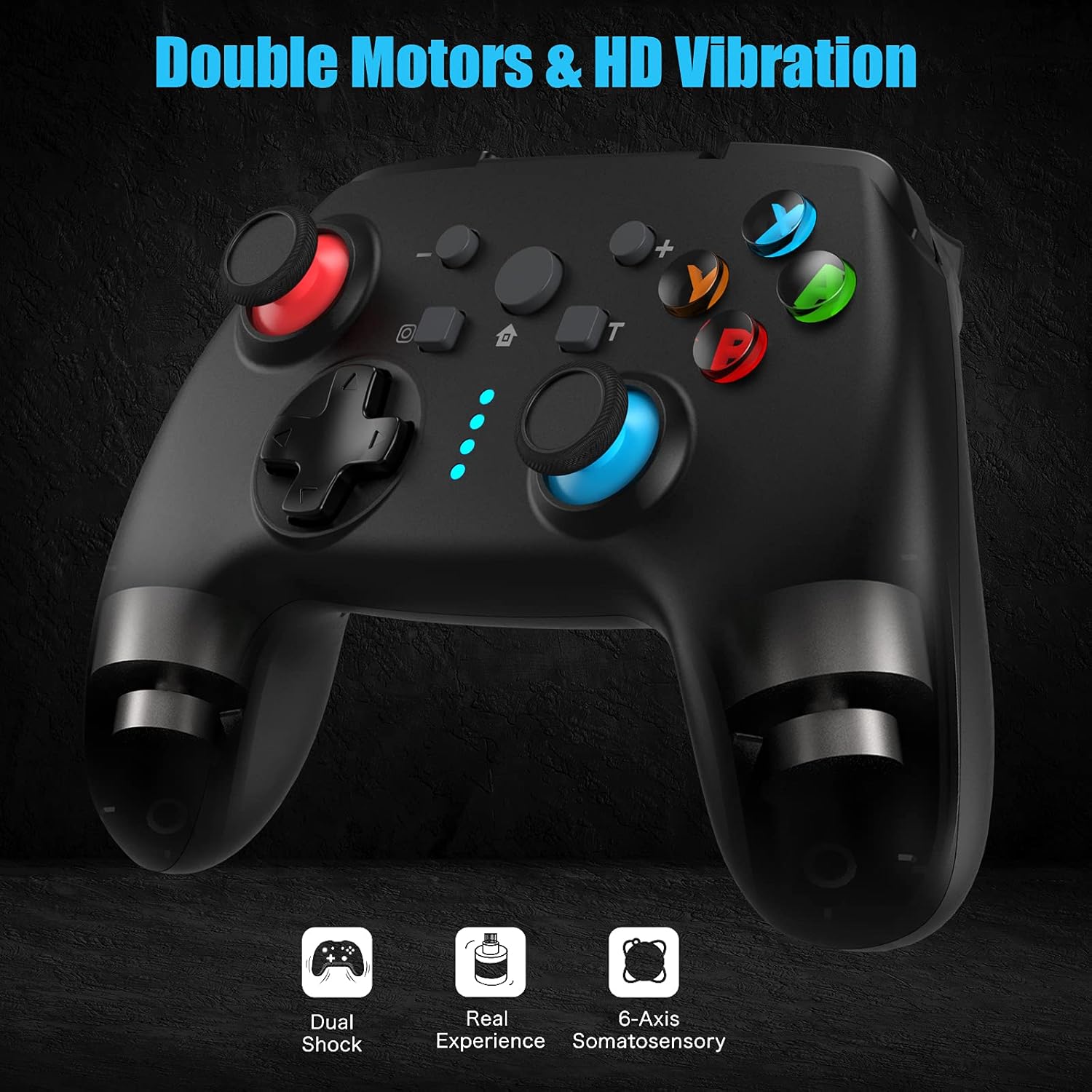
Figure 7: Dual Shock Vibration Feature
5. Screenshot Capture
Нажмите Кнопка снимка экрана (located near the Home button) to instantly capture your in-game moments.
6. Функция пробуждения
When the Switch console is in sleep mode, you can press the Кнопка «Домой» on the controller to wake up the console and automatically reconnect the controller.
Обслуживание
1. Правила зарядки
- Charge the controller when the battery indicator is low.
- Избегайте перезарядки; отключайте после полной зарядки.
- The controller supports charging while playing.
2. Очистка и хранение
- Протирайте контроллер мягкой сухой тканью. Не используйте едкие химикаты или абразивные материалы.
- Храните контроллер в прохладном, сухом месте, вдали от прямых солнечных лучей и экстремальных температур.
- If not used for an extended period, charge the controller at least once every three months to maintain battery health.
3. Функция автоматического сна
The controller will automatically enter sleep mode after 5 minutes of no input to conserve battery life. Press any button to wake it up.
Поиск неисправностей
- Контроллер не подключается/не сопрягается:
- Убедитесь, что контроллер заряжен.
- Make sure the Switch console is updated to the latest system version.
- Try restarting the Switch console.
- Repeat the pairing process carefully.
- If issues persist, try connecting the controller via USB cable to the Switch dock (if applicable) to force a connection, then try wireless pairing again.
- Buttons or sticks unresponsive:
- Проверить уровень заряда батареи.
- Ensure the controller is within the 10m wireless range.
- Restart the controller by holding the Home button for 10 seconds until it turns off, then turn it back on.
- If connected to PC, try a different USB port.
- Вибрация не работает или слишком слабая/сильная:
- Adjust the vibration intensity as described in the "Operating Instructions" section.
- Убедитесь, что игра поддерживает вибрационную обратную связь.
- Функция Turbo не работает:
- Ensure you have correctly assigned the Turbo function to the desired button.
- Check if the Turbo speed is set appropriately.
Технические характеристики
| Особенность | Деталь |
|---|---|
| Бренд | Diswoe |
| Название модели | Контроллер для Nintendo Switch |
| Технология связи | Wireless (Bluetooth), USB (Wired) |
| Тип контроллера | Геймпад |
| Совместимые платформы | Nintendo Switch, Switch Lite, OLED, PC |
| Тип батареи | Литий-ионный (600 мАч) |
| Время зарядки | Приблизительно 2-3 часа |
| Время игры | До 12 часов |
| Дальность беспроводной связи | До 10 метров |
| Особые возможности | 6-Axis Gyro, Adjustable Turbo, Dual Shock Vibration, Screenshot Capture, Wake-up Function |
| Количество кнопок | 16 |
| Цвет | Черный |
Гарантия и поддержка
Information regarding specific warranty terms and conditions for this product is not provided in the available data. For warranty claims, technical support, or further inquiries, please contact the manufacturer or your point of purchase. Keep your purchase receipt as proof of purchase.
Manufacturer: Diswoe


