Руководство пользователя: ANBERNIC RG351M Ретро-игровая портативная консоль
Модель: RG351M
Введение
The ANBERNIC RG351M is a portable retro game handheld console designed for an immersive gaming experience. Featuring a 3.5-inch IPS screen and powered by an RK3326 quad-core processor, it supports a wide range of classic game formats. This manual provides essential information for setting up, operating, maintaining, and troubleshooting your device.
Информация по безопасности
- Не подвергайте устройство воздействию экстремальных температур, прямых солнечных лучей или высокой влажности.
- Не роняйте устройство и не подвергайте его сильным ударам.
- Use only the provided USB charging cable and a compatible power adapter (maximum load 2A) for charging.
- Не пытайтесь разбирать или ремонтировать устройство самостоятельно. Обратитесь к квалифицированному специалисту.
- Держите устройство вдали от воды и других жидкостей.
- Обеспечьте надлежащую вентиляцию во время использования и зарядки.
Содержимое упаковки

Image: The ANBERNIC RG351M console, its retail packaging, and the included USB charging cable.
Пожалуйста, проверьте комплектность после распаковки, чтобы убедиться в наличии всех предметов:
- 1 x RG351M Game Console
- 1 х USB-кабель
- 1 x Руководство пользователя (этот документ)
- 1 x 64GB TF Card (pre-installed with games)
Продукт болееview
Передний View

Изображение: Спереди view of the RG351M console, highlighting the 3.5-inch IPS screen, D-pad, dual analog joysticks, and action buttons (A, B, X, Y), along with SELECT and START buttons.
- 3.5-дюймовый IPS-экран: Дисплей высокой четкости для ясного изображения.
- Крестовина: Directional pad for navigation and game control.
- Аналоговые джойстики: Dual 3D rocker sticks for precise movement.
- Кнопки действий (A, B, X, Y): Стандартные игровые кнопки ввода.
- Кнопка ВЫБОР: Used for various in-game functions and menu navigation.
- Кнопка Пуск: Used for pausing games, confirming selections, and menu navigation.
Верх и низ Views (Порты и элементы управления)

Image: Top edge of the console, displaying the L1, L2, R1, R2 shoulder buttons, a Type-C OTG port, a 3.5mm earphone jack, and another Type-C port labeled OTG/DC for data transfer and charging.

Image: Bottom edge of the console, showing the TF card slot for expandable storage and the recessed Reset button.
- Кнопки L1/L2/R1/R2: Shoulder buttons for additional in-game controls.
- OTG 1 (Тип-C): USB Type-C port for data transfer.
- Разъем для наушников 3.5 мм: Для подключения наушников.
- OTG 2 (Type-C / Charging Port): USB Type-C port for data transfer and charging.
- Слот для TF-карты: For inserting the game TF card (supports up to 256GB).
- Кнопка сброса: A small, recessed button to restart the device if it becomes unresponsive.
- Спикеры: Высококачественные стереодинамики с двойным рупором.
Назад View

Изображение: Назад view of the RG351M console, displaying the ANBERNIC logo, model number (RG351M), and battery specifications (Li-Po 3500mAh).
Настраивать
1. Первоначальная зарядка
Before first use, fully charge the console. Connect the provided USB Type-C cable to the OTG 2 (charging) port on the top of the device and the other end to a compatible USB power adapter (not included, recommended 5V/1.3A to 2A). The charging indicator light will illuminate. A full charge typically takes about 4 hours.
2. Установка карты TF
The console comes with a 64GB TF card pre-installed with games. If you need to remove or insert the TF card, gently push it into the TF card slot on the bottom of the device until it clicks into place. To remove, push it again until it springs out.
Инструкция по эксплуатации
Включение/выключение питания
- Для включения: Press and hold the Power button (located on the left side) for a few seconds until the screen illuminates.
- Чтобы выключить: Press and hold the Power button until a power-off menu appears on the screen. Select "Power Off" or "Shutdown". Alternatively, a quick press of the power button will put the device into sleep mode.
Навигация по системе
The RG351M runs on an open-source Linux system. Use the D-pad or analog joysticks to navigate through menus and game lists. The 'A' button typically confirms selections, and the 'B' button typically goes back.
Играть в игры
Select a game from the main menu. The console supports various game formats including PSP, N64, NDS, PS1, CPS1, CPS2, FBA, NEOGEO, GBA, GBC, GB, SFC, FC, MD, SMS, GG, MSX, PCE, WSC, and transplant games. Refer to specific emulator controls within the system for optimal gameplay.
Wi-Fi-подключение

Image: The RG351M console showing a game in progress, with an overlay graphic indicating fast Wi-Fi connectivity (2.4GHz 802.11b/g/n).
The RG351M supports 2.4GHz Wi-Fi (802.11b/g/n) for online features, such as game updates or online multiplayer (where supported by the game/emulator).
- Перейдите в меню системных настроек.
- Выберите «Сеть» или «Настройки Wi-Fi».
- Включите Wi-Fi и выберите нужную сеть из списка.
- При необходимости введите пароль.
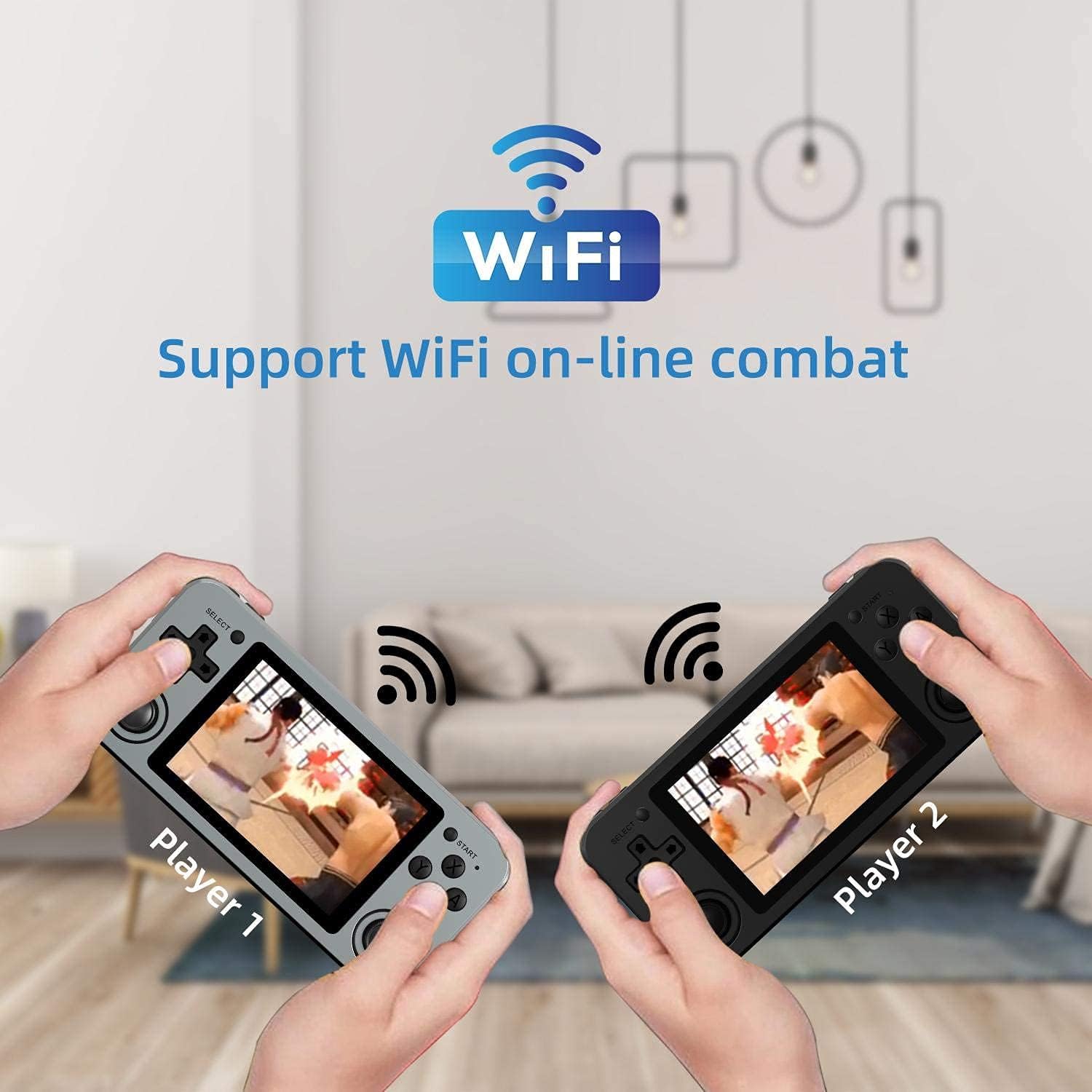
Image: Two RG351M consoles held by hands, illustrating the capability for Wi-Fi online combat between players.
Обслуживание
- Уборка: Use a soft, dry cloth to clean the console's exterior. For the screen, use a microfiber cloth specifically designed for electronics. Do not use liquid cleaners directly on the screen.
- Хранилище: When not in use for extended periods, store the console in a cool, dry place, away from direct sunlight.
- Уход батареи: Чтобы продлить срок службы батареи, избегайте частой полной разрядки. Регулярно заряжайте устройство, даже если оно не используется, чтобы поддерживать работоспособность батареи.
- Обновления программного обеспечения: Periodically check for system updates (if available through the open-source community) to ensure optimal performance and compatibility.
Поиск неисправностей
| Проблема | Возможное решение |
|---|---|
| Устройство не включается. | Убедитесь, что аккумулятор заряжен. Подключите зарядное устройство и подождите несколько минут, прежде чем снова попытаться включить устройство. |
| Экран завис или не отвечает. | Locate the recessed Reset button on the bottom of the device and press it gently with a thin, non-metallic object (e.g., a paperclip) to restart the console. |
| Games are not loading or running slowly. | Ensure the TF card is properly inserted. Some games may require specific emulator settings or may be too demanding for the hardware. Check online communities for compatibility lists or optimization tips. |
| Нет звука из динамиков или наушников. | Check the volume level using the volume buttons on the right side of the console. Ensure headphones are fully plugged in. Restart the device. |
| Проблемы с подключением к Wi-Fi. | Ensure you are within range of a 2.4GHz Wi-Fi network. Double-check the Wi-Fi password. Restart the console and your Wi-Fi router. |
Технические характеристики
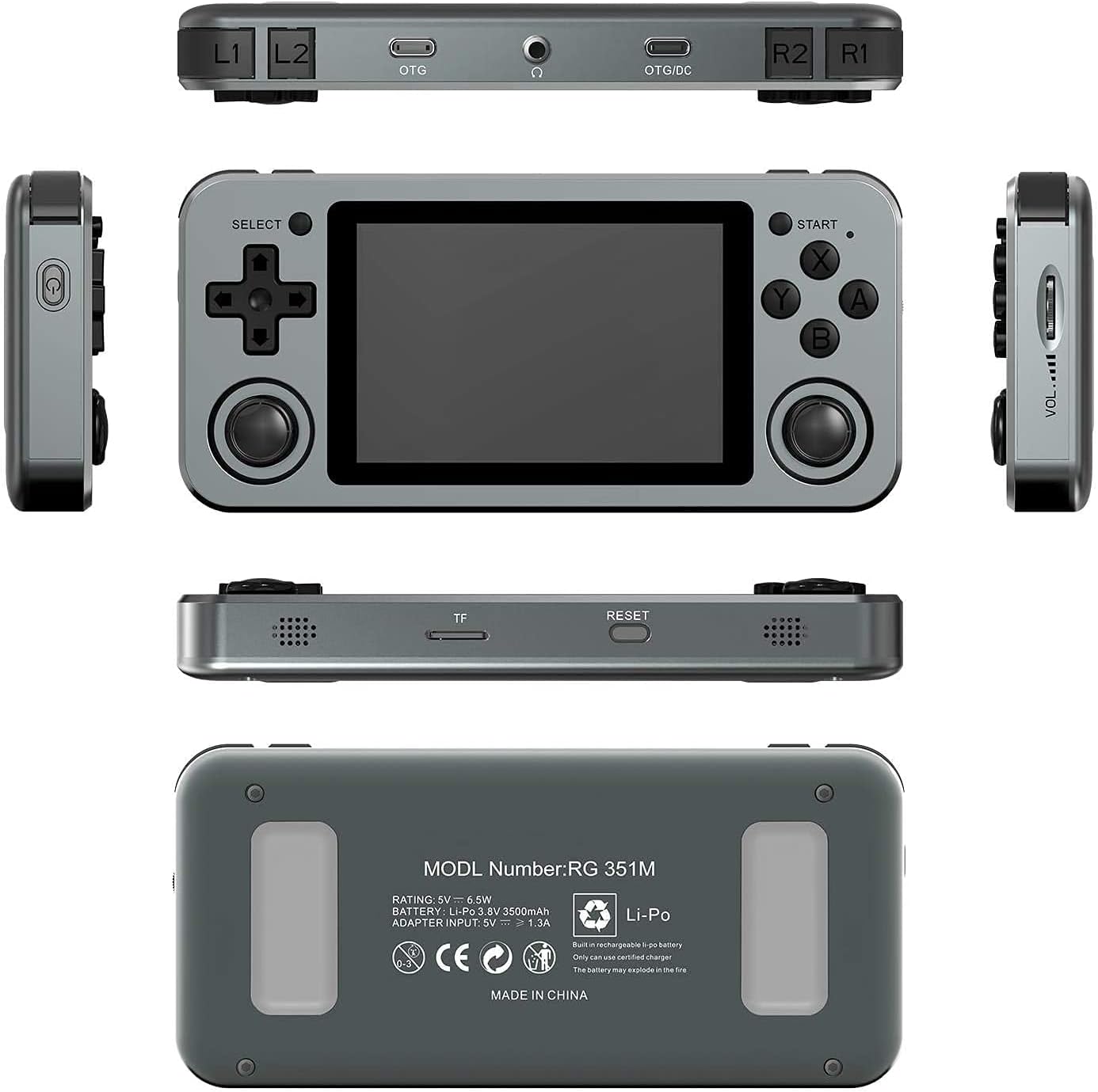
Image: A composite image showing the ANBERNIC RG351M from various angles, including front, top, bottom, sides, and back, providing a comprehensive view of its design and ports.
| Особенность | Деталь |
|---|---|
| Модель | RG351M |
| Процессор | Четырехъядерный процессор RK3326 1.5 ГГц |
| ГПУ | Мали-G31 MP2 |
| БАРАН | DDR3L 1 ГБ |
| Память | 64 ГБ (TF-карта) |
| Экран | 3.5 inch IPS, OCA full lamination, 320*480 resolution |
| Система | Система Linux с открытым исходным кодом |
| Аккумулятор | Li-polymer 3500 mAh, up to 8 hours battery life |
| Зарядка | 1.3A charging, max 2A, USB Type-C, 4 hours full charge |
| Поддержка TF-карт | Макс. 256 ГБ |
| Интерфейс | TF Card Slot, 3.5mm Earphone, OTG 1 (Type-C), OTG 2 (Type-C Data/Charging) |
| Размеры (Консоль) | 15.2 см (Д) х 7.1 см (Ш) х 1.8 см (В) |
| Вес (Консоль) | 0.19kg (approx. 6.7 oz) |
Гарантия и поддержка
For warranty information and technical support, please refer to the retailer or the official ANBERNIC website. Keep your proof of purchase for warranty claims. This manual provides general guidance; specific software-related issues may require consulting community forums or official support channels.


