Введение
The XTOOL D7W is an advanced wireless OBD2 diagnostic scanner designed for comprehensive vehicle system analysis. This tool provides extensive diagnostic capabilities, including bidirectional control, ECU coding, and over 39 special reset functions. It supports a wide range of vehicle brands and incorporates modern communication protocols like CAN FD and DoIP, offering efficient and precise vehicle maintenance and repair solutions.

Image: XTOOL D7W diagnostic tablet and wireless VCI module.
Содержимое упаковки
Проверьте наличие всех предметов в упаковке:
- D7W Tablet (Main diagnostic unit)
- Блок VCI (интерфейс связи с транспортным средством)
- USB-кабель (тип C)
- Зарядное устройство для планшета
- Адаптер для США
- Адаптер ЕС
- EN Adapter
- Чехол для переноски
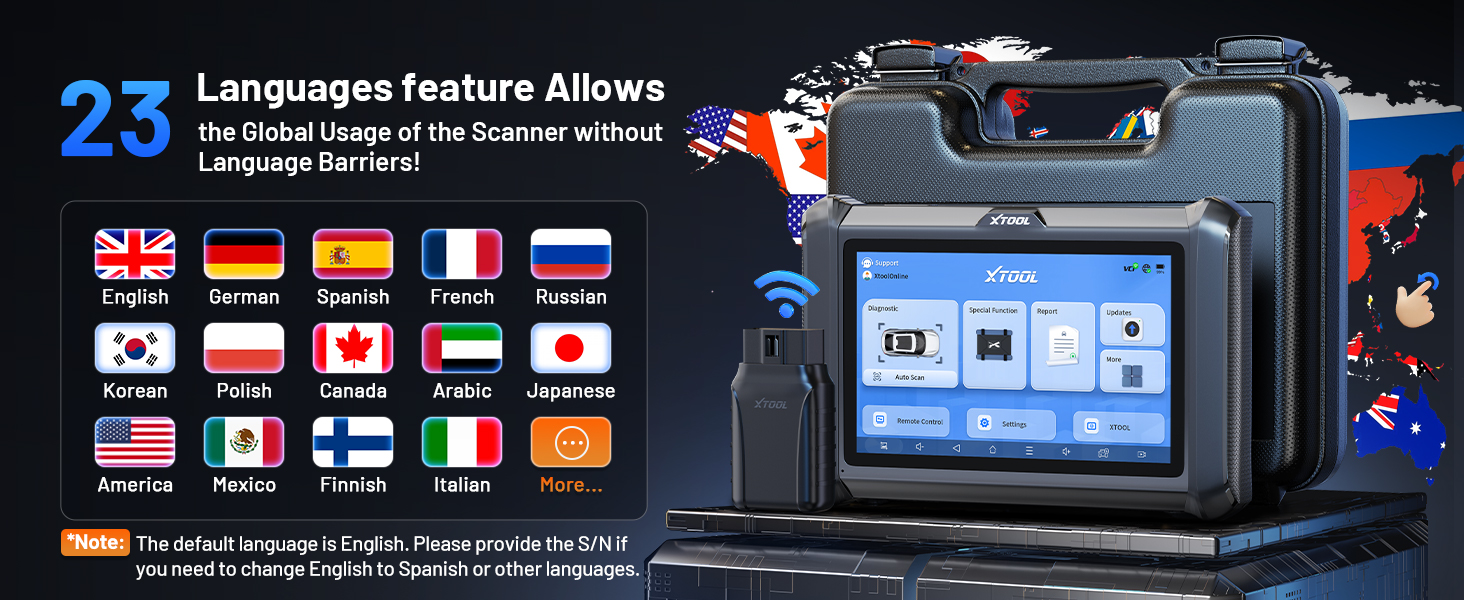
Image: Visual representation of the XTOOL D7W package contents, including the tablet, VCI box, cables, adapters, and carrying case.
Настраивать
- Зарядите планшет: Connect the D7W tablet to the power adapter using the provided USB Type-C cable. Ensure the tablet is fully charged before first use.
- Включение питания: Нажмите и удерживайте кнопку питания на планшете, чтобы включить его.
- Connect VCI Box: Plug the VCI box into the vehicle's OBD2 port. The OBD2 port is typically located under the dashboard on the driver's side.
- Установить беспроводное соединение: The D7W tablet features built-in Wi-Fi for direct communication with the VCI box. No external Wi-Fi router is required for this connection. The tablet will automatically attempt to connect to the VCI box.
- Первоначальная настройка программного обеспечения: Follow the on-screen prompts to complete the initial software setup, including language selection and Wi-Fi network configuration for internet access (for updates).

Image: Diagram illustrating the wireless connection between the XTOOL D7W tablet and the VCI box, highlighting the freedom from tangled wires.
Инструкция по эксплуатации
1 Полная диагностика системы
The D7W performs comprehensive diagnostics across all available vehicle systems, including Engine, ABS, SRS, Transmission, BCM, and more. This function allows you to:
- Считывание и удаление диагностических кодов неисправностей (DTC)
- View Live Data (up to 8 PIDs simultaneously)
- Получение данных стоп-кадра
- Access ECU Information
- Perform Auto VIN scanning for automatic vehicle identification
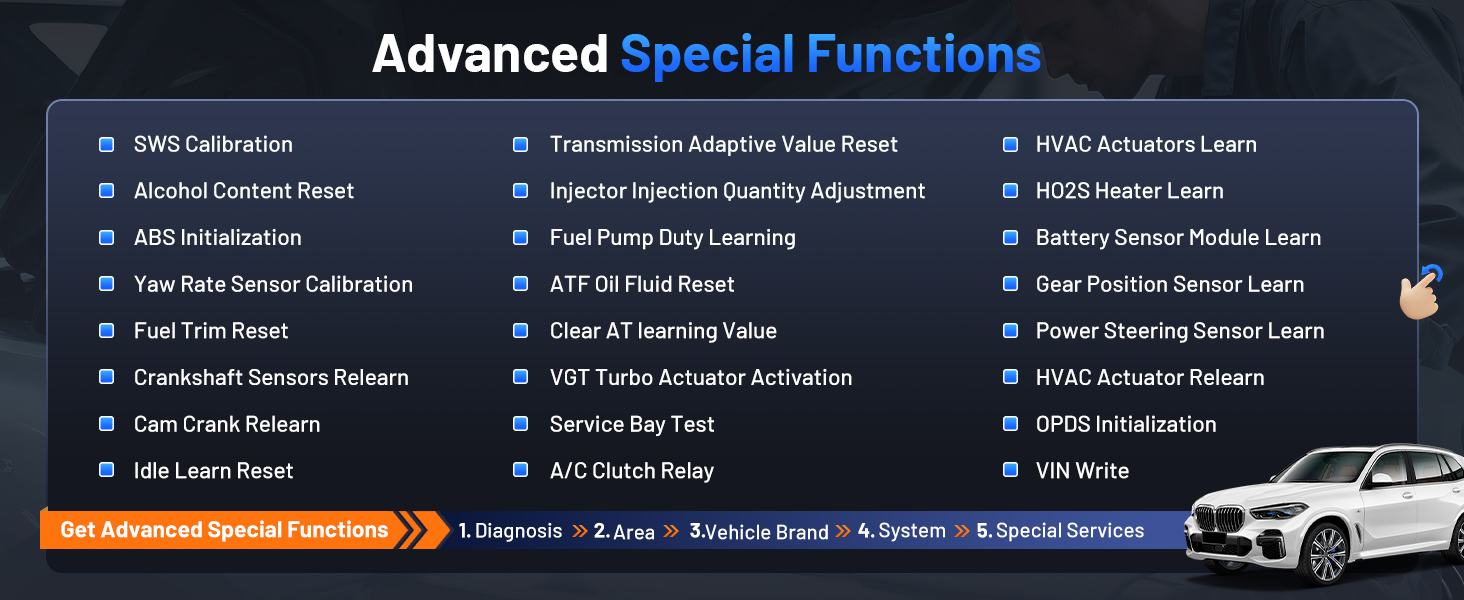
Image: Screenshot of the XTOOL D7W performing full system diagnostics, showing various diagnostic functions.
2. Двунаправленное управление (активные испытания)
This function allows the diagnostic tool to send commands to vehicle components to test their functionality, aiding in faster fault isolation. ExampВключая:
- Тест жужжания инжектора
- ABS Pump Control
- Включение вентилятора охлаждения
- Fuel Pump On/Off
- Window/Door Lock Tests

Изображение: Бывшийamples of bidirectional control (active tests) such as injector buzz test, ABS pump control, and sound horn test.
3. Специальные функции (39+ сбросов)
The D7W offers a wide array of maintenance and reset services, including but not limited to:
- Сброс масла
- Сброс EPB (электронного стояночного тормоза)
- Сброс TPMS (системы контроля давления в шинах)
- Сброс BMS (системы управления батареями)
- Калибровка SAS (датчика угла поворота рулевого колеса)
- ABS кровотечение
- Кодирование инжектора
- Повторное обучение дроссельной заслонке
Изображение: Оверview of the 39+ maintenance services available on the XTOOL D7W, including various reset and calibration functions.
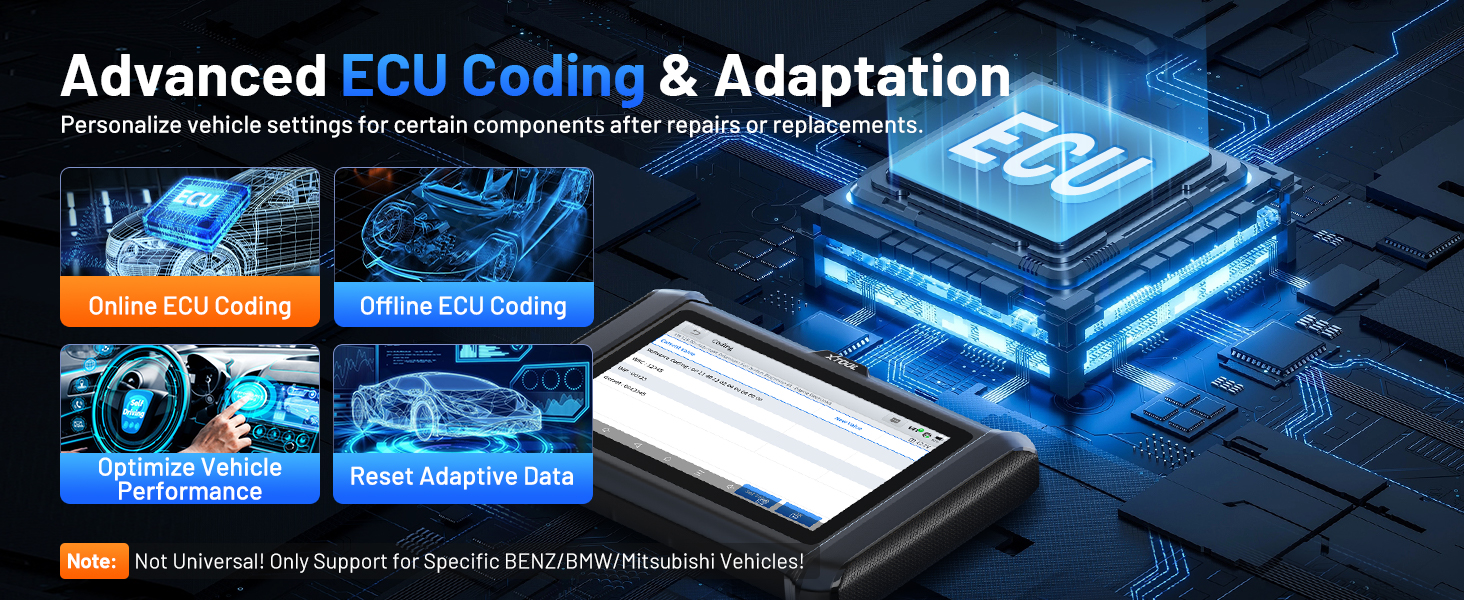
4. Advanced ECU Coding & PMI Programming
This feature allows for personalization of vehicle settings and recoding adaptive data for certain components after repairs or replacements. PMI (Programmable Module Installation) programming enables programming data from an original module to a new unit for module replacement, particularly for Ford, Lincoln, and Mazda vehicles. Примечание: ECU Coding is not universally supported for all vehicles; it is specific to certain brands like VW, Audi, Skoda, Benz, and Mitsubishi.
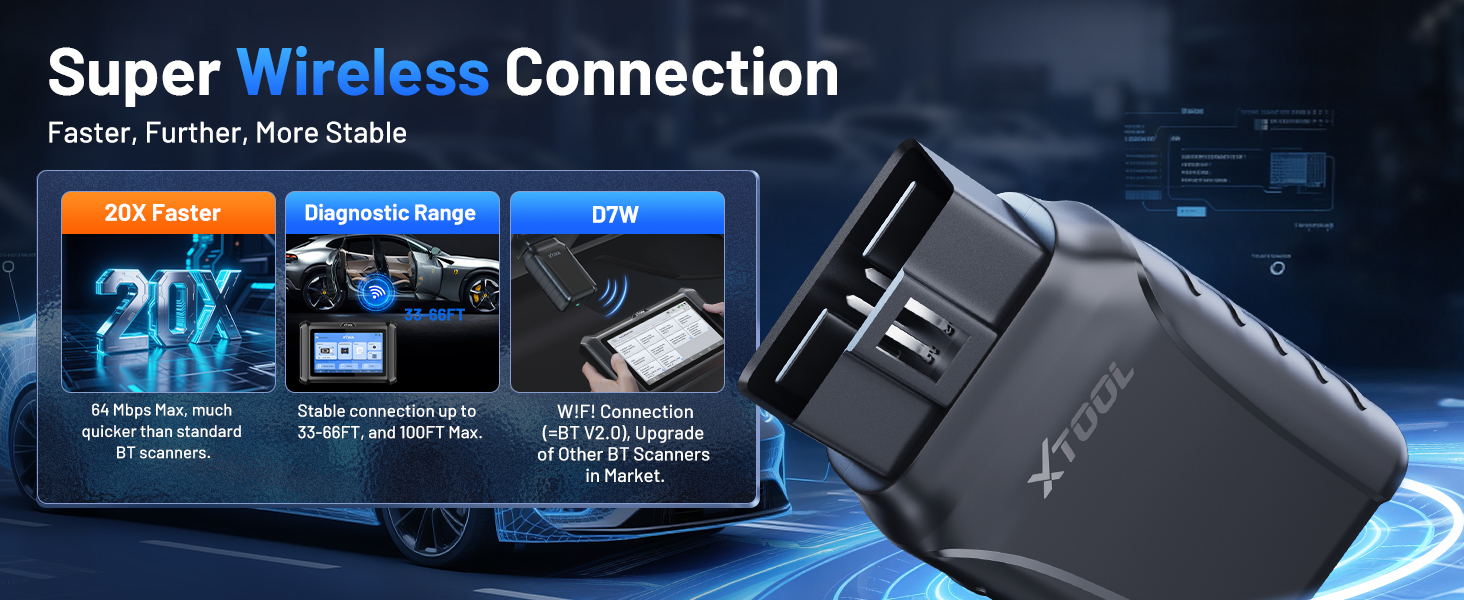
Image: Visual explanation of advanced ECU coding and adaptation, showing how it optimizes vehicle performance and resets adaptive data.
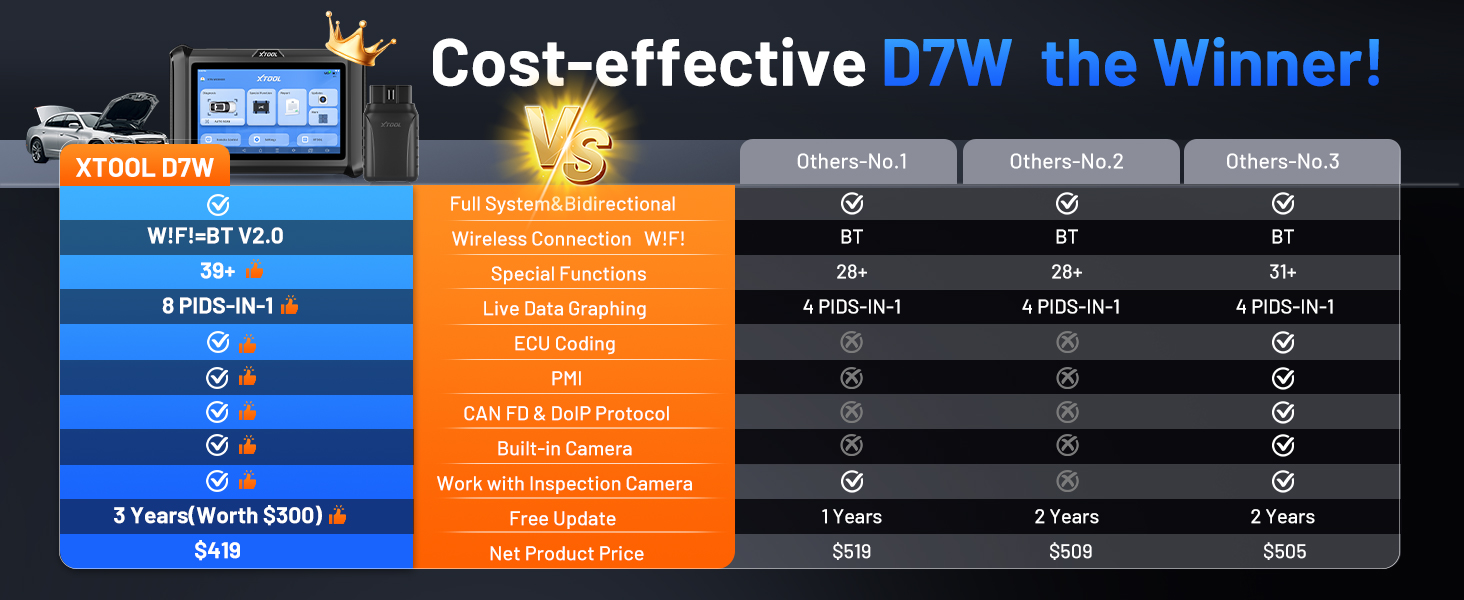
Image: Illustration of PMI and offline ECU programming for Ford, Lincoln, and Mazda vehicles, demonstrating module replacement procedures.
Обслуживание
- Обновления программного обеспечения: Regularly check for and install software updates via Wi-Fi to ensure compatibility with the latest vehicle models and diagnostic functions. The device includes 3 years of free updates.
- Уход батареи: To prolong battery life, avoid fully discharging the tablet frequently. Store the device in a cool, dry place when not in use.
- Уборка: Используйте мягкий, damp Для очистки экрана и корпуса планшета используйте специальную салфетку. Избегайте абразивных чистящих средств или растворителей.
- Хранилище: Store the device and its accessories in the provided carry case to protect them from damage.
Поиск неисправностей
- Устройство не включается: Убедитесь, что планшет достаточно заряжен. Подключите его к зарядному устройству и подождите несколько минут, прежде чем снова попытаться включить.
- VCI не подключается: Verify the VCI box is securely plugged into the vehicle's OBD2 port. Check the vehicle's ignition status. Ensure the tablet's Wi-Fi is enabled and attempting to connect to the VCI.
- Функция диагностики не работает: Confirm that the vehicle model and year are correctly selected. Ensure the software is up to date. Some functions may not be supported on all vehicle makes/models. Refer to the vehicle compatibility list or contact support.
- Низкая производительность: Закройте все ненужные приложения, работающие в фоновом режиме. Убедитесь, что у вас достаточно свободного места на диске.
Технические характеристики
| Особенность | Спецификация |
|---|---|
| Модель | XTOOL D7W |
| Операционная система | Андроид 10.0 |
| Отображать | 7-дюймовый сенсорный экран |
| Память | 2 ГБ ОЗУ + 64 ГБ памяти |
| Аккумулятор | 5000mAh (7.3V) Lithium Polymer |
| Метод подключения | Built-in Wi-Fi (Wireless VCI) |
| Поддерживаемые протоколы | CAN FD, DoIP, FCA (with active subscription) |
| Размеры | 12.6 x 11.25 x 4.1 дюйма |
| Вес товара | 5.06 фунта |
| Языки | Поддерживается 23 языков |

Image: Comparison table highlighting the enhanced features of the XTOOL D7W compared to previous models like D7, D7S, and D7BT.
Гарантия и поддержка
В комплект поставки XTOOL D7W входит Гарантия 2 год. Кроме того, он включает в себя 3 года бесплатных обновлений программного обеспечения from the date of purchase, ensuring your tool remains current with the latest vehicle data and functionalities.
For technical assistance, troubleshooting, or any inquiries, please contact XTOOL customer support:
- Электронная почта: xtooldirect@outlook.com
- 24/7 Technical Assistance is available.
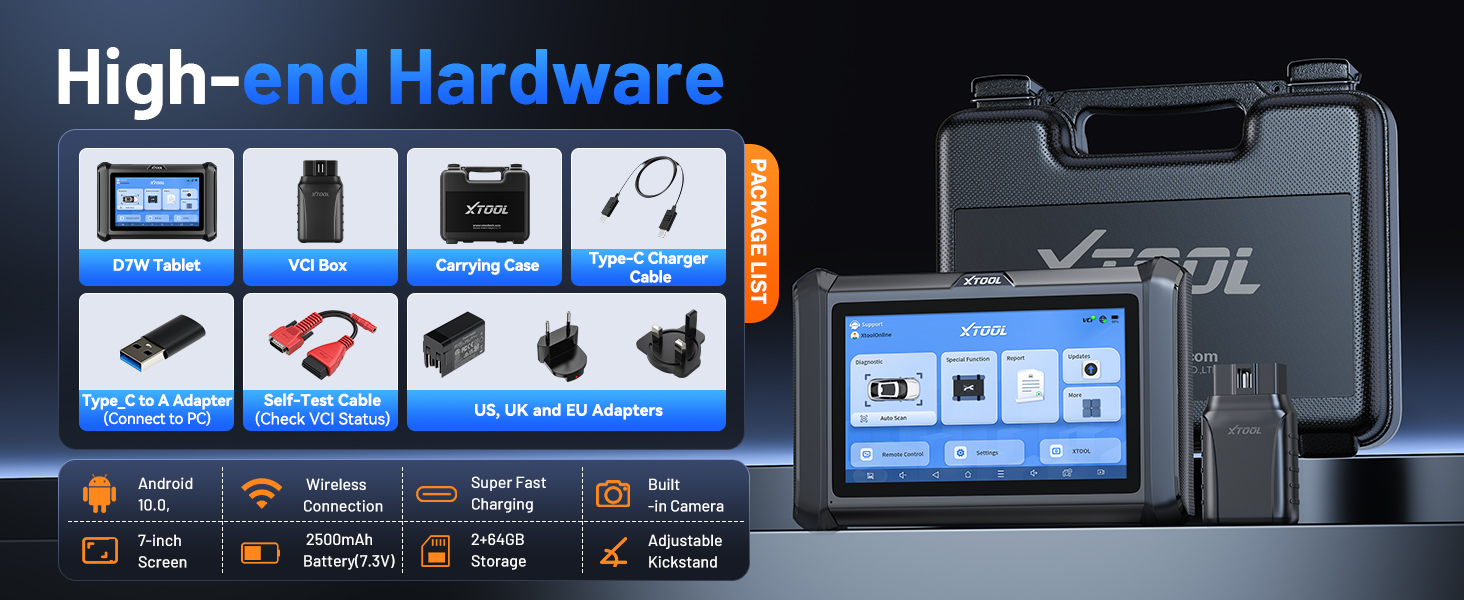
Image: Information regarding XTOOL's professional services, including 24/7 tech assistance, 2-year warranty, and 3 years of free updates.


