1. Информация по технике безопасности
Please read this manual carefully before operating the GYMAX Walking Pad. Retain this manual for future reference.
- Всегда устанавливайте беговую дорожку на ровную, устойчивую поверхность.
- Не допускайте детей и домашних животных к беговой дорожке во время ее работы.
- Wear appropriate athletic footwear while using the treadmill.
- Attach the safety key clip to your clothing before starting your workout. In case of emergency, pulling the safety key will immediately stop the treadmill.
- Do not use the treadmill on thick carpet, as this may obstruct ventilation and cause overheating.
- Убедитесь, что шнур питания не пережат и не поврежден.
- Максимальный вес пользователя: 265 фунтов (120 кг).
2. Содержимое упаковки
Убедитесь, что все компоненты присутствуют и не повреждены:
- GYMAX Walking Pad Treadmill Unit
- Дистанционное управление
- Ключ безопасности
- Кронштейн для телефона
- Шнур питания
- Руководство пользователя (этот документ)
- Инструменты для сборки (шестигранный ключ, отвертка)
3. Настройка и сборка
The GYMAX Walking Pad comes mostly pre-assembled. Follow these steps for final setup:
- Распаковка: Carefully remove the treadmill from its packaging. Ensure all packing materials are removed.
- Raise the Handrails (if applicable): If using in running mode, lift the handrails into the upright position. Secure them by inserting and tightening the provided screws on each side, both at the bottom and top of the handrail supports.
- Attach Phone Bracket: Remove the screws from the designated area on the handrail. Align the phone bracket and secure it with the removed screws using the provided screwdriver.
- Регулировка наклона: For manual incline, remove the foot covers at the rear of the treadmill. Use the provided M8*30 screws and M8 nuts to fix the folding foot pedals on the treadmill platform. The same operation is performed on the other side. For higher incline, place the red incline blocks under the rear of the treadmill.
- Подключение питания: Plug the power cord into the treadmill's power port and then into a standard electrical outlet. Locate the red on/off toggle switch at the front of the treadmill and switch it to the 'ON' position. The display will light up.
- Батареи дистанционного управления: Вставьте 2 батарейки типа ААА (не входят в комплект) в пульт дистанционного управления.
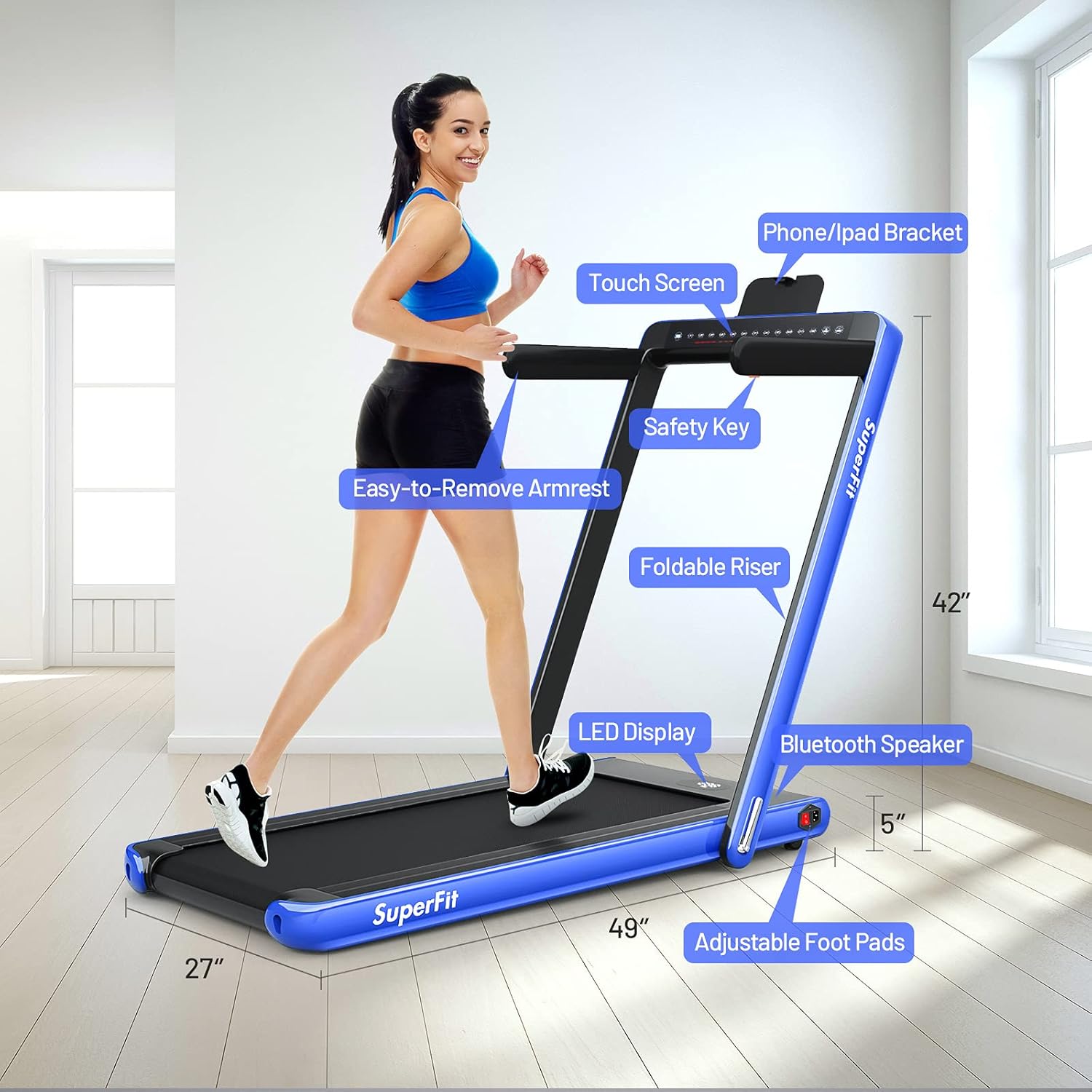
Изображение: Оверview of GYMAX Walking Pad components including the LED display, phone/iPad bracket, safety key, foldable riser, easy-to-remove armrest, Bluetooth speaker, and adjustable foot pads.

Image: Illustration of the treadmill's folding mechanism, showing how the handrails can be lowered for compact storage.

Изображение: подробное view of the treadmill's control panel, showing touch screen buttons and the power switch location.
4. Инструкция по эксплуатации
4.1 Включение/выключение питания
- To turn on, ensure the power cord is connected and the red toggle switch at the front is 'ON'. The display will illuminate.
- To turn off, switch the red toggle switch to 'OFF' and unplug the power cord.
4.2 Using the Display and Controls
The dual LED display shows real-time data including time, speed, distance, and calories burned. You can control the treadmill via the touch screen, remote control, or the GYMAX App.
- Старт/Стоп: Press the 'Start/Stop' button on the touch screen or remote to begin or end your workout. A 3-second countdown will precede belt movement.
- Регулировка скорости: Use the '+' and '-' buttons on the touch screen or remote to increase or decrease speed.
- Ключ безопасности: The red magnetic safety key must be in place for the treadmill to operate. Clip the cord to your clothing. If the key is dislodged, the treadmill will stop immediately.
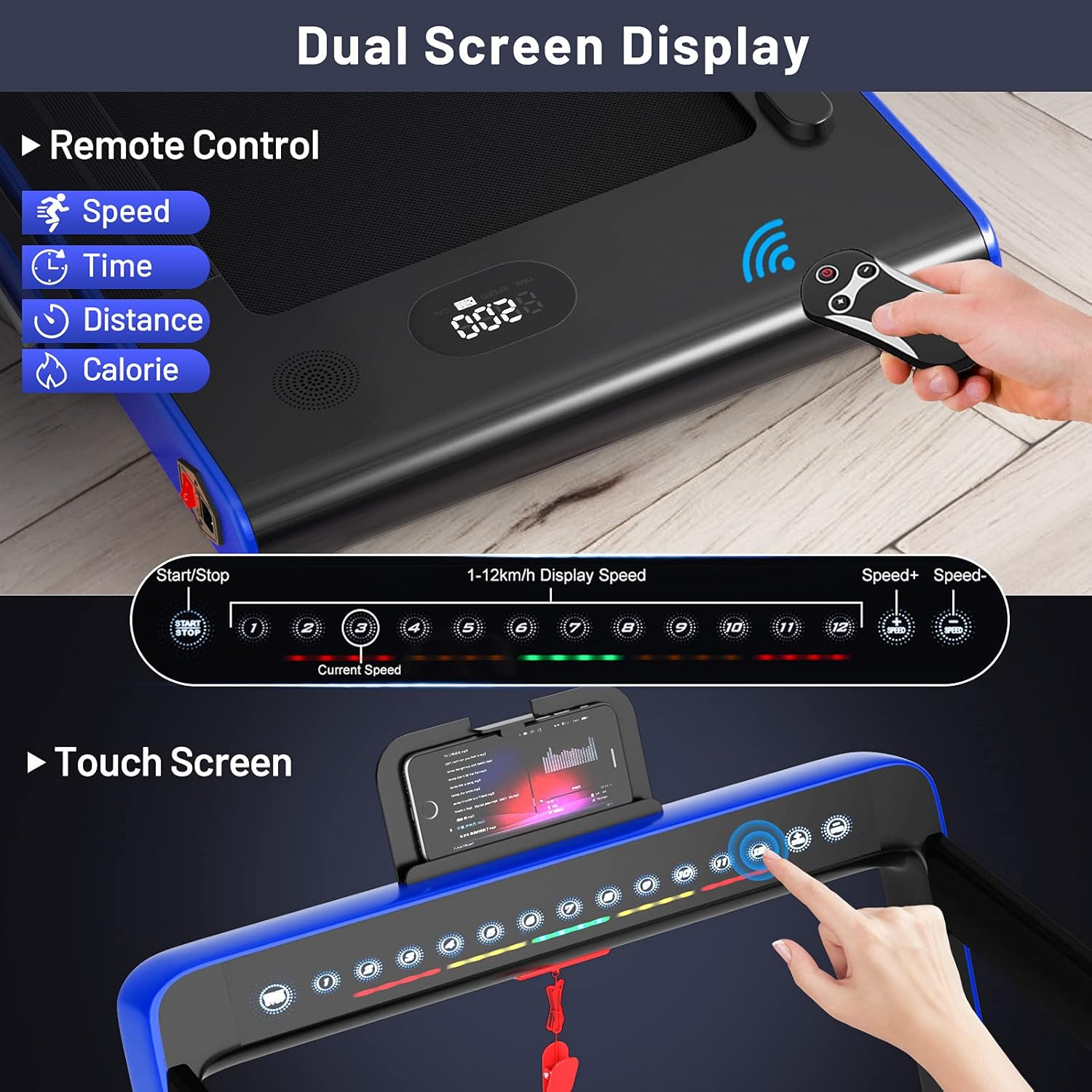
Image: Close-up of the dual LED display showing time, speed, distance, and calories, along with the remote control for operation.
4.3 Режимы работы
- Walking Mode (Handrails Down): Speed range from 1 km/h to 4 km/h (approx. 0.6-2.5 MPH). Ideal for under-desk use or light walking.
- Running Mode (Handrails Up): Speed range from 1 km/h to 12 km/h (approx. 0.6-7.5 MPH). Suitable for jogging and running.

Image: Demonstrates the treadmill in both walking mode (under a desk) and running mode (with handrails up).

Image: Visual representation of the treadmill's two modes: walking (0.5-2.5 MPH) and running (0.5-7.5 MPH).
4.4 GYMAX App Control
Download the 'GYMAX App' from Google Play or the App Store to control your treadmill and track your workout data. The app allows for speed adjustment, mode selection, and monitoring of your progress.

Image: Shows a smartphone screen displaying the GYMAX App interface and icons for downloading from Google Play and the App Store.

Image: Demonstrates connecting the treadmill to the GYMAX App via Bluetooth, showing app screenshots and a user exercising.
4.5 Интеграция медиаконтента
- Держатель телефона: Use the integrated phone bracket to securely hold your mobile device for entertainment or app control during your workout.
- Bluetooth-динамик: Connect your mobile phone to the treadmill's built-in speaker via Bluetooth to enjoy music or audio content.
Изображение: Крупный план view of the integrated phone holder on the treadmill's console.

Image: Depiction of the treadmill's Bluetooth speaker playing music during a workout.
5. Возможности закончилисьview
- Конструкция 2 в 1: Easily switch between walking (under desk) and running modes by adjusting the handrails.
- Тихий мотор: Equipped with a 2.25HP motor designed for quiet operation, making it suitable for home and office environments without causing disturbance.
- Advanced Running Belt: Features a 40" x 16" spacious, 5-layer running belt that is shock-absorbing and non-slip, providing comfort and knee protection during workouts.
- Складной и портативный: The treadmill's foldable design allows for easy storage under a sofa or against a wall. Built-in moving wheels facilitate effortless relocation.
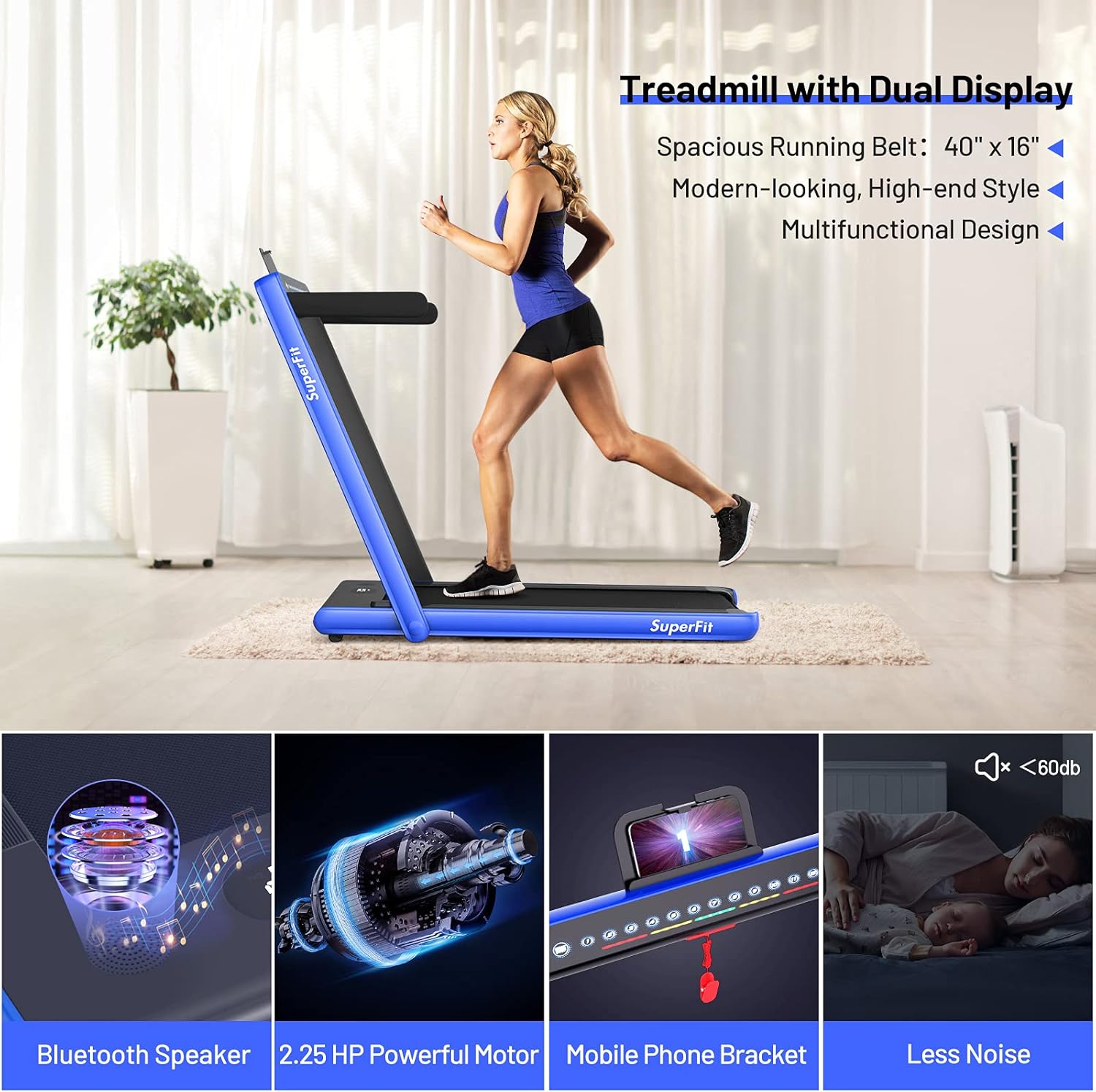
Image: Highlights key features including the dual display, Bluetooth speaker, 2.25 HP powerful motor, mobile phone bracket, and low noise level.
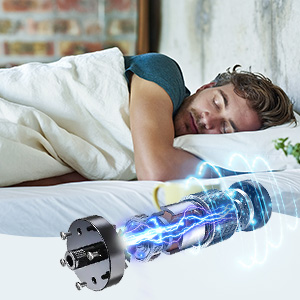
Image: Illustrates the quiet operation of the treadmill's motor, suitable for use without disturbing others.

Image: Diagram showing the five layers of the running belt: wear-resistant surface, sound insulation layer, high strength support layer, shock absorbing layer, and compression layer.
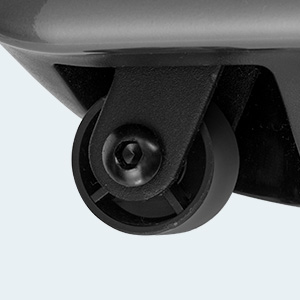
Image: Close-up of the integrated moving wheels for easy transport of the treadmill.
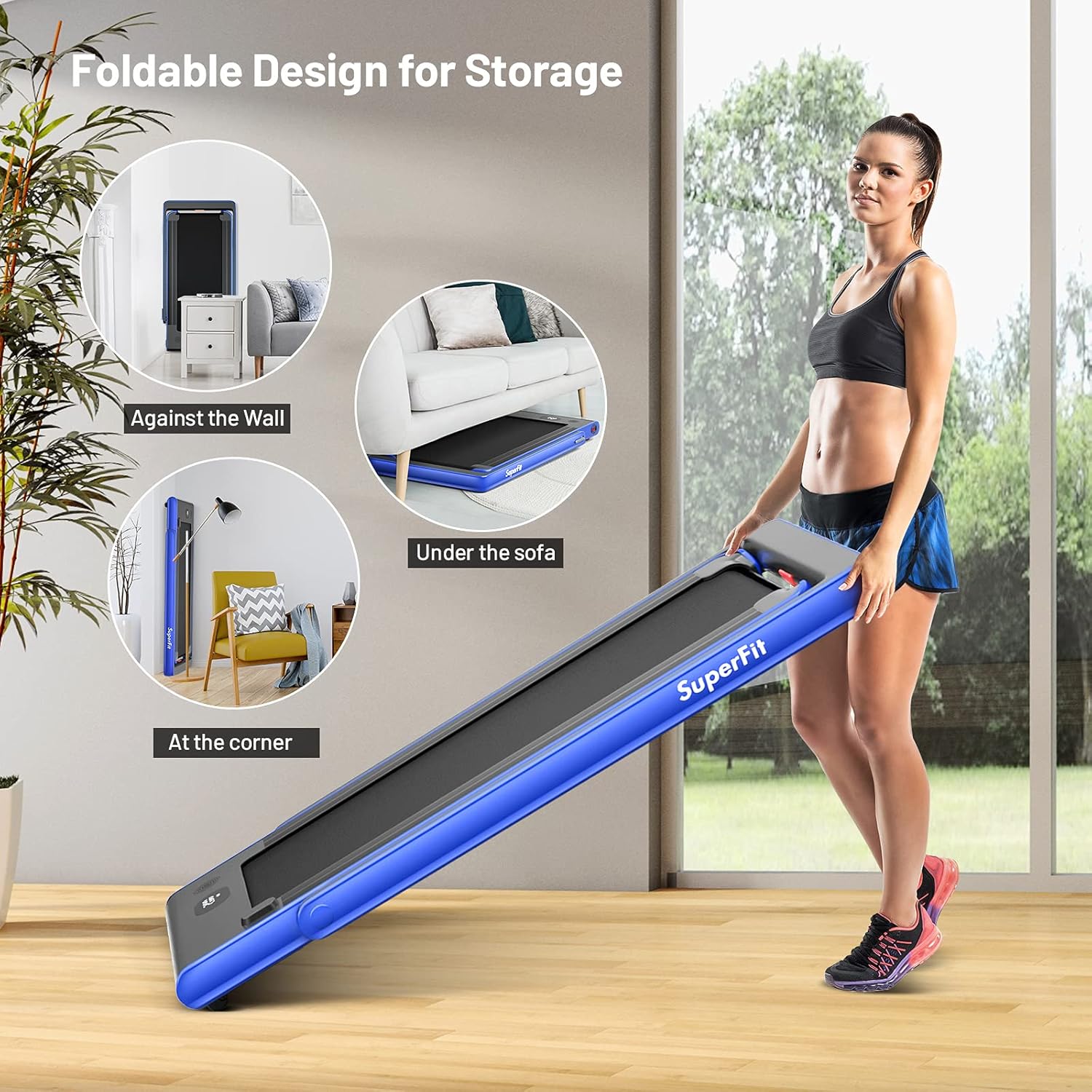
Image: Demonstrates various storage options for the foldable treadmill, such as against a wall, under a sofa, or in a corner.
6. Техническое обслуживание
Регулярное техническое обслуживание обеспечит долговечность и оптимальную работу вашей беговой дорожки.
- Уборка: Протрите поверхности беговой дорожки специальным средством.amp Протирайте салфеткой после каждого использования. Избегайте абразивных чистящих средств.
- Смазка ремня: Periodically lubricate the running belt according to the instructions in the full product manual to ensure smooth operation and prevent wear.
- Регулировка ремня: If the running belt shifts or slips, refer to the full product manual for instructions on how to adjust the belt tension and alignment.
- Хранилище: When not in use, fold the treadmill and store it in a dry, clean area away from direct sunlight and extreme temperatures.
7. Поиск Неисправностей
If you encounter issues with your GYMAX Walking Pad, refer to the following common solutions:
- Беговая дорожка не запускается: Ensure the power cord is securely plugged in, the red toggle switch is 'ON', and the safety key is correctly placed on the console.
- Проскальзывание или неравномерность ремня: The running belt may require lubrication or adjustment. Consult the maintenance section or the full product manual.
- Необычные звуки: Check for loose parts or foreign objects under the belt. Lubrication may also be needed.
- Пульт не работает: Check the batteries in the remote control and ensure they are inserted correctly.
For further assistance, please contact GYMAX customer support.
8. Технические характеристики
| Особенность | Деталь |
|---|---|
| Бренд | ГИМАКС |
| Модель | B0993NTMCX |
| Размеры продукта (Д x Ш x В) | 52"Д x 27"Ш x 42"В |
| Размер в сложенном виде (Д x Ш x В) | 52" x 27" x 5" |
| Вес товара | 38.4 килограмма (приблизительно 84.6 фунта) |
| Материал | Акрилонитрилбутадиенстирол (АБС), легированная сталь |
| Мощность двигателя | 2.25 л.с. |
| Диапазон скоростей | 1-12 Kilometers per Hour (approx. 0.6-7.5 MPH) |
| Running Belt Size (L x W) | 40" x 16" |
| Рекомендация по максимальному весу | 265 фунта |
| Тип дисплея | ВЕЛ |
| Название программы управления | GYMAX App |
| Включенные компоненты | Remote Control, Safety Key, Phone Bracket |
9. Гарантия и поддержка
GYMAX offers customer support for any inquiries or issues you may have with your walking pad. For specific warranty details, please refer to the documentation included with your purchase or contact GYMAX directly.
Данный товар подлежит простому возврату в течение 30 дней.
For customer service, please visit the GYMAX Store on Amazon.
10. Видео о продуктеview
Видео: Подробный обзорview of the GYMAX Walking Pad, demonstrating its display features, safety clip, cup holders, phone holder, power switch, running belt quality, incline adjustment, and quiet motor operation. This video highlights the ease of assembly and comfortable user experience.