Введение
Thank you for choosing the AULA F2066-II USB Wired Keyboard. This manual provides essential information for setting up, operating, and maintaining your keyboard. Please read it carefully to ensure optimal performance and longevity of your device.
Инструкции по установке
- Распакуйте клавиатуру: Carefully remove the AULA F2066-II keyboard from its packaging. Ensure all components are present.
- Подключиться к компьютеру: Locate an available USB port on your computer or laptop. Insert the USB connector of the keyboard firmly into the USB port.
- Установка драйвера: Клавиатура работает по принципу Plug-and-Play. Ваша операционная система (Windows, macOS, Linux) должна автоматически обнаружить и установить необходимые драйверы. Как правило, дополнительная установка программного обеспечения не требуется.
- Тестовая функциональность: Open a text editor or any application that accepts text input and test typing to ensure all keys are functioning correctly.

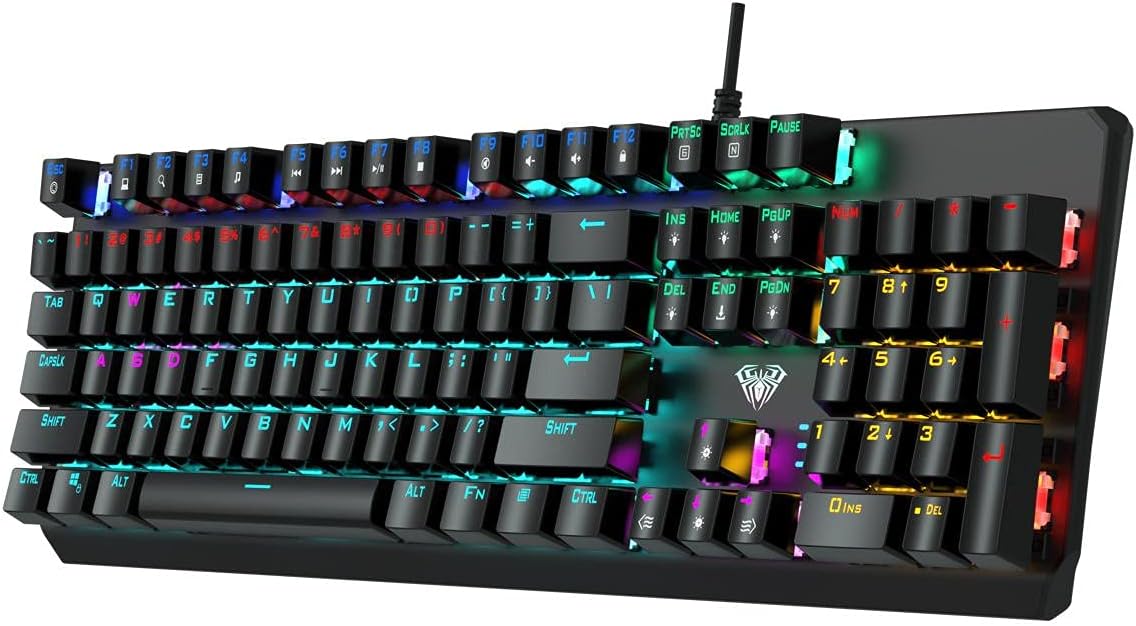
Image: The AULA F2066-II USB Wired Keyboard, showcasing its full layout and RGB backlighting. This image illustrates the keyboard's design and key arrangement.
Инструкция по эксплуатации
The AULA F2066-II keyboard features a standard layout with additional multimedia functions. It supports both English and Arabic languages.
Основное использование:
- Печатание: Use the alphanumeric keys for standard text input.
- Функциональные клавиши (F1–F12): Эти клавиши выполняют свои стандартные функции.
- Цифровая клавиатура: The dedicated numeric keypad on the right provides quick entry for numbers and calculations.
Мультимедийные комбинации клавиш:
This keyboard includes various multimedia functions accessible via the FN key combined with other keys. Refer to the table below for specific combinations.
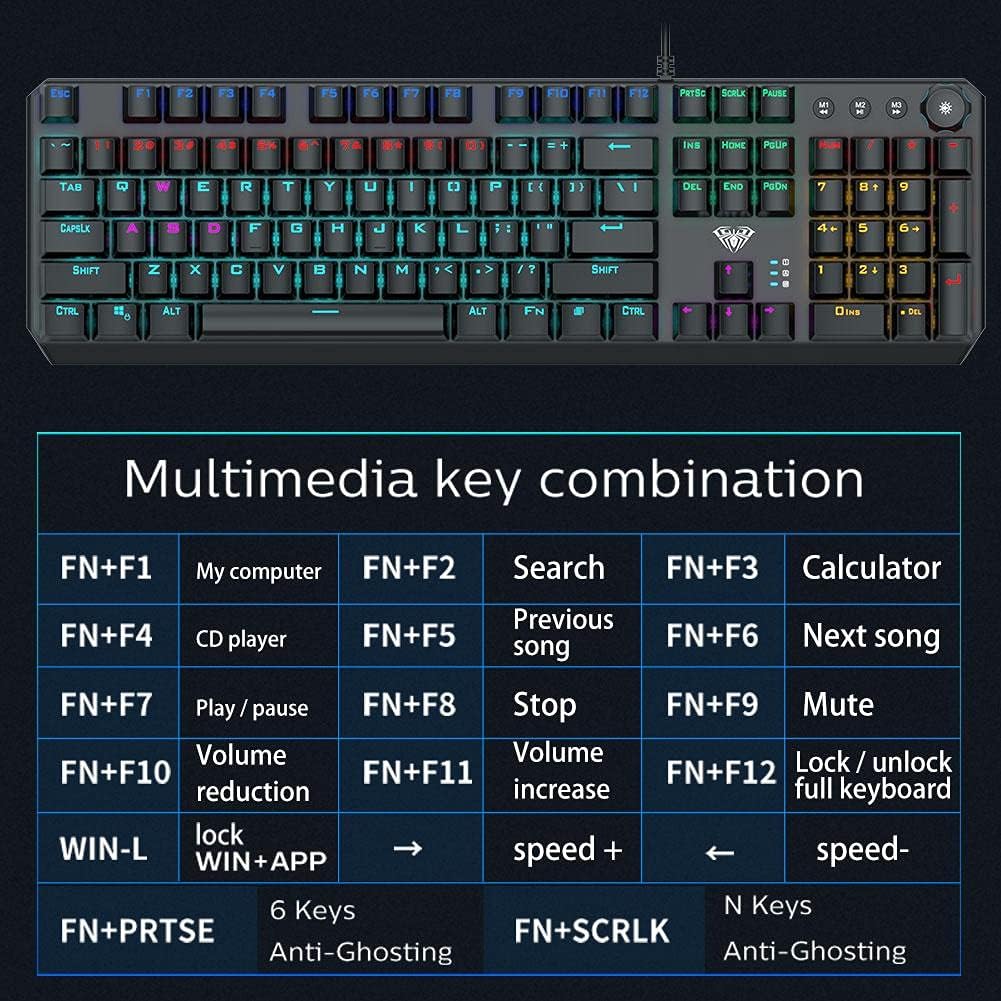
Image: A detailed table illustrating the multimedia key combinations available on the AULA F2066-II keyboard. This includes functions like volume control, media playback, and application shortcuts activated by pressing the FN key with specific function keys.
| Комбинация | Функция |
|---|---|
| ФН + Ф1 | Мой компьютер |
| ФН + Ф2 | Поиск |
| ФН + Ф3 | Калькулятор |
| ФН + Ф4 | CD-плеер |
| ФН + Ф5 | Предыдущая песня |
| ФН + Ф6 | Следующая песня |
| ФН + Ф7 | Воспроизведение/Пауза |
| ФН + Ф8 | Останавливаться |
| ФН + Ф9 | Немой |
| ФН + Ф10 | Уменьшение громкости |
| ФН + Ф11 | Увеличение громкости |
| ФН + Ф12 | Блокировка/разблокировка полной клавиатуры |
| ВЫИГРАЙ + Л | Блокировка WIN + APP |
| FN + PRT SC | 6 клавиш |
| FN + ПКРЛК | N Keys Anti-Ghosting |
Обслуживание
Proper maintenance ensures the longevity and optimal performance of your AULA F2066-II keyboard.
- Уборка: Regularly clean the keyboard with a soft, dry cloth. For deeper cleaning, use compressed air to remove dust and debris from between the keys. Avoid using harsh chemicals or abrasive materials.
- Разливы: В случае попадания жидкости немедленно отсоедините клавиатуру от компьютера. Переверните ее вверх дном, чтобы слить жидкость, и дайте ей полностью высохнуть, прежде чем снова подключать. Не пытайтесь использовать клавиатуру, пока она мокрая.
- Хранилище: Если клавиатура не используется в течение длительного времени, храните ее в чистом, сухом месте, вдали от прямых солнечных лучей и экстремальных температур.
Изображение: вид сверху вниз view of the AULA F2066-II keyboard, highlighting the keycaps and their spacing. This perspective is useful for understanding how to clean between the keys.
Поиск неисправностей
If you encounter issues with your AULA F2066-II keyboard, refer to the following common solutions:
| Проблема | Решение |
|---|---|
| Клавиатура не отвечает. |
|
| Некоторые клавиши не работают. |
|
| Backlighting is not working. |
|
Технические характеристики
| Особенность | Деталь |
|---|---|
| Бренд | АУЛА |
| Номер модели | F2066-II-Black-Panel |
| Технология связи | Проводной USB |
| Язык клавиатуры | English & Arabic |
| Совместимые устройства | ПК, Ноутбуки |
| Цвет | Черный |
| Цвет подсветки | Single Color (RGB effects are typically pre-set patterns, not customizable per key color) |
| Материал | Пластик |
| Размеры (Д x Ш x В) | 49.7 х 40.7 х 5.3 см |
| Масса | 960 грамм |
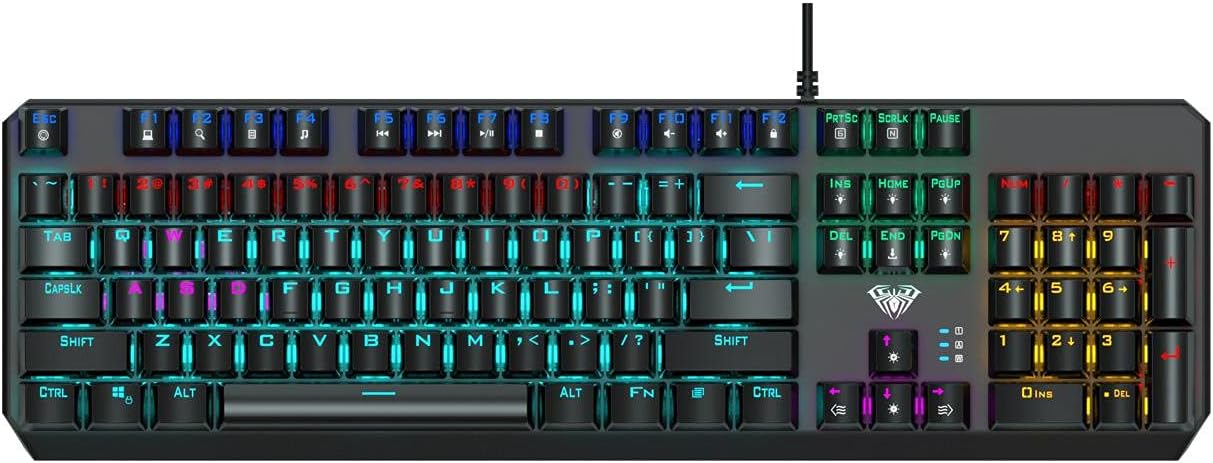
Image: The AULA F2066-II keyboard displayed alongside its retail packaging. This image provides a visual reference for the product and its box.
Гарантия и поддержка
For warranty information and technical support, please refer to the documentation included with your purchase or visit the official AULA webСохраните чек о покупке для предъявления гарантийных претензий.
Интернет-ресурсы:
- Официальный представитель AULA Webсайт: www.aulagaming.com (Примечание: это универсальный заполнитель. URL as no specific support link was provided in the product data. Please verify the correct URL.)
- Product Support Page: Check the AULA website for a dedicated support page for model F2066-II.


