1. Продукт закончилсяview
The HP Omen 30L GT13 is a high-performance gaming desktop designed for an immersive gaming experience. It features a powerful AMD Ryzen 5 5600X processor, NVIDIA GeForce RTX 3060 graphics, ample memory, and a hybrid storage solution for speed and capacity. The system also includes customizable RGB LED lighting and Wi-Fi 6 connectivity.

Figure 1: HP Omen 30L Gaming Desktop

Рисунок 2: Передняя часть view of the HP Omen 30L Gaming Desktop
2. Инструкции по настройке
2.1 Распаковка
Carefully remove the desktop from its packaging. Ensure all components are present, including the desktop unit, power cable, and any included accessories such as the keyboard and mouse.
2.2 Подключение периферийных устройств
- Подключение питания: Connect the power cable to the desktop's power supply unit and then to a grounded electrical outlet.
- Подключение монитора: Connect your monitor to the graphics card's display outputs (e.g., HDMI, DisplayPort).
- Клавиатура и мышь: Подключите входящие в комплект клавиатуру и мышь к имеющимся USB-портам.
- Подключение к сети: For internet access, connect an Ethernet cable to the RJ-45 port or ensure your Wi-Fi 6 connection is configured during initial setup.
- Аудиоустройства: Connect headphones, speakers, or microphones to the appropriate audio jacks.
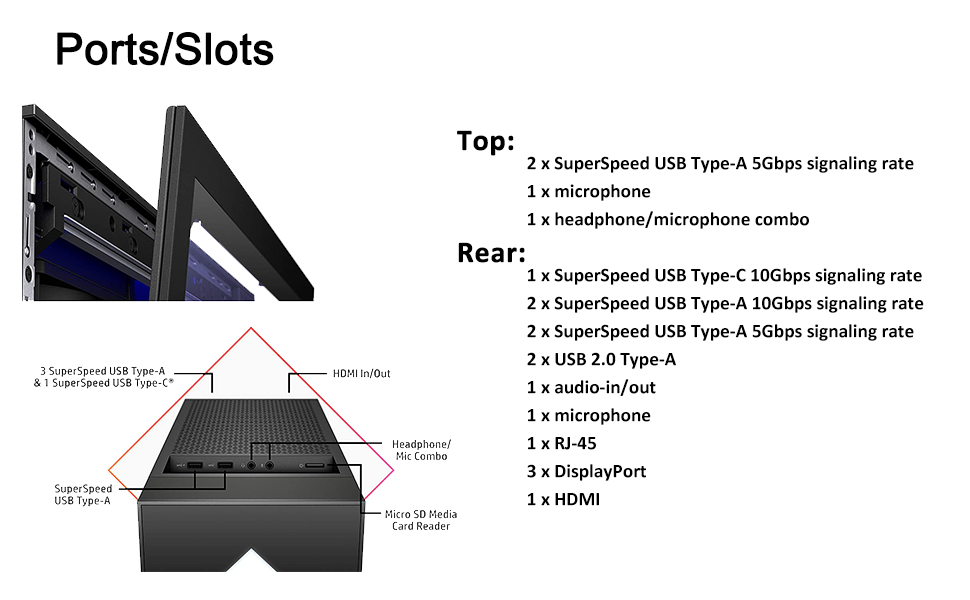
Figure 3: Top and Rear Ports/Slots Diagram
2.3 Первоначальная загрузка
Press the power button located on the top of the desktop. The system will boot into Windows 10 Home. Follow the on-screen instructions to complete the initial operating system setup, including user account creation and network configuration.

Figure 4: Complete Desktop Setup
3. Инструкция по эксплуатации
3.1 Включение/выключение питания
- Включение питания: Нажмите кнопку питания один раз.
- Неисправность: From Windows, click the Start button, then Power, and select 'Shut down'.
- Перезапуск: From Windows, click the Start button, then Power, and select 'Restart'.
3.2 Светодиодное освещение RGB
The HP Omen 30L GT13 features customizable RGB LED lighting. You can configure the lighting effects and colors using the OMEN Gaming Hub APP. This application allows for personalization of the internal lighting and front panel accents to match your preferences.

Figure 5: Interior RGB Lighting
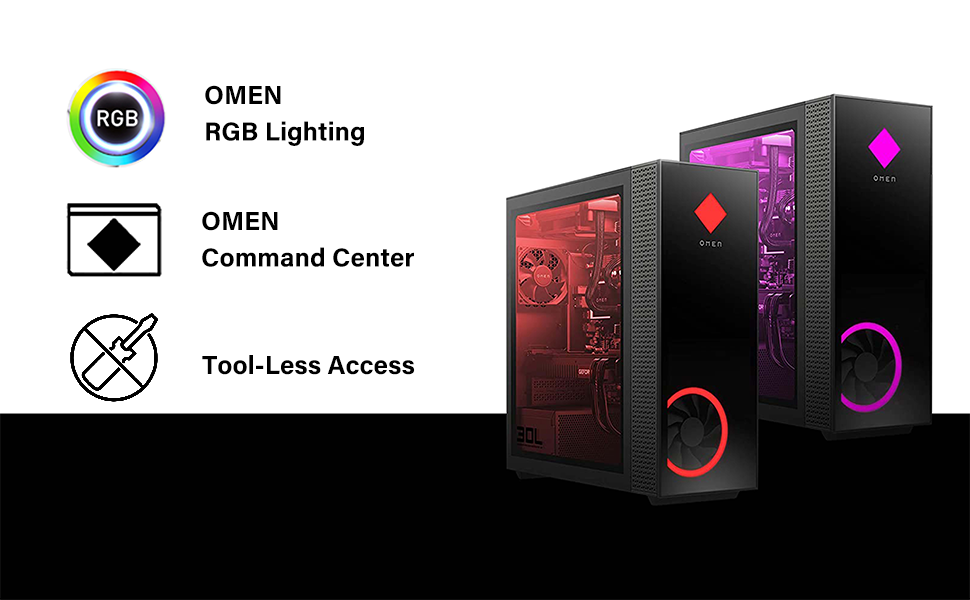
Figure 6: Key Features: RGB Lighting, OMEN Command Center, Tool-Less Access
4. Техническое обслуживание
4.1 Очистка
Regularly clean the exterior of your desktop with a soft, dry cloth. Use compressed air to clear dust from vents and fans to ensure optimal airflow and prevent overheating. Avoid using liquid cleaners directly on components.
4.2 Tool-Less Access
The HP Omen 30L GT13 is designed for easy maintenance and upgrades with its tool-less access side panel. This allows for convenient access to internal components for cleaning or hardware modifications.
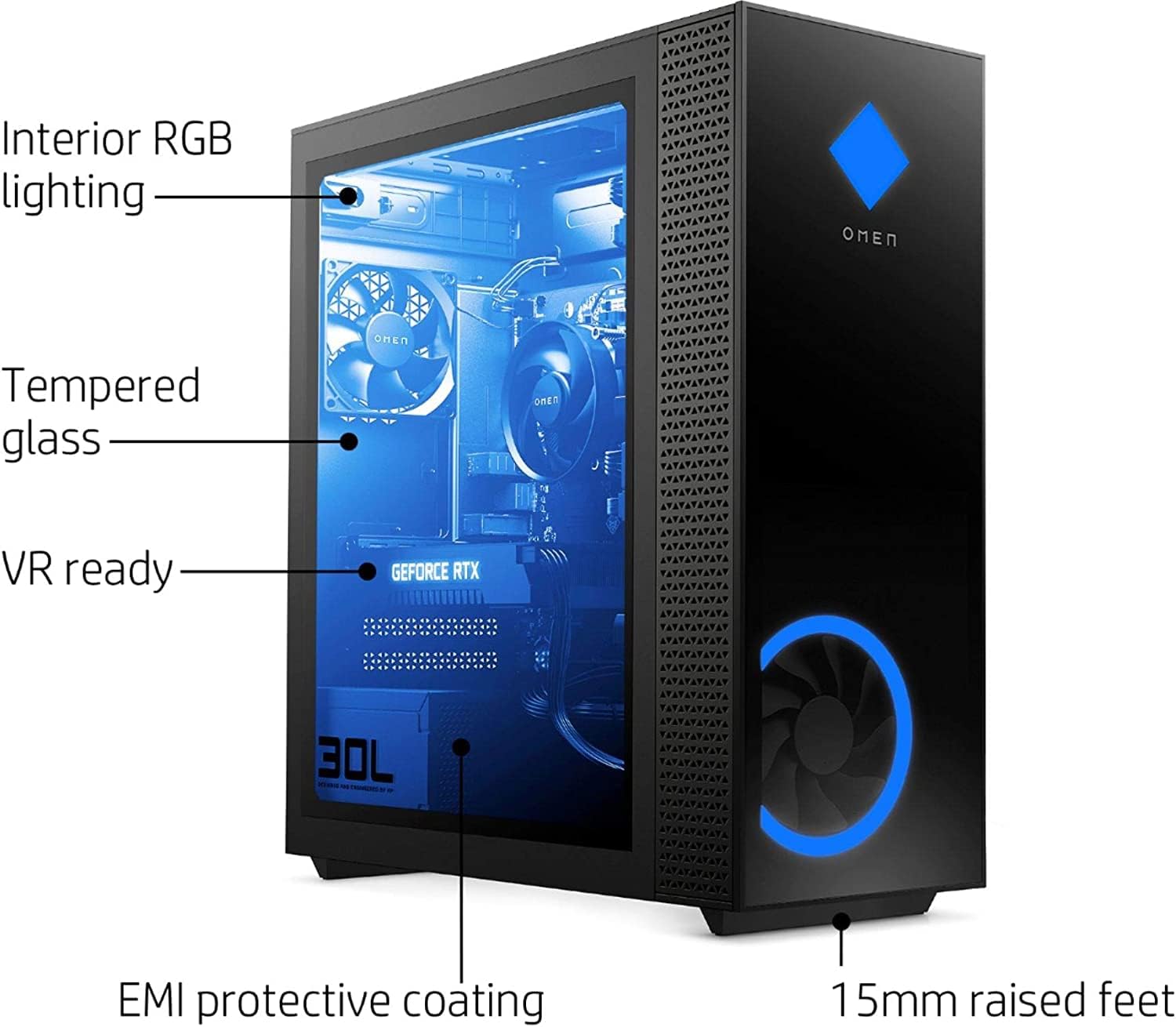
Figure 7: Tool-Less Access to Internal Components
Обновления 4.3
The desktop comes with 32GB DDR4-3200 RGB SDRAM, a 1TB PCIe NVMe M.2 SSD, and a 2TB Hard Disk Drive. The system supports further upgrades for memory and storage. Refer to the official HP documentation or a qualified technician for specific upgrade procedures and compatible components.

Figure 8: Upgraded Memory & Storage Capabilities
5. Поиск Неисправностей
5.1 Общие проблемы
- Нет питания: Ensure the power cable is securely connected to both the desktop and the electrical outlet. Check the power supply switch on the back of the unit.
- Нет дисплея: Verify that the monitor is correctly connected to the graphics card output and that the monitor itself is powered on and set to the correct input source.
- Замедление работы системы: Check for background applications, update drivers, or perform a system scan for malware. Ensure adequate ventilation.
5.2 Обращение в службу поддержки
For persistent issues or advanced troubleshooting, please visit the official HP Support website or contact their customer service for assistance. Provide your product model and serial number for faster service.
6. Технические характеристики

Figure 9: Desktop Dimensions (Approximate)
| Особенность | Деталь |
|---|---|
| Процессор | AMD Ryzen 5 5600X (6 Cores, 3.7GHz Base, 4.6GHz Max Boost) |
| Графика | NVIDIA GeForce RTX 3060 12 ГБ GDDR6 |
| БАРАН | 32GB (2x16GB) DDR4-3200 RGB SDRAM |
| Хранилище | 1 ТБ PCIe NVMe M.2 SSD + 2 ТБ HDD |
| Операционная система | Windows 10 Home 64-бит |
| Источник питания | Cooler Master 800W Gold efficiency |
| Беспроводное подключение | Wi-Fi 6 (5 GHz Radio Frequency) |
| Ports (Top) | 2x SuperSpeed USB Type-A 5Gbps, 1x Microphone, 1x Headphone/Microphone Combo |
| Порты (сзади) | 1x SuperSpeed USB Type-C 10Gbps, 2x SuperSpeed USB Type-A 10Gbps, 2x SuperSpeed USB Type-A 5Gbps, 2x USB 2.0 Type-A, 1x Audio In/Out, 1x Microphone, 1x RJ-45, 3x DisplayPort, 1x HDMI |
| Размеры (ДxШxВ) | 29 x 29 x 29 дюймов (приблизительно) |
| Вес товара | 29 фунта |
| Цвет | Черный |
7. Гарантия и поддержка
7.1 Информация о гарантии
This HP Omen 30L GT13 Gaming Desktop includes an original Гарантия производителя на 1 год on most components. Additionally, upgraded RAM and SSD components are covered by a 1-Year Warranty from PConline365. Сохраните чек о покупке для предъявления гарантийных претензий.
7.2 Техническая поддержка
For technical assistance, driver downloads, or further product information, please visit the official Поддержка HP WebсайтТам вы также можете найти полезные ресурсы и форумы сообщества.