Введение
Thank you for choosing the FLYLINKTECH CF700 Multi-functional Jump Starter and Tire Inflator. This device is designed to provide reliable assistance for vehicle emergencies, including jump-starting dead batteries, inflating tires, and serving as a portable power bank. Please read this manual thoroughly before use to ensure safe and optimal operation.
Важные инструкции по технике безопасности
Failure to follow these instructions may result in electric shock, fire, and/or serious injury. Save these instructions for future reference.
- Always wear safety glasses and protective gloves when operating the jump starter.
- Не запускайте замороженную батарею от рывка.
- Ensure the vehicle is in park (P) or neutral (N) and the parking brake is engaged.
- Не допускайте детей и посторонних лиц в рабочую зону.
- Не соединяйте положительный (+) и отрицательный (-) контактыampвместе.
- Не подвергайте устройство воздействию дождя или влаги.
- Не разбирайте устройство. По всем вопросам обслуживания обращайтесь к квалифицированному персоналу.
- Store the device in a cool, dry place away from direct sunlight and heat.
- The device contains a lithium-ion battery. Dispose of it according to local regulations.
Содержимое упаковки
Проверьте наличие всех предметов в посылке:
- FLYLINKTECH CF700 Jump Starter and Tire Inflator
- Смарт Clampс 8 уровнями защиты
- Кабель USB-Type-C
- Адаптер постоянного тока
- 3 переходника для клапанов (для различных надувных изделий)
- Руководство пользователя (этот документ)
- Сумка для хранения

Продукт болееview
Familiarize yourself with the different parts and functions of your FLYLINKTECH CF700 device.

- DC 12V-16V/10A Output Port: Для питания автомобильных аксессуаров на 12 В.
- USB Output Ports (QC3.0 & 2.4A): Для зарядки мобильных телефонов, планшетов и других устройств с питанием от USB.
- Входной порт типа C: For recharging the CF700 unit.
- Выходной порт EC5: Для подключения интеллектуального пускового устройства clamps.
- Кнопка питания: Для включения/выключения устройства и переключения между режимами светодиодной подсветки.
- ЖК-индикатор питания: Отображает оставшийся заряд батареи.
- LCD Air Pressure Display: Shows current and target tire pressure.
- ON/OFF Button (for Air Compressor): Activates and deactivates the tire inflator.
- Светодиодный аварийный свет: Provides illumination with Stable, SOS, and Strobe modes.
Технические характеристики
| Особенность | Спецификация |
|---|---|
| Модель | CF700 |
| Пиковый ток | 2500А |
| Емкость аккумулятора | 24000мАч |
| Тип обслуживания автомобиля | Car, Motorcycle, SUV, Scooter, Truck, Tractor |
| Совместимость двигателя | Up to All Gasoline Engines, Up to 8.0L Diesel Engines |
| Давление в шинах | Max 150 PSI (0.3~10.3 BAR) |
| USB-выход 1 (QC3.0) | 5V/3A, 9V/2A, 12V/1.5A |
| USB-выход 2 | 5В/2.4А |
| Выход постоянного тока | 12V-16V / 10A |
| Мощность светодиодного света | 5W |
| Рабочая температура | -20°C до 60°C (-4°F до 140°F) |
| Размеры (Д x Ш x В) | Приблизительно 22 x 17 x 9 см (8.7 x 6.7 x 3.5 дюйма) |
| Масса | Приблизительно 1.5 кг (3.3 фунта) |
Зарядка устройства
Before first use, fully charge the FLYLINKTECH CF700. It takes approximately 5 hours to fully charge using a fast charger.
- Connect the USB to Type-C cable to the Type-C input port on the CF700.
- Connect the other end of the USB cable to a USB wall adapter (not included) or a car charger.
- The LCD power indicator will show the charging progress. The device is fully charged when the indicator shows 100%.
Для поддержания работоспособности батареи рекомендуется заряжать устройство каждые 3-6 месяцев, даже если оно не используется.
Прыжок с запуском автомобиля
The CF700 can jump start 12V vehicles with up to all gasoline engines and 8.0L diesel engines.

- Ensure the CF700 is sufficiently charged (at least 50% recommended).
- Выключите зажигание автомобиля и все дополнительные устройства (фары, радио и т. д.).
- Вставьте смарт-clamp cable into the EC5 output port of the CF700. The indicator light on the smart clamp will flash green and red.
- Подключите КРАСНЫЙ положительный (+) clamp к положительной (+) клемме аккумуляторной батареи автомобиля.
- Подключите ЧЕРНЫЙ отрицательный (-) клamp to the vehicle's negative (-) battery terminal or a solid metal part of the engine block (unpainted).
- Как только клamps are correctly connected, the indicator light on the smart clamp will turn solid green. If it flashes red, check the connections.
- Запустите двигатель автомобиля.
- После запуска двигателя немедленно снимите смарт-замок.ampСначала от автомобильного аккумулятора отключите отрицательный (-) контакт.ampтогда положительный (+) clamp.
- Отключите смарт-клапанamp cable from the CF700.
Примечание: If the vehicle does not start after 3 attempts, stop and check for other potential issues with the vehicle.

Using the Tire Inflator
The integrated air compressor can inflate tires up to 150 PSI and features an automatic shut-off function.
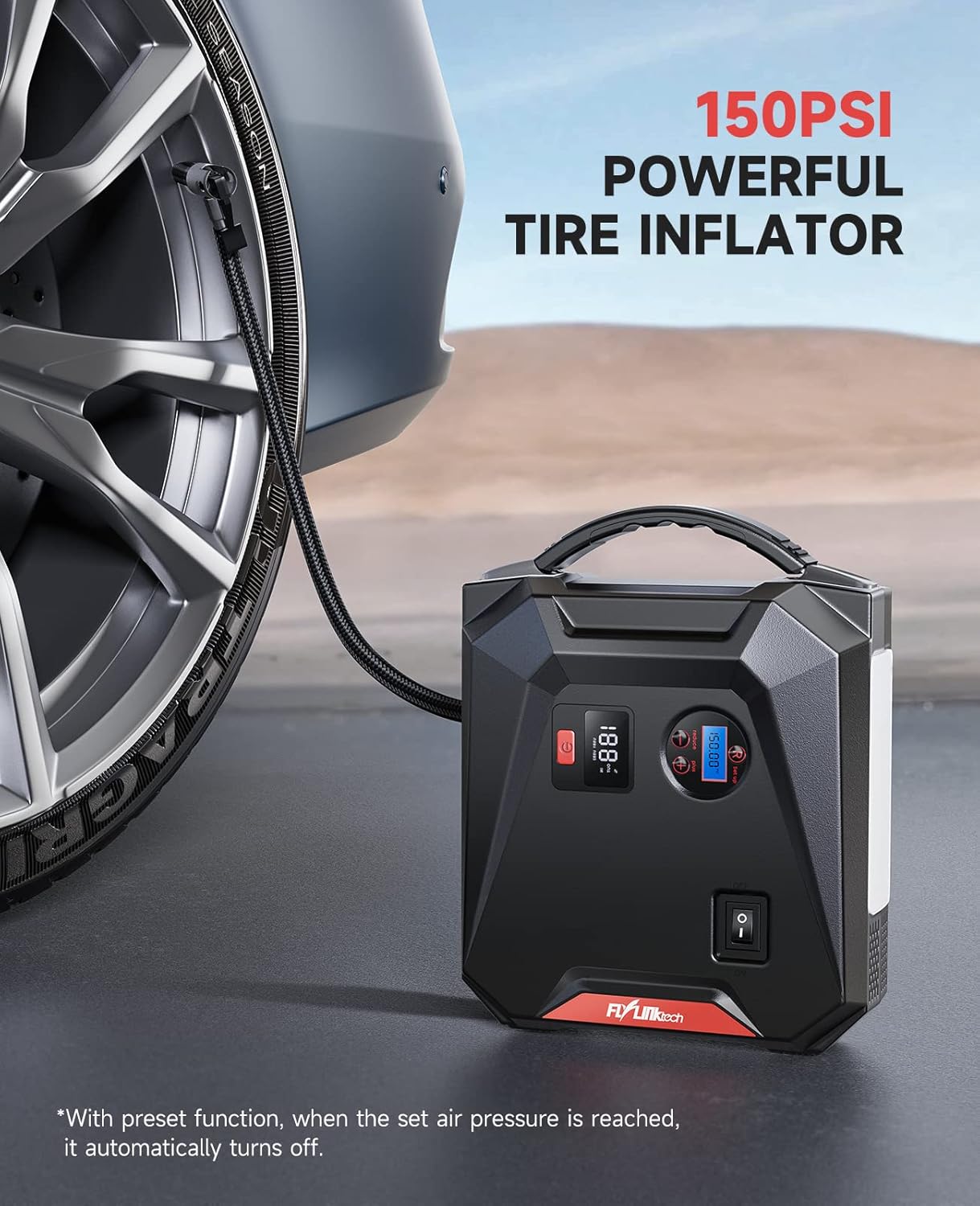
- Connect the air hose to the tire valve stem. Ensure it is securely tightened to prevent air leakage.
- Press the power button on the CF700 to turn on the unit. The LCD air pressure display will show the current tire pressure.
- Use the '+' and '-' buttons to set the desired target pressure. The unit supports PSI, BAR, KPA, and KG/CM².
- Press the ON/OFF button for the air compressor to start inflation.
- Компрессор автоматически остановится, как только будет достигнуто заданное давление.
- Отсоедините воздушный шланг от вентиля шины.
Use the included valve adapters for inflating bicycles, balls, and other inflatables.
Использование в качестве Power Bank
Емкость аккумулятора в 24000 мАч позволяет заряжать различные электронные устройства.

- USB-зарядка: Connect your device's USB charging cable to either of the USB output ports (USB 1 QC3.0 or USB 2 2.4A) on the CF700. The device will begin charging automatically.
- Выход постоянного тока: For 12V car accessories, connect the accessory to the DC 12V-16V/10A output port. Ensure the accessory's power requirements do not exceed 10A.
Использование светодиодного аварийного освещения
The 5W LED light provides illumination for various situations.

- Press and hold the power button for approximately 3 seconds to turn on the LED light in Stable mode.
- Press the power button again to cycle through the light modes: Stable → SOS → Strobe → Off.
- To turn off the light directly from any mode, press and hold the power button for 3 seconds.
Поиск неисправностей
| Проблема | Возможная причина | Решение |
|---|---|---|
| Устройство не включается. | Аккумулятор полностью разряжен. | Полностью зарядите устройство. |
| Автомобиль не заводится. | Неверный кл.amp подключение; Слишком низкий заряд батареи устройства; Аккумулятор транспортного средства серьезно поврежден. | Проверить clamp connections (solid green light on smart clamp); Recharge CF700; Consult a mechanic. |
| Смарт clamp Индикатор мигает красным. | Обратная полярность подключения; короткое замыкание; перегрев. | Отключить кл.amps and reconnect correctly; Check for short circuits; Allow device to cool down. |
| Tire inflator does not start or stops prematurely. | Air hose not securely connected; Target pressure already reached; Device battery too low. | Ensure hose is tight; Check current pressure; Recharge CF700. |
| USB-устройства не заряжаются. | Device battery too low; Cable issue; Device not compatible. | Recharge CF700; Try a different USB cable; Check device compatibility. |
Техническое обслуживание и хранение
- Протирайте устройство сухой мягкой тканью. Не используйте едкие химикаты или абразивные материалы.
- Store the CF700 in its storage bag in a cool, dry place between -20°C and 60°C (-4°F and 140°F).
- Avoid storing the device in direct sunlight or near heat sources.
- For optimal battery life, recharge the unit every 3-6 months, even if not used.
Гарантия и поддержка
FLYLINKTECH products are designed and manufactured to the highest quality standards. For warranty information or technical support, please refer to the contact details provided on the product packaging or the official FLYLINKTECH website. Please have your model number (CF700) and purchase date available when contacting support.


