Продукт болееview
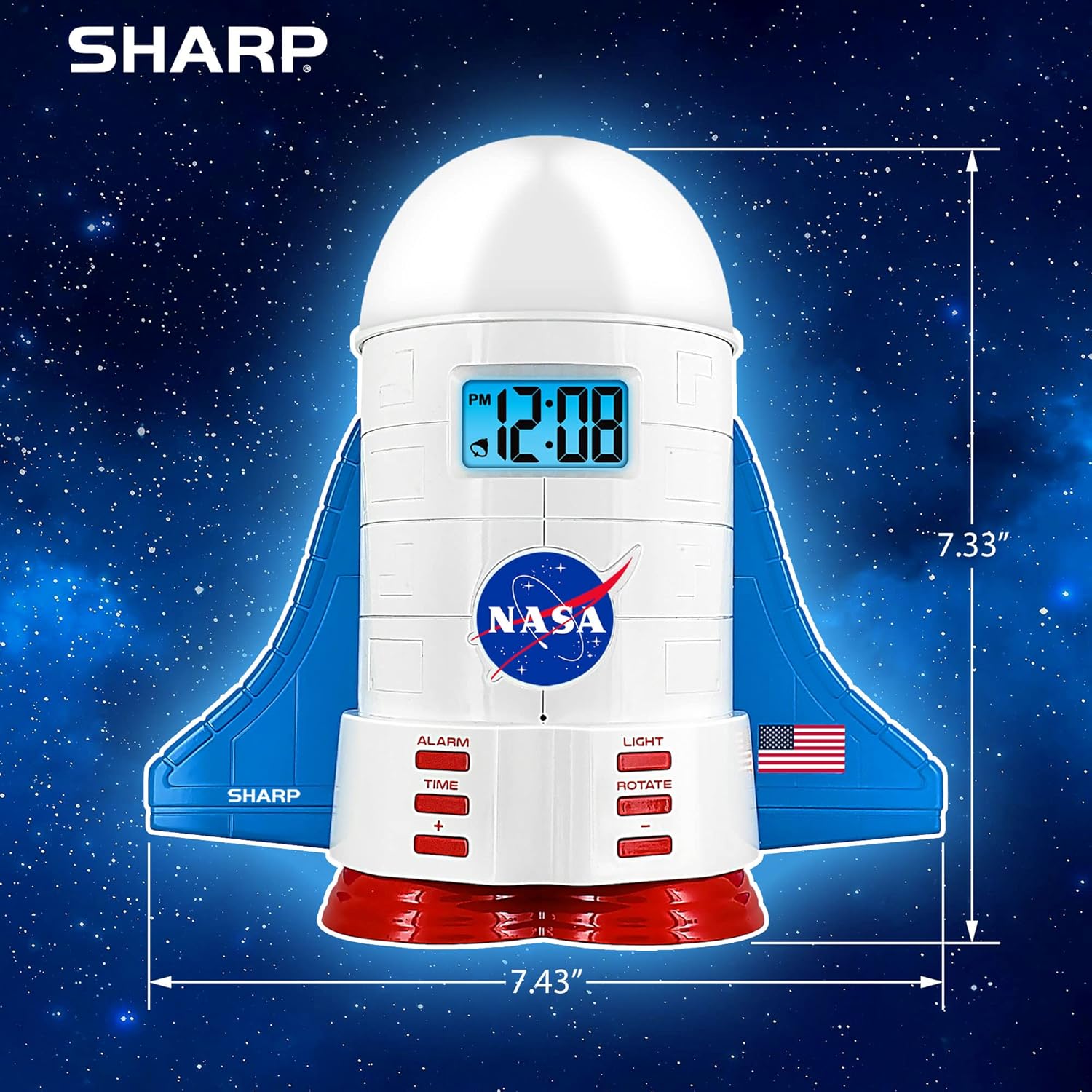
This manual provides instructions for the Sharp NASA Space Shuttle Night Light Alarm Clock. This device combines an alarm clock with a space-themed nightlight and projection feature, designed to enhance a child's bedroom environment.

Настраивать
Распаковка
- Аккуратно извлеките все компоненты из упаковки.
- Убедитесь, что все предметы, перечисленные в разделе «Содержимое коробки», присутствуют.
Подключение питания
The alarm clock can be powered via the included electric adapter. For continuous operation of all features, including the nightlight and projection, direct power is recommended.
For battery backup, insert appropriate batteries (not included) into the battery compartment located at the base of the unit. This ensures timekeeping and alarm function during power outagес.

Инструкция по эксплуатации
Установка времени
- Нажмите ВРЕМЯ кнопка.
- Используйте + и - кнопки для настройки часов и минут.
- Нажимать ВРЕМЯ еще раз для подтверждения.
Установка будильника
- Нажмите ТРЕВОГА кнопка.
- Используйте + и - кнопки для установки желаемого времени срабатывания будильника.
- Нажимать ТРЕВОГА again to activate the alarm. An alarm icon will appear on the display.
Функция повтора
To temporarily silence the alarm, tap the top of the unit. The alarm will sound again after a short interval.
Nightlight and Projection Features
The unit features light-up wings and a rocket booster base, along with a rotating projection cap.

Активация огней
Нажмите СВЕТ button to cycle through the 4 color options for the wings and booster lights.
Projection Caps
The device includes two interchangeable space-themed projection caps and a frosted nightlight cap. Twist counter-clockwise to attach or remove caps.

Вращающаяся проекция
Нажмите ПОВОРОТ button to activate or deactivate the rotation of the projected images.
Обслуживание
- Clean the unit with a soft, dry cloth. Avoid abrasive cleaners or solvents.
- Ensure the projection caps are free from dust or smudges for clear image projection.
- Replace batteries in the backup compartment as needed to maintain time settings during power interruptions.
Поиск неисправностей
| Проблема | Возможная причина | Решение |
|---|---|---|
| Clock not displaying time | Нет электричества | Ensure the electric adapter is securely plugged in. Check battery backup. |
| Будильник не звучит | Alarm not set or deactivated | Verify alarm time is set and activated (alarm icon visible). |
| Projection unclear or dim | Dust on cap or insufficient darkness | Clean the projection cap. Ensure the room is sufficiently dark for optimal projection. |
| Проекция не вращается | Rotate function off | Нажмите ПОВОРОТ button to activate the rotation feature. |
Технические характеристики
- Бренд: Острый
- Номер модели: Sharp NASA e Shuttle Alarm Clock
- Источник питания: Electric Adapter (Battery backup for timekeeping)
- Тип источника света: ВЕЛ
- Nightlight Colors: 4 вариантов
- Projection Themes: 2 interchangeable space scenes
- Отображать: ЖК-дисплей с синей подсветкой
- Размеры: 7.43 x 1.5 x 7.43 дюйма
- Масса: 1.33 фунта
- Материал: Пластик
- Особые характеристики: Color Changing, Snooze Function, Rotating Projection
Гарантия и поддержка
Для получения информации о гарантии или технической поддержке обратитесь к официальному сайту производителя. webсайт или свяжитесь с их службой поддержки.
Производитель: Острый
СКП: 049353005447
ASIN: B08PL6K2C5


