1. Введение и окончаниеview
The Tera Mini 1D 2D QR Wireless Barcode Scanner is a compact, robust, and versatile device designed for efficient barcode data collection. Its IP66 waterproof and dustproof rating ensures durability in various environments. With multiple connection options and support for a wide range of barcode types, this scanner is suitable for diverse applications.

Figure 1.1: Tera Mini 1100D Barcode Scanner and accessories.
2. Содержимое упаковки
Пожалуйста, проверьте наличие всех предметов в упаковке:
- Сканер штрих-кода x1
- USB-кабель x1
- Ключ x1
- Руководство пользователя x1 (этот документ)
3. Характеристики и компоненты продукта
The Tera Mini 1100D is designed with user convenience and durability in mind. Key components and features include:
-
Silicone Button: Provides a soft and smooth scanning experience.
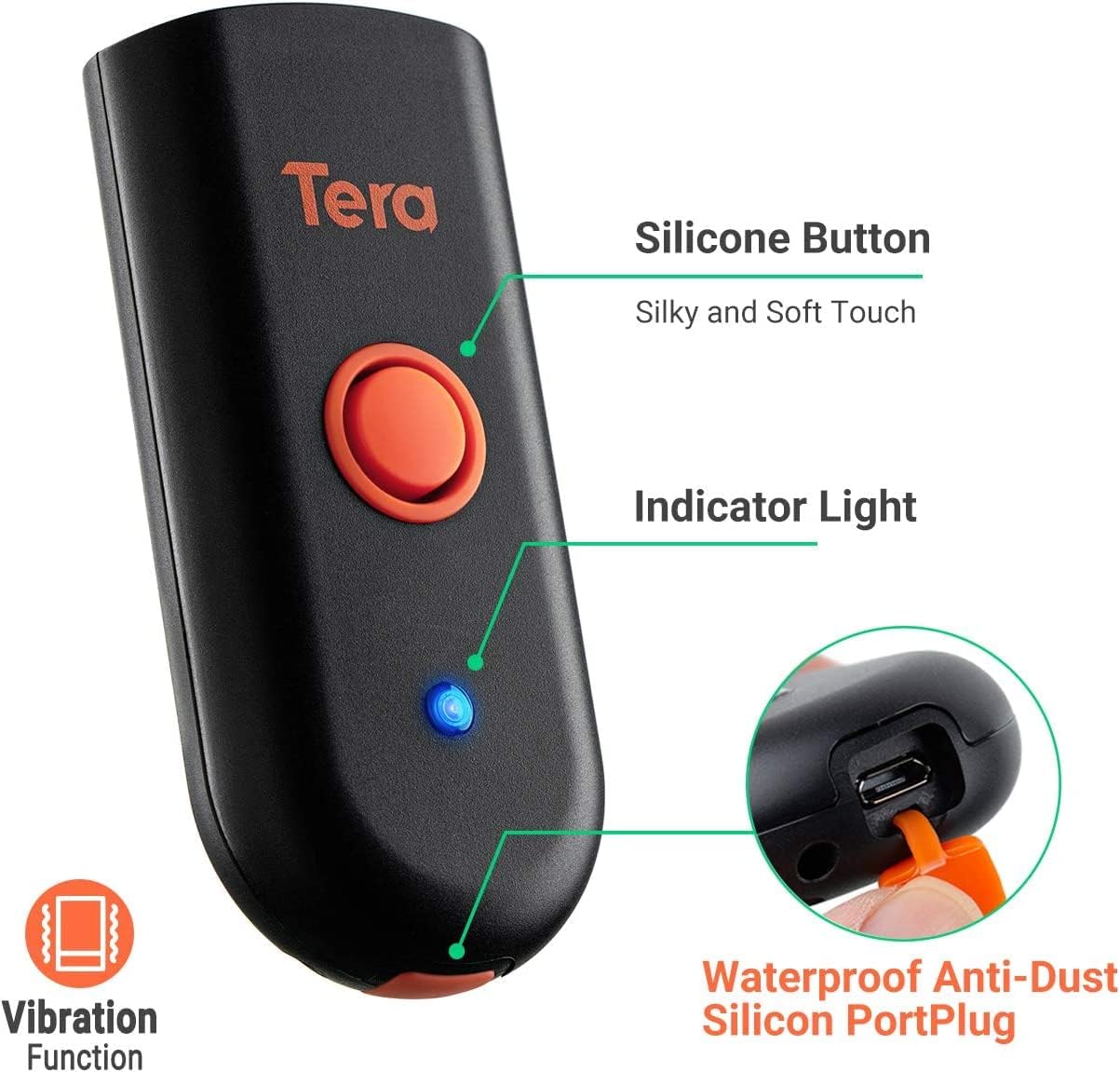
Figure 3.1: Scanner components including the silicone button and port plug.
- Световой индикатор: Предоставляет визуальную обратную связь о состоянии сканера.
-
Waterproof Anti-Dust Silicone Port Plug: Ensures better performance in various working conditions by protecting the charging port.

Figure 3.2: Detail of the waterproof silicone port plug.
-
Оповещение о вибрации: Provides tactile feedback when a barcode is detected, useful for quiet environments.
Figure 3.3: Vibration alert functionality.
-
Компактная и легкая конструкция: Easily fits into a pocket for portability.

Figure 3.4: Scanner dimensions and portability.
4. Настройка
The Tera Mini 1100D offers three connection methods:
-
Подключение Bluetooth:
To connect via Bluetooth, ensure your device's Bluetooth is enabled. Scan the Bluetooth pairing barcode (usually found in the full user manual or quick start guide) with the scanner. The scanner will then appear in your device's Bluetooth settings for pairing.
-
Беспроводное соединение 2.4 ГГц:
Insert the provided 2.4G USB dongle into a USB port on your computer. The scanner will automatically connect to the dongle. This mode offers a transmission distance of up to 656ft in barrier-free environments and 98ft with obstacles.
-
Проводное USB-соединение:
Подключите сканер напрямую к компьютеру с помощью прилагаемого USB-кабеля. Сканер будет работать как проводное устройство и одновременно заряжаться.

Figure 4.1: Three-in-one connection modes.
5. Режимы работы
The scanner supports different operating and data upload modes to suit various workflows:
-
Режимы загрузки данных:
- Режим мгновенной загрузки: Barcodes are uploaded directly to your connected device immediately after scanning.
- Режим хранения: Scan and store up to 10,000 barcodes internally. Data can be uploaded to a computer later when available.
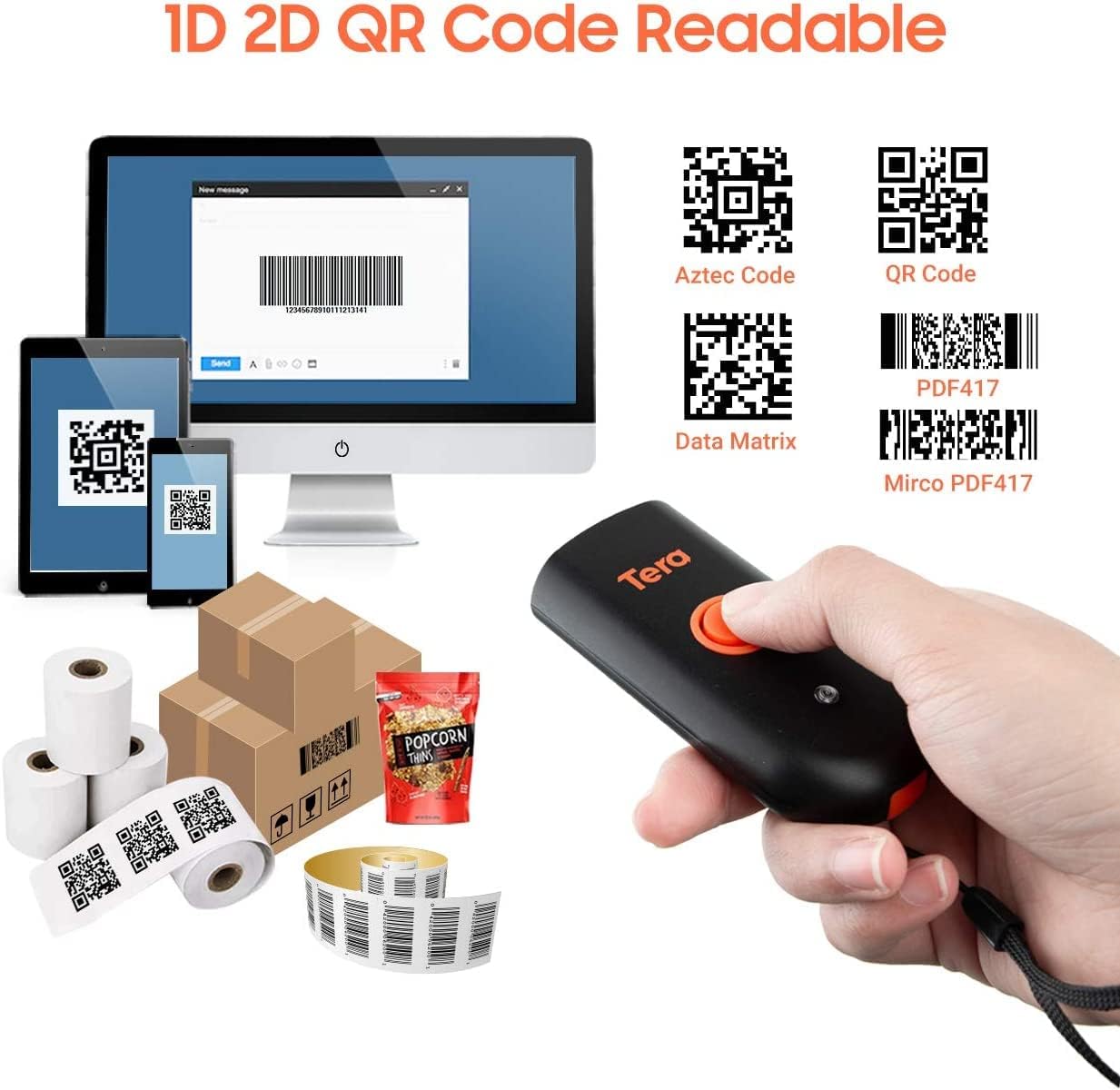
Figure 5.1: Data upload modes.
-
Режимы сканирования:
- Режим ключевого триггера: Scan a barcode by pressing the trigger button for each scan.
- Непрерывный режим: The scanner continuously emits its scan beam, allowing for rapid scanning without repeatedly pressing the trigger.

Figure 5.2: Scanning modes.
6. Зарядка
To charge the Tera Mini 1100D, use the provided USB cable. Connect it to a standard USB power source. Observe the following charging guidelines:
- Рекомендуемый ток зарядки: 5В/1А.
- Максимальный ток зарядки: 5В/1.2А.
- Важный: Do НЕТ use quick charge adapters or USB Power Delivery (USB PD) standard power adapters and data cables to charge this scanner. Use only the original USB cable included in the package for optimal charging and to prevent damage.
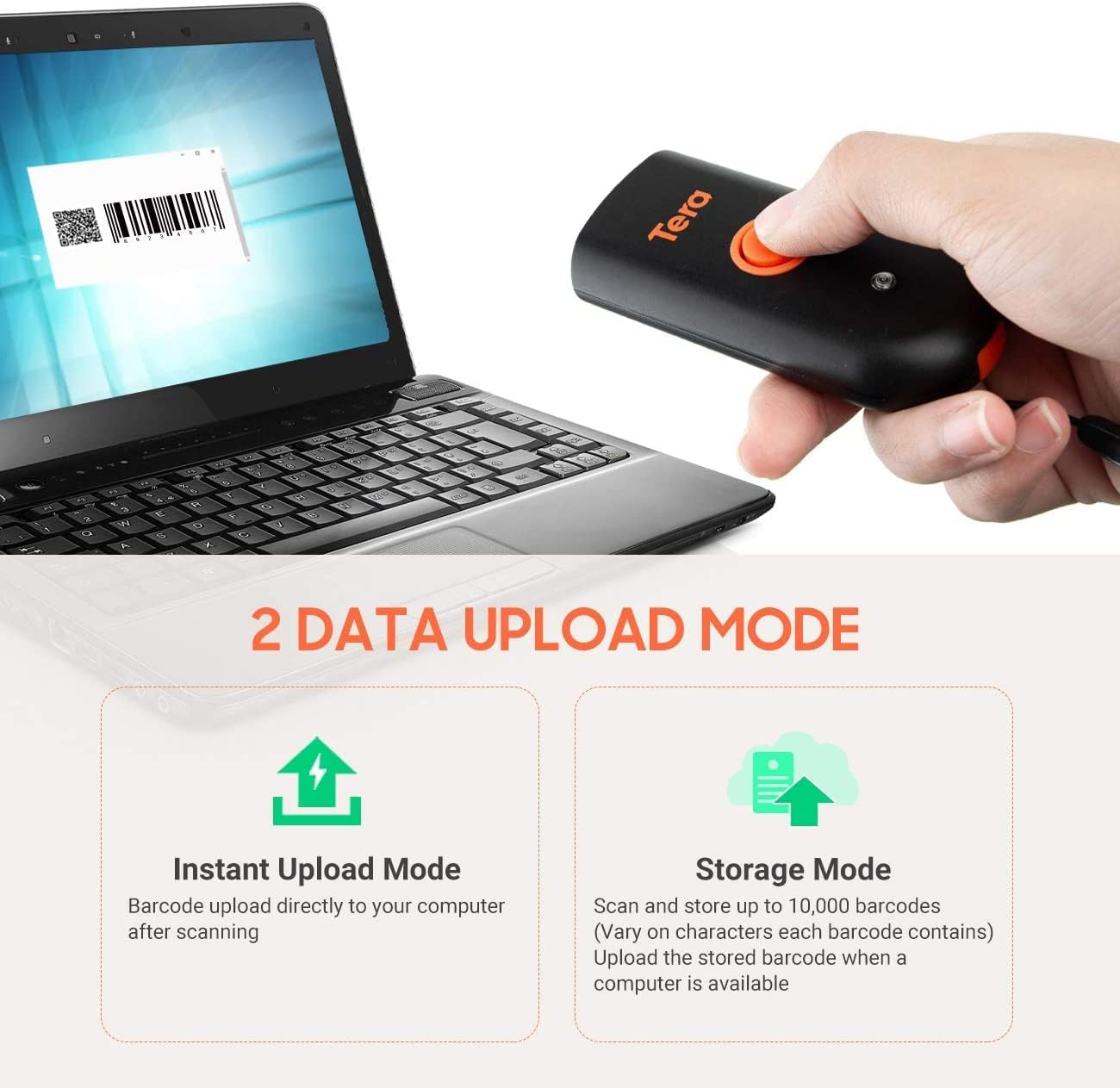
Figure 6.1: Charging specifications and warnings.
7. Совместимость
The Tera Mini 1100D barcode scanner is compatible with a wide range of devices and operating systems:
- Совместимые устройства: Desktop computers, laptops, smartphones, tablets.
- Совместимые операционные системы: Windows (11/10/8/7/XP), Mac OS, iOS, Android, Linux.
- Примечание: This scanner is нет compatible with Square POS systems.
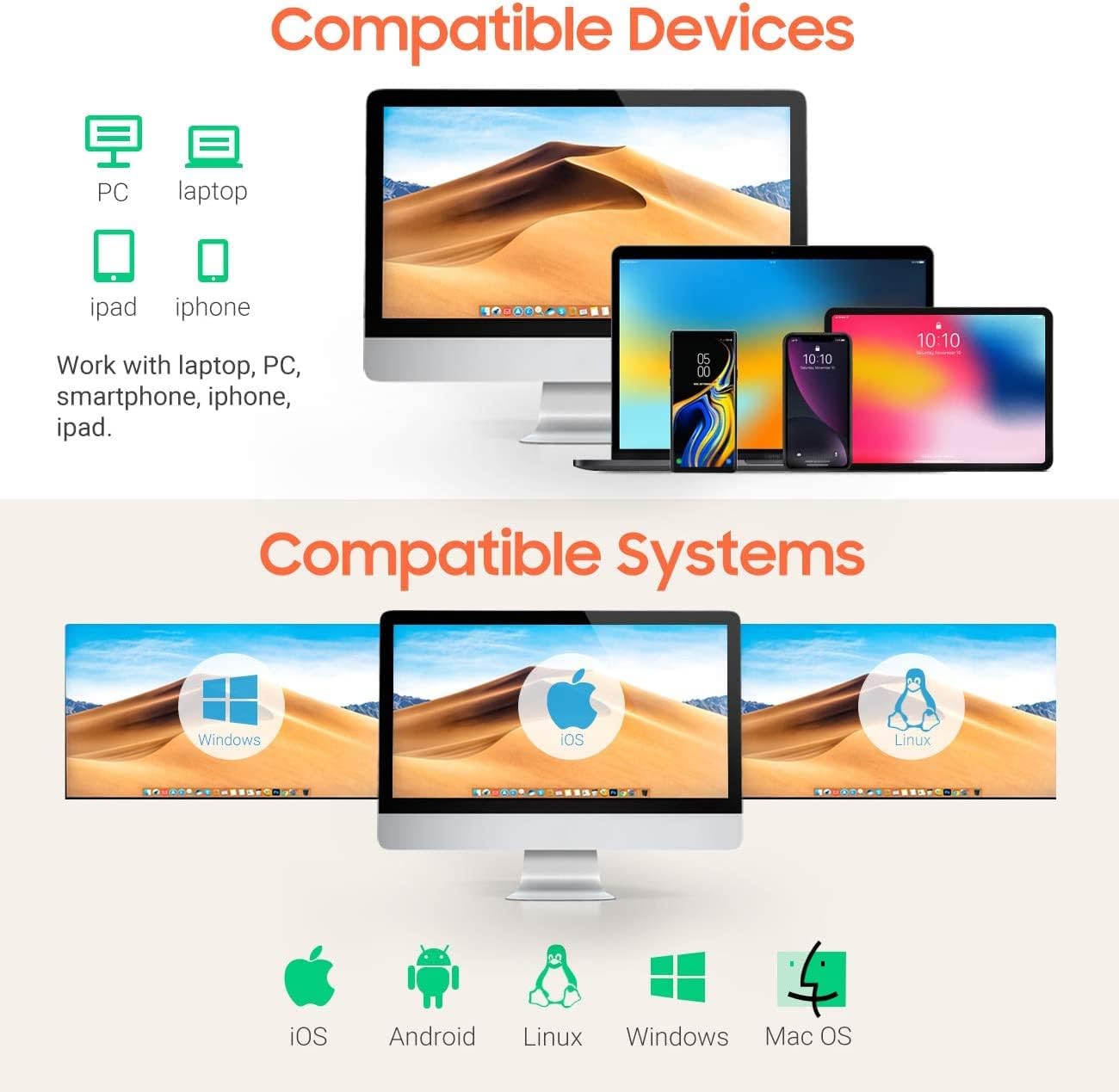
Figure 7.1: Device and system compatibility.
8. Возможности сканирования
The Tera Mini 1100D is capable of reading both digital and printed 1D, 2D, and QR barcode symbologies. It features a global shutter for fast and accurate decoding performance.
- Возможность декодирования 1D: Codabar, Code 11, Code93, MSI, Code 128, UCC/EAN-128, Code 39, EAN-8, EAN-13, UPC-A, ISBN, Industrial 25, Interleaved 25, Standard 25, 2/5 Matrix.
- Возможность декодирования 2D: QR-код, PDF417, Data Matrix, код Aztec, код Maxi.
- The scanner supports reading barcodes directly from computer screens and mobile phones.
- It also supports adding time prefixes or suffixes to scanned data.
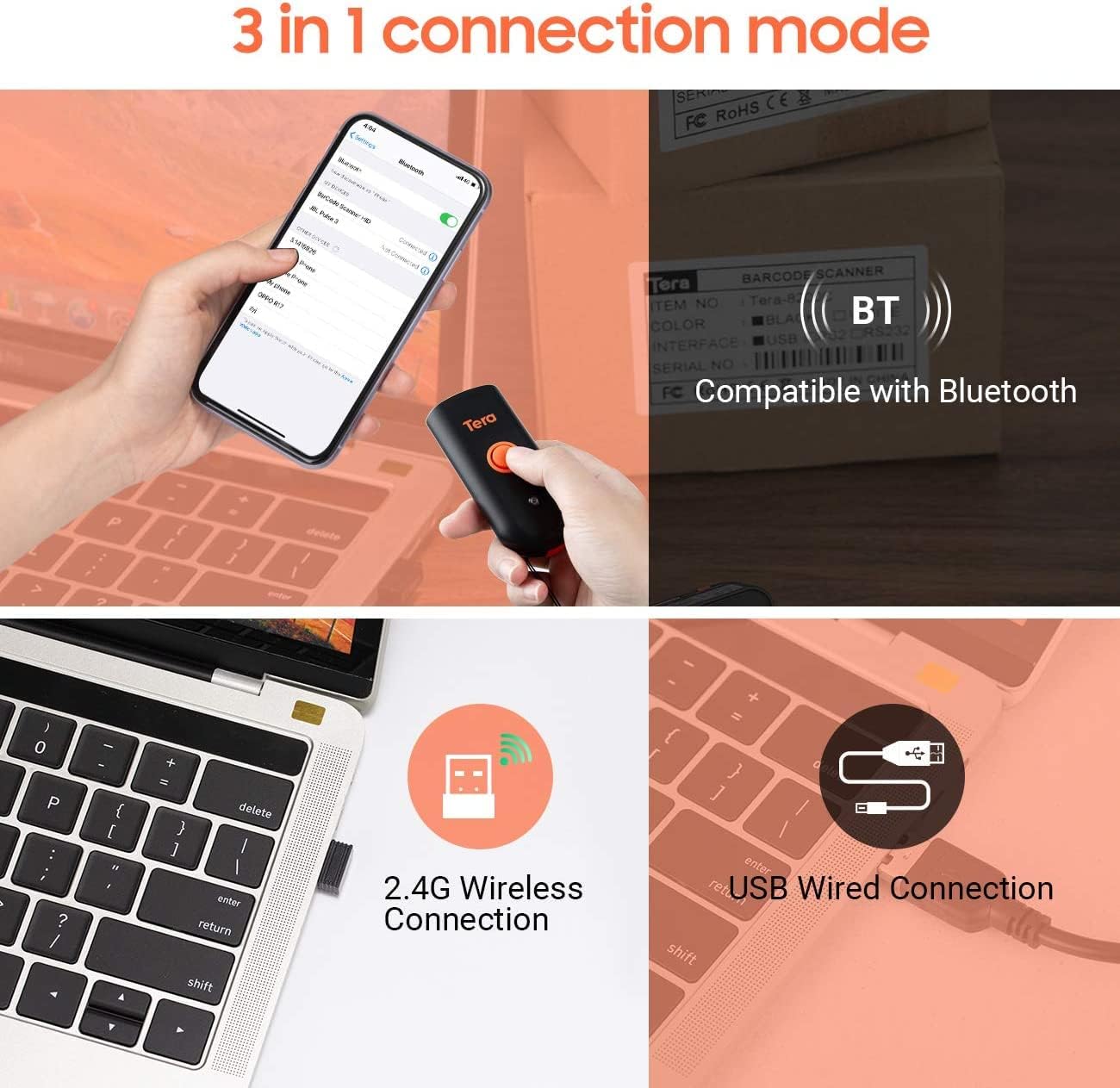
Figure 8.1: 1D, 2D, and QR code readability.
Figure 8.2: Reading barcodes from screens.
Figure 8.3: Time prefix/suffix support.
9. Расширенные настройки
The scanner can be configured for various advanced functionalities by scanning specific setup barcodes (refer to the comprehensive user manual for all configuration barcodes):
-
Adding or Hiding Digits: Customize scanned data by adding or removing specific digits from the barcode output.

Figure 9.1: Customizing barcode output.
-
Поддержка нескольких языков: Configure the scanner to support various keyboard layouts for different languages, including English, Spanish, German, Japanese, French, and Italian.

Figure 9.2: Multi-language keyboard support.
10. Технические характеристики
| Особенность | Деталь |
|---|---|
| Размеры продукта | 3.43"Г x 1.57"Ш x 0.79"В (87 x 40 x 20 мм) |
| Вес товара | 5.3 унции (150 г) |
| Технология связи | Беспроводная связь 2.4G, Bluetooth, USB-кабель |
| Источник питания | Corded Electric (Internal Battery) |
| Совместимые устройства | Настольный компьютер, ноутбук, смартфон, планшет |
| Производитель | Тера |
| Рейтинг IP | IP66 (водонепроницаемый и пыленепроницаемый) |

Figure 10.1: IP66 Waterproof and Dustproof design.
11. Техническое обслуживание
Правильное техническое обслуживание обеспечивает долговечность и оптимальную работу вашего сканера:
- Уборка: Use a soft, dry cloth to clean the scanner's exterior. For stubborn dirt, a slightly damp Можно использовать ткань, но следите за тем, чтобы в отверстия не попадала влага.
- Хранилище: Храните сканер в прохладном, сухом месте, защищенном от прямых солнечных лучей и экстремальных температур.
- Защита порта: Always ensure the silicone port plug is securely in place when the USB cable is not connected to maintain its waterproof and dustproof integrity.
- Уход батареи: Avoid fully discharging the battery frequently. Charge the scanner regularly, especially if it will be stored for an extended period.
12. Поиск Неисправностей
If you encounter issues with your Tera Mini 1100D scanner, please refer to the following common troubleshooting steps:
-
Сканер не подключается:
- Убедитесь, что сканер полностью заряжен.
- Verify the correct connection mode (Bluetooth, 2.4G, or USB) is selected and properly set up.
- For Bluetooth, ensure your host device's Bluetooth is on and the scanner is in pairing mode.
- Для беспроводной связи 2.4 ГГц убедитесь, что USB-адаптер надежно вставлен и распознается вашим компьютером.
- Попробуйте перезапустить сканер и хост-устройство.
-
Невозможно сканировать штрихкоды:
- Убедитесь, что сканер включен и подключен.
- Проверьте, не поврежден ли штрих-код или не пропечатан ли он плохо.
- Adjust the scanning distance and angle. The scanner works best within 2 to 16 inches.
- Убедитесь, что освещение достаточное для считывания штрихкода.
- Убедитесь, что сканер поддерживает данный тип штрихкода (см. раздел 8).
- При сканировании с экрана убедитесь, что яркость экрана достаточна и отсутствуют блики.
-
Data Not Uploading Correctly:
- Confirm the correct data upload mode (Instant or Storage) is selected.
- If using Storage Mode, ensure you have initiated the upload process to transfer stored data.
- Check for any software or driver issues on your host device.
-
Аккумулятор быстро разряжается:
- Перед использованием убедитесь, что сканер полностью заряжен.
- Reduce continuous scanning if not necessary, as this consumes more power.
- Check for any background processes or settings that might be keeping the scanner active.
13. Официальное видео о продукте
Watch the official product video for a visual guide on the Tera Pro 1100D Waterproof Mini Barcode Scanner's features and capabilities.
Video 13.1: Tera Pro 1100D Waterproof Mini Barcode Scanner Overview.
14. Гарантия и поддержка
For warranty information, technical support, or further assistance, please contact Tera customer service through the official webНа сайте или в месте покупки. Сохраните чек в качестве подтверждения покупки.
Подробное руководство пользователя в формате PDF также доступно для загрузки: Загрузить руководство пользователя (PDF)


