Введение
This manual provides comprehensive instructions for the safe and efficient use of your SUNMI M2 MAX Industrial Tablet, model TF700. Please read this manual thoroughly before operating the device and retain it for future reference.

Рисунок 1: Передняя часть view of the SUNMI M2 MAX Industrial Tablet, showing its display with various application icons.
Настраивать
1. Распаковка и первоначальный осмотр
Аккуратно извлеките все компоненты из упаковки. Убедитесь, что все перечисленные ниже элементы присутствуют и не повреждены:
- SUNMI M2 MAX Industrial Tablet (TF700)
- Адаптер питания
- USB Type-C Кабель
- Hand Strap (optional, if included with your model)
2. Зарядка устройства
Before first use, fully charge the tablet. Connect the USB Type-C cable to the tablet's charging port and the other end to the power adapter. Plug the power adapter into a wall outlet. The charging indicator will illuminate.
The tablet is equipped with an 8360mAh non-removable lithium polymer battery. A full charge can provide over 12 hours of continuous operation.
3. Installing SIM Card and MicroSD Card (Optional)
The device supports MicroSIM or NanoSIM cards (Config 1) and an eSIM (Config 2). It also supports MicroSD cards up to 128GB for expanded storage.
- Найдите слот для карты SIM/MicroSD на боковой панели планшета.
- Для открытия лотка используйте прилагаемый инструмент для извлечения SIM-карты (если имеется) или небольшую скрепку.
- Carefully place the SIM card(s) and/or MicroSD card into the tray according to the diagram on the tray.
- Аккуратно задвиньте лоток обратно в слот до щелчка.

Рисунок 2: Сзади view of the SUNMI M2 MAX, highlighting the camera, pogo pin charging interface, and the location of the SIM/MicroSD card slot.
4. Attaching the Hand Strap (Optional)
If your model includes a hand strap, attach it to the designated points on the back of the tablet for secure handling during mobile operations.
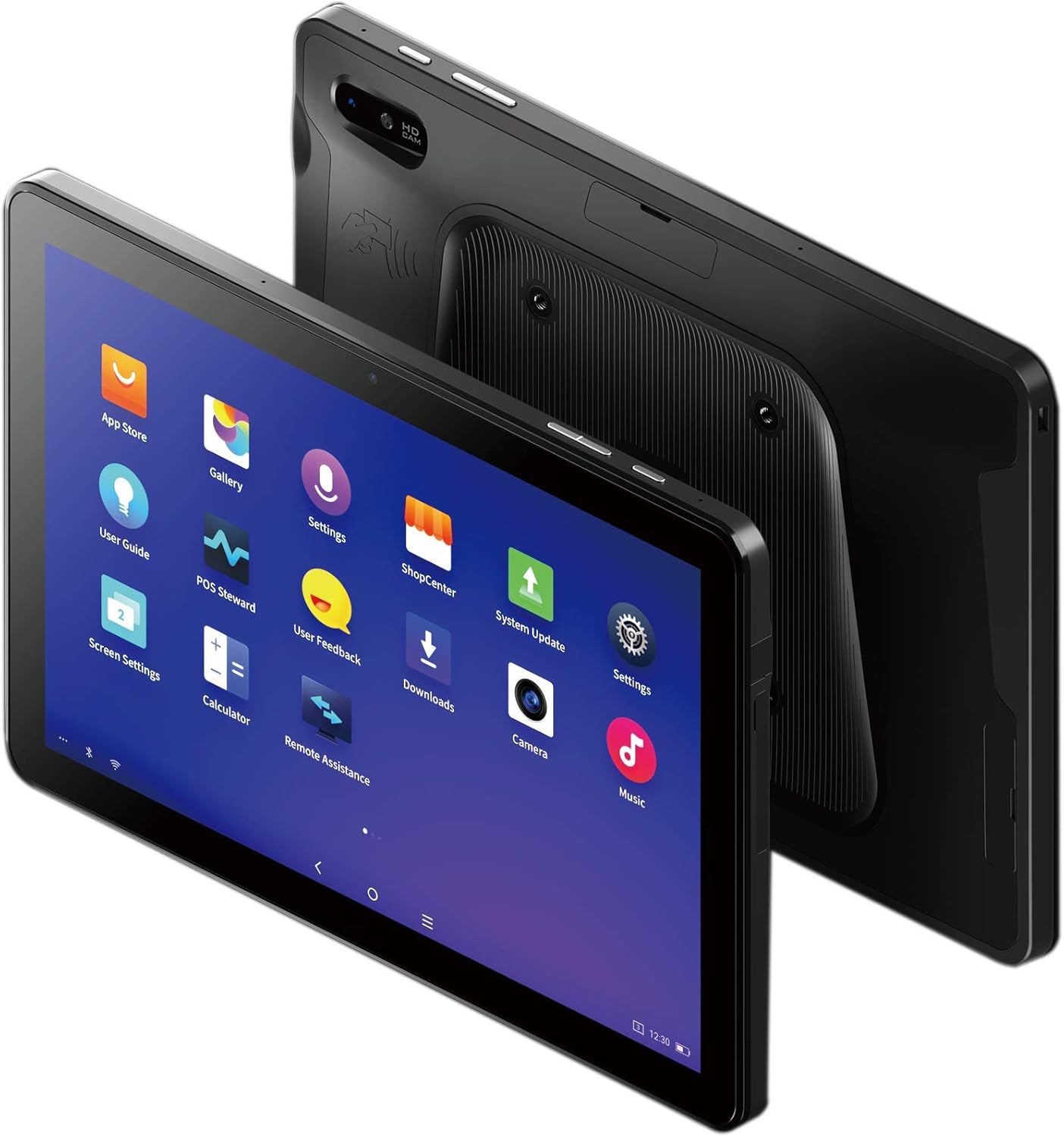
Figure 3: The SUNMI M2 MAX Industrial Tablet being held with an optional hand strap, demonstrating enhanced portability and secure grip.
Эксплуатация устройства
1. Включение/выключение питания
- Включение питания: Press and hold the Power button (located on the side) until the SUNMI logo appears on the screen.
- Выключение: Нажмите и удерживайте кнопку питания, пока не появится меню выключения. Выберите «Выключить» и подтвердите выбор.
- Перезапуск: В меню выключения выберите «Перезапустить», чтобы перезагрузить устройство.
2. Основная навигация
The SUNMI M2 MAX runs on the Android operating system. Navigation is primarily touch-based:
- Кран: Чтобы выбрать элемент или открыть приложение.
- Проведите пальцем по экрану: Для прокрутки списков или переключения между экранами.
- Масштабирование с помощью жестов сжатия: Чтобы увеличить или уменьшить масштаб изображений или web страниц.
- Домашняя кнопка: Возврат на главный экран.
- Кнопка «Назад»: Возврат к предыдущему экрану.
- Кнопка последних приложений: Отображает недавно использованные приложения.
3. Подключение к сетям
The tablet supports Wi-Fi (2.4GHz/5GHz, 802.11 a/b/g/n/ac) and cellular networks (2G, 3G, 4G).
- Wi-Fi: Перейти к Настройки > Сеть и Интернет > Wi-FiВключите Wi-Fi, выберите нужную сеть и введите пароль, если требуется.
- Сотовые данные: Ensure a valid SIM card is inserted. Go to Настройки > Сеть и Интернет > Мобильная сеть to enable mobile data and configure APN settings if necessary.
- Bluetooth: Перейти к Настройки > Подключенные устройства > Bluetooth to pair with Bluetooth devices (supports Bluetooth 5.0).
4. Using NFC
The SUNMI M2 MAX is equipped with NFC (Near Field Communication) for contactless transactions and data exchange. To use NFC, ensure it is enabled in settings and hold the tablet near a compatible NFC reader or device.
5. Работа камеры
The tablet features a 13 MP rear camera with flash and autofocus, and a 5 MP front camera. Open the "Camera" application to capture photos or record videos.
Обслуживание
1. Очистка устройства.
Используйте мягкую, безворсовую ткань, слегкаampened with water or a screen cleaner to wipe the display and exterior. Avoid using harsh chemicals, abrasive cleaners, or excessive moisture.
2. Уход за аккумулятором
- Avoid exposing the tablet to extreme temperatures (below -20°C or above 70°C).
- Не допускайте частой полной разрядки аккумулятора.
- Use only the original or certified compatible power adapter and cable.
3. Обновления программного обеспечения
Регулярно проверяйте наличие и устанавливайте обновления системы для обеспечения оптимальной производительности и безопасности. Перейдите по ссылке. Настройки > Система > Обновление системы.
4. Охрана окружающей среды
The SUNMI M2 MAX is designed with IP68 protection and a 1m drop specification, making it suitable for demanding environments. However, avoid intentional drops or prolonged submersion in water.
Поиск неисправностей
| Проблема | Возможная причина | Решение |
|---|---|---|
| Устройство не включается. | Низкий заряд батареи; сбой программного обеспечения. | Заряжайте устройство не менее 30 минут. Нажмите и удерживайте кнопку питания в течение 10-15 секунд, чтобы принудительно перезагрузить устройство. |
| Невозможно подключиться к Wi-Fi. | Incorrect password; Wi-Fi disabled; router issue. | Verify password. Ensure Wi-Fi is enabled in settings. Restart router. Forget and reconnect to the network. |
| Сенсорный экран не отвечает. | Временный сбой программного обеспечения. | Для принудительной перезагрузки устройства удерживайте кнопку питания. |
| Applications crashing. | Insufficient RAM; app bug. | Close background apps. Clear app cache/data (Settings > Apps). Update the app. |
Технические характеристики
The following table outlines the key technical specifications of the SUNMI M2 MAX Industrial Tablet (Model: TF700).

Figure 4: Comprehensive technical specifications for the SUNMI M2 MAX Industrial Tablet.
- Модель: ТФ700
- Операционная система: Android 9.0 (SUNMI OS)
- Процессор: Kryo-260, Octa-core 2.2GHz (Qualcomm)
- Память: 3GB RAM + 32GB ROM (eMMC)
- Отображать: 10.1-inch FHD, 1920x1200, Capacitive multitouch, Corning Gorilla Glass 3
- Камеры: Front: 5MP FF; Rear: 13MP AF + Flashlight, supports 1D/2D barcode recognition
- NFC: Type-A&B card, Mifare card, Felica card, ISO/IEC 14443 and ISO/IEC 15693 compliant
- Speaker/MIC: 1W Speaker, 2x MIC
- Слот для карты PSAM: 1x PSAM
- Слот для SIM-карты: 1x MicroSD (TF), 1x MicroSIM or 1x NanoSIM (TF700 Config 1), eSIM (TF700 Config 2)
- Сеть: 2G, 3G и 4G
- Wi-Fi: 2.4GHz/5GHz, 802.11 a/b/g/n/ac
- Bluetooth: Supports Bluetooth 2.1/3.0/4.2/5.0 (BLE)
- GPS: Supports AGPS, GPS, GLONASS, Beidou (Config 2)
- Датчик: Gravity sensor, light sensor, compass, Hall
- Кнопки: 1x Power (lock screen), 2x Volume (+/-)
- Порты: 1x Type-C (supports OTG), 1x Audio Jack, 1x MicroSD (up to 128GB expansion)
- Аккумулятор: Non-removable Lithium Polymer battery, 8360mAh
- Адаптер питания: Input: AC 100-240V, Output: DC 5V/2A
- Размеры (ДxШxВ): 249.8 x 160 x 9.9 мм (0.39 x 6.3 x 9.84 дюйма)
- Общий вес: 673 г (1.48 фунта)
- Защита: IP68, 1m drop spec
- Рабочая температура: -20°С до 55°С
- Температура хранения: -40°С до 70°С
Гарантия и поддержка
For warranty information and technical support, please refer to the documentation provided with your purchase or visit the official SUNMI webСохраните чек о покупке для предъявления гарантийных претензий.
SUNMI Official Webсайт: www.sunmi.com