Введение
Thank you for choosing the Trio Max Portable Monitor. This 14.1-inch Full HD IPS display is designed to enhance your productivity by providing an additional screen for your laptop. Its plug-and-play functionality and versatile modes make it an ideal solution for professionals and students on the go. This manual provides essential information for setup, operation, maintenance, and troubleshooting to ensure optimal performance of your device.
Что в коробке?
- One Trio Max laptop monitor extender display
- One USB-C cable (3ft)
- One USB-C to USB-A cable (3ft)
- Eight magnetic adhesive plates for 3 laptops
- Одно руководство пользователя

Image: The Trio Max Portable Monitor box open, showing the monitor, various cables, magnetic plates, and the user manual neatly arranged inside.
Инструкции по установке
1. Attaching the Monitor to Your Laptop
- Clean the back of your laptop screen thoroughly to ensure proper adhesion of the magnetic plates.
- Use the provided magnetic adhesive plates. Apply four plates to the back of your laptop screen, ensuring they are evenly spaced and aligned with the monitor's magnets.
- Align the Trio Max monitor with the magnetic plates on your laptop and gently attach it. The monitor should securely snap into place.
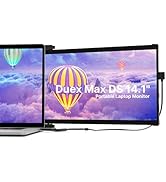
Image: A diagram illustrating the correct placement of four magnetic adhesive plates on the back of a laptop screen to securely attach the Trio Max monitor.
2. Подключение монитора
- For USB-C Compatible Laptops: Use the provided USB-C to USB-C cable. Connect one end to the Trio Max monitor's USB-C port and the other end to your laptop's full-featured USB-C port. The monitor should power on automatically.
- For USB-A Compatible Laptops: Use the provided USB-C to USB-A cable. Connect the USB-C end to the Trio Max monitor and the USB-A end to your laptop's USB-A port. An additional power source (e.g., a USB power adapter) may be required for optimal performance if your laptop's USB-A port does not provide sufficient power.
No driver installation is typically required for most operating systems when connecting via USB-C. For specific operating systems or troubleshooting, refer to the user manual or the provided USB disk with display drivers.
Video: A demonstration of the Trio portable monitor being attached to a laptop and connected via a single cable, showcasing its dual-sliding functionality.
Инструкция по эксплуатации
Режимы отображения
The Trio Max monitor offers various display modes to suit your needs:
- Расширенный режим: Расширяет рабочий стол на оба экрана, предоставляя больше рабочего пространства.
- Зеркальный режим: Duplicates your laptop's display on the Trio Max monitor, ideal for presentations.
- Портретный режим: Rotate the monitor vertically for viewдокументы, код или длинные web страниц.
- Ландшафтный режим: Standard horizontal orientation for general use.
- Вращение на 270°: Обеспечивает гибкость viewing angles and easy sharing of content.
- 180° Presentation Mode: Rotate the monitor to face an audience for collaborative work.
- Kickstand Mode: Utilize the optional kickstand to position the monitor independently on a flat surface.

Image: A visual representation of the Trio Max monitor demonstrating its 270-degree rotation, portrait, and landscape modes, as well as its use in presentation and kickstand configurations.
Video: A demonstration of the Trio monitor's 270-degree rotatable screen, highlighting its flexibility for various viewугловые взаимодействия и совместное использование.
Настройка параметров
The Trio Max monitor features touch-sensitive buttons for easy adjustment of various settings:
- Яркость: Adjust the screen brightness to your preference for optimal viewУтешение.
- Фильтр синего света: Активируйте фильтр синего света, чтобы уменьшить нагрузку на глаза при длительном использовании.
- Технология антибликового покрытия: The screen is designed with anti-glare properties to minimize reflections.

Изображение: крупный план view of the Trio Max monitor's on-screen display, illustrating the options for activating Eye Care Mode (blue light filter) and adjusting brightness levels.
Совместимость
The Trio Max Portable Monitor is compatible with a wide range of devices and operating systems:
- Операционные системы: Windows, Mac, Linux, Chrome, Android.
- Устройства: Laptops (13-17 inches), Nintendo Switch, Type-C phones that support full-featured output.
- Примечание: Not compatible with Surface PRO devices.
Video: A demonstration showing the Trio monitor successfully working with a Nintendo Switch without requiring a separate dock, highlighting its versatile compatibility.
Обслуживание
To ensure the longevity and optimal performance of your Trio Max Portable Monitor, follow these maintenance guidelines:
- Уборка: Используйте мягкую, безворсовую ткань, слегкаampСмочите экран водой или раствором для очистки экрана. Избегайте использования агрессивных химикатов и абразивных материалов.
- Умение обращаться: Всегда обращайтесь с монитором осторожно. Избегайте падений и чрезмерного давления на экран.
- Хранилище: When not in use, fold the monitor securely and store it in a protective sleeve or bag to prevent scratches and damage.
- Уход за кабелем: Избегайте чрезмерного сгибания или скручивания кабелей, чтобы предотвратить внутренние повреждения.
Поиск неисправностей
If you encounter issues with your Trio Max Portable Monitor, try the following steps:
- Нет дисплея: Ensure all cables are securely connected to both the monitor and your laptop. Try using a different USB-C port on your laptop if available.
- Мерцающий экран: Check cable connections. Ensure your laptop's graphics drivers are up to date. Adjust the refresh rate in your display settings.
- Неправильное разрешение: Adjust the display resolution in your laptop's operating system settings. The optimal resolution is 1920 x 1080.
- Монитор не обнаружен: Restart your laptop. Ensure your laptop's USB-C port supports video output (DisplayPort Alternate Mode). Install or update display drivers if necessary (refer to the provided USB disk).
- Проблемы с питанием: If the monitor is not powering on or is dim, ensure it is receiving sufficient power. If using USB-A, try connecting an external power source to the monitor's dedicated charging port.
For further assistance, refer to the detailed troubleshooting section in the included user manual or contact customer support.
Технические характеристики
| Особенность | Спецификация |
|---|---|
| Номер модели | макс14.1 |
| Размер экрана | 14.1 дюйма |
| Разрешение | 1920 x 1080 (FHD 1080p) |
| Тип панели | IPS-дисплей |
| Соотношение сторон | 16:9 |
| Яркость изображения | 300 кд/м² |
| Поверхность экрана | Глянцевый |
| Общее количество портов USB | 2 (USB-C) |
| Вес товара | 2 фунта |
| Размеры продукта | 0.5 x 14 x 9.5 дюйма |
| Первая доступная дата | 20 ноября 2020 г. |
Гарантия и поддержка
The Trio Max Portable Monitor comes with a ГАРАНТИЯ ОДИН ГОД С даты покупки. Сохраните чек на случай предъявления гарантийных претензий.
For technical support, troubleshooting, or warranty inquiries, please refer to the contact information provided in your user manual or visit the official Trio webсайт.


