1. Введение
This manual provides essential instructions for the safe and effective use of your Wellue Bluetooth Blood Pressure Monitor BP2A. This device is designed for home use to measure systolic blood pressure (SYS), diastolic blood pressure (DIA), mean arterial pressure (MAP), pulse rate, and pulse pressure. It also features an ECG function for additional heart health monitoring. Please read this manual thoroughly before first use and retain it for future reference.
2 Важная информация по безопасности
- Consult your physician before using this device for any medical condition. Self-diagnosis and treatment based on measurements can be dangerous.
- This device is intended for adult home use only. It is not intended for use on infants, children, or pregnant women.
- Не используйте это устройство совместно с высокочастотным хирургическим оборудованием.
- Храните устройство в недоступном для детей и домашних животных месте.
- Не разбирайте и не пытайтесь ремонтировать устройство. Все работы по техническому обслуживанию должны выполняться квалифицированным персоналом.
- Avoid strong electromagnetic fields during use, as they may interfere with the device's operation.
- Заявления относительно пищевых добавок не были оценены FDA и не предназначены для диагностики, лечения или предотвращения каких-либо заболеваний или состояний здоровья.
3. Содержимое упаковки
Убедитесь, что все предметы присутствуют при вскрытии упаковки:
- Wellue Bluetooth Blood Pressure Monitor BP2A (integrated with cuff)
- USB-кабель для зарядки
- Руководство пользователя
4. Устройство перешлоview
The Wellue BP2A monitor features a compact, one-piece design for ease of use and portability. It includes an integrated arm cuff, a digital display, and control buttons.

Figure 4.1: Wellue BP2A Blood Pressure Monitor and ViHealth App Interface.

Figure 4.2: Key features of the Wellue BP2A monitor, including Bluetooth connectivity, FDA clearance, rechargeable battery, and built-in memory for 50 readings.
5. Настройка
5.1 Зарядка устройства
Before initial use, fully charge the device using the provided USB cable. Connect the cable to the monitor's charging port and a standard USB power adapter (not included). A full charge can provide power for up to 300 measurements.
5.2 Установка приложения ViHealth
The Wellue BP2A works with the free ViHealth app, available for iOS and Android devices. Искать "ViHealth" in your device's app store and install it.

Figure 5.1: The ViHealth app for Android and iOS, used to track blood pressure and heart measurements.
5.3 Сопряжение по Bluetooth
Ensure Bluetooth is enabled on your smartphone. Open the ViHealth app. Turn on the Wellue BP2A monitor. The device should automatically connect to the app. Follow any on-screen prompts within the app to complete the pairing process.
6. Инструкция по эксплуатации
6.1 Правильное расположение манжеты
Accurate measurement depends on correct cuff placement. Ensure the cuff is placed directly on your bare upper arm, 1-2 cm above the elbow joint. The air tube (if applicable, though this is a one-piece design, the sensor area should be aligned) should be positioned over the brachial artery. The cuff should fit snugly but not too tightly. Refer to the diagram below for guidance.

Figure 6.1: Correct cuff placement for accurate blood pressure measurement.
6.2 Измерение артериального давления
- Сядьте удобно, поддерживая спину и поставив ноги на пол. Положите руку на стол так, чтобы манжета находилась на уровне сердца.
- Ensure the device is powered on and, if desired, connected to the ViHealth app.
- Нажмите Старт/Стоп button on the device. The cuff will begin to inflate.
- Во время измерения сохраняйте спокойствие и тишину.
- Once complete, your blood pressure readings (SYS, DIA, MAP, Pulse Rate, Pulse Pressure) will be displayed on the device screen and automatically uploaded to the ViHealth app if connected.

Figure 6.2: User taking a blood pressure measurement with the Wellue BP2A monitor.
6.3 Проведение ЭКГ-исследования
The device also supports ECG measurements. To take an ECG:
- Ensure the device is powered on and connected to the ViHealth app.
- Hold the device with both hands, placing your thumbs on the designated electrodes (usually the metal strips on the sides or top of the device).
- Remain still and relaxed for the duration of the measurement (typically 30 seconds).
- The ECG waveform and heart rate will be displayed on the device and recorded in the app.
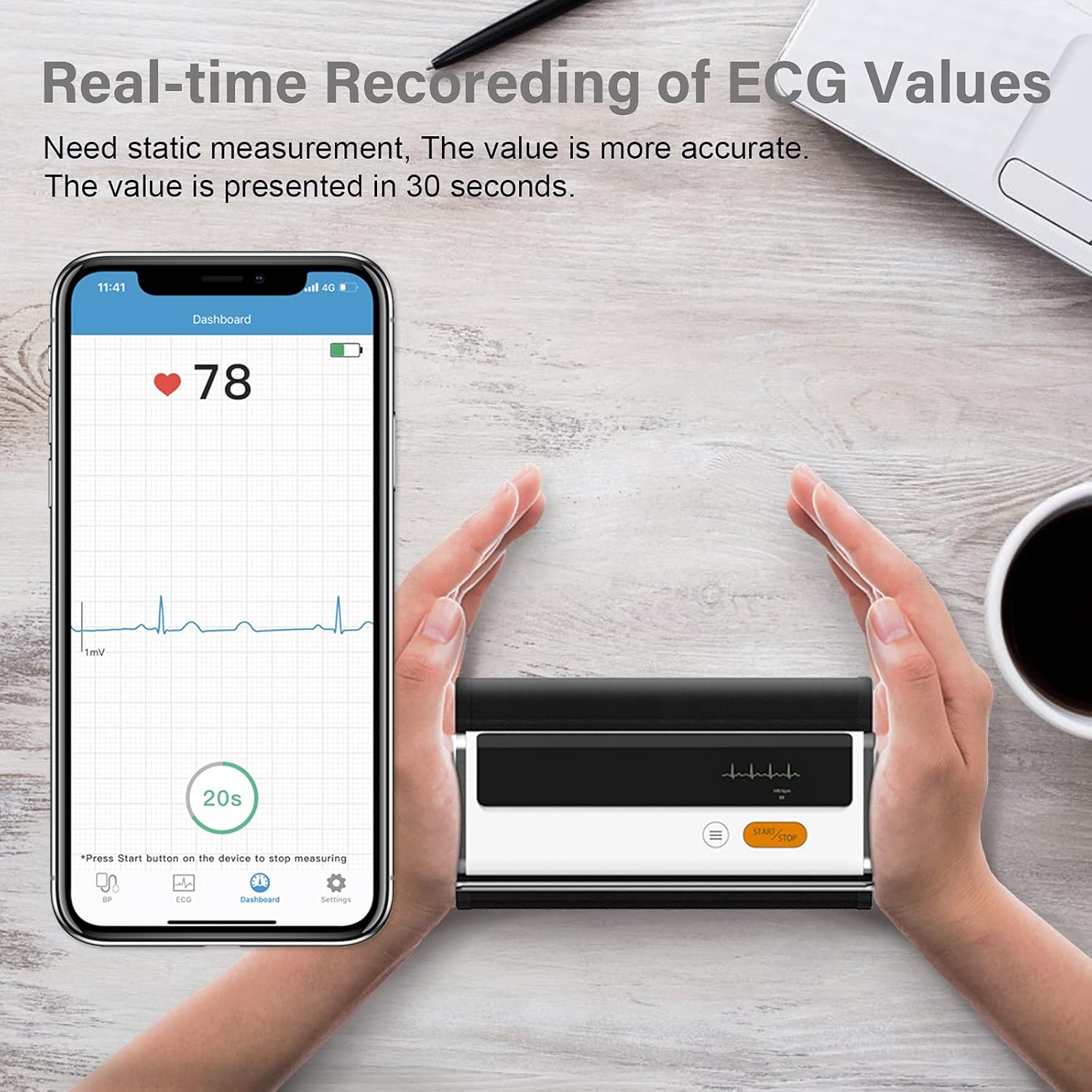
Figure 6.3: Real-time recording of ECG values using the Wellue BP2A monitor.
6.4 Using the ViHealth App for Data Management
The ViHealth app allows you to:
- View real-time readings during measurement.
- Access historical data and trends for multiple users.
- Generate and share PDF/CSV reports with healthcare providers.
- Track both blood pressure and ECG data in one place.
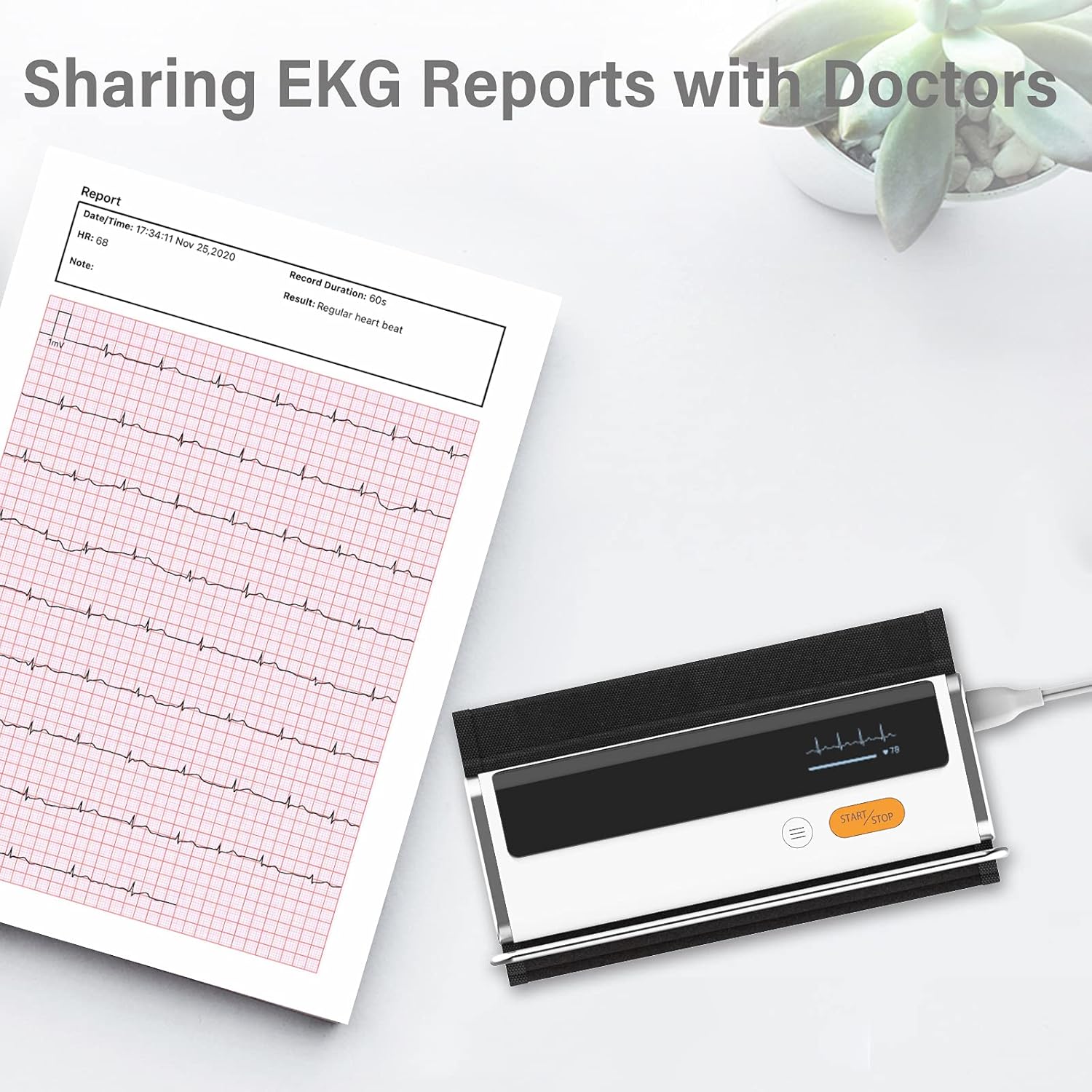
Figure 6.4: Sharing EKG reports generated by the ViHealth app.
Video 6.1: Demonstration of the Wellue blood pressure monitor's features and its integration with the ViHealth app for real-time readings and data sharing.
7. Техническое обслуживание
7.1 Очистка
Wipe the device and cuff with a soft, dry cloth. If necessary, use a cloth lightly dampened with water or a mild disinfectant. Do not immerse the device in water or use abrasive cleaners.
7.2 Хранение
Храните устройство в прохладном, сухом месте, вдали от прямых солнечных лучей и экстремальных температур. Неиспользуемое устройство следует хранить в оригинальной упаковке или защитном футляре.
7.3 Уход за аккумулятором
To prolong battery life, charge the device regularly, even if not used frequently. Avoid fully discharging the battery for extended periods.
8. Поиск Неисправностей
| Проблема | Возможная причина | Решение |
|---|---|---|
| Устройство не включается | Низкий заряд батареи | Зарядите устройство с помощью USB-кабеля. |
| Не удается подключиться к приложению | Bluetooth off, app not open, device not in pairing mode | Ensure Bluetooth is on, open ViHealth app, restart device. |
| Неточные показания | Incorrect cuff placement, movement during measurement, speaking during measurement | Re-position cuff correctly, remain still and silent during measurement. |
| Манжета не надувается | Cuff not properly attached, air leak | Check cuff connection, ensure no leaks. |
9. Технические характеристики
- Название модели: Armfit Plus
- Номер модели товара: БП2А
- Бренд: Веллю
- Размер манжеты: 8.7-16.5 дюйма (22-42 см)
- Источник питания: Питание от батареи (1 литий-ионная батарея, входит в комплект).
- Тип дисплея: Цифровой
- Размеры продукта: 5.9 дюйма (Д) x 1.9 дюйма (Ш) x 1.18 дюйма (Т)
- Масса: Примерно 15.84 унции
- Связь: Bluetooth
- Память: Built-in memory for 50 sets of readings
10. Гарантия и поддержка
For warranty information and technical support, please refer to the official Wellue webсайт или свяжитесь со службой поддержки клиентов напрямую. Сохраните чек о покупке в качестве доказательства покупки для гарантийных претензий.


