Продукт болееview
Experience powerful volume and heavy bass sound with 16cm twin woofers and independent 4-channel high-power amplifiers. This all-in-one system features CD, Wide FM tuner, USB, and Bluetooth connectivity. Enjoy lighting effects for events and parties, with 4 types of light effects and 7-color illumination around the front speakers, including an option to turn lights off. Equipped with mixable microphone and guitar input terminals, and a built-in battery for approximately 14 hours of playback in environments without AC power (may vary depending on usage conditions). Includes a convenient shoulder strap for easy portability. Features a dimmer function to adjust display brightness, 10-second skip for CD/USB playback, and an auto-standby (power-saving) function that automatically turns off the unit after 15 minutes of inactivity. Also includes an eco-mode to reduce battery consumption during long periods of non-use.

Рисунок 1: Передняя часть view of the JVC RV-NB250BT system, showcasing its robust design and speaker grilles.
1. Настройка
1.1 Распаковка и аксессуары
Carefully remove all components from the packaging. Ensure all accessories, including the power cord and shoulder strap, are present. Retain the packaging for future transport or storage.

Figure 2: JVC RV-NB250BT with included shoulder strap and power cord.
1.2 Подключение питания
Connect the provided power cord to the AC IN terminal on the rear of the unit and then to a standard wall outlet. The unit can also operate on its internal rechargeable battery for portable use.

Figure 3: Rear panel connections, including the AC power input and FM antenna terminal.
1.3 Подключение FM-антенны
For optimal FM radio reception, connect the included FM antenna to the FM ANT terminal on the rear of the unit. Extend the antenna fully and adjust its position for the best signal.
1.4 Первоначальное включение питания
Press the Power button on the unit to turn it on. The display will illuminate. If using for the first time, ensure the internal battery is charged by connecting to AC power.
2. Инструкция по эксплуатации
2.1 Воспроизведение компакт-дисков
- Нажмите CD кнопку, чтобы выбрать режим компакт-диска.
- Откройте крышку отсека для компакт-дисков.
- Положите компакт-диск этикеткой вверх.
- Закройте крышку отсека для компакт-дисков.
- Воспроизведение начнется автоматически. Используйте Воспроизведение/Пауза, Перейти вперед, и Перейти назад кнопки для управления воспроизведением.
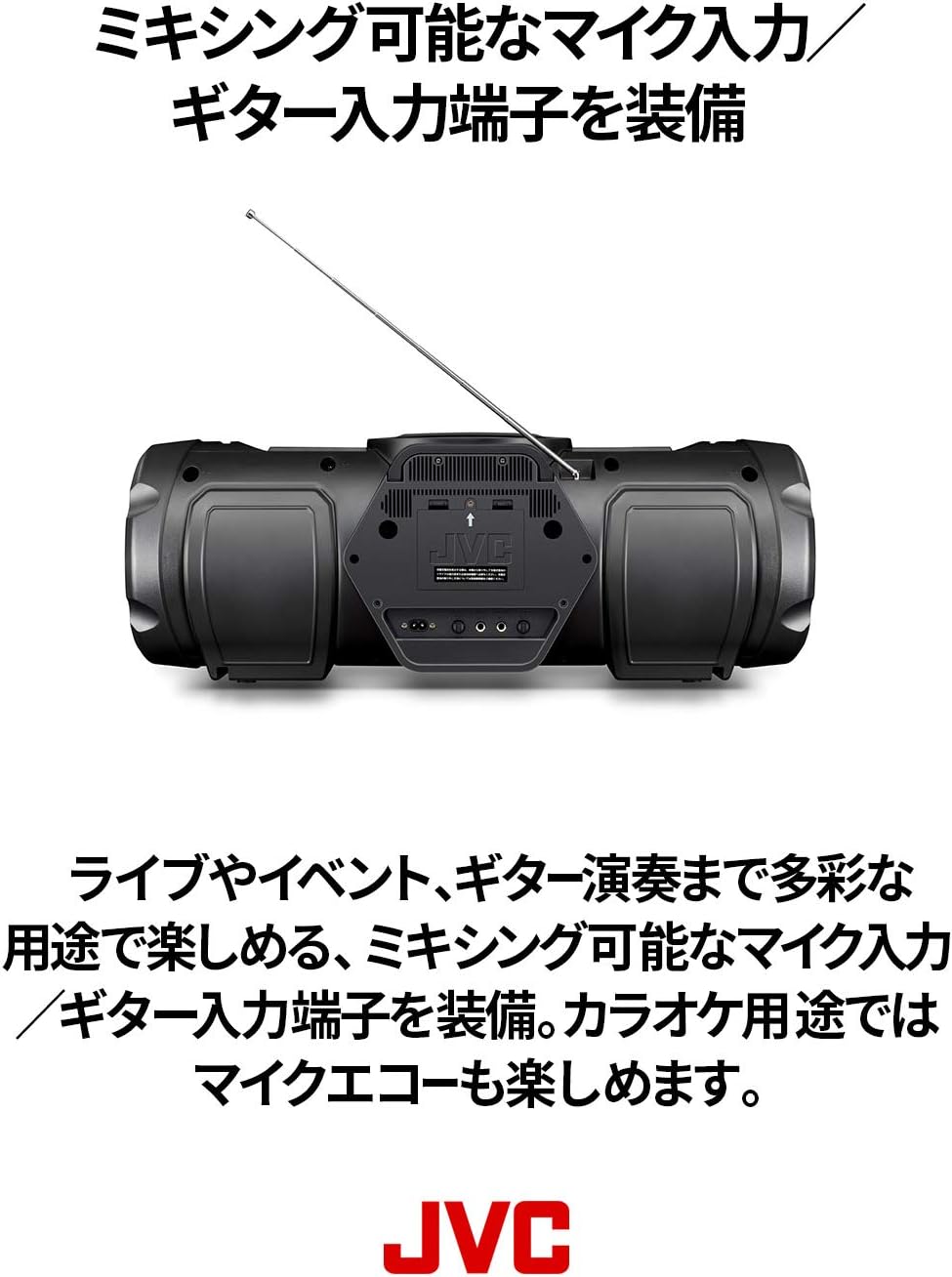
Figure 4: Top-loading CD compartment for easy disc insertion.
2.2 Воспроизведение через USB
- Вставьте USB-флешку в USB-порт на передней панели устройства.
- Нажмите USB кнопку для выбора режима USB.
- Устройство автоматически обнаружит и воспроизведет совместимый аудиофайл. files (например, MP3, WMA).
- Используйте Воспроизведение/Пауза, Перейти вперед, и Перейти назад кнопки для управления воспроизведением.
2.3 Потоковая передача звука по Bluetooth
- Нажмите Bluetooth Нажмите кнопку, чтобы выбрать режим Bluetooth. Индикатор Bluetooth начнет мигать.
- Enable Bluetooth on your smart device and search for "RV-NB250BT".
- Select "RV-NB250BT" from the list of available devices to pair. Once paired, the indicator will stop flashing and remain lit.
- Play audio from your smart device. The sound will be streamed to the RV-NB250BT.
2.4 FM-радио
- Нажмите FM button to select FM tuner mode.
- Используйте Заиграть or Настройтесь вниз Кнопки позволяют вручную настроиться на нужную станцию, а нажатие и удержание кнопки позволяет автоматически выполнить поиск следующей доступной станции.
2.5 Вход для микрофона и гитары
The unit features dedicated input terminals for a microphone and a guitar, allowing for mixing. Connect your microphone or guitar to the respective input jacks. Adjust the input volume using the dedicated controls. Microphone echo effects are also available for karaoke use.

Figure 5: Close-up of the front panel, highlighting the microphone and guitar input terminals.
2.6 световых эффектов
The RV-NB250BT includes four types of lighting effects with seven color options around the front speakers. Press the Световой эффект button to cycle through the modes or turn the lights off. These effects synchronize with the music for an enhanced audio-visual experience.

Figure 6: The RV-NB250BT displaying its dynamic lighting effects.
2.7 Функция диммирования
Adjust the brightness of the display using the dimmer function. Refer to the detailed instructions in the full manual for specific button presses to activate and adjust this feature.
2.8 Auto Standby and Eco Mode
The unit features an auto-standby function that automatically turns off the power after 15 minutes of inactivity to conserve energy. An eco-mode is also available to reduce internal battery consumption when the unit is not in use for extended periods.
3. Техническое обслуживание
3.1 Чистка устройства
Протрите внешнюю поверхность устройства мягкой сухой тканью. Для удаления стойких загрязнений слегка протрите поверхность.ampen the cloth with water and then wipe dry. Do not use abrasive cleaners, solvents, or alcohol, as these can damage the finish.
3.2 Уход за линзами CD
Для обеспечения оптимального воспроизведения компакт-дисков периодически очищайте линзу диска с помощью имеющегося в продаже средства для очистки линз компакт-дисков. Избегайте прямого прикосновения к линзе.
3.3 Уход за аккумулятором
For the built-in rechargeable lithium-ion battery, avoid fully discharging it frequently. If storing the unit for an extended period, charge the battery to approximately 50% and store in a cool, dry place. Recharge every 3-6 months to maintain battery health.
4. Поиск Неисправностей
| Проблема | Возможная причина | Решение |
|---|---|---|
| Нет электричества | Power cord not connected securely; internal battery discharged. | Ensure power cord is firmly plugged into the unit and wall outlet. Charge the internal battery if operating wirelessly. |
| Нет звука | Volume too low; incorrect source selected; mute function active. | Increase volume. Select the correct input source (CD, USB, Bluetooth, FM). Check if the unit is muted. |
| Сбой сопряжения Bluetooth | Device too far; Bluetooth not enabled on source device; unit already paired with another device. | Ensure devices are within range. Enable Bluetooth on your smart device. Disconnect from other Bluetooth devices. Try re-pairing. |
| Проблемы с воспроизведением CD/USB | Disc/USB drive dirty or damaged; incompatible file формат. | Clean the CD or try a different disc/USB drive. Ensure audio fileимеют совместимое форматирование (например, MP3, WMA). |
| Clock resets when power is off | This model may reset the clock when completely powered off (not in standby). | This is a characteristic of the unit. Keep the unit in standby mode or reset the clock upon powering on if precise timekeeping is required. |
5. Технические характеристики
- Номер модели: РВ-НБ250БТ
- Бренд: JVC
- Источник питания: AC Power Cord Type
- Аккумулятор: 8 Lithium-ion batteries (included), built-in rechargeable
- Конфигурация динамиков: 4 speakers (2x 16cm woofers, 2x 10cm full-range speakers)
- Общая выходная мощность: 60W (implied from description)
- Связь: Bluetooth, USB, CD, Wide FM Tuner, Microphone Input, Guitar Input
- Размеры продукта (ДхШхВ): 69.6 х 26.5 х 26.1 см
- Диапазон частот Bluetooth: Диапазон 2.4 ГГц (2.4000–2.4835 ГГц)
- Функции: Lighting effects (4 types, 7 colors), Dimmer function, 10-second skip (CD/USB), Auto-standby, Eco-mode, Shoulder strap included.
6. Видеоролики о продуктах
На данный момент официальные видеоролики о продукте от продавца для этой конкретной модели недоступны.
7. Информация о гарантии
This product is covered by a manufacturer's warranty. Please refer to the warranty card included in the product packaging for detailed terms and conditions, including the warranty period and coverage. Keep your proof of purchase for warranty claims.
8. Поддержка клиентов
For technical assistance, product inquiries, or service requests, please contact JVC customer support. Visit the official JVC webсайт для получения контактной информации, ответов на часто задаваемые вопросы и дополнительных ресурсов.
Официальный представитель JVC Webсайт: www.jvc.com


