1. Введение
The i-Star Portable DAB/DAB+/FM Radio offers a versatile listening experience with clear digital and analog radio reception. Designed for portability, it features a built-in rechargeable battery and a compact design, making it suitable for use at home or on the go. This manual provides essential information for setting up, operating, and maintaining your radio.

Рисунок 1: Передний view of the i-Star Portable DAB/DAB+/FM Radio, highlighting its compact design and user interface.
2. Настройка
2.1 Распаковка и первоначальная зарядка
- Аккуратно извлеките радиоприемник и все аксессуары из упаковки.
- Connect the supplied USB charging cable to the radio's Micro USB port and to a compatible USB power adapter (not included) or a computer's USB port.
- Allow the radio to charge fully before first use. The charging indicator will typically change or turn off when charging is complete. A full charge provides up to 4 hours of playback.
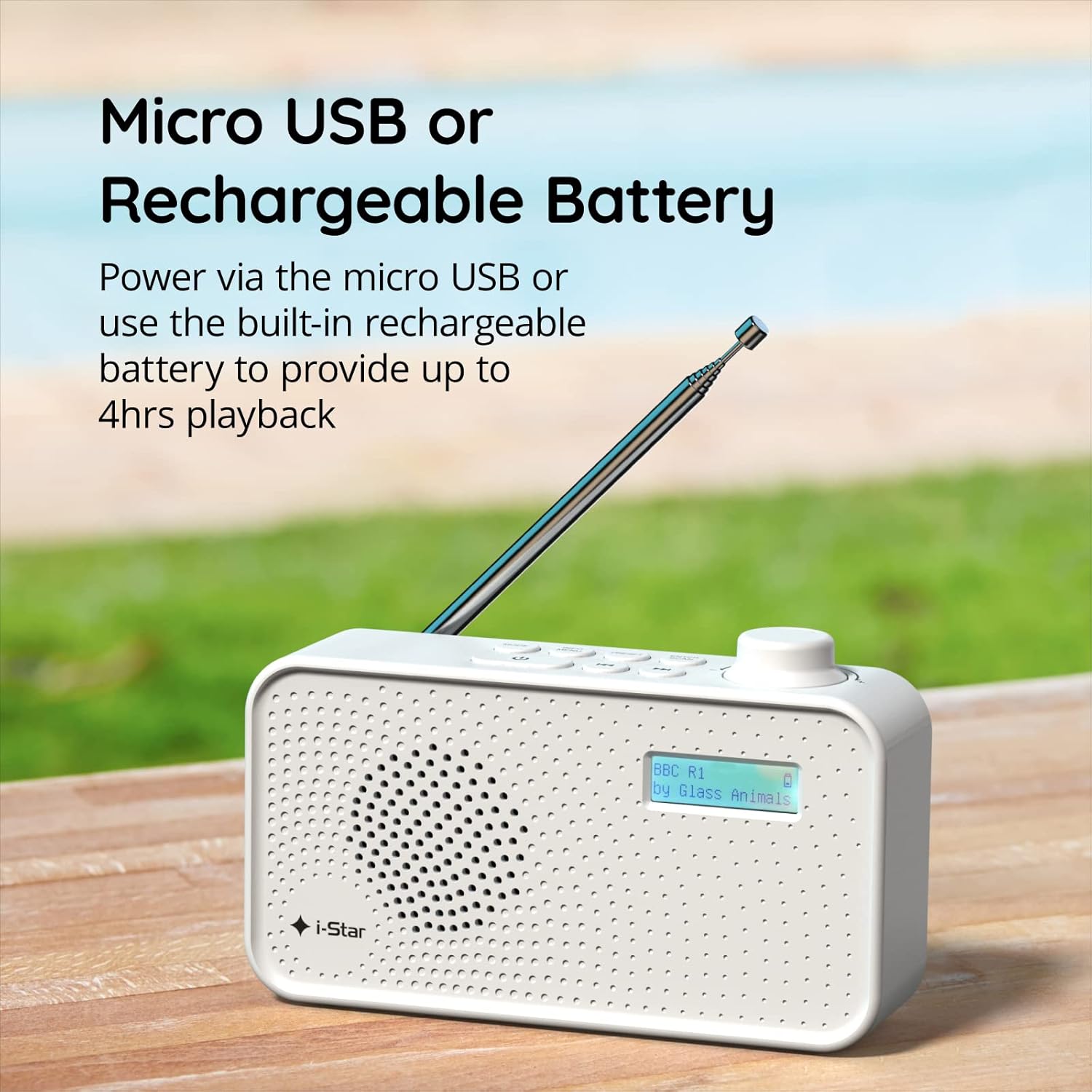
Рисунок 2: The radio powered via Micro USB or its built-in rechargeable battery.
2.2 First Power On and Automatic Scan
- Для оптимального приема полностью выдвиньте телескопическую антенну.
- Нажмите и удерживайте STANDBY кнопка включения радио.
- При первом включении радио автоматически выполнит поиск доступных станций DAB/DAB+. Этот процесс может занять несколько минут.
- После завершения сканирования радио настроится на первую доступную станцию.
3. Инструкция по эксплуатации
3.1 Switching Between DAB/DAB+ and FM Modes
- Нажмите РЕЖИМ button repeatedly to switch between DAB/DAB+ and FM radio modes. The current mode will be displayed on the LCD screen.

Рисунок 3: The radio supports DAB, DAB+, and FM for a wide range of listening options.
3.2 Станции настройки
- Режим DAB/DAB+: Используйте ПРЕДУСТАНОВКА or НАСТРОЙКА buttons (left/right arrows) to navigate through the list of available stations. Press ВВОД / СКАНИРОВАНИЕ для выбора станции.
- Режим FM: Нажмите ВВОД / СКАНИРОВАНИЕ button to automatically scan for the next available FM station. Alternatively, use the НАСТРОЙКА buttons for manual fine-tuning.
3.3 Сохранение и вызов предустановок
- Настройтесь на желаемую станцию.
- Нажмите и удерживайте ПРЕДУСТАНОВКА Нажимайте кнопку, пока на дисплее не появится надпись «Preset Store».
- Используйте НАСТРОЙКА кнопки для выбора предустановленного числа (1-60).
- Нажимать ВВОД / СКАНИРОВАНИЕ Подтвердить и сохранить станцию.
- To recall a saved station, briefly press the ПРЕДУСТАНОВКА кнопку, затем используйте НАСТРОЙКА buttons to select the desired preset number, and press ВВОД / СКАНИРОВАНИЕ.
3.4 Регулятор громкости
- Поверните ОБЪЕМ knob (located on the right side) clockwise to increase volume and counter-clockwise to decrease volume.
3.5 Функция таймера сна
- Для активации таймера сна нажмите кнопку ИНФОРМАЦИЯ / МЕНЮ button repeatedly until 'Sleep' appears.
- Используйте НАСТРОЙКА buttons to select the desired sleep duration (e.g., 15, 30, 45, 60, 90 minutes).
- Нажимать ВВОД / СКАНИРОВАНИЕ Для подтверждения. Радио автоматически выключится по истечении установленного времени.

Рисунок 4: The sleep timer feature allows the radio to automatically switch off after a set period.
3.6 Headphone Listening
- Connect standard 3.5mm headphones (not included) to the headphone jack located on the side of the radio for private listening. The internal speaker will be muted automatically.

Рисунок 5: Connect headphones for personal listening without disturbing others.
4. Техническое обслуживание
4.1 Общий уход
- Храните радиоприемник вдали от прямых солнечных лучей, источников тепла и влаги.
- Не допускайте падения радиостанции и не подвергайте ее сильным ударам.
- Не пытайтесь разбирать радиоприемник; это аннулирует гарантию.
4.2 Очистка
- Протрите корпус радиоприемника мягкой сухой тканью.
- Не используйте абразивные чистящие средства, воски или растворители, так как они могут повредить отделку.
5. Поиск Неисправностей
- Нет питания: Ensure the radio is charged or connected to a power source via the USB cable. Check if the STANDBY button has been pressed.
- Нет звука: Check the volume level. Ensure headphones are not connected if you intend to use the speaker.
- Poor Reception (DAB/DAB+ or FM): Fully extend the telescopic antenna. Try repositioning the radio. Perform a full scan for DAB/DAB+ stations. In FM mode, try manual tuning.
- Radio Freezes/Unresponsive: Turn the radio off and on again. If the issue persists, allow the battery to fully discharge and then recharge it.
6. Технические характеристики
| Особенность | Спецификация |
|---|---|
| Бренд | я звезда |
| Номер модели | 90059ПИ |
| Цвет | Белый |
| Поддерживаемые радиодиапазоны | DAB, DAB+, FM |
| Технология настройки | Digital (DAB/DAB+), Analog (FM) |
| Связность | USB (для зарядки), 3.5-мм разъем для наушников |
| Источник питания | Rechargeable Lithium-ion Battery (1200 mAh), USB Power |
| Срок службы батареи | До 4 часов (без подзарядки) |
| Особые возможности | Portable, Sleep Timer, 60 Station Presets |
| Включенные компоненты | USB-кабель для зарядки, руководство пользователя |
| Вес товара | 440 грамм |
7. Гарантия и поддержка
This product is covered by a standard manufacturer's warranty. Please refer to the warranty card included in your packaging for specific terms and conditions. For technical support, troubleshooting assistance, or warranty claims, please contact your retailer or the i-Star customer service department. Contact details can typically be found on the product packaging or the official i-Star webсайт.