1. Введение
Thank you for choosing the EINCAR 7-inch Android 10.0 Car Stereo. This advanced multimedia system is designed to enhance your driving experience with features like GPS navigation, Bluetooth connectivity, Wi-Fi, and smartphone mirroring. This manual provides detailed instructions for installation, operation, and maintenance to ensure optimal performance and longevity of your device.

Image 1.1: The EINCAR 7-inch Android 10.0 Car Stereo unit, displaying the Android 10 interface, along with included accessories like the rear camera, GPS antenna, and wiring harnesses.
2. Информация по технике безопасности
Перед установкой и эксплуатацией внимательно ознакомьтесь со всеми инструкциями по технике безопасности. Несоблюдение этих инструкций может привести к травмам или повреждению устройства или транспортного средства.
- Do not operate the device or watch videos while driving. Distracted driving can lead to serious accidents.
- Для предотвращения коротких замыканий и возникновения электрических опасностей необходимо обеспечить надлежащую проводку и изоляцию.
- Если вы не уверены в каких-либо шагах установки, проконсультируйтесь со специалистом.
- Держите устройство вдали от воды, влаги и экстремальных температур.
- Не пытайтесь разбирать или модифицировать устройство. Это приведёт к аннулированию гарантии.
3. Содержимое упаковки и описание товара.view
3.1. Содержимое упаковки
Проверьте наличие всех предметов в упаковке:

Изображение 3.1: Подробно view of the car stereo's dimensions, along with a clear display of all included accessories and the back panel connections.
- 1 x EINCAR 7-inch Android Car Stereo Unit
- 1 х Кабель питания
- 2 аудио-видео кабеля
- 1 х GPS-антенна
- Кабели 2 x USB
- 2 x Install Brackets (with 4 x Screws)
- 1 x сзади View Камера
- 1 x User Manual (Built-in)
3.2. Размеры продукта
The unit features a standard double DIN size for compatibility with most vehicles. Refer to the image below for precise measurements:
| Измерение | Измерение |
|---|---|
| Ширина | 178 мм (7.01 дюйма) |
| Высота | 100 мм (3.94 дюйма) |
| Depth (Main Unit) | 104 мм (4.09 дюйма) |
| Depth (Rear Section) | 45 мм (1.77 дюйма) |
3.3. Back Display Connections
The rear panel of the unit provides various ports for power, audio/video output, and external accessories.
- Power Cable Diagram connection point
- Расположение предохранителя
- RCA Output Sockets
- GPS Antenna connection point
4. Установка
Installation of the car stereo requires careful attention to wiring and mounting. A wire diagram is provided with the unit to assist you. If you are not confident with the installation process, it is highly recommended to seek professional assistance.
- Монтаж: Use the provided install brackets and screws to secure the unit in your vehicle's double DIN slot.
- Подключение питания: Connect the power cable according to the provided wiring diagram. Ensure correct positive, negative, and accessory wire connections.
- Подключение динамиков: Connect your vehicle's speaker wires to the corresponding outputs on the stereo's wiring harness.
- GPS-антенна: Установите антенну GPS в месте с хорошим обзором. view неба, как правило, на приборной панели или под лобовым стеклом.
- Задний View Камера: Установите заднюю view camera at the back of your vehicle and connect its video output to the dedicated input on the stereo. Ensure the reverse trigger wire is connected for automatic display when reversing.
- USB-соединения: Проложите USB-кабели в легкодоступное место, например, в бардачок или центральную консоль.
- Тестирование: Before fully reassembling your dashboard, perform a quick test to ensure all functions (power, audio, touch screen, GPS, camera) are working correctly.
5. Начальная настройка
After successful installation, power on the unit and follow these steps for initial configuration:
- Выбор языка: Upon first boot, you may be prompted to select your preferred language. The unit supports multiple OSD languages including German, French, Russian, Portuguese, Spanish, and English.
- Время и дата: Set the correct time zone, date, and time. This can often be synchronized automatically via GPS or network time if connected to Wi-Fi.
- Wi-Fi-соединение:
- Перейти к Настройки > Сеть и Интернет > Wi-Fi.
- Включите Wi-Fi On.
- Select your desired Wi-Fi network from the list and enter the password.
- Once connected, you can browse the internet, download apps, and use online navigation.
- Настройка GPS: The unit comes with pre-installed navigation. Ensure the GPS antenna is properly connected and positioned for optimal signal reception. You can also download and use other online map applications via Wi-Fi.
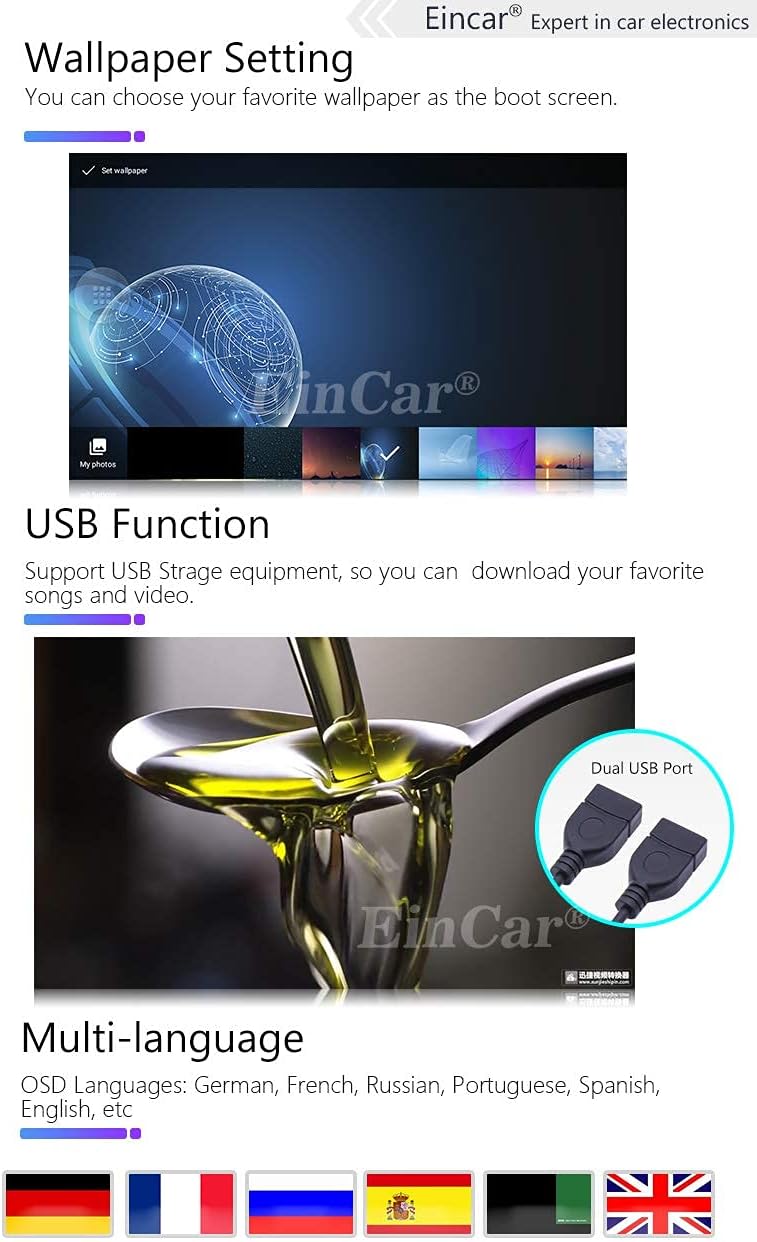
Image 5.1: Demonstrates the wallpaper setting feature, the dual USB port for storage, and the multi-language support of the system.
6. Инструкция по эксплуатации
6.1. Основной интерфейс завершен.view
The main interface provides quick access to key functions. Icons represent different applications or settings:

Image 6.1: Highlights the 7-inch capacitive HD touch screen with 1024*600 resolution and illustrates the main interface icons and their functions.
- Press to go to Google Map (or default navigation app).
- Press to go to Radio.
- Press to go to Music Play.
- Press to go to Bluetooth.
- Press to go to Video Play.
- Press to go to Settings.
6.2. Функция Bluetooth
Встроенный модуль Bluetooth позволяет совершать звонки в режиме громкой связи и передавать аудиопоток.
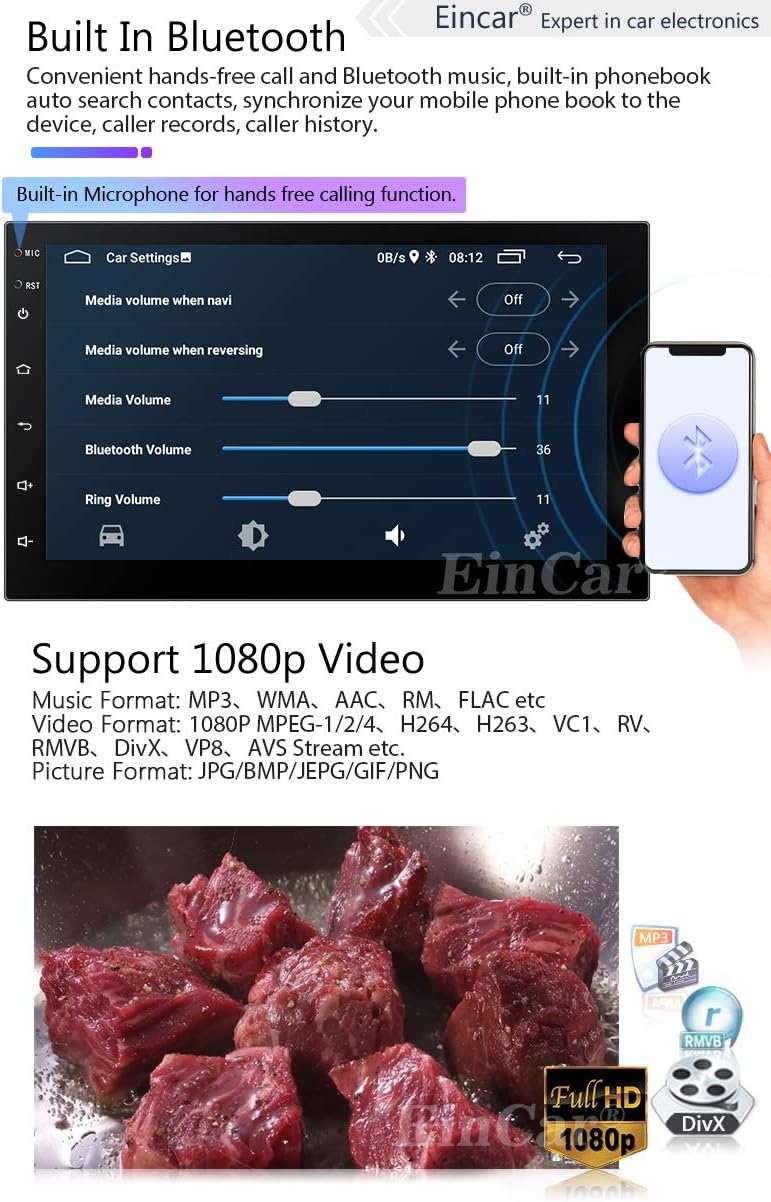
Image 6.2: Shows the Bluetooth interface for hands-free calling and confirms support for 1080p video playback with various media formats.
- Сочетание: Enable Bluetooth on your mobile phone and search for the device (usually named "EINCAR" or similar). Select it and confirm pairing.
- Звонки в режиме громкой связи: Once paired, you can make and receive calls directly from the stereo. The built-in microphone ensures clear communication.
- Телефонная книга: Download your phone's contacts to the stereo for easy access.
- Музыка по Bluetooth (A2DP): Передавайте аудио с телефона на автомобильную стереосистему по беспроводной связи.
6.3. Phone Link (Mirror Link)
Mirror Link allows you to display your smartphone's screen on the car stereo's display.

Image 6.3: Illustrates the Phone Link (Mirror Link) functionality for both Android and iPhone, along with Wi-Fi/3G/4G connectivity and access to Google Play.
- Для iPhone: Connect your iPhone to the stereo via Wi-Fi. The iPhone's display, including main menu, photos, videos, and online navigation, can be mirrored.
- Для Android: Connect your Android phone using a USB charging cable to the stereo's USB port. The Android smartphone's display will be mirrored.
6.4. GPS-навигация
The unit supports both pre-installed offline maps and online navigation applications.

Image 6.4: Displays the GPS navigation interface showing a route, and explains the steering wheel control function for convenient operation.
- Оффлайн карты: Use the pre-loaded maps for navigation without an internet connection.
- Онлайн-карты: Connect to Wi-Fi (via hotspot from your phone or a dongle) to use online mapping services like Google Maps, Waze, etc., which provide real-time traffic updates.
6.5. Воспроизведение мультимедиа
The stereo supports various audio and video formats for playback from USB drives or internal storage.
- Поддерживаемые форматы видео: 1080P MPEG-1/2/4, H264, H263, VC1, RV, RMVB, DivX, VP8, AVS Stream, etc.
- Поддерживаемые музыкальные форматы: MP3, WMA, AAC, RM, FLAC и т. д.
- Поддерживаемые форматы изображений: JPG/BMP/JEPG/GIF/PNG.
- Воспроизведение через USB: Insert a USB drive into one of the USB ports to access your media files.
6.6 Управление на рулевом колесе
The unit supports resistance-based analog signal input steering wheel controls, allowing you to manage basic functions without taking your hands off the wheel.
- Настраивать: Access the Steering Wheel Control settings in the system menu. Follow the on-screen instructions to map your vehicle's steering wheel buttons to the stereo's functions (e.g., volume up/down, track skip, answer call).
- Функции: Typically includes volume control, track/station change, mode switching, and call answer/end.
6.7. Задняя часть View Камера
В комплект входит задняя часть view камера автоматически отображает заднюю часть view on the screen when the vehicle is put into reverse gear, aiding in parking and maneuvering.
- Ensure the camera is properly installed and connected to the dedicated camera input and reverse trigger wire.
7. Техническое обслуживание
- Уборка: Для очистки экрана и корпуса используйте мягкую сухую ткань. Не используйте абразивные чистящие средства или растворители.
- Обновления программного обеспечения: Периодически проверяйте информацию производителя. website or contact support for available software updates to ensure optimal performance and access to new features.
- Температура: Не подвергайте устройство воздействию экстремальных температур (как высоких, так и низких), так как это может повлиять на его производительность и срок службы.
8. Поиск Неисправностей
If you encounter issues with your EINCAR car stereo, refer to the following common problems and solutions:
| Проблема | Возможная причина/решение |
|---|---|
| Нет питания | Check power cable connections, fuse, and vehicle's power supply. Ensure the ignition is on. |
| Нет звука | Check speaker wiring, volume level, and audio source selection. Ensure mute is not activated. |
| Сенсорный экран не отвечает | Перезагрузите устройство. Если проблема сохраняется, может потребоваться сброс до заводских настроек (предварительно сделайте резервную копию данных). |
| Сигнал GPS потерян / неточный | Убедитесь, что антенна GPS правильно подключена и имеет свободное пространство. view неба. Выйдите на открытое пространство. |
| Bluetooth не подключается | Убедитесь, что Bluetooth включен на обоих устройствах. Удалите предыдущие сопряжения и попробуйте выполнить сопряжение заново. Перезагрузите оба устройства. |
| Камера заднего вида не отображает изображение. | Check camera video input connection and reverse trigger wire connection. Ensure camera is powered. |
For further assistance, please refer to the official help page via the card delivered with the package or contact EINCAR customer support.
9. Технические характеристики
| Особенность | Деталь |
|---|---|
| Операционная система | Андроид 10.0 |
| Размер экрана | 7 дюйма |
| Тип дисплея | Capacitive HD Touch Screen LCD |
| Разрешение экрана | 1024 x 600 пикселей |
| Процессор | Четырехъядерный |
| БАРАН | 1 ГБ |
| Внутреннее хранилище | 16 ГБ |
| Связность | Bluetooth, Wi-Fi, USB |
| GPS | Built-in GPS Module, supports online/offline maps |
| Ввод через человеческий интерфейс | Микрофон, сенсорный экран |
| Совместимые устройства | Смартфон |
| Тип обслуживания автомобиля | Машина |
| Размеры (Ш x В) | 178mm x 100mm (Double Din Standard) |
10. Гарантия и поддержка
EINCAR is committed to providing high-quality products and customer satisfaction. While specific warranty details are not provided in this manual, please retain your purchase receipt as proof of purchase.
For any issues, questions, or technical support, please contact EINCAR customer service. You can find contact information on the official help page via the card delivered with your package. Our support team aims to respond within 24 hours.
For the latest information, software updates, and additional resources, please visit the official EINCAR webсайт.


