1. Введение
This manual provides detailed instructions for replacing the home button on compatible iPhone models. This replacement part restores all home button functions, excluding Touch ID functionality. Touch ID is uniquely paired to the original logic board and cannot be restored with a replacement home button.
For optimal results, it is recommended to have prior experience with small electronics repair or to seek professional assistance.
2. Информация по технике безопасности
Please read and understand all safety precautions before beginning the repair process.
- Устройство выключения: Always ensure your iPhone is completely powered off before starting any repair.
- Отключить аккумулятор: Disconnect the battery as early as possible in the repair process to prevent accidental short circuits.
- Статический разряд: Use an anti-static wrist strap or work on an anti-static mat to prevent electrostatic discharge (ESD), which can damage sensitive electronic components.
- Обращаться с осторожностью: Electronic components are fragile. Handle them gently and avoid excessive force.
- Мелкие детали: Keep track of all screws and small parts. Using a magnetic mat or labeled containers is highly recommended.
- Защита глаз: Consider wearing eye protection to guard against small flying debris.
3. Продукт закончилсяview
The iFixit Home Button replacement part is designed to restore the physical click and home button functionality of your compatible iPhone.
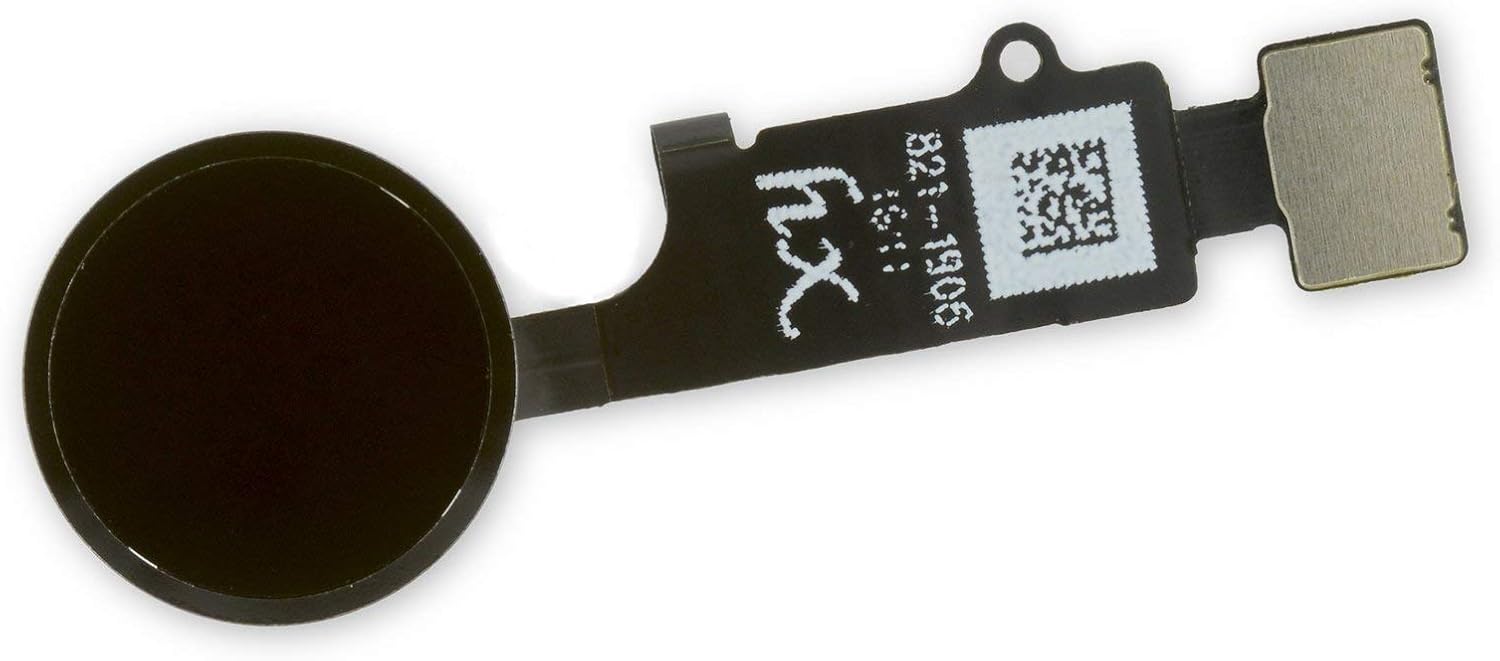
Рисунок 3.1: Передний view of the iFixit replacement home button, showing the black circular button and the flexible circuit board.

Рисунок 3.2: Назад view of the iFixit replacement home button, revealing the internal circuitry and connector.
Основные характеристики:
- Restores home button click functionality.
- Compatible with iPhone 7, 7 Plus, 8, 8 Plus, and SE 2020.
- Does NOT restore Touch ID functionality.
4. Руководство по установке
This section outlines the general steps for replacing the home button. Specific disassembly steps may vary slightly between iPhone models. Refer to detailed repair guides for your specific iPhone model on the iFixit webсайт (www.ifixit.com) for comprehensive, step-by-step visual instructions.
Необходимые инструменты (не входят в комплект):
- пятигранная отвертка
- Крестовая отвертка
- Tri-point screwdriver
- Спуджер
- Начальные выборы
- Присоска
- Пинцет
- Heat gun or hairdryer (optional, for adhesive softening)
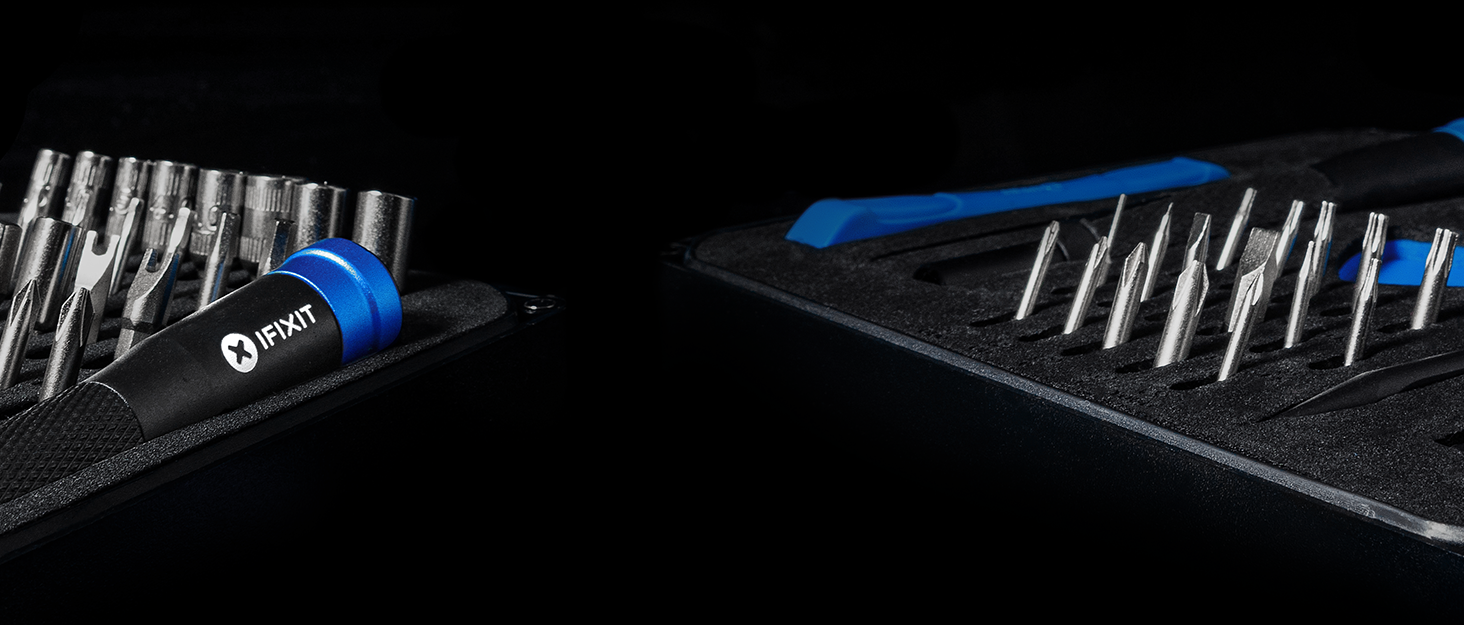
Рисунок 4.1: Example of an iFixit repair kit containing various tools necessary for electronics repair.
Общие шаги установки:
- Подготовьте рабочее место: Обеспечьте чистоту, хорошее освещение и отсутствие статического электричества в помещении.
- Power Off iPhone: Completely shut down your iPhone.
- Открутите винты Pentalobe: Remove the two pentalobe screws located at the bottom edge of the iPhone, next to the charging port.
- Открыть дисплейный модуль: Carefully open the display assembly. This usually involves using a suction cup and opening picks to separate the display from the frame. Be aware of adhesive and delicate cables.
- Отключить аккумулятор: Locate and disconnect the battery connector to prevent power flow during the repair.
- Disconnect Display Cables: Disconnect all display and digitizer cables from the logic board.
- Remove Display Assembly: Carefully remove the entire display assembly from the iPhone body.
- Access Home Button: On the back of the display assembly, locate the home button bracket and screws. Remove them.
- Disconnect Home Button Cable: Carefully disconnect the home button flex cable from the display assembly.
- Remove Old Home Button: Gently remove the old home button. It may be lightly adhered.
- Установите новую кнопку «Домой»: Position the new iFixit home button into place. Ensure it sits correctly and the flex cable aligns.
- Connect New Home Button Cable: Carefully connect the new home button flex cable.
- Собрать заново: Follow the disassembly steps in reverse order. Reconnect display cables, then the battery. Reattach the display assembly to the iPhone body and secure the pentalobe screws.
- Тестовая функциональность: Power on the iPhone and test the home button functionality (single press, double press). Remember, Touch ID will not work.
5. Operating the Replacement Home Button
Once installed, the iFixit replacement home button operates identically to the original in terms of physical presses and gestures, with the exception of Touch ID.
- Одно нажатие: Returns to the Home screen from any application.
- Двойное нажатие: Activates the App Switcher, allowing you to view и переключаться между открытыми приложениями.
- Тройное нажатие: Activates Accessibility Shortcuts (if configured in Settings > Accessibility > Accessibility Shortcut).
- Нажмите и удерживайте: Activates Siri (if enabled).
Important Note: Touch ID functionality will be permanently lost with the installation of any non-original home button. This is a security feature implemented by Apple.
6. Техническое обслуживание
The iFixit home button replacement part requires minimal maintenance once installed. However, following these general guidelines can help ensure its longevity:
- Содержать в чистоте: Regularly wipe the home button and surrounding area with a soft, dry, lint-free cloth to prevent dust and debris buildup.
- Избегайте жидкостей: Do not expose the home button or your device to liquids, as this can cause damage to internal components.
- Бережное использование: Avoid excessive force when pressing the home button.
7. Поиск Неисправностей
If you encounter issues after installing the replacement home button, consider the following troubleshooting steps:
| Проблема | Возможная причина | Решение |
|---|---|---|
| Кнопка «Домой» не нажимается и не реагирует. |
|
|
| Кнопка «Домой» кажется расшатанной или шатается. |
|
|
| Touch ID is not working. |
|
|
8. Технические характеристики
| Название детали | Home Button Replacement |
| Бренд | iFixit |
| Совместимость | iPhone 7, iPhone 7 Plus, iPhone 8, iPhone 8 Plus, iPhone SE 2020 |
| Цвет | Черный |
| Функциональность | Restores home button click and navigation. Does NOT restore Touch ID. |
| Вес товара | 0.16 унции |
| ASIN | B086V6XCS7 |
| Страна происхождения | Китай |
| Дата первой доступности | 17 июля 2020 г. |
9. Гарантия и поддержка
iFixit stands behind its products. For specific warranty information and support, please refer to the official iFixit webсайт.
iFixit offers a "Backed for Life" warranty on their tools and parts. This means if a tool breaks or a part is defective, they will replace it for as long as you own it.
Рисунок 9.1: iFixit's "Backed for Life" commitment, emphasizing quality and long-term support.
For further assistance, visit the iFixit support page or community forums:


