Введение
The Hyperkin Armor3 NuWave Controller is designed to provide accurate and fluid motion control for your Nintendo Wii U and Wii consoles. Featuring built-in Nu+ technology, this controller enhances your gaming experience by offering a wider range of motion in compatible titles. This manual provides essential information on setting up, operating, maintaining, and troubleshooting your NuWave Controller.
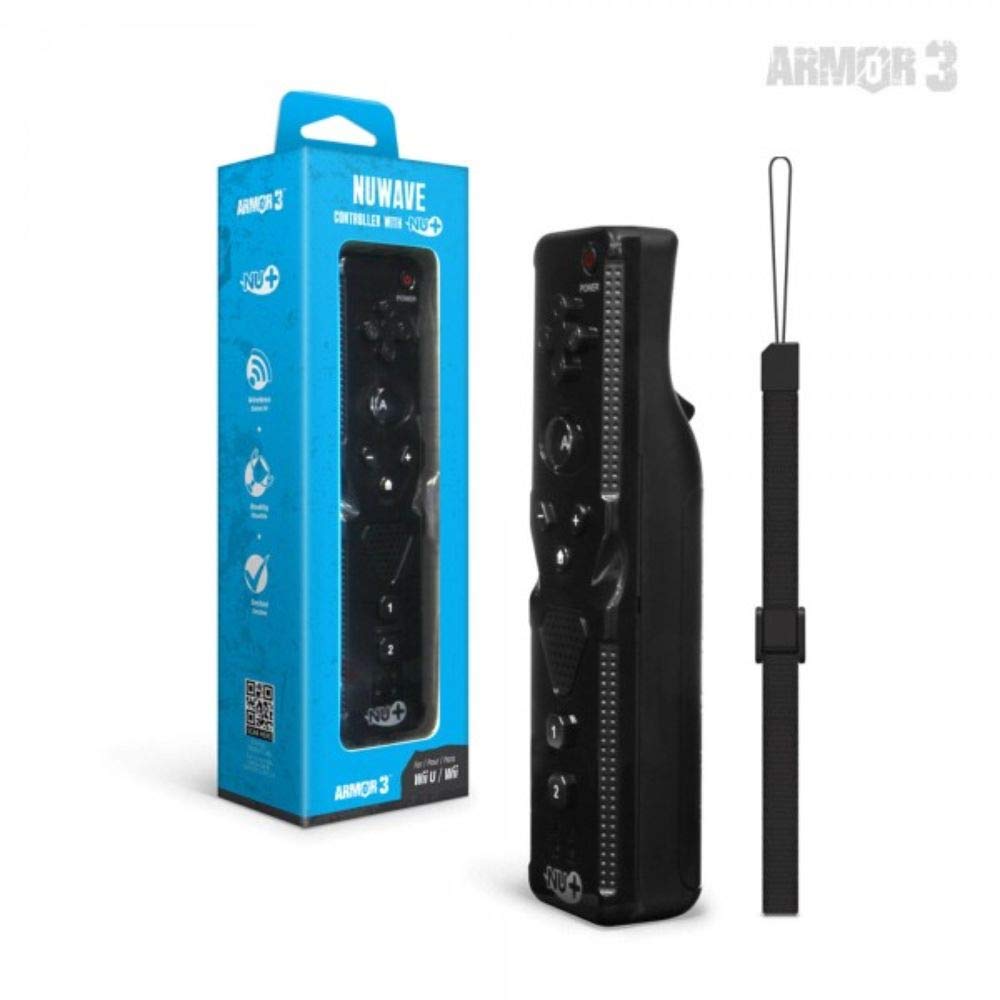
Рисунок 1: Hyperkin Armor3 NuWave Controller and its packaging. The controller is black with a wrist strap, and the packaging highlights its Nu+ technology and compatibility with Wii U and Wii.
Продукт болееview
The Armor3 NuWave Controller is a motion-sensing controller compatible with both Wii U and Wii systems. It integrates advanced Nu+ technology for enhanced motion detection and precision in supported games.
Основные характеристики:
- Совместимость: Fully compatible with Nintendo Wii U and Nintendo Wii consoles.
- Nu+ Technology: Built-in technology for a wider range of motion and improved accuracy in compatible titles.
- Эргономичный дизайн: Designed for comfortable grip and extended gameplay sessions.
- Источник питания: Требуются батарейки 2 AA (не включены).
Настраивать
1. Установка аккумулятора
- Найдите батарейный отсек на задней панели контроллера.
- Чтобы открыть крышку батарейного отсека, сдвиньте ее вниз.
- Вставьте две (2) батарейки типа АА, соблюдая правильную полярность (+/-), указанную внутри отсека.
- Установите крышку батарейного отсека на место, сдвинув ее вверх до щелчка.
2. Connecting to Your Console
To connect the NuWave Controller to your Wii U or Wii console, follow these steps:
- Убедитесь, что ваша консоль включена.
- On your Wii U or Wii console, press the SYNC button (usually located near the SD card slot or battery compartment).
- On the NuWave Controller, open the battery cover and locate the small red SYNC button inside the battery compartment.
- Press and release the SYNC button on the controller.
- The player indicator lights on the bottom of the controller will flash. Once a single light remains lit, the controller is successfully connected.
- If connection fails, repeat steps 2-5. Ensure the controller is within range of the console.
Инструкция по эксплуатации
Основные элементы управления:
- Кнопки управления (D-Pad): Used for menu navigation and character movement.
- Кнопка: Primary action button, often used for selection or interaction.
- B Button (Trigger): Located on the underside, typically used for grabbing or firing.
- 1 & 2 Buttons: Auxiliary action buttons, functions vary by game.
- Домашняя кнопка: Returns to the console's Home Menu.
- Кнопки «+» и «-»: Often used for zooming, adjusting settings, or specific in-game actions.
- Кнопка питания: Включает/выключает контроллер.
Motion Sensing with Nu+ Technology:
The built-in Nu+ technology provides enhanced motion tracking. For games that support it, you will experience more precise and responsive movements. Hold the controller firmly and ensure clear line of sight to the sensor bar for optimal performance.
- Калибровка: Some games may require initial calibration. Follow on-screen prompts.
- Ремешок: Always use the included wrist strap to prevent accidental drops during active gameplay.
Обслуживание
Уборка:
- Протрите контроллер мягкой сухой тканью.
- Для удаления стойких загрязнений слегкаampСмочите ткань водой. Не используйте едкие химикаты или абразивные чистящие средства.
- Ensure no liquid enters the controller's openings.
Хранилище:
- Храните контроллер в прохладном, сухом месте, вдали от прямых солнечных лучей и экстремальных температур.
- При длительном хранении извлеките батареи, чтобы предотвратить утечку.
Уход батареи:
- Всегда используйте новые, высококачественные батарейки типа АА.
- Не смешивайте старые и новые батареи или батареи разных типов.
- Утилизируйте использованные батареи ответственно в соответствии с местными правилами.
Поиск неисправностей
| Проблема | Возможная причина | Решение |
|---|---|---|
| Контроллер не включается. | Батарейки разряжены или неправильно вставлены. | Замените батарейки новыми батарейками типа АА, соблюдая правильную полярность. |
| Controller does not sync with console. | Incorrect syncing procedure; out of range; console interference. | Ensure console is on. Repeat syncing steps (press SYNC on console, then on controller). Move closer to console. Check for other wireless device interference. |
| Кнопки не реагируют или срабатывают с задержкой. | Low battery; connection issue; physical obstruction. | Replace batteries. Re-sync the controller. Ensure buttons are not stuck. |
| Motion control is inaccurate. | Sensor bar obstruction; improper calibration; environmental factors. | Ensure clear line of sight to the sensor bar. Re-calibrate in-game if prompted. Avoid strong light sources directly facing the sensor bar. |
Технические характеристики
- Модель: M07399-bk
- Бренд: Гиперкин
- Совместимость: Nintendo Wii U, Nintendo Wii
- Источник питания: 2 батарейки типа АА (не входят в комплект)
- Размеры: 2.8 x 1.8 x 8 дюйма (приблизительно)
- Масса: 3.88 унции (приблизительно, без батареек)
- Технология: Built-in Nu+ motion technology
- Цвет: Черный
Гарантия и поддержка
For specific warranty information and terms, please refer to the documentation included with your purchase or visit the official Hyperkin website. Hyperkin provides customer support for their products.
Онлайн поддержка: Visit the official Hyperkin webсайт с часто задаваемыми вопросами, руководствами по устранению неполадок и контактной информацией. www.hyperkin.com
Контакт: Refer to the Hyperkin website for the most current customer service contact methods (phone, email, etc.).


