
NETVUE Vigil
NETVUE Vigil Outdoor Security Camera User Manual
Model: Vigil | Brand: NETVUE
1. Введение
The NETVUE Vigil Outdoor Security Camera is designed to provide reliable surveillance for your property. Featuring 1080p Full HD video, advanced night vision, two-way audio communication, and smart motion detection, this camera ensures comprehensive monitoring day and night. Its robust, weather-resistant design allows for outdoor installation in various conditions.

Image: The NETVUE Vigil camera provides clear 1080p video both during the day and at night, as illustrated by the comparison of a driveway scene.
2. Содержимое упаковки
Пожалуйста, проверьте наличие всех предметов в вашей посылке:
- NETVUE Vigil Outdoor Security Camera
- Адаптер питания
- Монтажные винты и настенные анкеры
- Монтажный шаблон
- Руководство пользователя (этот документ)
3. Настройка и установка
3.1 Перед установкой
- Ensure your Wi-Fi network operates on the 2.4GHz band. The camera does not support 5GHz Wi-Fi.
- Position the camera within range of your Wi-Fi router for a stable connection. The camera features an enhanced 5dBi antenna for improved signal strength.
- Prepare a power outlet near the intended installation location.
3.2 Физическая установка
The NETVUE Vigil camera can be mounted on a wall or ceiling/roof. Choose a location that provides the desired viewing angle and is within reach of a power source.
- Use the provided mounting template to mark drill holes on the desired surface.
- При монтаже на кирпичную кладку просверлите отверстия и вставьте дюбели.
- Secure the camera's mounting base using the screws.
- Отрегулируйте угол камеры по мере необходимости.
- Подключите адаптер питания к камере и вставьте его в розетку.

Image: The NETVUE Vigil camera offers flexible installation options for both wall and roof mounting.

Image: The camera features a 5dBi antenna designed for a more stable Wi-Fi connection.
3.3 Настройка приложения
- Download the 'Netvue' app from your mobile device's app store (iOS or Android).
- Создайте новую учетную запись или войдите в систему, если она у вас уже есть.
- Follow the in-app instructions to add your new NETVUE Vigil camera. This typically involves scanning a QR code on the camera or manually entering its details.
- Connect the camera to your 2.4GHz Wi-Fi network as prompted by the app.
4. Эксплуатация камеры
4.1 Прямой эфир View и удаленный доступ
Access your camera's live feed anytime, anywhere through the Netvue app on your smartphone or tablet. You can also integrate the camera with Amazon Alexa for voice control and viewна совместимых устройствах.
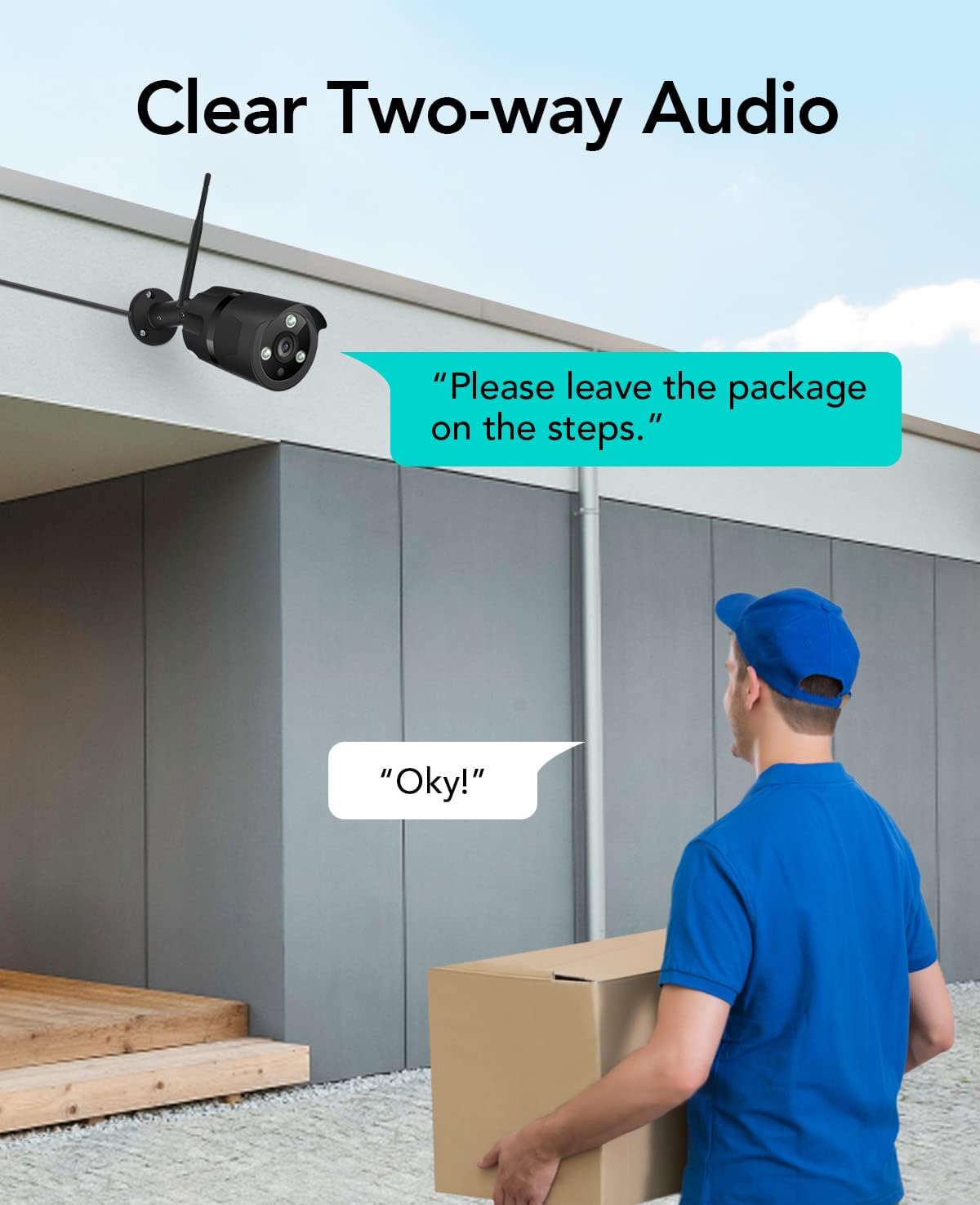
Image: The NETVUE Vigil camera is compatible with Amazon Alexa, allowing you to view the live feed on devices like the Echo Show.
4.2 Двусторонняя аудиосвязь
The built-in microphone and speaker allow for two-way communication. Use this feature to speak with visitors or deter unwanted guests directly through the Netvue app.

Image: Engage in clear two-way audio communication with individuals near your camera, such as a delivery person.
4.3 Обнаружение движения и оповещения
The camera features smart motion detection. When motion is detected, you will receive instant notifications on your mobile phone. You can customize motion detection zones, sensitivity levels, and alert schedules within the Netvue app to focus on areas of importance.

Image: The camera sends smart motion alerts to your phone when activity is detected, as shown with a person at a door.
4.4 Ночное видение
Equipped with infrared LEDs and IR-Cut technology, the camera automatically switches to night vision mode in low-light conditions, providing clear video up to 19.8 meters (65 feet) in complete darkness.
4.5 Хранение видео
The NETVUE Vigil camera supports two storage options:
- Локальное хранилище: Insert a microSD card (up to 128GB, not included) into the camera for continuous recording or event-triggered recordings. You can view playback directly from the Netvue app.
- Облачное хранилище: Optional cloud storage plans are available through the Netvue app for secure, off-site video backup and advanced AI features like person/vehicle detection. Subscription fees apply for cloud services.

Image: The camera supports both local storage via an SD card and optional cloud storage for video recordings.
5. Техническое обслуживание
- Уборка: Периодически протирайте объектив камеры мягкой сухой тканью, чтобы обеспечить чёткое изображение. Не используйте едкие химикаты.
- Обновления прошивки: Keep your camera's firmware updated through the Netvue app to ensure optimal performance and access to new features.
- Проверка связи: Regularly verify the camera's Wi-Fi connection status in the app to ensure continuous operation.
6. Поиск Неисправностей
6.1 Камера не подключается к Wi-Fi
- Убедитесь, что ваша сеть Wi-Fi имеет частоту 2.4 ГГц.
- Check if the camera is within range of your router.
- Проверьте правильность пароля Wi-Fi, введенного в приложении.
- Перезагрузите маршрутизатор и камеру.
6.2 Плохое качество изображения
- Очистите объектив камеры.
- Обеспечьте достаточное освещение для оптимального дневного зрения.
- Проверьте скорость вашего интернет-соединения.
6.3 No Motion Alerts
- Verify motion detection is enabled in the Netvue app.
- Check motion detection zone settings and sensitivity.
- Убедитесь, что на вашем телефоне включены уведомления приложений.
For further assistance, please refer to the support section or contact NETVUE customer service.
7. Технические характеристики
| Особенность | Спецификация |
|---|---|
| Номер модели | Бдение |
| Разрешение видео | 1080p (1920 x 1080 пикселей) |
| Разрешение фотодатчика | 2 МП |
| Диапазон ночного видения | До 19.8 метров (65 фута) |
| Связность | Wireless (2.4GHz Wi-Fi), Ethernet |
| Устойчивость к погодным условиям | IP66 (водонепроницаемый) |
| Рабочая температура | -15.6 °C to 50.0 °C (-20 °C to 50 °C) |
| Источник питания | AC |
| Совместимые устройства | Смартфон (iOS/Android), Amazon Alexa |
| Варианты хранения | Карта MicroSD (до 128 ГБ), облачное хранилище (требуется подписка) |
| Размеры | 20.1 х 12.4 х 8.1 см |
8. Гарантия и поддержка
NETVUE products come with a limited warranty. Please refer to the warranty card included in your package or visit the official NETVUE webсайт для получения подробных условий гарантии.
For technical support, product inquiries, or warranty claims, please contact NETVUE customer service through their official website or the contact information provided in the Netvue app. Our support team is available to assist you with any questions or issues you may encounter.
Интернет-ресурсы:
- Official NETVUE Webсайт: www.netvue.com
- Netvue App: Available on Apple App Store and Google Play Store
Ask a question about this manual
Ask about setup, troubleshooting, compatibility, parts, safety, or missing instructions. Manuals+ will review the question and use this page’s manual context to help answer it.