1. Продукт закончилсяview
This manual provides instructions for the JVC KD-TD71BT CD Receiver and the PAC SWI-RC Steering Wheel Control Interface. The JVC KD-TD71BT is a car audio receiver featuring Bluetooth connectivity, front USB and AUX inputs, and Amazon Alexa compatibility. The PAC SWI-RC allows for the retention of factory steering wheel control functions when installing an aftermarket radio.
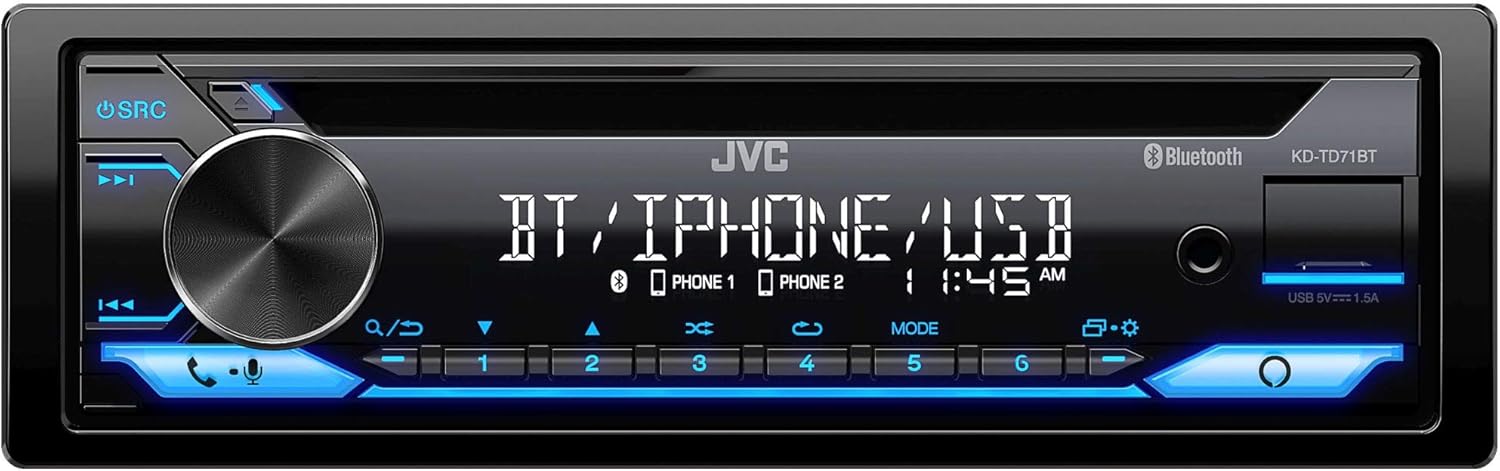
Рисунок 1: Передняя часть view of the JVC KD-TD71BT CD Receiver, showing the display, control knob, and various buttons.
2. Что в коробке
Перед началом установки убедитесь в наличии всех компонентов.
- JVC KD-TD71BT CD Receiver
- PAC SWI-RC Steering Wheel Control Interface
- Wired Microphone (for JVC KD-TD71BT)
- Жгуты проводов и разъемы
- Монтажное оборудование
3.Основные характеристики
- Совместимость с Amazon Alexa: Integrate voice commands for various functions.
- Беспроводная технология Bluetooth: Supports hands-free calling (HFP 1.7) and audio streaming (A2DP, AVRCP) with JVC Streaming DJ (up to 5 BT-Audio connections). Includes a wired microphone.
- Фронтальный USB-вход: Provides up to 1.5A charging and supports FLAC (96kHz/24bit), MP3, WMA, WAV, AAC playback.
- Front AUX Input: Для подключения внешних аудиоустройств.
- Управление звуком: 13-Band Graphic EQ with 11 Preset EQ Settings, Time Alignment, Space Enhancement, Sound Lift, K2 Technology, Loudness Control, Bass Boost Control.
- Предварительные выходы: 1 Pair 2.5V Pre-Outs (Rear/Subwoofer Selectable) with High-Pass and Low-Pass Filters, and Subwoofer Level Control.
- Отображать: 2-Line VA (Vertical Alignment) LCD Display with Music Sync Illumination Effect.
- Сохранение управления с помощью кнопок на рулевом колесе: The PAC SWI-RC retains factory steering wheel control functions (volume, mode, track) for compatible radios.
- Энергонезависимая память: The PAC SWI-RC retains programming even if the vehicle's battery is disconnected.
4. Информация по технике безопасности
Read all instructions carefully before installation and use. Improper installation or operation can lead to serious injury or damage. Always consult a professional for installation if you are unsure.
- Не используйте устройство таким образом, чтобы это отвлекало вас от вождения.
- Убедитесь в правильности подключения всей проводки, чтобы предотвратить короткие замыкания или повреждения.
- Avoid installing the unit in locations exposed to direct sunlight, high temperatures, or excessive moisture.
- Используйте только указанные предохранители.
- Установите громкость на таком уровне, чтобы вы все еще могли слышать звуки уличного движения.
5. Настройка и установка
Professional installation is recommended. Disconnect the vehicle's negative battery terminal before starting any electrical work.
5.1 JVC KD-TD71BT CD Receiver Installation
Follow the wiring diagram provided with your unit. Connect the power, ground, speaker, and accessory wires correctly. Secure the unit in the dashboard opening using the supplied mounting hardware.

Рисунок 2: Сзади view of the JVC KD-TD71BT CD Receiver, illustrating the various wiring harness connections and audio output ports.
5.2 PAC SWI-RC Steering Wheel Control Interface Installation
The SWI-RC connects between your vehicle's factory steering wheel control wiring and the JVC KD-TD71BT's wired remote input. Refer to the specific vehicle application guide provided by PAC for detailed wiring instructions for your vehicle model.
- Identify the steering wheel control wires in your vehicle.
- Connect the SWI-RC's wires to the vehicle's wiring and the JVC receiver's wired remote input.
- Program the SWI-RC according to the PAC instructions to map the steering wheel buttons to the desired functions on the JVC receiver.

Figure 3: The PAC SWI-RC Steering Wheel Control Interface packaging and included components, including the main module and wiring harness.
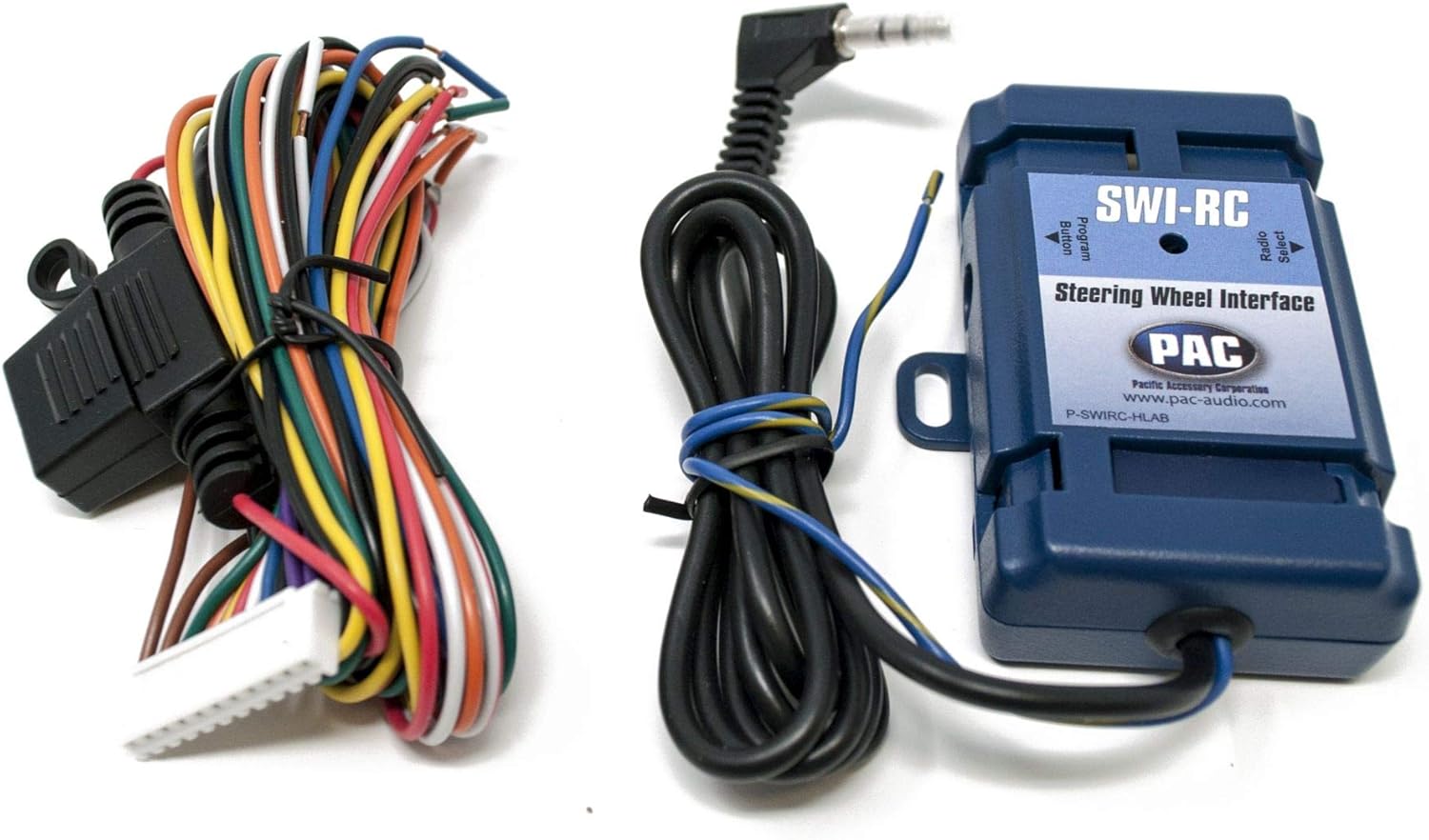
Рисунок 4: Подробный view of the PAC SWI-RC module and its multi-colored wiring harness, essential for connecting to the vehicle's electrical system.
6. Инструкция по эксплуатации
6.1 JVC KD-TD71BT Basic Operation
- Включение/выключение питания: Нажмите кнопку SRC, чтобы включить устройство. Нажмите и удерживайте кнопку SRC, чтобы выключить устройство.
- Регулятор громкости: Для регулировки громкости поверните большой поворотный регулятор.
- Выбор источника: Press the SRC button repeatedly to cycle through available sources (CD, Tuner, Bluetooth, USB, AUX, Alexa).
6.2 Работа Bluetooth
- Сочетание: Enable Bluetooth on your smartphone. Select 'KD-TD71BT' from the device list. Confirm the pairing code if prompted.
- Потоковое аудио: Once paired, select Bluetooth as the source. Play audio from your smartphone, and it will stream to the receiver. Use the receiver's controls or your phone to manage playback (play/pause, skip track).
- Звонки в режиме громкой связи: When a call comes in, the display will show the caller ID. Press the phone button to answer, or press and hold to reject. Use the wired microphone for clear communication.
- JVC Streaming DJ: Connect up to 5 Bluetooth audio devices simultaneously. Switch between devices for audio playback.
6.3 USB/AUX Operation
- USB: Connect a USB storage device to the front USB port. The unit will automatically switch to the USB source and begin playback.
- ВСПОМОГАТЕЛЬНЫЙ: Connect an external audio player to the front AUX input using a 3.5mm stereo cable. Select AUX as the source.
6.4 Интеграция Amazon Alexa
To use Amazon Alexa, ensure your smartphone is connected via Bluetooth and the JVC Alexa app is installed and configured. Press the dedicated Alexa button on the receiver to activate Alexa and issue voice commands for music, navigation, and more.
6.5 Настройки звука
Access the audio menu to adjust sound settings:
- Эквалайзер: Select from 11 preset EQ settings or customize the 13-band graphic equalizer.
- Выравнивание времени: Adjust the sound output timing for each speaker to create an optimal sound stage.
- Space Enhancement / Sound Lift: Digital sound processing features to enhance the listening experience.
- Технология K2: JVC's proprietary technology to reproduce the original master sound by expanding the bit rate and frequency range.
- Loudness Control / Bass Boost: Enhance low and high frequencies at lower volumes.
6.6 Steering Wheel Control (via SWI-RC)
Once the PAC SWI-RC is correctly installed and programmed, your vehicle's factory steering wheel buttons will control corresponding functions on the JVC KD-TD71BT, such as:
- Увеличение/уменьшение громкости
- Трек вверх/вниз
- Выбор режима/источника
- Ответить/Завершить вызов
7. Техническое обслуживание
- Уборка: Для очистки передней панели устройства используйте мягкую сухую ткань. Для удаления стойких загрязнений используйтеampСмочите ткань водой. Избегайте использования абразивных чистящих средств и растворителей.
- Слот для CD: Keep the CD slot free of dust and debris. Do not insert foreign objects.
- Соединения: Периодически проверяйте надежность всех соединений проводки.
8. Поиск Неисправностей
| Проблема | Возможная причина | Решение |
|---|---|---|
| Нет электричества | Blown fuse; incorrect wiring; vehicle battery low. | Check and replace fuse; verify wiring connections; charge vehicle battery. |
| Нет звука | Volume too low; speaker wires disconnected; incorrect source selected. | Increase volume; check speaker connections; select correct audio source. |
| Сбой сопряжения Bluetooth | Bluetooth not enabled on phone; incorrect device selected; interference. | Ensure phone Bluetooth is on; select 'KD-TD71BT'; move closer to unit; restart both devices. |
| Управление на руле не работает | SWI-RC incorrectly wired; SWI-RC not programmed; radio not compatible. | Verify SWI-RC wiring; reprogram SWI-RC; ensure JVC unit has wired remote input. |
| USB-устройство не распознано | Несовместимо file format; damaged USB device; device requires too much power. | Проверять file formats; try a different USB device; ensure device is self-powered if needed. |
9. Технические характеристики
| Особенность | Спецификация |
|---|---|
| Бренд | JVC |
| Номер модели | КД-ТД71БТ |
| Размеры продукта | 17 x 15.25 x 9.75 дюйма |
| Вес товара | 5 фунта |
| Технология связи | Вспомогательный, Bluetooth, USB |
| Тип контроллера | Amazon Alexa, Android |
| Особые возможности | Equalizer, Pandora, Spotify |
| Совместимые устройства | Смартфон, Динамик |
| Тип разъема | Разъем 3.5 мм, USB |
| Режим аудиовыхода | Моно, стерео |
| Выход Втtage | 50 Watts (MOS-FET 50W x 4 Power Output, 22W RMS x 4) |
10. Гарантия и поддержка
This product is covered by a manufacturer's warranty. Please refer to the warranty card included with your purchase for specific terms and conditions. For technical support, troubleshooting assistance, or warranty claims, please contact JVC customer service or visit the official JVC website. For support regarding the PAC SWI-RC interface, please refer to PAC Audio's official documentation and support channels.


