Введение
This manual provides essential information for the setup, operation, and maintenance of your OREI Sony UBP-X800M2 Region Free 4K UHD Blu-ray Player. This player is designed for worldwide use, supporting all Blu-ray disc zones (A/B/C) and DVD regions (0-8), with a built-in NTSC↔PAL 4K HD converter. Enjoy stunning 4K UHD visuals, high-resolution audio including Dolby Atmos and DTS:X, and seamless access to streaming services via Wi-Fi or Ethernet.

Рисунок 1: Передняя часть view of the OREI Sony UBP-X800M2 4K UHD Blu-ray Player.
Настраивать
1. Распаковка и размещение
- Аккуратно извлеките все компоненты из упаковки.
- Place the player on a stable, level surface with adequate ventilation.
- Ensure no objects block the ventilation openings.
2. Подключение к телевизору
Connect the player to your TV using an HDMI cable for optimal 4K UHD video and audio.
- Подключите один конец кабеля HDMI к HDMI-ВЫХОД port on the rear of the Blu-ray player.
- Подключите другой конец кабеля HDMI к входу HDMI на телевизоре.
- If using an audio receiver, connect the player's HDMI OUT to the receiver's HDMI IN, then the receiver's HDMI OUT to the TV's HDMI IN.

Figure 2: Rear panel connections, showing HDMI, LAN, and audio outputs.
3. Подключение питания
- Connect the AC power cord to the player's power input and then to a suitable electrical outlet.
4. Подключение к сети (необязательно)
For streaming services and firmware updates, connect the player to your home network.
- Проводное подключение: Connect an Ethernet cable from the player's LAN (100) port to your router or modem.
- Беспроводное соединение: Navigate to the network settings in the player's menu to connect to your Wi-Fi network.
5. Region Changing Instructions
This player supports all DVD regions (0-8) automatically. Blu-ray regions (A, B, C) are changed manually using the remote control.
- Turn the player ON и OPEN THE DISC TRAY.
- Once the tray is completely open, press the corresponding colored button on the remote to select the desired Blu-ray region:
- Зона А: Нажмите ЖЕЛТАЯ КНОПКА на пульте дистанционного управления.
- Зона Б: Нажмите СИНЯЯ КНОПКА на пульте дистанционного управления.
- Зона С: Нажмите КРАСНАЯ КНОПКА на пульте дистанционного управления.
- Теперь вы можете вставить диск в лоток, а затем закрыть лоток.

Figure 3: Remote control with colored buttons for region selection.
Инструкция по эксплуатации
1 Воспроизведение диска
The player supports a wide range of disc formats, including 4K UHD Blu-ray, standard Blu-ray, Blu-ray 3D, DVD, CD, and Super Audio CD (SACD).
- Нажмите ОТКРЫТЬ/ЗАКРЫТЬ Кнопка на плеере или пульте дистанционного управления для открытия лотка для диска.
- Place the disc gently onto the tray with the label side facing up.
- Нажмите ОТКРЫТЬ/ЗАКРЫТЬ еще раз, чтобы закрыть лоток.
- The player will automatically begin playback or display a disc menu.

Рисунок 4: Передняя часть view of the player with the disc tray open, ready for disc insertion.
2. Стриминговые сервисы
Access popular streaming services like Netflix and YouTube directly from the player's home menu.
- Ensure the player is connected to the internet (Wi-Fi or Ethernet).
- From the home screen, select the desired streaming application.
- Log in with your account credentials to begin streaming.
3. Воспроизведение медиафайлов с USB-носителя
Play media files (audio, video, photos) from a USB storage device.
- Insert your USB device into the front USB port.
- Select the USB option from the player's home menu to browse and play your media.
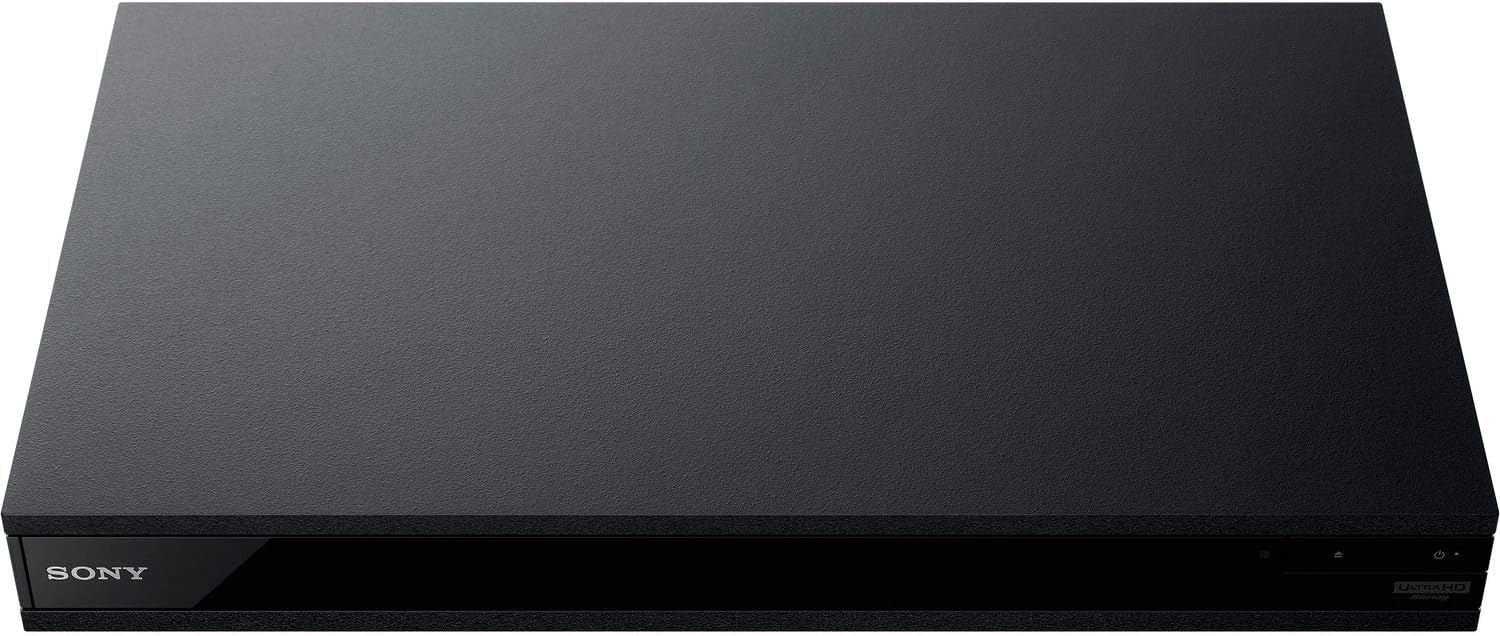
Рисунок 5: Передняя часть view of the player with a USB drive inserted into the front port.
Обслуживание
1. Очистка проигрывателя
- Протрите внешнюю поверхность плеера мягкой сухой тканью.
- Не используйте абразивные чистящие средства, воски или растворители.
- Убедитесь, что вентиляционные отверстия свободны от пыли и мусора.
2. Уход за дисками
- Держите диски за края, чтобы избежать отпечатков пальцев и царапин.
- Протирайте диски мягкой безворсовой тканью, двигаясь от центра к краям.
- Храните диски в футлярах вдали от прямых солнечных лучей и экстремальных температур.
3. Обновления прошивки
Firmware updates can be done via the internet to ensure optimal performance and access to the latest features.
- Go to the home menu, then setup menu, and then to Software Update.
- Click on "Update Via Internet". If a new firmware is available, the player will automatically update.
- НЕ turn off the player while it is updating.
- НЕ perform firmware updates by USB unless instructed by OREI support.
Поиск неисправностей
Распространенные проблемы
- Нет изображения/звука:
- Check all HDMI and audio cable connections.
- Ensure the TV input is set to the correct HDMI port.
- Verify the player is powered on.
- Диск не воспроизводится:
- Убедитесь, что диск чистый и без царапин.
- Убедитесь, что диск вставлен правильно (стороной с этикеткой вверх).
- For Blu-ray discs, confirm the player's region setting matches the disc's region (refer to "Region Changing Instructions" in the Setup section).
- Open the tray again and leave the disc in the tray. Once fully open, press the color button to select the region. Then close the tray.
- Region Code Error Message:
If you put in a disc before changing regions, you may get an error message indicating the wrong region. The player remembers this message. To remove that error, you need to reset the player.
- Нажмите ДОМ button on the remote with no disc inside to go to the home screen.
- Используйте кнопки со стрелками на пульте дистанционного управления, чтобы перейти в верхний правый угол, где написано... Настраивать и нажмите ВХОДИТЬ.
- Прокрутите вниз до Сброс внизу меню.
- Выбирать Сброс к заводским настройкам по умолчанию.
- Прокрутите вниз и выберите ВСЕ НАСТРОЙКИ и нажмите ВХОДИТЬ -> Нажмите Начать Войти -> Close ВХОДИТЬ.
- Выключите плеер, а затем снова включите его через 30 секунд.
- Select Language English and then select quick start mode OFF. You may need to activate network settings again.
- If you prefer not to connect the player to the internet, you may press the ДОМ button and go to the home screen. Now start from step 1 under "Region Changing Instructions" to change regions.
Технические характеристики
| Бренд | ОРЕЙ |
| Название модели | Sony X800M2 (UBP-X800M2) |
| Размеры продукта | 19 x 14.1 x 3.8 дюйма |
| Вес товара | 8.82 фунта (4000 грамм) |
| Тип носителя | Blu-Ray Disc, DVD, 4K UHD Blu-ray, Blu-ray 3D, CD, Super Audio CD |
| Разрешение | 3840x2160 (4K UHD) |
| Технология связи | Ethernet, HDMI, USB, Wi-Fi |
| Тип разъема | HDMI |
| Режим аудиовыхода | Surround (Dolby Atmos, DTS:X, High-Resolution Audio) |
| Цвет | Черный |
| Аккумуляторы | Требуются 2 батарейки ААА (для пульта) |
| Специальная характеристика | Region Free (Blu-ray Zones A/B/C, DVD Regions 0-8), Built-in NTSC↔PAL 4K HD Converter |
Гарантия и поддержка
Информация о гарантии
For specific warranty details, please refer to the warranty card included with your product or visit the official OREI webСохраните чек в качестве подтверждения покупки.
Поддержка клиентов
If you encounter any issues or have questions regarding your OREI Sony UBP-X800M2 Blu-ray Player, please contact OREI customer support.
- Онлайн поддержка: Посетите OREI Store on Amazon для получения ответов на часто задаваемые вопросы и ресурсов поддержки.
- Техническая помощь: Contact OREI directly for technical support. (Specific contact details not provided in source data, please refer to product packaging or official webсайт).


