Введение
This manual provides comprehensive instructions for the safe and efficient installation, operation, and maintenance of your LogiLink BP0074 Dual Monitor Desk Mount. Please read this manual thoroughly before beginning installation to ensure correct setup and to prevent damage to the product or injury. Keep this manual for future reference.
Информация по безопасности
- Перед сборкой убедитесь, что все компоненты присутствуют и не повреждены. Не используйте изделие, если какие-либо детали отсутствуют или имеют дефекты.
- Verify that the desk surface can support the combined weight of the mount and two monitors.
- Не превышайте максимальную грузоподъемность в 6 кг (13.22 фунтов) на каждый рычаг.
- Use appropriate tools and follow all steps carefully. Improper installation may result in product failure or personal injury.
- Не допускайте детей и домашних животных к месту установки.
Содержимое упаковки
Please check the package to ensure all items listed below are included:
- 1 x Dual Monitor Desk Mount Assembly
- 2 x VESA Monitor Plates
- 1 х стол кл.amp Сборка
- 1 x Hardware Kit (screws, washers, spacers, Allen keys)
- 1 х Руководство по эксплуатации
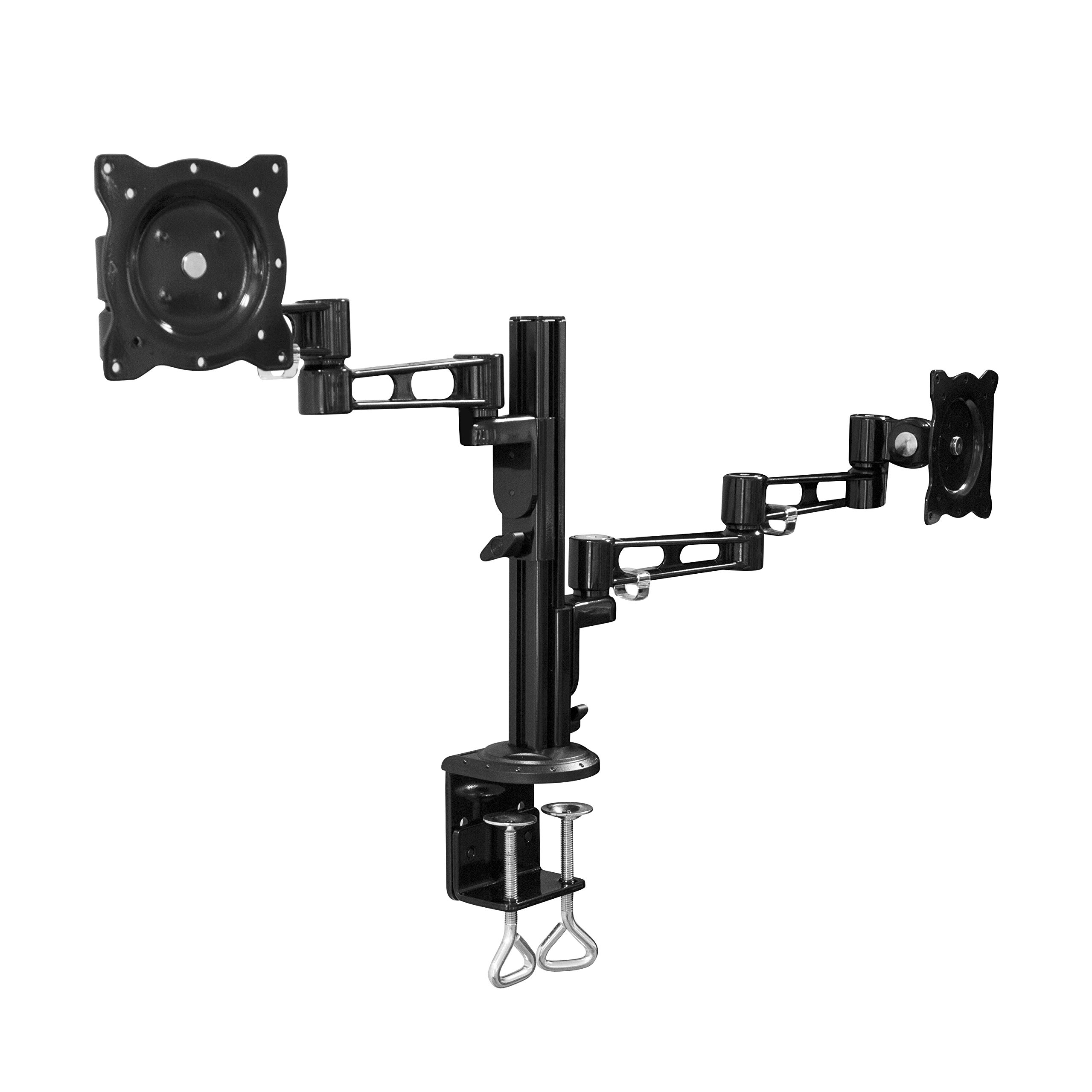
Image: All components of the LogiLink BP0074 Dual Monitor Desk Mount.
Инструкции по установке
Шаг 1: Прикрепите зажим для столаamp к столу
Расположите стол clamp assembly on the edge of your desk. Tighten the clamp screws securely until the mount is stable. Ensure the clamp is flush with the desk surface for maximum stability.
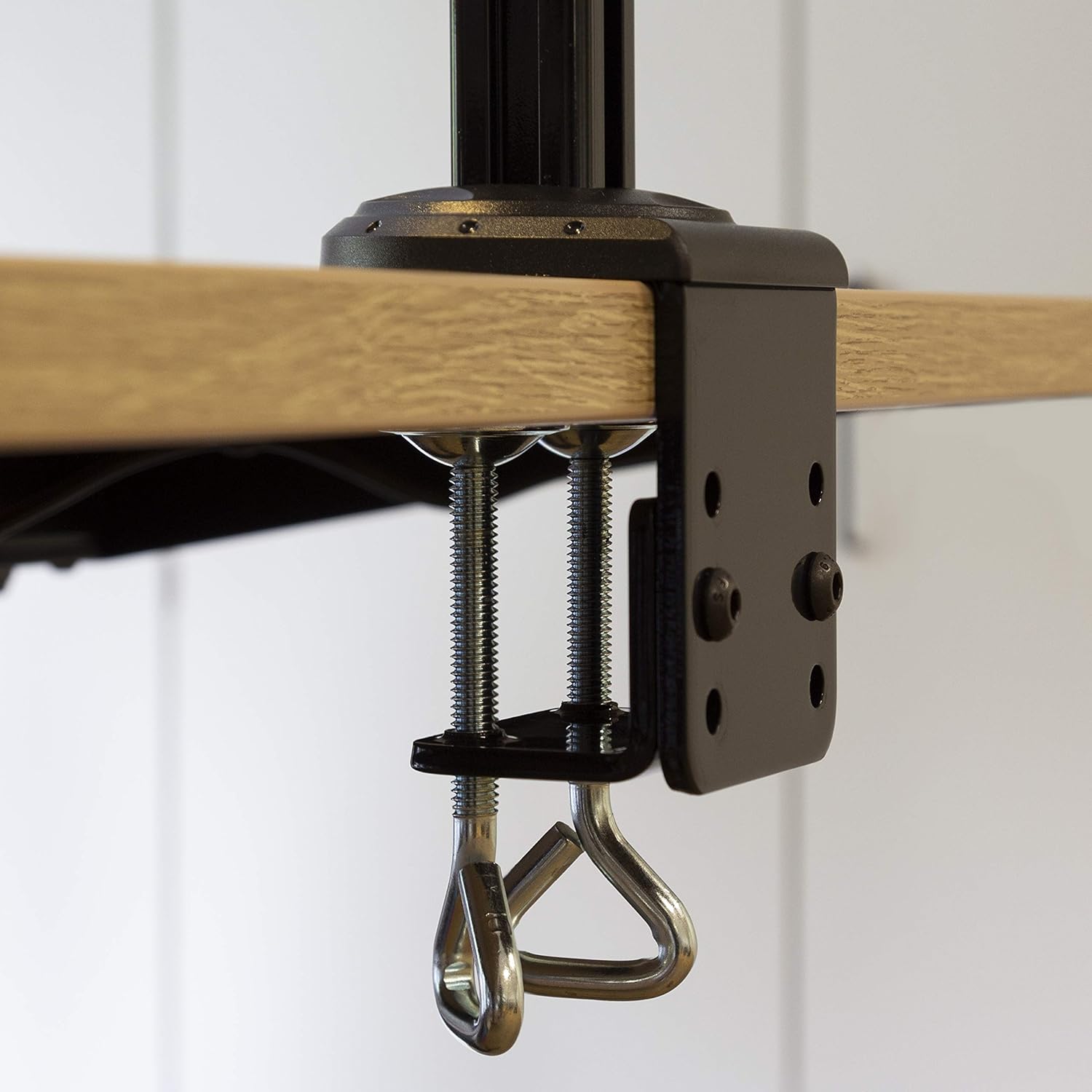
Image: Close-up of the desk clamp mechanism securely attached to a desk.
Step 2: Assemble Monitor Arms
Slide the monitor arms onto the main pole of the desk clamp assembly. Adjust their height to your desired position and secure them using the provided locking mechanisms. Ensure both arms are at a similar height for ergonomic viewинж.
Шаг 3. Прикрепите пластины VESA к мониторам
Align the VESA monitor plates with the mounting holes on the back of your monitors. Use the appropriate screws, washers, and spacers from the hardware kit to secure the plates to each monitor. Ensure the screws are tightened firmly but do not overtighten.

Image: VESA plate attached to the back of a monitor.
Шаг 4: Установите мониторы на кронштейны.
Carefully slide the monitors (with VESA plates attached) onto the ends of the monitor arms. Secure them in place using the quick-release or locking mechanisms on the arms. Ensure both monitors are firmly attached before releasinг их.

Image: Two monitors mounted on the LogiLink BP0074 desk mount.
Инструкция по эксплуатации
Регулировка положения монитора
The LogiLink BP0074 mount offers full motion capabilities:
- Наклон: Adjust the monitor vertically (up/down) to reduce glare and optimize viewуглы.
- Поворотный: Поверните монитор горизонтально (влево/вправо), чтобы поделиться экраном или изменить его положение. viewнаправление.
- Вращение: Поверните монитор на 360 градусов, чтобы переключаться между альбомной и портретной ориентацией.
Loosen the adjustment screws slightly with the provided Allen key before making adjustments, then tighten them once the desired position is achieved.

Image: Demonstrating the flexible positioning of monitors on the mount.
Управление кабелями
Utilize the integrated cable management clips on the monitor arms to route and organize your cables. This helps maintain a tidy workspace and prevents cable damage.

Image: Cable management clips on the monitor arm.

Image: Detail of cables routed through the clips for organization.
Обслуживание
Regular maintenance ensures the longevity and safe operation of your monitor mount:
- Уборка: Протрите крепление мягкой тряпкой.amp Ткань. Избегайте использования абразивных чистящих средств и растворителей.
- Проверьте герметичность: Periodically check all screws and bolts, especially the desk clamp and VESA plate attachments, to ensure they remain tight. Retighten if necessary.
- Смазка: No lubrication is typically required for this type of mount.
Поиск неисправностей
Если у вас возникли проблемы, ознакомьтесь со следующими распространенными проблемами и решениями:
| Проблема | Возможная причина | Решение |
|---|---|---|
| Monitor is unstable or sags | Screws are loose; monitor weight exceeds capacity | Tighten all connection screws. Verify monitor weight is within 6 kg per arm. |
| Difficulty adjusting monitor position | Adjustment screws are too tight | Slightly loosen the relevant adjustment screws with the Allen key. |
| Mount slides on desk | Стол clamp недостаточно плотно | Убедитесь, что стол чистыйamp is fully tightened and flush against the desk surface. |
Технические характеристики
| Особенность | Деталь |
|---|---|
| Номер модели | БП0074 |
| Поддерживаемый размер экрана | 13 - 26 inches (per monitor) |
| Количество мониторов | 2 |
| Максимальная грузоподъемность | 6 кг (13.22 фунта) на каждую руку |
| Совместимость с VESA | 75x75мм, 100x100мм |
| Диапазон движения | Full Motion (Tilt, Swivel, Rotation) |
| Материал | Металл |
| Размеры продукта (ДxШxВ) | 55.3 x 79.2 x 11.6 cm (overall package/product dimensions) |
| Вес товара | 4.1 кг |
| Длина руки | Each 358 mm |

Image: Technical drawing showing key dimensions and VESA patterns.
Гарантия и поддержка
LogiLink products are designed for reliability and performance. For warranty information or technical support, please refer to the contact details provided with your purchase documentation or visit the official LogiLink webсайт. Пожалуйста, сохраните доказательство покупки для гарантийных претензий.