Введение
Thank you for choosing the Uncaged Ergonomics Rise Up Electric Standing Desk. This manual provides essential information for the safe and efficient assembly, operation, and maintenance of your new adjustable height desk. Please read these instructions carefully before use and retain them for future reference.

Image: The Rise Up Electric Standing Desk with a black bamboo desktop and gray frame.
Информация по безопасности
Для обеспечения безопасной эксплуатации и предотвращения повреждений соблюдайте следующие правила:
- Ensure all cables are properly connected and secured before operation.
- Во время регулировки высоты стола держите детей и домашних животных подальше от него.
- Не перегружайте стол. Максимальная грузоподъемность составляет 113 кг (250 фунтов).
- Avoid placing objects that could be damaged by movement under the desk.
- Не садитесь и не стойте на раме стола.
- Если стол издает необычные звуки или совершает необычные движения, прекратите его использование и обратитесь к разделу устранения неполадок.
- Используйте только прилагаемые адаптер питания и панель управления.
Содержимое упаковки
Перед началом сборки убедитесь, что все компоненты присутствуют:
- Electric Desk Frame (Gray)
- 48x30 inch Solid Bamboo Desktop (Black)
- Блок управления
- Панель управления с предустановками памяти
- Адаптер питания и кабели
- Крепежные элементы (винты, инструменты)
- Руководство по эксплуатации (данный документ)
Инструкция по сборке
Assembly requires careful attention to detail. A second person may be helpful due to the weight of the components. A drill can simplify the process, though it is not strictly required.
Шаг 1: Распаковка компонентов
Аккуратно извлеките все детали из упаковки. Разложите их на чистой мягкой поверхности, чтобы предотвратить появление царапин.
Шаг 2: Сборка каркаса стола
Follow the detailed diagrams provided in the separate assembly guide (if included) to connect the crossbar, lifting columns, and feet of the desk frame. Ensure all screws are tightened securely.
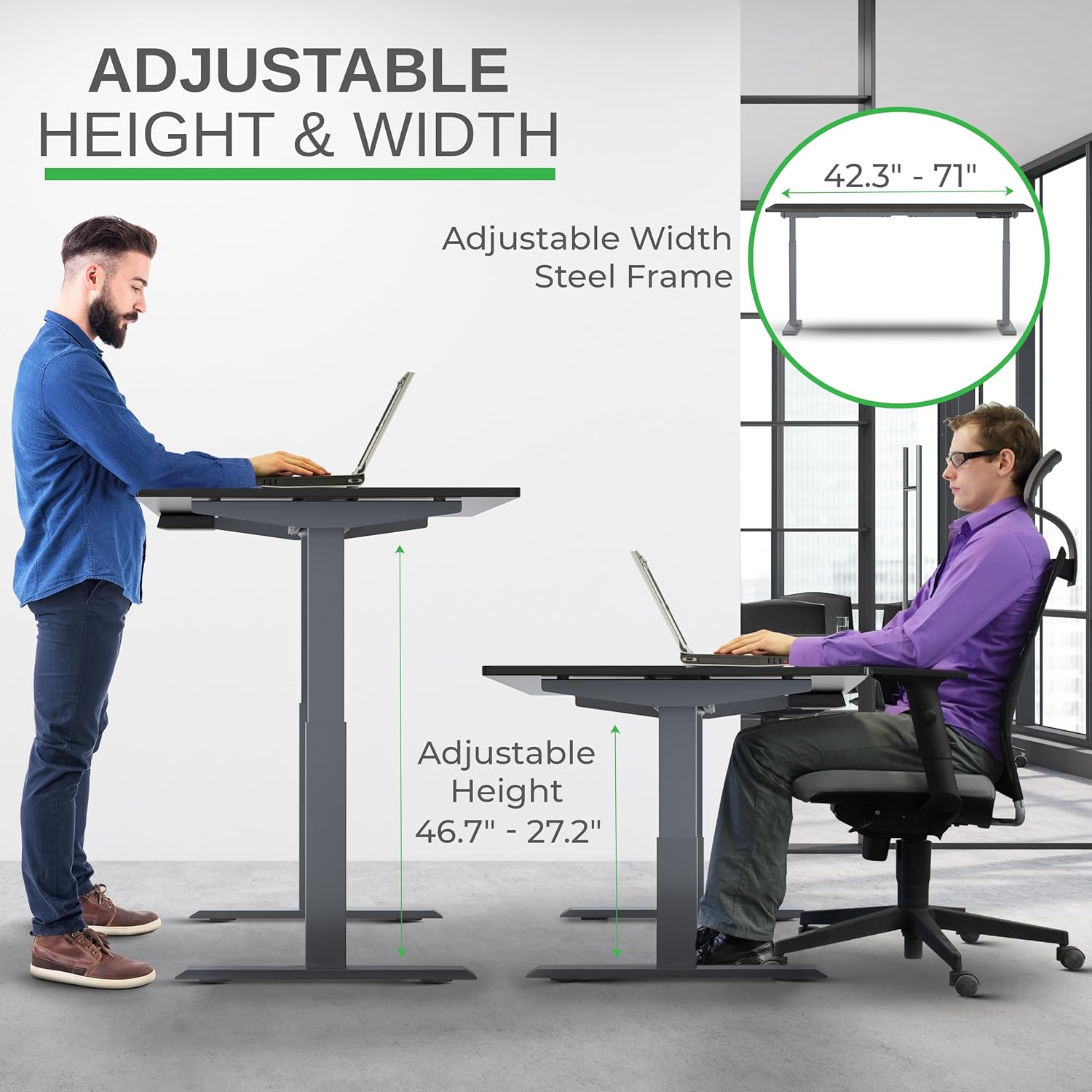
Image: Illustration of the adjustable height and width features of the desk frame, highlighting the range from 27.2" to 46.7" in height and 42.3" to 71" in width.
Step 3: Attach the Desktop
Carefully place the bamboo desktop upside down on a soft surface. Position the assembled desk frame onto the desktop, aligning the pre-drilled holes (if any) or marking new ones. Secure the desktop to the frame using the provided screws. The solid bamboo desktop is designed to accept screws without chipping.

Image: The Rise Up desk illustrating its adjustable height range from 27.2 inches to 46.7 inches, with a chair shown at both sitting and standing heights.
Step 4: Connect the Control Box and Cables
Mount the control box and control panel to the underside of the desktop as indicated in the assembly guide. Connect all motor cables and the power cable to the control box. Ensure all connections are secure.
Изображение: крупный план view of the dual motors and two-stage lifting columns, indicating fast and quiet operation.
Инструкция по эксплуатации
Регулировка высоты
Use the up (▲) and down (▼) arrows on the control panel to adjust the desk to your desired height. The current height in centimeters will be displayed on the LCD screen.

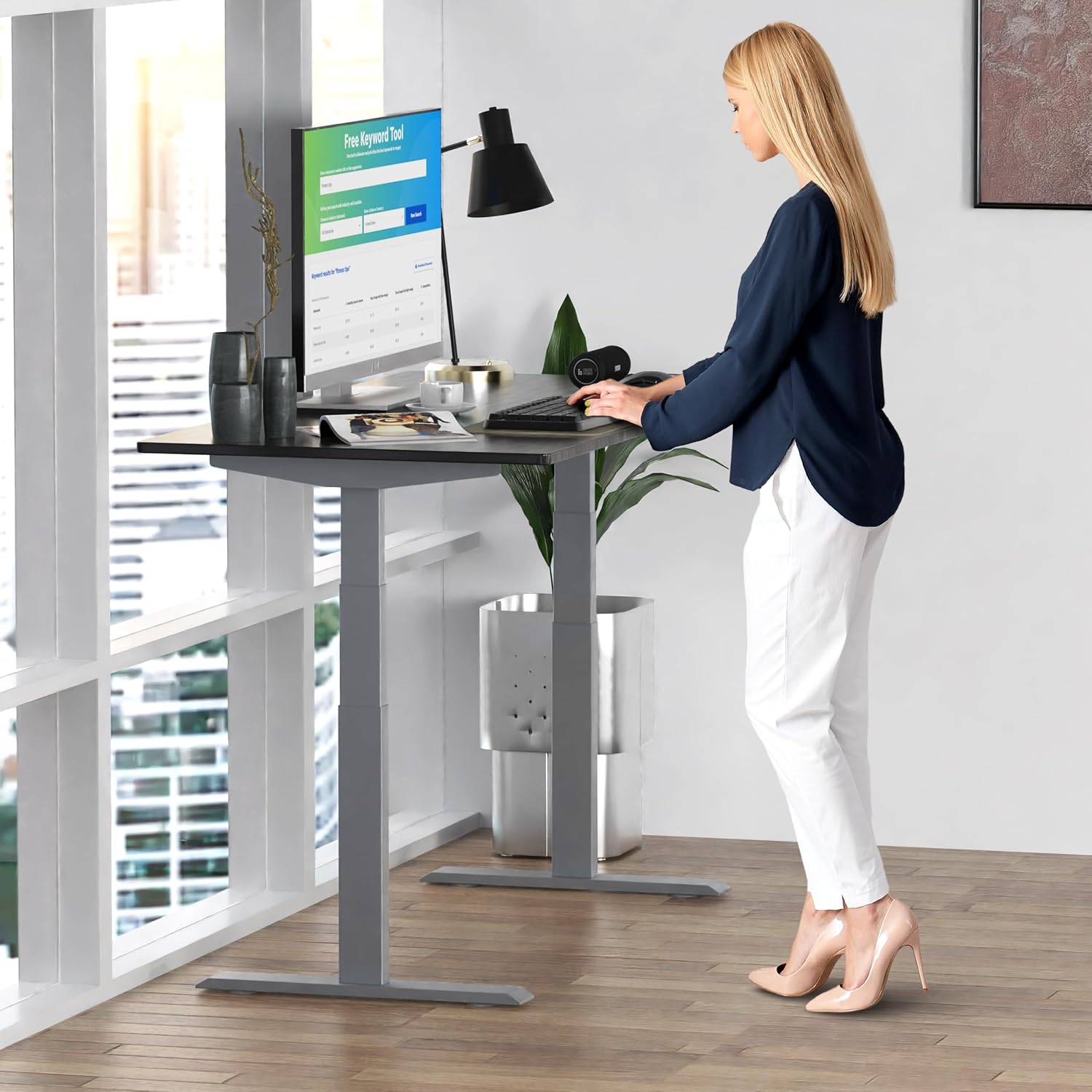
Image: A person standing at the Rise Up Electric Standing Desk, demonstrating the ease of height adjustment for an ergonomic work setup.
Предустановки памяти
The control panel features four memory presets (1, 2, 3, 4) to save your preferred sitting and standing heights.
- Отрегулируйте высоту стола до желаемого уровня с помощью стрелок вверх/вниз.
- Press and hold the "M" button until the LCD screen flashes.
- Immediately press the number button (1, 2, 3, or 4) where you want to save the current height.
- To recall a saved height, simply press the corresponding number button. The desk will automatically adjust to that position.
Video: This video demonstrates how to set and use the memory presets on the Rise Up Electric Standing Desk control panel for quick height adjustments.
Процедура сброса
If the desk is not adjusting properly, or if the LCD screen displays an error message like "ASR" or "000", a motor reset may be required. This procedure is simple and fast:
- Unplug all cables from the desk.
- Allow the desk to rest for a few seconds to dissipate any residual electricity.
- Plug all cables back in securely.
- Press and hold both the up (▲) and down (▼) arrows simultaneously for approximately 20-30 seconds.
- The desk will drop to its lowest position and then beep, indicating that the reset procedure is complete.
Video: This video provides a step-by-step guide on how to reset the motors of your Rise Up Electric Standing Desk if it encounters adjustment issues or displays error codes.
Обслуживание
Регулярное техническое обслуживание обеспечивает долговечность и оптимальную работу вашего стола:
- Уборка: Протрите рабочий стол и раму мягкой тряпкой.amp Ткань. Избегайте использования едких химикатов и абразивных чистящих средств.
- Управление кабелями: Периодически проверяйте, чтобы все кабели были аккуратно уложены и не были пережаты или запутаны.
- Крепеж: Occasionally inspect all screws and bolts to ensure they remain tight. Retighten if necessary.
Поиск неисправностей
| Проблема | Возможная причина | Решение |
|---|---|---|
| Desk does not move / LCD shows "ASR" or "000" | Motor error or system needs reset. | Perform the "Reset Procedure" as described in the Operating Instructions section. |
| Uneven movement or noise | Loose connections or uneven load. | Check all cable connections. Ensure the desk load is evenly distributed. Perform a reset. |
| Стол останавливается в середине регулировки | Overload protection activated or anti-collision engaged. | Reduce the weight on the desk. Check for obstructions. Wait a few minutes and try again. |
Технические характеристики
| Особенность | Деталь |
|---|---|
| Номер модели | RU2gbk48 |
| Материал рабочего стола | Solid Bamboo (Black) |
| Материал рамы | Alloy Steel (Gray) |
| Размеры рабочего стола | 48 inches (D) x 30 inches (W) |
| Регулируемый диапазон высоты | 27.2 дюйма - 46.7 дюйма |
| Регулируемый диапазон ширины | 42 дюйма - 71 дюйма |
| Тип двигателя | Двойной мотор |
| Грузоподъемность | 250 фунта (113 кг) |
| Особые возможности | Anti-collision technology, 4 memory presets |
Гарантия и поддержка
The Uncaged Ergonomics Rise Up Electric Standing Desk comes with a 5-year warranty on the electric components and frame. For technical support, warranty claims, or any questions regarding your product, please visit our webсайт или свяжитесь с нашей службой поддержки клиентов.
Webсайт: UncagedErgonomics.com