
1. Введение
This user manual provides detailed instructions for the installation, configuration, and operation of your Jennov 5.0MP PTZ Outdoor WiFi Security Camera. Please read this manual thoroughly before using the product to ensure proper functionality and safety. Keep this manual for future reference.
Особенности продуктаview:
- Разрешение 5.0 мегапикселей: Обеспечивает четкое и подробное видеоtage.
- 5-кратный оптический зум: Allows for detailed magnification of distant objects without loss of clarity.
- Функции панорамирования/наклона/масштабирования (PTZ): Offers a 355° horizontal rotation and 100° vertical tilt for comprehensive area coverage.
- Двустороннее аудио: Встроенные микрофон и динамик обеспечивают связь в режиме реального времени.
- Улучшенное ночное видение: Equipped with infrared LEDs for clear monitoring up to 65ft in low-light conditions.
- Обнаружение движения и оповещения: Configurable motion detection zones and sensitivity with push notifications and email alerts.
- Степень защиты IP66: Прочный металлический casing designed to withstand various outdoor weather conditions.
- SD-карта на 64 ГБ в комплекте: Provides local storage for continuous 24/7 recording.
- Удаленный доступ: Monitor and control the camera from your smartphone, tablet, or PC.
2. Содержимое упаковки
Убедитесь, что все перечисленные ниже предметы присутствуют в вашей посылке. Если какие-либо предметы отсутствуют или повреждены, обратитесь в службу поддержки клиентов.
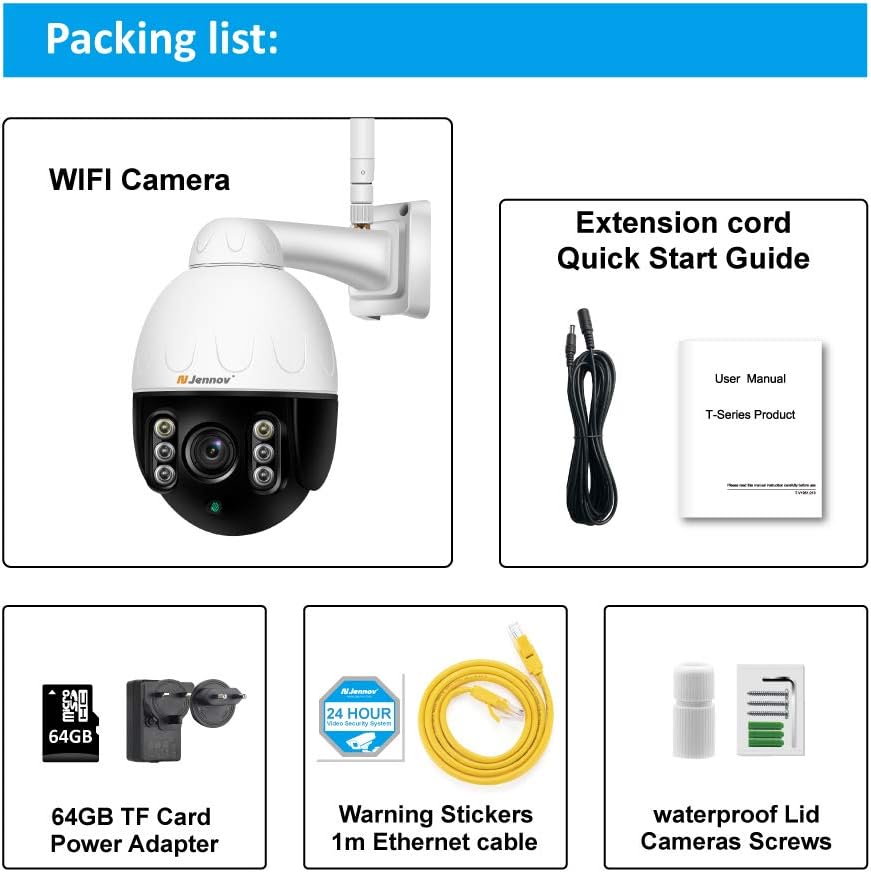
Image: Visual representation of the Jennov PTZ Camera and its included accessories.
- Jennov 5.0MP PTZ WiFi Camera (1 unit)
- 12V1A Power Adapter (1 unit)
- 3.3ft Ethernet Cable (1 unit)
- Крепежные винты (комплект)
- Waterproof Cap for Ethernet connection (1 unit)
- Warning Label (1 unit)
- Карта памяти Micro SD на 64 ГБ (предустановлена)
- Краткое руководство пользователя / Руководство пользователя
3. Инструкции по настройке
3.1 Физическая установка
- Выберите местоположение: Select a suitable outdoor location for mounting the camera. Ensure it has a clear line of sight to the area you wish to monitor and is within range of your 2.4GHz Wi-Fi network. The camera is designed for wall or ceiling mounting.
- Установите камеру: Use the provided mounting screws to securely attach the camera bracket to the chosen surface. Ensure the camera is positioned correctly for optimal viewугол наклона.
- Подключите питание: Connect the 12V1A power adapter to the camera's power input and plug it into a power outlet.
- Подключение по Ethernet (опционально): For a more stable connection, you can use the provided Ethernet cable to connect the camera directly to your router. Use the waterproof cap to protect the Ethernet port if installed outdoors.
3.2 Установка приложения и первоначальная настройка
- Загрузите приложение: Искать the recommended camera application (e.g., 'HiCam' or similar as per quick start guide) on your smartphone's app store (iOS or Android) and install it.
- Зарегистрируйте учетную запись: Откройте приложение и следуйте инструкциям на экране, чтобы зарегистрировать новую учетную запись пользователя.
- Добавить камеру: Power on the camera. In the app, select 'Add Device' or '+' icon. Follow the prompts to connect the camera to your home 2.4GHz Wi-Fi network. Ensure your phone is also connected to the 2.4GHz network during setup.
- Настроить параметры: Once connected, you can rename the camera, set a password, and adjust initial video settings.
4. Инструкция по эксплуатации
4.1 Прямой эфир View и управление PTZ
Access the live video feed through the mobile app or PC client.

Image: A smartphone screen displaying the camera's live feed with pan and tilt controls, indicating 355° horizontal and 100° vertical rotation.
- Панорамирование/Наклон: Используйте элементы управления направлением в приложении, чтобы вращать камеру по горизонтали (355°) и вертикали (100°) для регулировки положения. viewугол наклона.
- Оптический зум: Utilize the zoom controls (often a pinch-to-zoom gesture or dedicated buttons) to activate the 5X optical zoom for closer inspection of details.
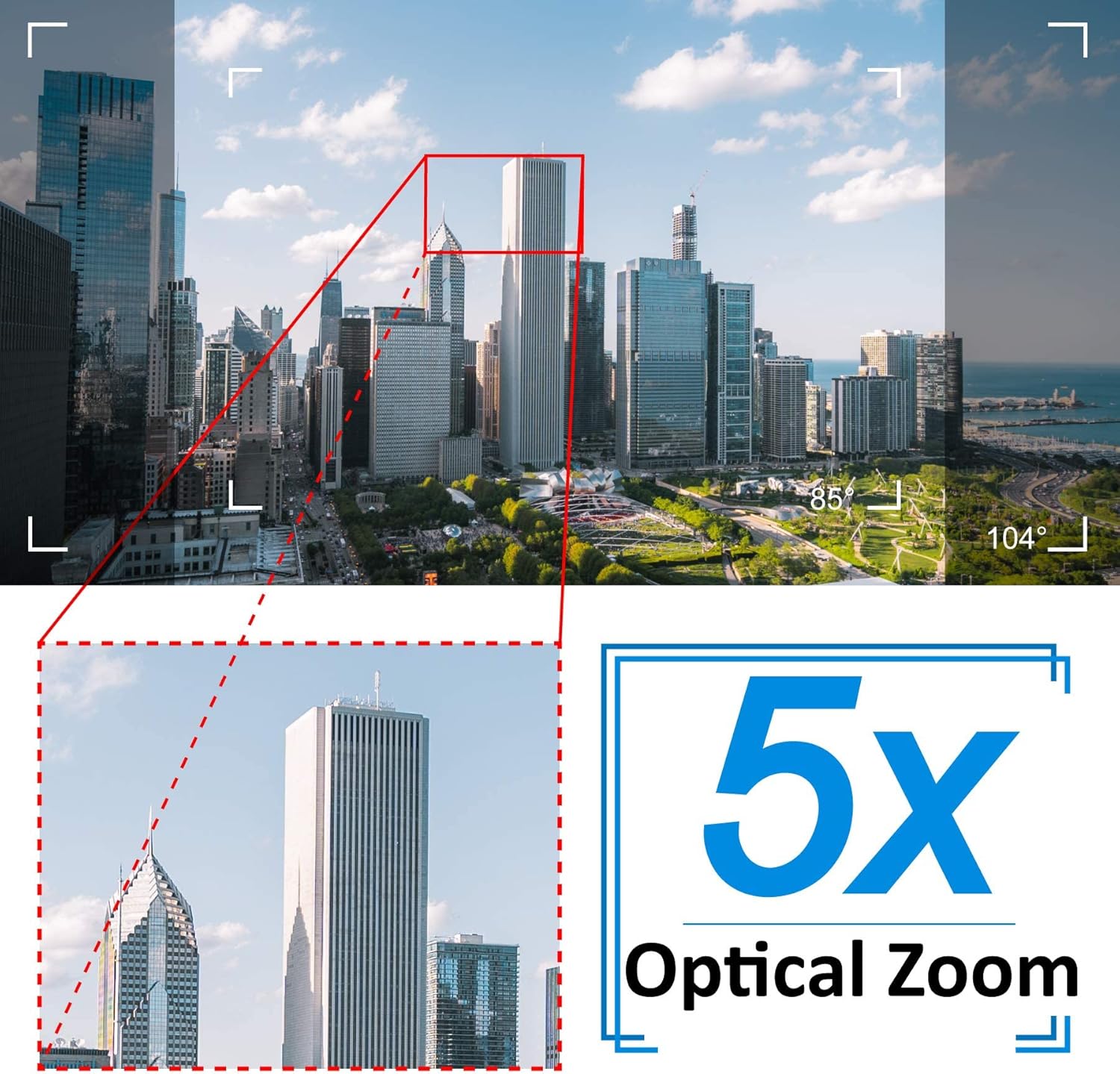
Image: A cityscape view demonstrating the 5X optical zoom feature, highlighting the ability to magnify distant objects clearly.
4.2 Двусторонняя аудиосвязь
Камера поддерживает двустороннюю аудиосвязь.

Image: A person interacting with the camera's two-way audio feature via a smartphone, showing speech bubbles for communication.
- Слушать: Нажмите на значок динамика в приложении, чтобы прослушать звук из места установки камеры.
- Говорить: Press and hold the microphone icon to speak through the camera's speaker. Release to stop speaking.
4.3 Ночное видение
Камера автоматически переключается в режим ночного видения в условиях низкой освещенности.

Image: A comparison showing a daytime view of a house and its clear night vision equivalent captured by the 5MP 1920P camera.
- The integrated IR-Cut filter and infrared LEDs provide clear black-and-white video up to 65ft (20 meters) in complete darkness.
4.4 Обнаружение движения и оповещения
Настройте параметры обнаружения движения, чтобы получать оповещения о подозрительной активности.

Image: A visual representation of the camera's human detection, email alert, and app notification features, with highlighted detection zones.
- Set Detection Zone: In the app settings, define specific areas within the camera's view для обнаружения движения.
- Отрегулируйте чувствительность: Modify the motion detection sensitivity to minimize false alarms.
- Настройка оповещений: Enable push notifications to your smartphone and/or email alerts with snapshots when motion is detected.
4.5 Запись и хранение
The camera comes with a pre-installed 64GB SD card for local storage.
- Непрерывная запись: The camera supports 24/7 continuous recording to the SD card.
- Циклическая запись: When the SD card is full, new recordings will automatically overwrite the oldest footage.
- Воспроизведение: Доступ к записанному footage through the app's playback function.
5. Техническое обслуживание
Регулярное техническое обслуживание обеспечивает оптимальную производительность и долговечность вашей камеры видеонаблюдения.

Image: The Jennov PTZ camera shown outdoors in various weather conditions (rain, snow, sun, wind), emphasizing its IP66 weatherproof rating.
- Уборка: Периодически прочищайте объектив камеры мягкой тряпкой.amp Используйте салфетку для удаления пыли, грязи или пятен от воды, которые могут повлиять на качество изображения. Не используйте агрессивные химические вещества.
- Проверьте соединения: Regularly inspect power and Ethernet cable connections for any signs of wear or damage. Ensure waterproof caps are securely in place.
- Обновления прошивки: Check the app regularly for available firmware updates. Keeping the camera's firmware updated can improve performance and security.
- Охрана окружающей среды: While the camera is IP66 weatherproof, extreme conditions (e.g., direct lightning strikes, prolonged submersion) should be avoided.
6. Поиск Неисправностей
Если у вас возникли проблемы с камерой, ознакомьтесь со следующими распространенными проблемами и способами их решения.
| Проблема | Возможная причина | Решение |
|---|---|---|
| Камера не может подключиться к Wi-Fi. | Неверный пароль Wi-Fi; Камера находится слишком далеко от роутера; Поддерживается только Wi-Fi 2.4 ГГц. | Verify password. Move camera closer to router. Ensure your router is broadcasting a 2.4GHz network and your phone is connected to it during setup. |
| В прямом эфире нет изображения или черный экран. view. | Power issue; Network disconnection; Camera malfunction. | Check power connection. Verify Wi-Fi/Ethernet connection. Restart camera and router. |
| Ночное зрение нечеткое. | Dirty lens; Obstruction; Insufficient IR illumination. | Clean the camera lens. Ensure no objects are blocking the IR LEDs. |
| Срабатывание оповещений об обнаружении движения происходит слишком часто или вообще не происходит. | Sensitivity too high/low; Detection zone not configured correctly. | Adjust motion detection sensitivity in the app. Redefine the detection zone to focus on critical areas. |
| Двусторонняя аудиосвязь не работает. | Microphone/speaker muted; App permissions; Network latency. | Check mute settings in the app. Ensure the app has microphone permissions on your phone. Verify stable network connection. |
7. Технические характеристики
Detailed technical specifications for the Jennov 5.0MP PTZ Outdoor WiFi Security Camera.
| Особенность | Спецификация |
|---|---|
| Номер модели | JE-P22HT55-5X-FAS-64-UK |
| Эффективное разрешение видео | 5 MP (1920p) |
| Оптический зум | 5X (2.7-13.5mm autofocus lens) |
| Угол поворота / наклона | Горизонтально: 355°, Вертикально: 100° |
| Беспроводные технологии | Wi-Fi (только 2.4 ГГц) |
| Диапазон ночного видения | Up to 65ft (20 meters) with Infrared LED |
| Всепогодный рейтинг | IP66 |
| Хранилище | Карта памяти Micro SD на 64 ГБ (предустановлена) |
| Источник питания | 12V1A DC (24 Watts) |
| Материал | Металл Сasing |
| Размеры (Д x Ш x В) | 21.5 х 19.5 х 11.5 см |
| Масса | 1.2 Килограмма |
| Совместимые устройства | Android/iOS Smartphones, Tablets, PCs |
| Тип установки | Настенное крепление, потолочное крепление |
8. Гарантия и поддержка
For warranty information and technical support, please refer to the official Jennov website or contact their customer service directly. Details regarding warranty periods and support channels are typically provided with your purchase documentation or on the manufacturer's product page.
Сохраните чек о покупке для предъявления претензий по гарантии.


