Введение
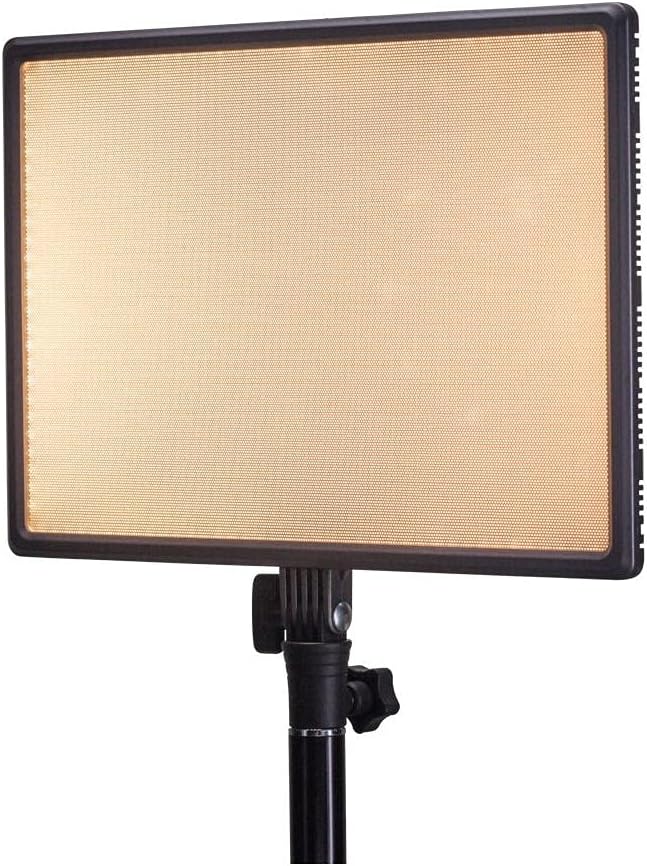
Thank you for choosing the Nanlite LumiPad 25 LED Panel. This manual provides essential information for the safe and effective operation of your device. Please read it thoroughly before use and retain it for future reference.
Меры предосторожности
- Не подвергайте устройство воздействию воды или высокой влажности.
- Избегайте прямого попадания светодиодного света в глаза.
- Используйте только одобренные адаптеры питания и батареи.
- Не пытайтесь разбирать или модифицировать устройство.
- Хранить в недоступном для детей месте.
Содержимое упаковки
Пожалуйста, проверьте наличие всех предметов в вашей посылке:
- Nanlite LumiPad 25 LED Panel
- Монтажный адаптер
- AC Power Adapter (may be sold separately)
- Руководство пользователя
Настраивать
1. Mounting the Light Panel
- Attach the included mounting adapter to the 1/4-inch screw thread located at the bottom of the LumiPad 25.
- Secure the mounting adapter to a compatible light stand or tripod.
- Adjust the angle of the LED panel using the tilt mechanism on the mounting adapter.

2. Включение устройства
The LumiPad 25 offers multiple power options:
- Питание переменного тока: Connect the AC power adapter to the DC IN port on the back of the panel, then plug the adapter into a wall outlet.
- Мощность аккумулятора: Insert two compatible NP-F style batteries (sold separately) into the battery slots on the back of the panel. Ensure correct polarity.


Операция
1. Включение/выключение питания
Locate the power switch on the back of the panel. Flip the switch to the 'ON' position to power on the light. Flip it to 'OFF' to power off.
2. Регулировка яркости
Use the 'DIMMER' control knob on the back of the panel to adjust the light output from 0% to 100% brightness. Rotate clockwise to increase brightness and counter-clockwise to decrease.
3. Регулировка цветовой температуры
Use the '5600K' control knob on the back of the panel to adjust the color temperature from warm (3200K) to cool (5600K). Rotate clockwise for cooler temperatures and counter-clockwise for warmer temperatures.

Обслуживание
Уборка
To clean the LED panel, use a soft, dry cloth. For stubborn marks, a slightly damp Можно использовать ткань с мягким моющим средством, следя за тем, чтобы жидкость не попала внутрь устройства. Не используйте абразивные чистящие средства или растворители.
Хранилище
When not in use, store the LumiPad 25 in a cool, dry place, away from direct sunlight and extreme temperatures. If storing for extended periods, remove batteries.
Поиск неисправностей
| Проблема | Возможная причина | Решение |
|---|---|---|
| Свет не включается. | No power, faulty connection, or depleted batteries. | Check power adapter connection or replace/recharge batteries. Ensure power switch is ON. |
| Brightness not adjusting. | Dimmer knob not functioning or at minimum/maximum setting. | Rotate the dimmer knob fully in both directions. If issue persists, contact support. |
| Цветовая температура не меняется. | Color temperature knob not functioning or at minimum/maximum setting. | Rotate the color temperature knob fully in both directions. If issue persists, contact support. |
Технические характеристики
| Особенность | Деталь |
|---|---|
| Номер модели | 11-2002 |
| Размеры продукта | 13.58 x 37 x 9 inches (overall packaging) / 1.2"L x 1.2"W x 1.2"H (unit) |
| Вес товара | 7.1 унции |
| Яркость | 2140 люмен (макс.) |
| Цветовая температура | 3200К - 5600К |
| Параметры питания | AC Adapter, NP-F style batteries, DC via D-tap cable |
Гарантия и поддержка
Nanlite products are covered by a limited warranty. For detailed warranty information, technical support, or service inquiries, please visit the official Nanlite webсайт или свяжитесь с вашим местным дистрибьютором.
Official Nanlite Webсайт: www.nanlite.com


