1. Введение
The GameMax Mirage 120mm PC Cooling Fan is designed to provide efficient cooling for computer components while offering customizable RGB lighting. This fan features a dual-ring Rainbow LED design, a hydraulic bearing for quiet operation, and a 7-blade fan structure. It is compatible with 5V addressable 3-pin Aura Sync systems, allowing for synchronized lighting effects with compatible motherboards or controllers.

Изображение 1.1: Спереди view of the GameMax Mirage fan with active Rainbow LED lighting.
2. Информация по технике безопасности
- Перед установкой или обслуживанием убедитесь, что ваш компьютер выключен и отсоединен от розетки.
- Обращайтесь с компонентами осторожно, чтобы избежать повреждений от статического электричества. Рекомендуется использовать антистатический браслет.
- Не прилагайте чрезмерных усилий к разъемам. Перед подключением кабелей убедитесь в их правильной ориентации.
- Держите вентилятор подальше от жидкостей и избыточной влаги.
- Не пытайтесь разбирать вентиляторный блок сверх того, что описано в данном руководстве.
3. Содержимое упаковки
Проверьте наличие всех предметов в посылке:
- 1 x GameMax Mirage 120mm PC Cooling Fan
- 4 x крепежных винтов
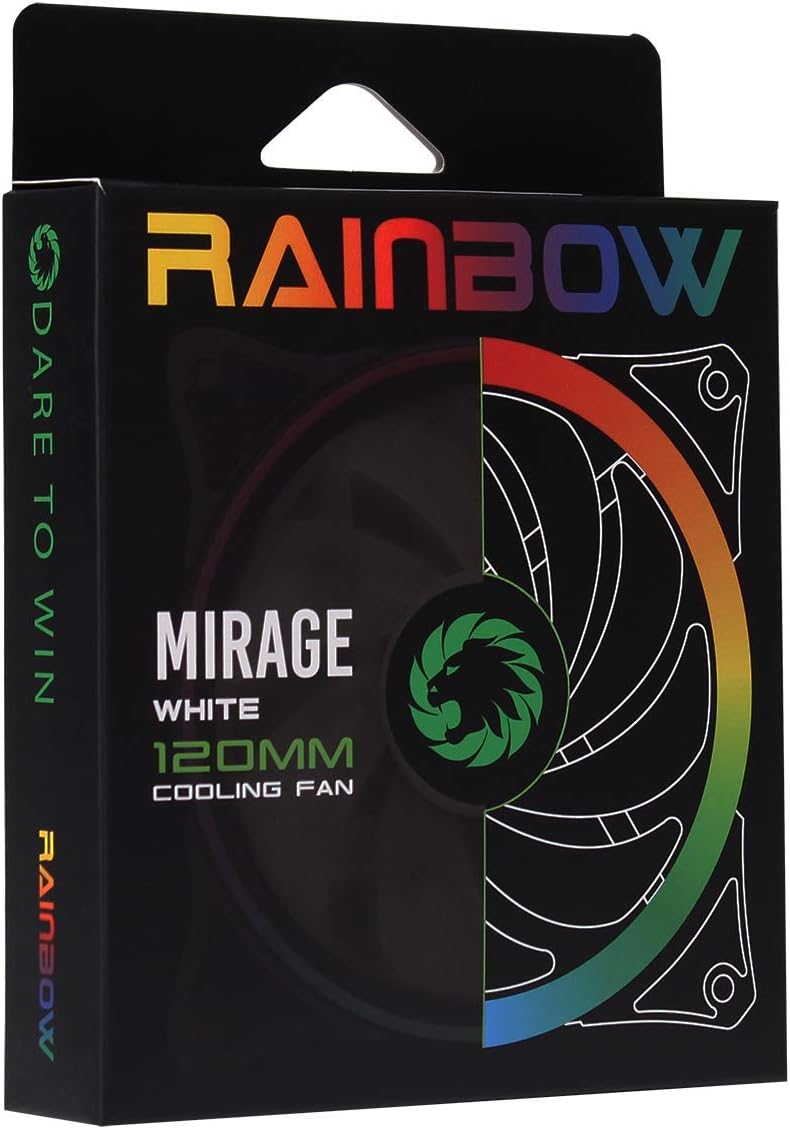
Image 3.1: Retail packaging for the GameMax Mirage fan.
4. Настройка и установка
Follow these steps to install your GameMax Mirage 120mm PC Cooling Fan:
- Подготовьте свою систему: Выключите компьютер и отсоедините его от розетки. Откройте корпус компьютера, чтобы получить доступ к местам крепления вентилятора.
- Установите вентилятор: Position the fan in your desired location (e.g., case front, rear, top, or radiator). Ensure the airflow direction is correct for your cooling setup. Use the four included mounting screws to secure the fan to the chassis or radiator. The fan features rubber pads on the corners to help reduce vibration.
- Подключите питание вентилятора: Locate the 3-pin power connector on the fan cable. Connect this cable to an available 3-pin fan header on your motherboard or a fan controller.
- Подключение RGB-подсветки: Locate the 5V addressable 3-pin Aura connector on the fan cable. Connect this to a compatible 5V ARGB header on your motherboard (often labeled 'VDG' or 'ARGB') or an external RGB controller/hub. Warning: Do not connect this to a 12V RGB header, as it will damage the LEDs.

Image 4.1: The 3-pin power connector (top) and 5V addressable 3-pin Aura connector (bottom).
The fan cables are braided for improved aesthetics and durability, helping to keep your build neat and tidy.
5. Инструкция по эксплуатации
Once installed, the GameMax Mirage fan operates as follows:
- Регулировка скорости вентилятора: The fan speed is controlled via the 3-pin power connector. If connected to a motherboard fan header, the speed can typically be adjusted through your motherboard's BIOS/UEFI settings or dedicated software.
- Управление RGB-освещением: The Rainbow LED lighting is controlled via the 5V addressable 3-pin Aura connector.
- If connected to a compatible motherboard (e.g., ASUS Aura Sync, MSI Mystic Light, Gigabyte RGB Fusion, ASRock Polychrome Sync), you can use the motherboard's software to customize lighting effects, colors, and synchronization with other ARGB components.
- If connected to an external RGB hub/controller, refer to the instructions provided with your specific hub/controller for lighting customization options.

Изображение 5.1: Под углом view of the GameMax Mirage fan showcasing its dual-ring Rainbow LED lighting.
6. Техническое обслуживание
Regular maintenance helps ensure optimal performance and longevity of your cooling fan:
- Очистка от пыли: Periodically inspect the fan blades and frame for dust accumulation. Use compressed air or a soft brush to gently remove dust. Ensure the fan is powered off and unplugged before cleaning.
- Проверка кабеля: Occasionally check the power and RGB cables for any signs of wear or damage.
7. Поиск Неисправностей
- Вентилятор не вращается:
- Ensure the 3-pin power connector is securely plugged into a functional fan header on the motherboard or controller.
- Check motherboard BIOS/UEFI settings to ensure the fan header is enabled and configured correctly.
- LEDs Not Lighting Up or Incorrect Colors:
- Verify the 5V addressable 3-pin Aura connector is securely connected to a compatible 5V ARGB header (not 12V RGB).
- Ensure your motherboard's RGB software or external controller is properly installed and configured.
- If using a splitter or hub, ensure it is powered and functioning correctly.
- Чрезмерный шум:
- Проверьте, нет ли каких-либо кабелей или препятствий, мешающих работе лопастей вентилятора.
- Ensure the fan is securely mounted and the rubber pads are properly seated to absorb vibrations.
- Dust accumulation can cause imbalance and noise; clean the fan as described in the Maintenance section.
8. Технические характеристики
| Особенность | Спецификация |
|---|---|
| Модель | MIRAGEWHITE FINS |
| Размер вентилятора | 120 мм х 120 мм х 25 мм (0.98 х 4.72 х 4.72 дюйма) |
| Тип подшипника | Гидравлический подшипник |
| Лопасти вентилятора | 7 лезвий |
| Тип светодиода | Addressable Rainbow LED (Dual-Ring) |
| Разъем питания вентилятора | 3-контактный |
| RGB-разъем | 5V Addressable 3-Pin Aura Connector |
| Рабочий объемtage | 5 Volts (for RGB) / 12 Volts (for fan motor, typical for 3-pin) |
| Номинальная мощностьtage | 3 Вт |
| Максимальная скорость вращения | 1800 об/мин |
| Уровень шума | Примерно 25 дБ(А) |
| Материал | Rubber (for vibration dampэн) |

Изображение 8.1: Вид сзади view of the GameMax Mirage fan, displaying the product label with model and electrical specifications.
9. Гарантия и поддержка
Информацию о гарантии и техническую поддержку можно получить на официальном сайте GAMEMAX. webна сайте или обратитесь к продавцу. Сохраните чек о покупке для предъявления гарантийных претензий.


