1. Введение
The ATEN CL3700NW is a 19-inch Ultra Short Depth Wide Screen LCD Console designed for efficient system management in server rooms and data centers. This console integrates an 18.5-inch TFT active matrix display, keyboard, and touchpad into a 1U rack-mountable sliding housing. It supports HDMI and USB connectivity, offering a compact and convenient solution for accessing and controlling connected computers.
2. Особенности продукта
- Отображать: 18.5-inch TFT active matrix with FHD 1080p (1920 x 1080) resolution.
- ViewУгол входа: 178 degrees (horizontal and vertical).
- Связь: HDMI and USB interfaces.
- Коэффициент контрастности: 1000:1 (calculated based on luminance of 350 cd/m²).
- Цвет: Черная отделка.
- Потребляемая мощность: 100-240 Вт.
- Масса: Approximately 4 kilograms (8.82 pounds).
3. Продукт закончилсяview
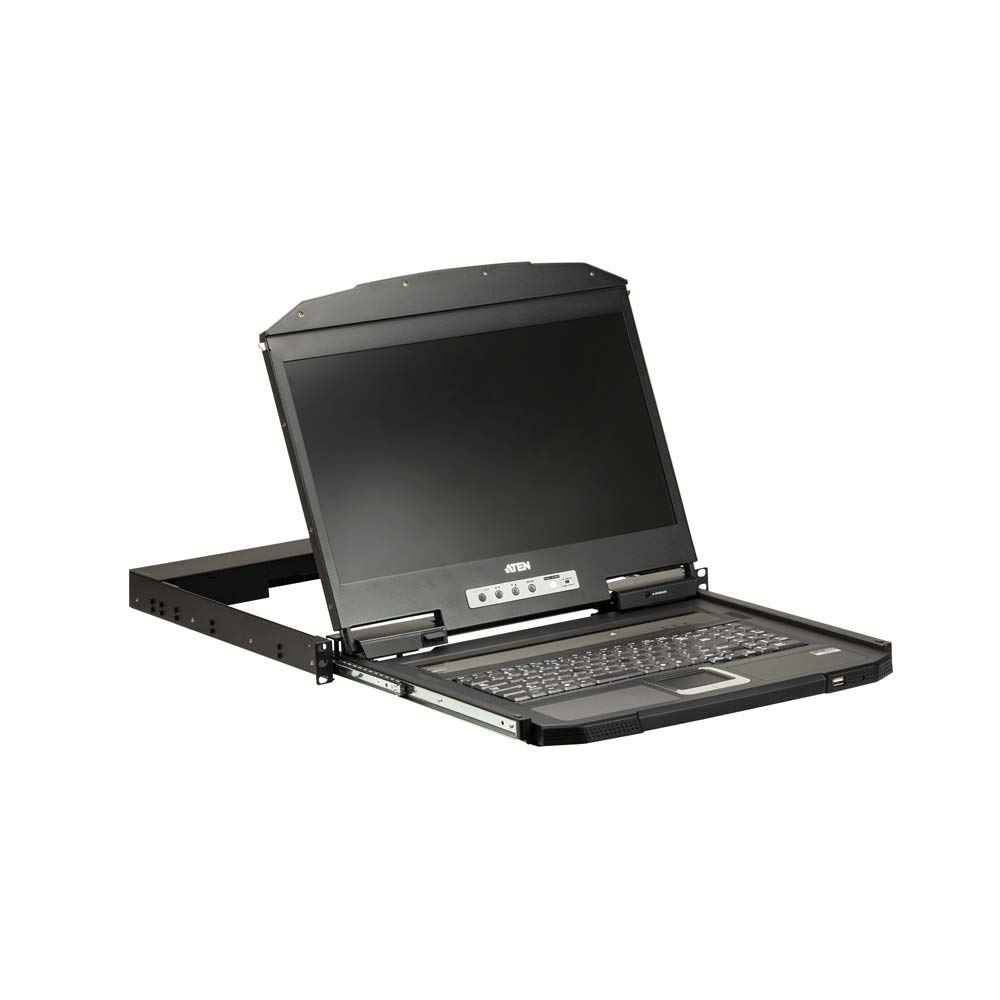
Рисунок 1: Крупный план view of the ATEN CL3700NW LCD console screen.

Рисунок 2: Передняя часть view of the ATEN CL3700NW LCD console, showing the closed unit.

Figure 3: The ATEN CL3700NW console with the keyboard and touchpad tray extended for use.
4. Настройка и установка
- Монтаж в стойку: Install the CL3700NW console into a standard 1U rack space using the provided mounting kit. Ensure secure fastening to prevent movement.
- Подключите видеокабель: Connect an HDMI cable from the console's HDMI input port to the HDMI output port of the computer or KVM switch.
- Подключите USB-кабель: Connect a USB cable from the console's USB port to a USB port on the computer or KVM switch. This provides keyboard and mouse functionality.
- Подключите питание: Connect the power adapter to the console's power input and then plug it into an AC power source.
- Включение питания: Press the power button on the console. The LCD display should illuminate, and the system will begin to boot.
5. Операция
- Открытие консоли: Gently pull the console tray out from the rack until it locks into place. Lift the LCD panel to the desired viewугол наклона.
- Клавиатура и тачпад: Use the integrated keyboard and touchpad for input. Standard keyboard shortcuts and mouse gestures apply.
- Настройка параметров дисплея: Use the OSD (On-Screen Display) buttons, typically located near the screen, to adjust brightness, contrast, and other display parameters. Refer to the OSD menu for specific options.
- Закрытие консоли: Lower the LCD panel, then push the console tray back into the rack until it clicks into its locked position.
6. Техническое обслуживание
- Очистка экрана: Используйте мягкую, безворсовую ткань, слегкаampОчистите экран неабразивным средством для чистки экранов. Не распыляйте средство непосредственно на экран.
- Cleaning the Keyboard/Touchpad: Use a soft brush or compressed air to remove dust and debris. A slightly damp cloth can be used for surface cleaning.
- Вентиляция: Ensure that the console's ventilation openings are clear of obstructions to prevent overheating.
- Управление кабелями: Periodically check all connected cables for secure connections and signs of wear.
7. Поиск Неисправностей
- Нет дисплея:
- Ensure the console is powered on and the power adapter is securely connected.
- Verify the HDMI cable is correctly connected to both the console and the computer/KVM.
- Check the computer/KVM video output settings.
- No Keyboard/Mouse Input:
- Ensure the USB cable is securely connected to both the console and the computer/KVM.
- Try connecting the USB cable to a different USB port on the computer/KVM.
- Restart the connected computer.
- Мерцающий или искаженный дисплей:
- Check the HDMI cable for damage or loose connections.
- Adjust the display resolution and refresh rate on the connected computer to match the console's specifications.
8. Технические характеристики
| Особенность | Спецификация |
|---|---|
| Название модели | CL3700NW |
| Размер экрана | 18.5 дюйма |
| Разрешение экрана | 1920 x 1080 (FHD 1080p) |
| Тип дисплея | Активная матрица TFT |
| Viewугол наклона | 178 degrees (Horizontal/Vertical) |
| Коэффициент контрастности | 1000:1 |
| Технология связи | HDMI, USB |
| Цвет | Черный |
| Вес товара | 19.82 фунта (приблизительно 8.99 кг) |
| Размеры продукта (ДxШxВ) | 18.78 x 1.69 x 18.92 дюйма |
| Потребляемая мощность | 100-240 Watts |
| Марка процессора | NVIDIA (CPU compatibility) |
9. Гарантия и поддержка
ATEN is committed to providing reliable products and support. For assistance with your CL3700NW console, please refer to the following information:
- Техническая поддержка: ATEN offers free technical support. Responses to customer inquiries are typically provided within 4 hours.
- Гарантийное обслуживание: Extended warranty service and variable value-added service packages are available.
- Ремонтные услуги: Localized repair centers are available for RMA (Return Merchandise Authorization) services.

Рисунок 4: Болееview of ATEN's support services, including localized repair, extended warranty, and free technical support.
For detailed warranty terms and to access support resources, please visit the official ATEN website or contact your local ATEN representative.


