1. Введение
Welcome to the user manual for your RugGear RG910 Rugged 8-inch Tablet. This document provides essential information for setting up, operating, maintaining, and troubleshooting your device. The RG910 is engineered for demanding environments, offering superior durability and connectivity for outdoor work and extreme conditions.
Please read this manual carefully to ensure proper use and to maximize the lifespan of your tablet.
2. Продукт закончилсяview
The RugGear RG910 is a robust tablet featuring an 8-inch WUXGA touchscreen, designed to withstand harsh conditions. It incorporates advanced sealing technology for high water and dust resistance, and is built to endure drops and impacts.

Рисунок 2.1: Передняя часть view of the RugGear RG910 rugged tablet, showcasing его прочная конструкция и дисплей.
Key features include Push-to-Talk (PTT) functionality, a long-lasting 6000 mAh battery, and an Android 8 (Oreo) operating system optimized for performance and power efficiency. The device is IP68 certified, allowing submersion in water up to 1.2 meters for 60 minutes, and is drop-resistant up to 1.5 meters.

Figure 2.2: Infographic highlighting the RG910's reliable performance, PTT capability, long battery life, Android 8 optimization, IP68 rating, and dual stereo speakers.
Connectivity options include 4G LTE, Wi-Fi 802.11b/g/n, and Bluetooth 4.0. It also features 8MP and 2MP cameras, GPS, A-GPS, GLONASS, and Beidou for navigation. The display is protected by Corning Gorilla Glass for enhanced durability and readability in sunlight.
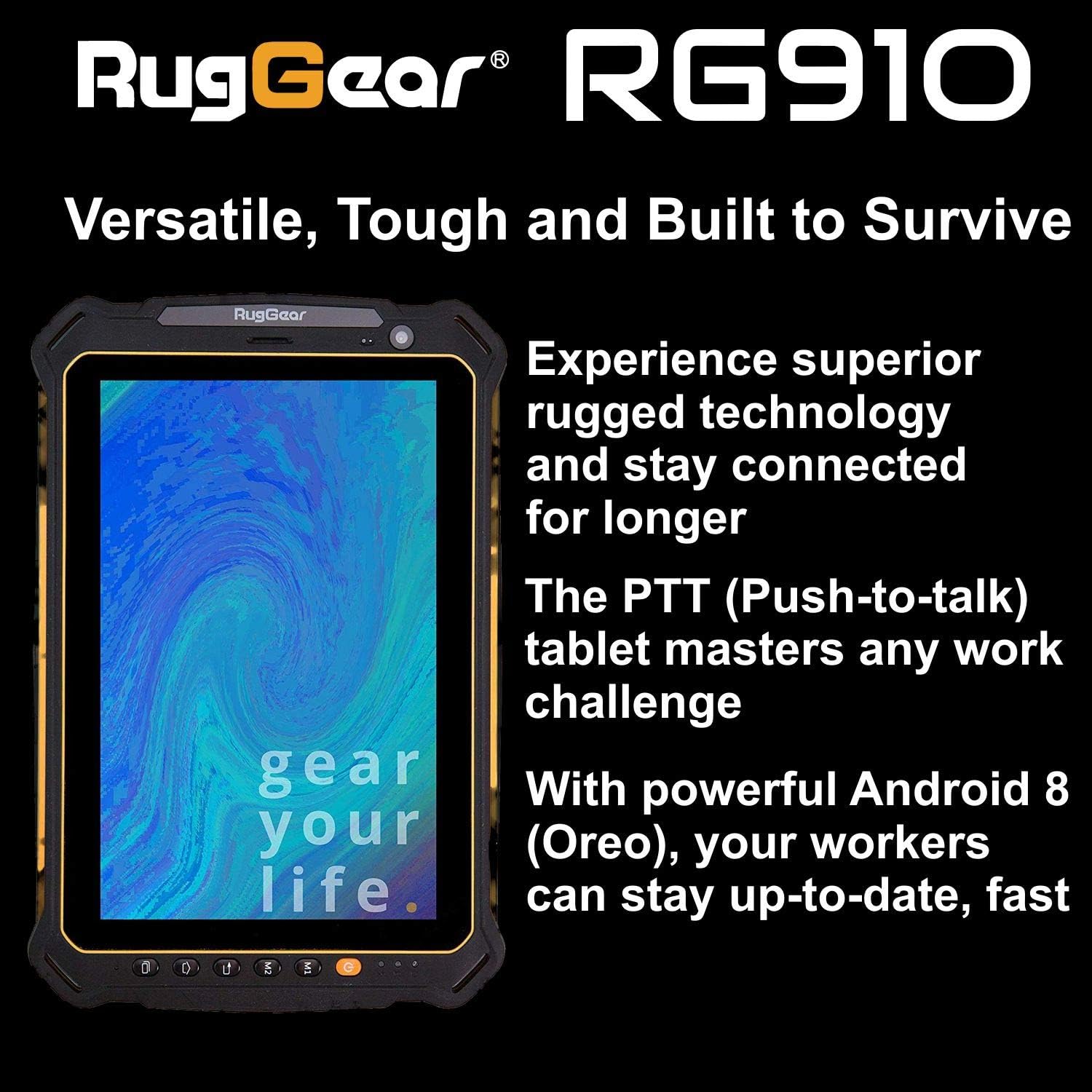
Figure 2.3: The RugGear RG910 tablet being used, illustrating its robust construction and suitability for various tasks.
3. Настройка
3.1 Зарядка устройства
Before initial use, fully charge the tablet using the provided charger and USB cable. Connect the charger to a power outlet and the USB cable to the tablet's charging port. The charging indicator will show the charging status.
3.2 Inserting SIM and Micro-SD Cards
- Locate the SIM/Micro-SD card slot cover on the side of the tablet.
- Осторожно откройте крышку.
- Insert the Nano-SIM card into the designated slot with the gold contacts facing down, ensuring it is correctly oriented.
- If using, insert a Micro-SD card (up to 64GB) into its dedicated slot.
- Close the cover securely to maintain the device's water and dust resistance.
3.3 Первоначальное включение и настройка
Press and hold the Power button until the RugGear logo appears. Follow the on-screen instructions to complete the initial setup, which includes selecting your language, connecting to a Wi-Fi network, and setting up your Google account.
4. Инструкция по эксплуатации
4.1 Включение/выключение питания
- Для включения: Нажмите и удерживайте кнопку питания, пока не загорится экран.
- Чтобы выключить: Нажмите и удерживайте кнопку питания, пока не появятся параметры питания, затем выберите «Выключить».
- Начать заново: Нажмите и удерживайте кнопку питания, пока не появятся параметры питания, затем выберите «Перезапустить».
4.2 Базовая навигация
The RG910 uses a capacitive touchscreen. Use standard Android gestures:
- Кран: Выберите элемент или откройте приложение.
- Проведите пальцем по экрану: Прокручивайте списки или переключайтесь между домашними экранами.
- Ущипнуть: Увеличивайте или уменьшайте масштаб изображений и web страниц.
- Длительное нажатие: Доступ к контекстным меню или перемещение значков.
4.3 Push-to-Talk (PTT) Functionality
The RG910 supports Push-to-Talk (PTT) communication. A dedicated PTT button may be present on the device. Consult your service provider or PTT application instructions for specific setup and usage details.
4.4 Работа камеры
To use the cameras:
- Откройте приложение «Камера» на главном экране или в панели приложений.
- Коснитесь экрана, чтобы сфокусироваться.
- Нажмите кнопку спуска затвора, чтобы сделать снимок или начать/остановить видеозапись.
- Переключайтесь между передней и задней камерами с помощью значка переключения камер.
4.5 Связь
- Wi-Fi: Перейти к Настройки > Сеть и Интернет > Wi-Fi для подключения к доступным сетям.
- 4G LTE: Ensure your SIM card is inserted and mobile data is enabled in Настройки > Сеть и Интернет > Мобильная сеть.
- Bluetooth: Включите Bluetooth в Настройки > Подключенные устройства > Bluetooth для сопряжения с другими устройствами.
5. Техническое обслуживание
5.1 Очистка устройства
To clean your tablet, use a soft, damp cloth. Avoid using harsh chemicals, abrasive cleaners, or solvents, as these can damage the device's ruggedized coating and seals. Ensure all port covers are securely closed before cleaning with moisture.
5.2 Защита от воды и пыли (IP68)
The RG910 is IP68 certified, meaning it is protected against dust ingress and can withstand submersion in fresh water up to 1.2 meters for 60 minutes. To maintain this rating:
- Ensure all port covers (USB, SIM/Micro-SD slot) are firmly closed before exposure to water or dust.
- Не допускайте контакта устройства с соленой водой, хлорированной водой или другими жидкостями.
- If the device gets wet, dry it thoroughly with a clean cloth before opening any covers or charging.
5.3 Уход за аккумулятором
- Избегайте экстремальных температур, которые могут ухудшить производительность аккумулятора.
- Используйте только оригинальное или сертифицированное совместимое зарядное устройство и кабель.
- Не прокалывайте, не разбирайте и не модифицируйте аккумулятор.
5.4 Обновления программного обеспечения
Регулярно проверяйте наличие обновлений программного обеспечения и устанавливайте их, чтобы обеспечить оптимальную производительность, безопасность и доступ к новым функциям. Перейти к Настройки > Система > Обновление системы.
6. Поиск Неисправностей
This section addresses common issues you might encounter with your RugGear RG910 tablet.
| Проблема | Возможное решение |
|---|---|
| Устройство не включается | Убедитесь, что аккумулятор заряжен. Подключите зарядное устройство и подождите несколько минут, прежде чем снова включить устройство. Если устройство не отвечает, выполните принудительную перезагрузку, удерживая кнопку питания в течение 10–15 секунд. |
| Экран не отвечает | Перезагрузите устройство. Если проблема не устранена, убедитесь, что экран чистый и сухой. |
| Не удаётся подключиться к Wi-Fi/4G. | Check Wi-Fi settings and ensure the network password is correct. For 4G, verify SIM card insertion, mobile data is enabled, and you have network coverage. Restart the tablet. |
| Аккумулятор быстро разряжается | Reduce screen brightness, close unused applications, disable unnecessary connectivity features (Bluetooth, GPS), and check for background app activity in settings. |
| Device is slow or freezes | Close background applications. Clear cache for problematic apps. Restart the device. Consider a factory reset if the issue is persistent (back up data first). |
7. Технические характеристики
Detailed technical specifications for the RugGear RG910 tablet:
| Особенность | Описание |
|---|---|
| Бренд | Коврик |
| Номер модели | 98300000 |
| Операционная система | Android 8 (Oreo) |
| Отображать | 8-inch WUXGA (1920 x 1200 pixels) with Corning Gorilla Glass |
| Процессор | Qualcomm® Snapdragon® 625 |
| БАРАН | 3 ГБ |
| Внутреннее хранилище | 32 GB (expandable up to 64 GB via Micro-SD) |
| Аккумулятор | 6000 мАч литий-ионный |
| Связность | 4G LTE, Wi-Fi 802.11b/g/n, Bluetooth 4.0, GPRS |
| Камеры | Задняя камера: 8 МП, передняя камера: 2 МП |
| Навигация | GPS, A-GPS, ГЛОНАСС, Бэйдоу |
| Прочность | IP68 certified (water/dust resistant), Drop-resistant up to 1.5 meters |
| Размеры (Д x Ш x В) | 21.3 х 14.1 х 2 см |
| Масса | 906 грамм |
| Особые возможности | Ruggedized Construction, Push-to-Talk (PTT) functionality, Adjustable back strap |
| Модельный год | 2018 |
8. Гарантия и поддержка
Your RugGear RG910 tablet is covered by a manufacturer's warranty. Please refer to the warranty card included with your product packaging for specific terms and conditions, including warranty duration and coverage details. For technical support, service, or further assistance, please contact RugGear customer service or your authorized dealer.


