1. Важные инструкции по технике безопасности
Please read all instructions carefully before using this projector and retain them for future reference. Improper operation may result in electric shock, fire, or other hazards.
- Источник питания: Используйте только адаптер питания, входящий в комплект поставки проектора. Убедитесь, что громкость...tagе соответствует местному источнику питания.
- Вентиляция: Не закрывайте вентиляционные отверстия. Обеспечьте достаточную циркуляцию воздуха вокруг проектора, чтобы предотвратить перегрев.
- Размещение: Place the projector on a stable, flat surface. Avoid placing it in direct sunlight, near heat sources, or in environments with high humidity or dust.
- Вода и влага: Do not expose the projector to rain, moisture, or immerse it in water. If liquid enters the device, disconnect power immediately and contact support.
- Уборка: Unplug the projector from the power outlet before cleaning. Use a soft, dry cloth. Do not use liquid or aerosol cleaners.
- Обслуживание: Не пытайтесь ремонтировать это изделие самостоятельно. Все работы по обслуживанию должны выполняться квалифицированным сервисным персоналом. Вскрытие крышкиasing может подвергнуть вас опасному воздействию voltagе или другие опасности.
- Защита глаз: Не смотрите прямо в объектив проектора, когда он включен.amp включен, так как яркий свет может вызвать повреждение глаз.
2. Содержимое упаковки
Убедитесь, что все перечисленные ниже предметы входят в комплект. Если какие-либо предметы отсутствуют или повреждены, обратитесь в службу поддержки клиентов.
- DBPOWER T22 Portable Video Projector
- Дистанционное управление
- HDMI-кабель
- AV-кабель
- Силовой кабель
- Руководство пользователя
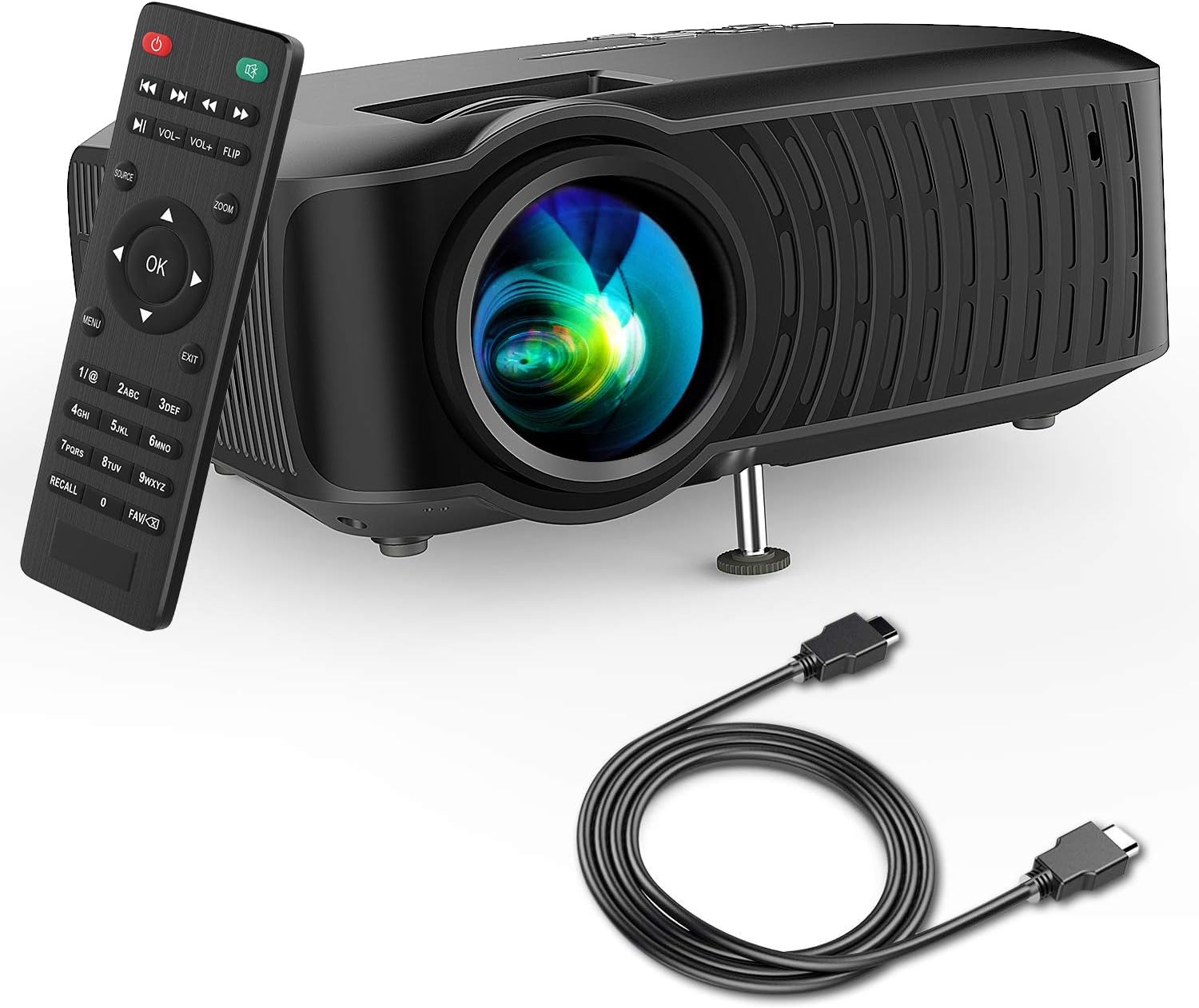
Image: The DBPOWER T22 Portable Video Projector, its remote control, and an HDMI cable, representing the typical package contents.
3. Продукт закончилсяview
Familiarize yourself with the various parts of your DBPOWER T22 projector.
3.1 Вид спереди и сбоку View

Изображение: вид сбоку view of the DBPOWER T22 projector with dimensions indicating its compact and portable design (21.8cm length, 17.2cm width, 9.16cm height).
- Проекционная линза: Выводит изображение на экран.
- Кольцо фокусировки: Регулирует четкость изображения.
- Коррекционное кольцо Keystone: Корректирует трапециевидные искажения изображения.
- Вентиляционные отверстия: Для отвода тепла. Не блокировать.
- Регулируемая ножка: Raises or lowers the front of the projector.
3.2 Задняя панель и возможности подключения
На задней панели расположены различные входные и выходные порты для подключения внешних устройств.
- Порт HDMI: Connects to devices like laptops, Blu-ray players, game consoles, and TV sticks.
- USB-порт: Connects to USB flash drives for media playback.
- AV-порт: Подключается к старым устройствам с помощью прилагаемого AV-кабеля.
- Слот для SD-карты: Для воспроизведения мультимедиа непосредственно с SD-карты.
- Аудиовыход (разъем 3.5 мм): Подключается к внешним динамикам или наушникам.
- Потребляемая мощность: Подключается к адаптеру питания.
Пульт дистанционного управления 3.3
The remote control allows convenient operation of the projector from a distance.
- Кнопка питания: Включает/выключает проектор.
- Кнопка источника: Selects input source (HDMI, AV, USB, SD).
- Кнопки навигации (вверх/вниз/влево/вправо): Осуществляет навигацию по меню.
- Кнопка ОК: Подтверждает выбор.
- Кнопка меню: Предоставляет доступ к настройкам проектора.
- Кнопка выхода: Выход из текущего меню или функции.
- Объем +/-: Регулирует громкость динамика.
- Кнопка переворота: Rotates the projected image.
- Кнопка масштабирования: Adjusts image zoom (digital zoom).
4. Настройка
4.1 Включение/выключение питания
- Connect the power cable to the projector's power input, then plug the other end into a power outlet.
- Press the power button on the projector or the remote control to turn it on. The indicator light will change.
- Для выключения нажмите кнопку питания еще раз.
4.2 Регулировка фокусировки изображения и трапецеидальных искажений
Achieve a clear and rectangular image by adjusting the focus and keystone correction.

Image: Diagram showing the manual keystone correction and focus rings on the side of the projector, with examples of de-focused and focused images, and trapezoidal correction.
- Фокус: Поверните Кольцо фокусировки until the projected image appears sharp and clear.
- Коррекция трапецеидальных искажений: If the image appears trapezoidal (wider at the top or bottom), rotate the Корректирующее кольцо Keystone to make the image rectangular. The projector supports ±15° manual keystone correction.
4.3 Подключение внешних устройств
The DBPOWER T22 supports multiple input sources.
- HDMI: Connect an HDMI cable from your device (e.g., laptop, game console, Amazon Fire TV Stick) to the projector's HDMI port.
- USB: Вставьте USB-флеш-накопитель в USB-порт.
- СРЕДНИЙ: Use the provided AV cable to connect to devices with AV output.
- SD-карта: Вставьте SD-карту в слот для SD-карт.
- Смартфоны: For iOS devices, an external Lightning to HDMI adapter is required. For Android devices, an external Micro USB/Type-C to HDMI adapter is required. (Adapters not included).
5. Эксплуатация проектора
5.1 Выбор источника входного сигнала
After connecting your device, you need to select the correct input source.
- Нажмите Источник button on the remote control or the projector.
- Use the navigation buttons to select the desired input source (e.g., HDMI, USB, AV, SD).
- Нажимать OK для подтверждения.
5.2 Воспроизведение мультимедиа (USB/SD)
When a USB drive or SD card is inserted, the projector will display a media browser.
- Перемещайтесь по папкам и fileс помощью навигационных кнопок пульта дистанционного управления.
- Выберите file (e.g., video, photo, music, text) and press OK играть.
5.3 Аудиовыход
The projector features an improved built-in speaker system. For enhanced audio, you can connect external speakers.

Image: An illustration of the DBPOWER T22 projector highlighting its stereo speakers, indicating that external speakers are not always necessary for an enjoyable audio experience.
- Встроенный динамик: The projector's internal speaker provides audio. Adjust volume using the ГРОМКОСТЬ +/- кнопки на пульте.
- External Speakers/Headphones: Connect a 3.5mm audio cable from your external audio device to the projector's Audio Out port.
5.4 Projector Settings (Menu)
Нажмите Меню button on the remote to access settings such as Picture Mode, Aspect Ratio, Sound Mode, and other system preferences.
6. Техническое обслуживание
6.1 Очистка объектива
Use a professional lens cleaning cloth or lens paper to clean the projector lens. Avoid touching the lens directly with your hands.

Изображение: взорванный view of the projector lens assembly, highlighting the tempered glass lens and the importance of a dust cover to protect it from scratches and dust.
6.2 Чистка корпуса проектора
Wipe the projector body with a soft, dry cloth. Do not use abrasive cleaners or solvents.
6.3 Heat Dispersion System
The projector features an advanced cooling system to ensure stable operation and extend lamp life. Ensure ventilation ports are clear.

Изображение: Внутренний view of the DBPOWER T22 projector, illustrating the advanced heat dispersion system with air flowing through cooling fins to maintain optimal operating temperature.
6.4 лamp Жизнь
Светодиод lamp in your DBPOWER T22 projector has an extended lifespan of over 50,000 hours, significantly reducing the need for lamp замена.
7. Поиск Неисправностей
Если у вас возникнут проблемы, обратитесь к следующим распространенным проблемам и решениям.
| Проблема | Возможная причина | Решение |
|---|---|---|
| Нет изображения или сообщение «Нет сигнала» | Выбран неверный источник входного сигнала; плохое соединение кабеля; устройство не включено. |
|
| Размытое изображение | Фокусировка не отрегулирована; проектор расположен слишком близко/далеко от экрана. |
|
| Трапецеидальное изображение | Проектор расположен не перпендикулярно экрану. |
|
| Нет звука или низкая громкость | Volume too low; mute enabled; external audio device issues. |
|
| Пульт дистанционного управления не работает | Dead batteries; obstruction; remote not pointed at IR receiver. |
|
8. Технические характеристики
Detailed technical specifications for the DBPOWER T22 Portable Video Projector.
| Особенность | Деталь |
|---|---|
| Бренд | DBPOWER |
| Номер модели | Т22 |
| Яркость | 120 ANSI Lumens (80% brighter than most market projectors) |
| Коэффициент контрастности | 2000:1 |
| Поддерживаемое разрешение | 1080P (полное HD) |
| Встроенное разрешение дисплея | 800 х 480 |
| Тип дисплея | ЖК-дисплей |
| Lamp Жизнь | 50,000 часа |
| Размер проекции | 32-176 дюймов |
| Расстояние проекции | 1-5.2 метров |
| Коррекция трапецеидальных искажений | Ручной ±15° |
| Технология связи | HDMI, USB, AV, SD Card |
| Встроенный динамик | Yes (Improved system) |
| Размеры продукта | 21.59 х 17.02 х 9.14 см |
| Вес товара | 1.9 кг |
| Ватtage | 24 Вт |
9. Гарантия и поддержка
DBPOWER products are designed and manufactured to the highest quality standards. For warranty information, technical support, or customer service inquiries, please refer to the contact information provided with your purchase or visit the official DBPOWER webсайт.
Официально Webсайт: www.dbpower.co (Пожалуйста, обратите внимание: URL may vary by region. Refer to product packaging for specific regional support details.)


