1. Введение
This manual provides instructions for the StarTech.com USB C Multiport Adapter, model DKT30CSDHPD3. This portable 6-in-1 USB-C docking station is designed to expand the connectivity of your USB Type-C or Thunderbolt 3 laptop, such as MacBook Pro or Dell XPS. It allows you to connect a 4K HDMI monitor, access wired network via Gigabit Ethernet, connect USB 3.0 peripheral devices, and utilize an SD card reader. The adapter also supports USB Power Delivery 3.0 for charging your laptop and powering peripherals.
2. Особенности продукта
- Выход HDMI 4K: Connect an external display for Ultra HD video at 30Hz.
- Порты USB-A 3.0 (2 шт.): Two USB-A ports (5Gbps) for connecting standard USB peripherals like mice, keyboards, or flash drives.
- USB-C Port (Data or Power Delivery 3.0 Pass-Through): One USB-C port for data transfer or for connecting a USB-C power adapter to charge your laptop (up to 48W) and power the dock (12W). Features Fast Role Swap to prevent USB data disruption.
- SD / SDHC / SDXC Card Reader: Integrated slot for accessing multimedia content from SD cards.
- Порт Gigabit Ethernet: Provides reliable wired network access, ideal for environments with limited Wi-Fi.
- Компактная и легкая конструкция: Portable form factor suitable for mobile use and travel.
- Широкая совместимость: Works with Thunderbolt 3 (TB3) laptops/ultrabooks, USB-C laptops, Chromebooks, tablets, and phones across various operating systems including Windows, macOS, Chrome OS, and Android.

Изображение: Спереди view of the StarTech.com USB C Multiport Adapter, highlighting its various ports including USB Type-C, SD Card Reader, two USB Type-A (USB 3.0), and HDMI.
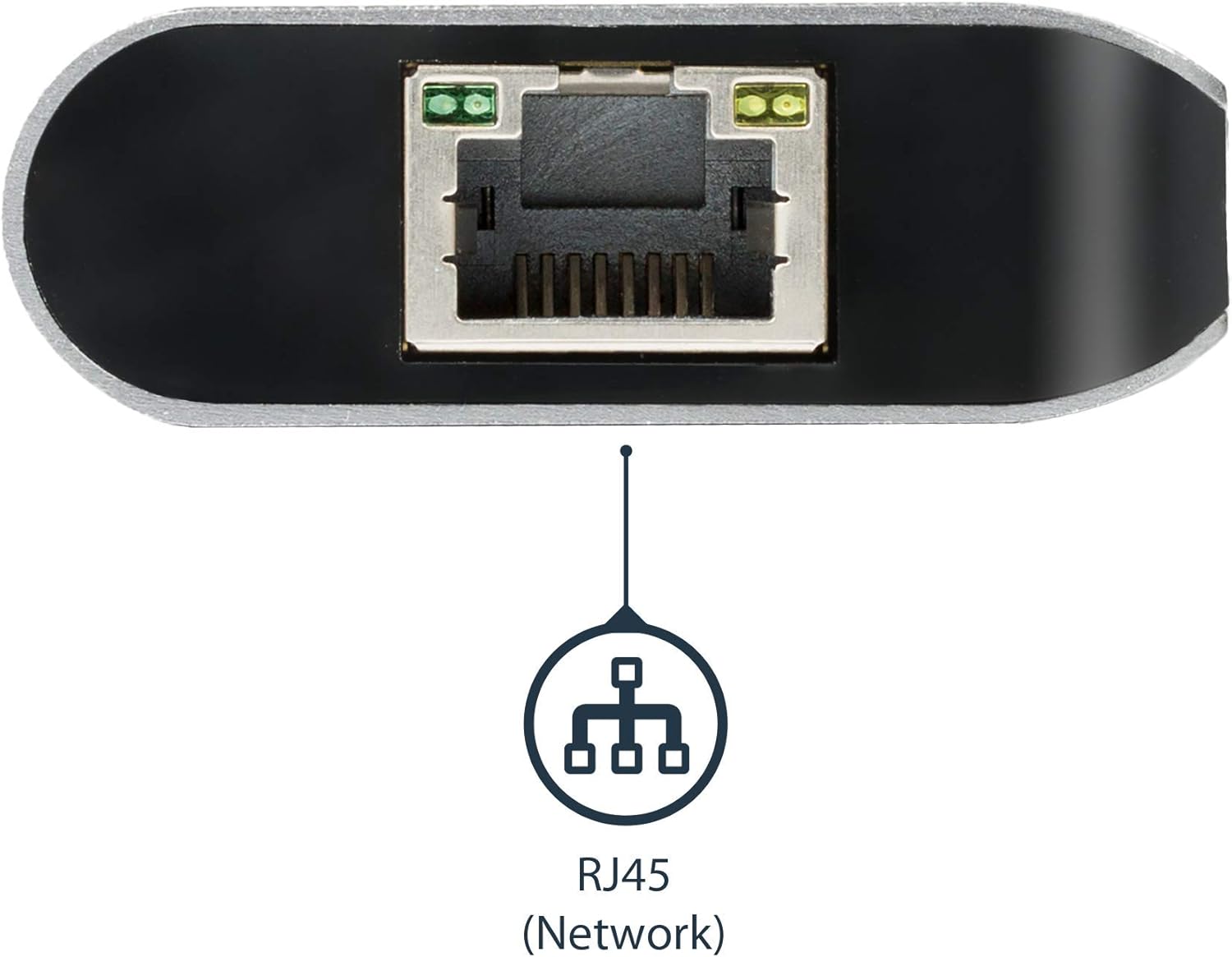
Изображение: сбоку view of the StarTech.com USB C Multiport Adapter, showing the RJ45 Ethernet port for network connectivity.
3. Инструкции по настройке
Follow these steps to set up your StarTech.com USB C Multiport Adapter:
- Подключение к хост-устройству: Plug the integrated USB-C cable from the multiport adapter into an available USB-C or Thunderbolt 3 port on your laptop or compatible device.
- Подключите HDMI-дисплей: Connect an HDMI cable from your monitor to the HDMI port on the multiport adapter. Ensure your monitor is powered on and set to the correct input source.
- Подключение периферийных USB-устройств: Plug your USB-A devices (e.g., keyboard, mouse, external hard drive) into the two USB 3.0 Type-A ports on the adapter.
- Вставьте SD-карту: If needed, insert your SD, SDHC, or SDXC card into the designated card reader slot.
- Подключение к сети (необязательно): For wired internet access, connect an Ethernet cable from your router or network switch to the RJ45 Gigabit Ethernet port on the adapter.
- Подключите адаптер питания (опционально, для зарядки): If your laptop requires charging through the adapter, connect your laptop's USB-C power adapter to the USB-C Power Delivery port on the multiport adapter. This will charge your laptop and provide power to the adapter and connected peripherals.

Image: The USB Type-C connector that connects the adapter to your host device.
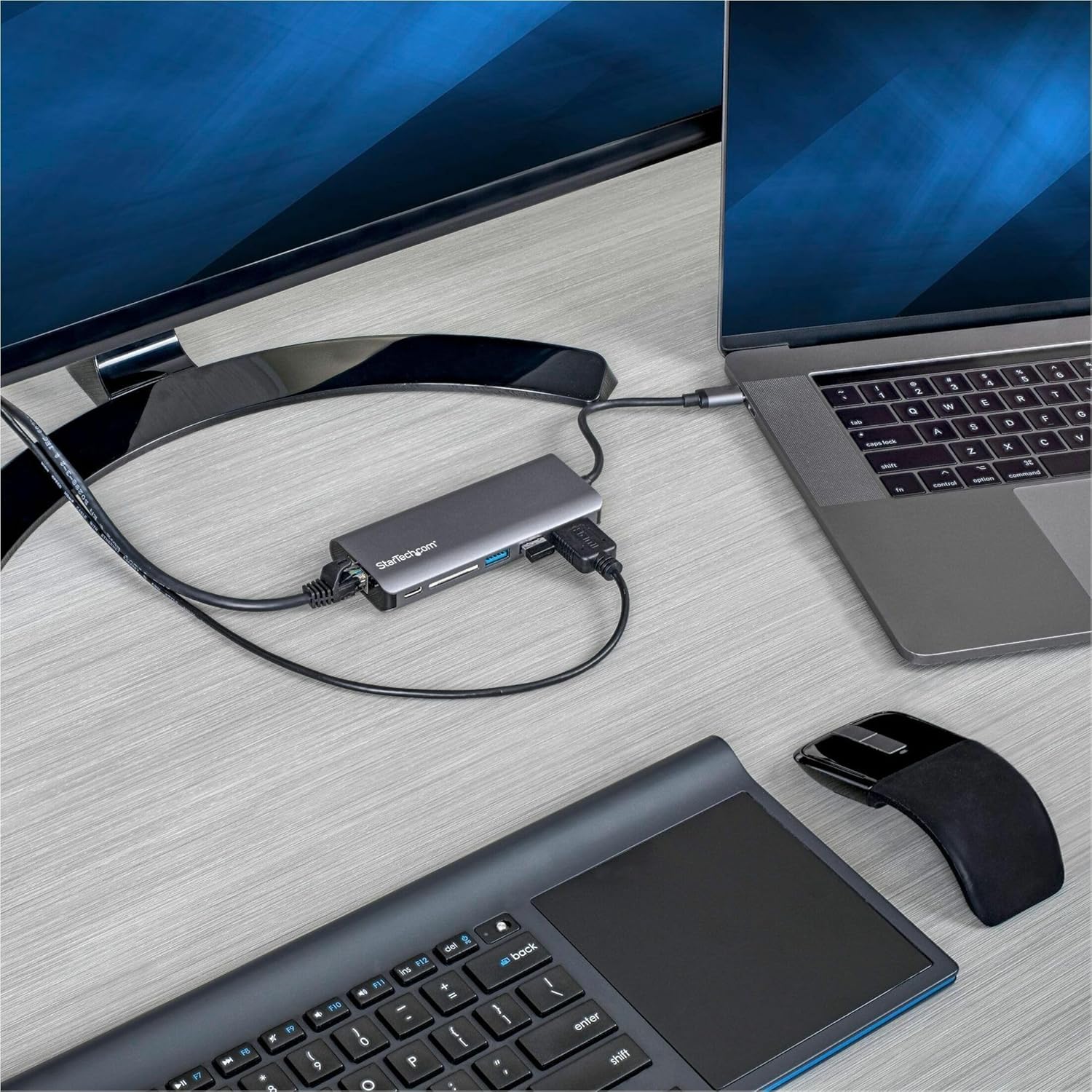
Image: The multiport adapter connected to a laptop, extending to an external monitor, and with a phone charging via a USB port.
4. Инструкция по эксплуатации
Once the adapter is set up, it operates automatically with most compatible devices and operating systems. Drivers are typically installed automatically upon first connection.
- Вывод на дисплей: Your connected HDMI monitor should automatically extend or mirror your laptop's display. You may need to adjust display settings in your operating system (e.g., Windows Display Settings, macOS System Preferences > Displays) to configure resolution, refresh rate, and display arrangement.
- USB-периферийные устройства: Connected USB devices will function as if directly connected to your laptop.
- Устройство чтения SD-карт: The SD card will appear as a removable drive in your file проводник, позволяющий вам перенести files.
- Ethernet-подключение: The wired network connection will be active. Verify network status in your operating system's network settings.
- Мощность доставки: When a USB-C power adapter is connected to the adapter's PD port, your laptop will charge, and the adapter will draw power to operate all its functions. The Power Delivery 3.0 with Fast Role Swap ensures stable USB data connections even when the power source is connected or disconnected.
5. Техническое обслуживание
To ensure the longevity and optimal performance of your multiport adapter, follow these maintenance guidelines:
- Уборка: Use a soft, dry, lint-free cloth to clean the adapter. Avoid using abrasive cleaners, solvents, or aerosol sprays.
- Хранилище: Храните адаптер в прохладном, сухом месте, вдали от прямых солнечных лучей и экстремальных температур.
- Умение обращаться: Avoid dropping the adapter or subjecting it to strong impacts. Do not pull on the cable to disconnect it from your laptop; always grasp the connector.
- Вентиляция: Ensure the adapter has adequate ventilation and is not covered, especially during extended use, to prevent overheating.
6. Поиск Неисправностей
If you encounter issues with your StarTech.com USB C Multiport Adapter, refer to the following troubleshooting tips:
- На внешнем мониторе нет изображения:
- Ensure the HDMI cable is securely connected to both the adapter and the monitor.
- Verify the monitor is powered on and set to the correct HDMI input source.
- Check your laptop's display settings to ensure the external monitor is detected and configured (e.g., extended, mirrored).
- Попробуйте использовать другой HDMI-кабель или монитор, если он доступен.
- USB-периферийные устройства не работают:
- Ensure USB devices are properly plugged into the adapter's USB-A ports.
- Попробуйте подключить USB-устройство напрямую к ноутбуку, чтобы убедиться в его автономной работе.
- If using high-power USB devices, ensure a USB-C power adapter is connected to the multiport adapter's PD port.
- Ноутбук не заряжается:
- Confirm your laptop's USB-C power adapter is connected to the multiport adapter's USB-C PD port.
- Ensure the power adapter is functioning correctly and providing sufficient wattage for your laptop and the adapter.
- Нет подключения к сети:
- Verify the Ethernet cable is securely connected to both the adapter and your router/switch.
- Check your laptop's network settings to ensure the wired connection is recognized and active.
- Попробуйте использовать другой кабель Ethernet.
- SD-карта не обнаружена:
- Ensure the SD card is fully and correctly inserted into the card reader slot.
- Test the SD card with another device to confirm it is not corrupted.
7. Технические характеристики
| Бренд | StarTech.com |
| Номер модели | DKT30CSDHPD3 |
| Ряд | USB-C Multiport Adapter with HDMI, SD Reader, 2xA 1xC, PD 3.0 |
| Цвет | Космический серый |
| Размеры продукта | 10.6 x 1.8 x 0.6 дюйма (26.9 x 4.6 x 1.5 см) |
| Вес товара | 3.04 унции (86.2 грамма) |
| аппаратный интерфейс | SDHC, SDXC, Secure Digital Card, USB, USB 3.0, USB Docking Station, microSDHC |
| Совместимые устройства | Notebooks (USB-C or Thunderbolt 3 enabled) |
| Операционная система | Chrome OS, Windows 10, Windows 7, macOS, Android |
| Общее количество портов USB | 3 (2x USB-A 3.0, 1x USB-C for Data/PD) |
| Всего портов HDMI | 1 |
| Ватtage | 60 watts (Power Delivery 3.0) |
8. Гарантия и поддержка
StarTech.com products are backed by a comprehensive warranty and free lifetime technical support. For specific warranty details and to access technical support resources, please visit the official StarTech.com website or refer to the Quick-start Guide included with your product.
Интернет-ресурсы:
- For product manuals, drivers, and FAQs, visit: Официальный сайт StarTech.com Webсайт
- For direct support, contact StarTech.com customer service.


