1. Продукт закончилсяview
The Tenveo VHD3U USB PTZ Video Conference Camera is designed for high-definition video conferencing, live streaming, and various communication needs. It features 3X optical zoom, 1080P Full HD video output, and a 1/2.9'' SONY CMOS Sensor for clear image quality. Its pan/tilt capabilities and preset functions offer flexible control for diverse environments.

Видео 1: Генералview of the Tenveo VHD USB camera, highlighting its features and applications.
2. Содержимое упаковки
Проверьте наличие всех предметов в упаковке:
- FHD Conference Camera
- ИК-пульт дистанционного управления
- Источник питания
- USB-кабель
- Руководство пользователя
- Настенное крепление
- Крепежные винты

3.Основные характеристики
- Видео 1080P Full HD: Equipped with a 3x optical zoom wide-angle lens and a 1/2.9'' SONY CMOS Sensor for 1080P FHD video output.
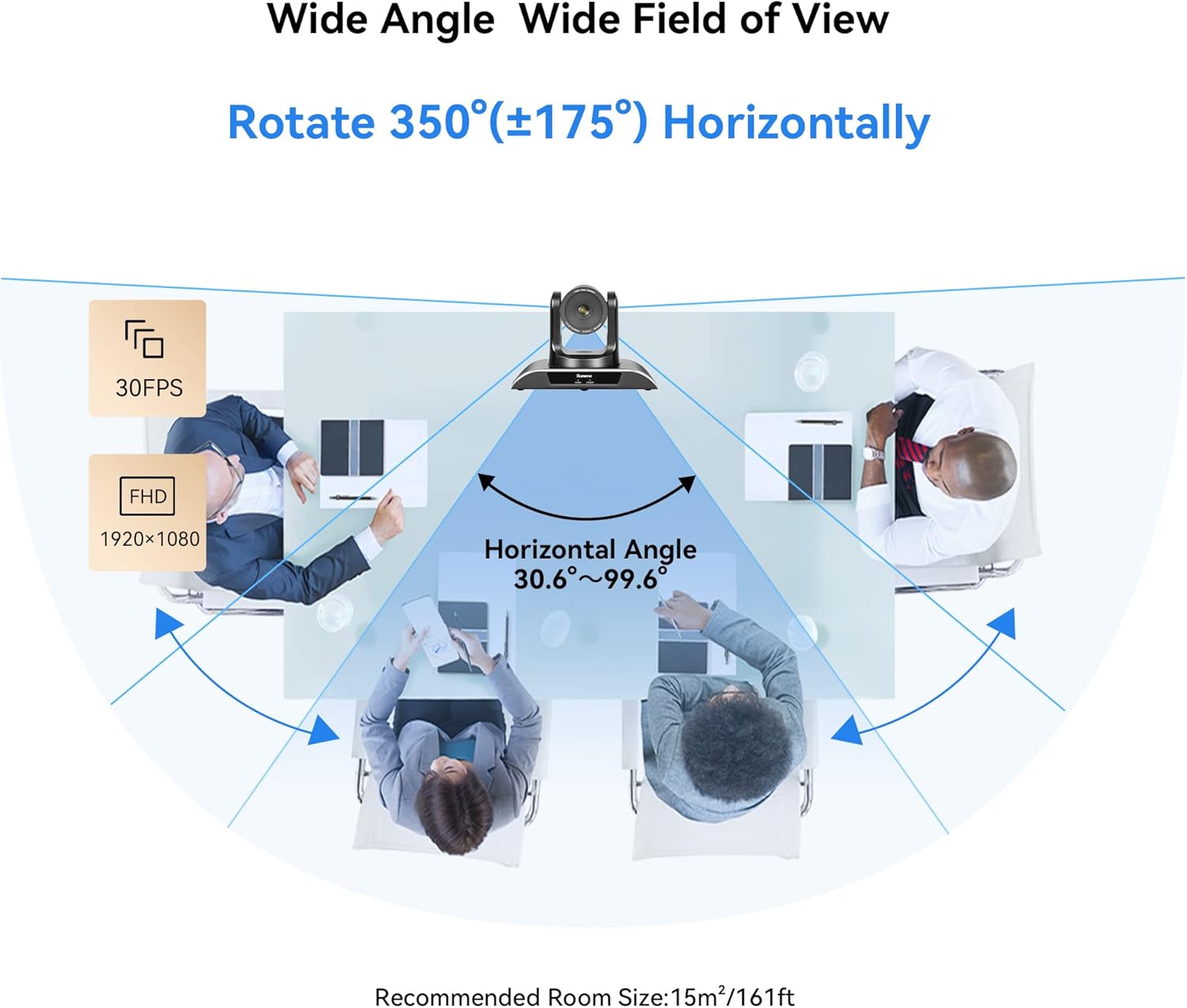
- Smooth Pan/Tilt Movement: Remotely controllable with 350° horizontal rotation (±175°) and 180° vertical rotation (±90°).
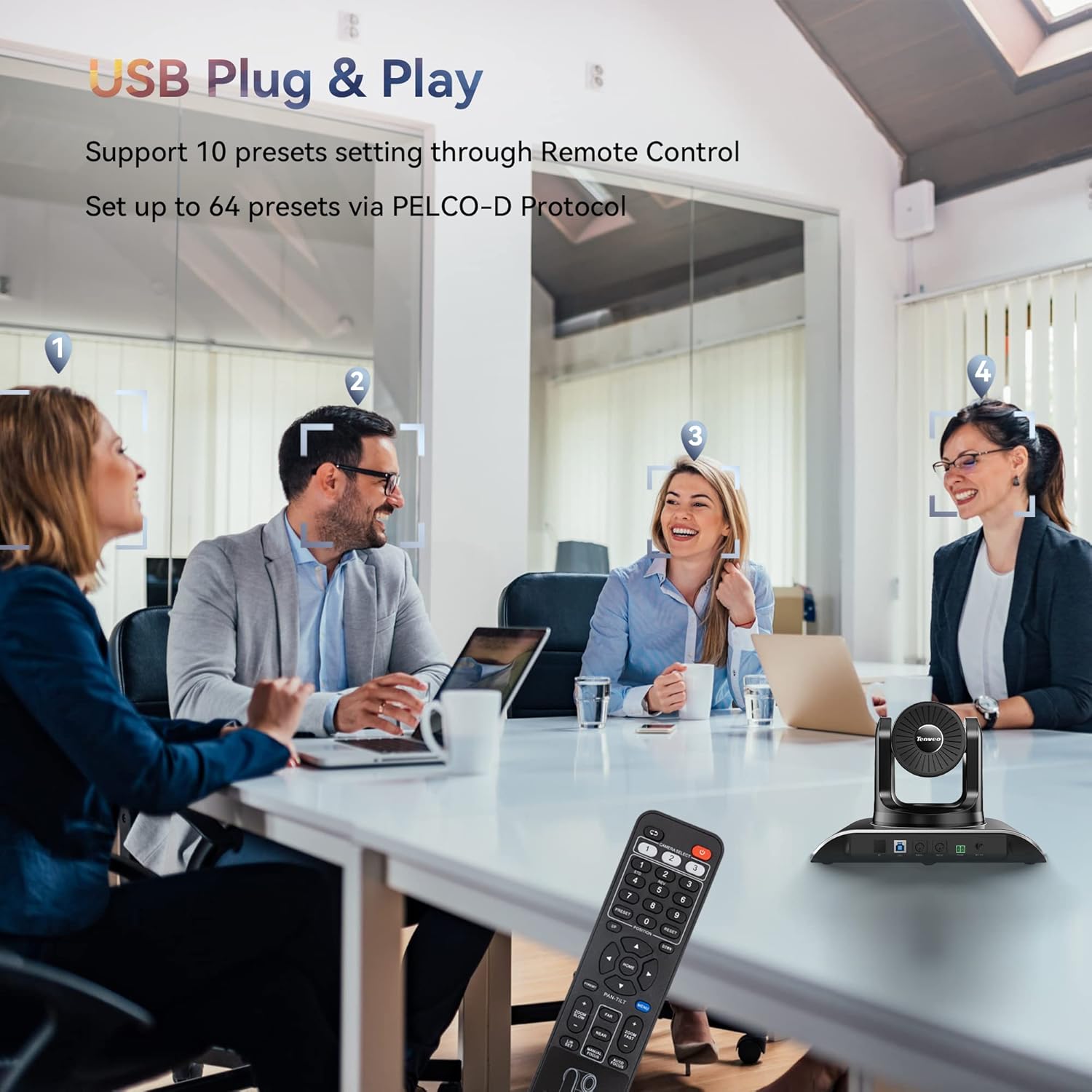
- Предустановленные позиции: Supports 10 presets via IR Remote Control and up to 64 presets via RS232 and RS485 interfaces.
- Подключение по USB по принципу Plug and Play: No additional drivers required for quick setup with laptops, desktops, or Smart TVs.
- Универсальная совместимость: Compatible with popular video conferencing software including Zoom, Skype, YouTube, Microsoft Teams, and more. Supports Windows, Mac, Linux, and Android.
- Несколько вариантов установки: Supports desktop, monitor, tripod, wall, or ceiling mounting.


4. Настройка и установка
4.1 Basic USB Connection
Connect the camera to your computer using the provided USB cable. Ensure the power adapter is connected to the camera and a power outlet. The camera is plug-and-play, requiring no additional drivers for basic functionality.
4.2 Варианты монтажа
The camera offers versatile mounting options to suit your conference room or streaming setup:
- Размещение на рабочем столе
- Крепление монитора
- Крепление на штатив
- Wall mounting (hardware included)
- Монтаж на потолке

4.3 Multi-Camera Connection via PTZ Controller
For setups requiring multiple cameras, the VHD3U can be integrated with a PTZ controller using RS485 protocol. This allows for centralized control of multiple units.
Video 2: Demonstrates how to connect multiple cameras using a PTZ controller via RS485 protocol for expanded conference setups.
5. Инструкция по эксплуатации
5.1 Использование ИК-пульта дистанционного управления
The included IR remote control allows for easy adjustment of pan, tilt, and zoom functions. You can also set and recall up to 10 preset camera positions for quick scene changes.
5.2 Advanced Control with Joystick/Keyboard Controller
For professional installations, the camera can be controlled via a dedicated joystick or keyboard controller using RS232 or RS485 protocols. This enables precise control and management of up to 64 preset positions.
Video 3: Illustrates controlling the Tenveo PTZ camera using a joystick controller, demonstrating pan, tilt, and zoom functions.
Video 4: Shows how to control Tenveo PTZ cameras using a keyboard controller via RS485, including setting DIP switches for camera addresses.
6. Техническое обслуживание
To ensure optimal performance and longevity of your Tenveo VHD3U camera, follow these maintenance guidelines:
- Уборка: Use a soft, dry cloth to clean the camera body. For the lens, use a lens cleaning cloth and specialized lens cleaning solution. Avoid abrasive cleaners or solvents.
- Хранилище: При длительном неиспользовании храните камеру в прохладном, сухом месте, вдали от прямых солнечных лучей и чрезмерной пыли.
- Управление кабелями: Ensure all cables are neatly organized and not under strain to prevent damage to connectors or ports.
- Обновления прошивки: Периодически проверяйте Tenveo. website for firmware updates to enhance performance and add new features.
7. Поиск Неисправностей
If you encounter issues with your Tenveo VHD3U camera, refer to the following common troubleshooting steps:
- Нет питания: Убедитесь, что адаптер питания надежно подключен как к камере, так и к исправной розетке. Проверьте индикатор питания на камере.
- Нет видеовыхода: Verify the USB cable connection to your computer. Ensure the correct camera is selected in your video conferencing software. Try a different USB port or cable.
- Проблемы с качеством изображения: Check for proper lighting in the room. Ensure the lens is clean and free from smudges. Adjust focus settings if available.
- Пульт дистанционного управления не отвечает: Check the batteries in the remote control. Ensure there are no obstructions between the remote and the camera's IR receiver.
- Проблемы с движением PTZ-камер: Confirm that the camera is powered on and connected. If using a controller, ensure it is properly configured and connected to the camera(s).
Для получения дополнительной помощи обратитесь в службу поддержки клиентов Tenveo.
8. Технические характеристики
| Особенность | Деталь |
|---|---|
| Размеры продукта | 6.5 x 9.72 x 6.73 дюйма |
| Вес товара | 4.18 фунта |
| Номер модели товара | VHD3U |
| Технология фотодатчика | КМОП |
| Разрешение видеозахвата | 1080p, 720p |
| Максимальное фокусное расстояние | 10.05 миллиметра |
| Максимальная диафрагма | 1.7 ж |
| Формат захвата видео | MJPEG / YUY2 / H.264 |
| Поддерживаемый аудиоформат | ААС, ПКМ |
| Технология связи | Инфракрасный, USB |
9. Гарантия и поддержка
Tenveo offers comprehensive support for your VHD3U camera:
- Гарантия 3 года: Enjoy peace of mind with a 3-year product warranty.
- Пожизненная техническая поддержка: Access lifetime technical support services, including firmware upgrades.
- 30-дневная гарантия возврата денег: A 30-day money-back guarantee is provided for your satisfaction.
- Обслуживание клиентов: Contact Tenveo customer service for any questions or assistance; responses are typically provided within 12 hours.


