1. Введение
The UDIRC U46 Mini Drone is a compact quadcopter designed for beginners and recreational flying. It features user-friendly controls and safety mechanisms to ensure an enjoyable experience. This manual provides essential information for operating and maintaining your drone.

Image 1.1: The UDIRC U46 Mini Drone, its remote controller, and three included batteries.
2. Правила техники безопасности
- Рекомендация по возрасту: Данный продукт рекомендуется для пользователей в возрасте 14 лет и старше.
- Использование в помещении: The U46 drone is primarily designed for indoor use. Avoid flying in windy conditions outdoors, as this can lead to loss of control.
- Чистая область: Operate the drone in an open area free from obstacles, people, and pets.
- Безопасность пропеллера: Keep fingers, hair, and loose clothing away from the spinning propellers. The drone features propeller guards for added safety.
- Безопасность аккумулятора: Do not overcharge batteries. Use only the provided USB charger. Discontinue use if batteries show signs of damage or swelling.
- Воздействие воды: Избегайте контакта с водой или влагой, чтобы предотвратить повреждение электронных компонентов.
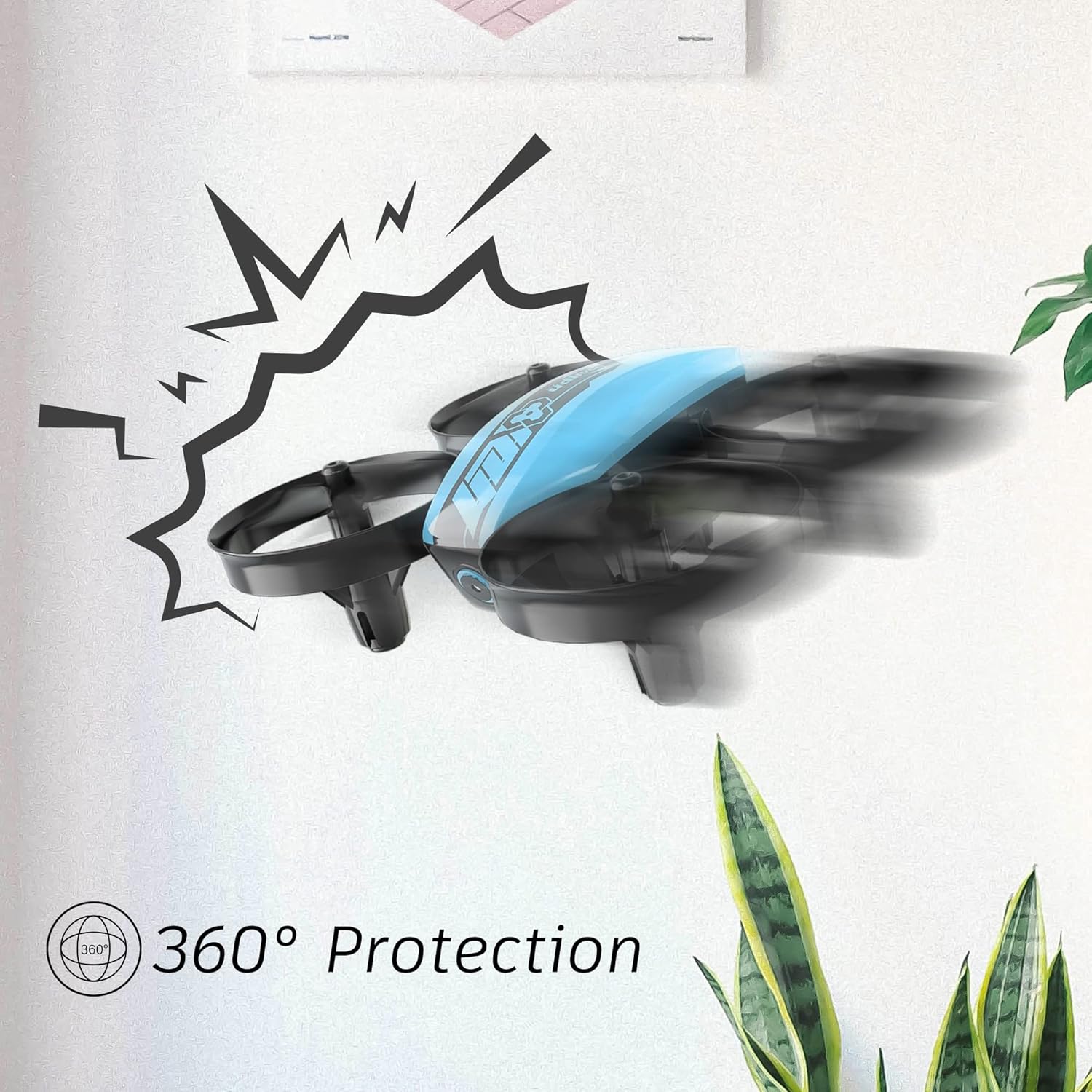
Image 2.1: The drone's 360-degree propeller protection guards help prevent damage during minor collisions.
3. Содержимое упаковки
Проверьте наличие всех предметов в упаковке:
- 1 x U46 Mini Drone
- Контроллер 1 x
- 3 аккумулятора для дрона
- 1 х USB-зарядное устройство
- 4 дополнительных пропеллера
- 1 х Руководство пользователя

Image 3.1: All components included in the UDIRC U46 Mini Drone package.
4. Компоненты закончилисьview
Familiarize yourself with the drone and controller components.
4.1 Компоненты дрона
- Винты: Four rotating blades for lift and movement.
- Защитные кожухи пропеллера: Integrated protective rings around each propeller.
- Основная часть: Houses the electronics and battery.
- Индикаторные лампы: Provide status information (e.g., pairing, low battery).
4.2 Компоненты контроллера
- Левый джойстик (газ/рыскание): Управляет высотой и вращением.
- Правый джойстик (тангаж/крен): Управляет движением вперед/назад и влево/вправо.
- Единая кнопка взлета/посадки: Запускает автоматический взлет или посадку.
- Кнопка скоростного режима: Переключение между различными скоростями полета.
- Кнопка безголового режима: Активирует безголовый полет.
- Выключатель: Включает/выключает контроллер.
- Световой индикатор: Отображает состояние контроллера.
5. Настройка
5.1 Зарядка аккумулятора дрона
- Connect the drone battery to the USB charger.
- Plug the USB charger into a USB power source (e.g., computer, USB wall adapter).
- The indicator light on the USB charger will illuminate during charging and turn off when fully charged.
- Время зарядки одного аккумулятора составляет приблизительно 30 минут.
5.2 Установка батарей контроллера
- Откройте батарейный отсек на задней панели контроллера.
- Вставьте 3 батарейки типа АА 1.5 В (не входят в комплект), соблюдая полярность.
- Надежно закройте батарейный отсек.
5.3 Сопряжение дрона и контроллера
- Установите дрон на ровную ровную поверхность.
- Включите питание дрона. Индикаторы дрона начнут мигать.
- Turn on the controller's power switch. The controller's indicator light will flash.
- Нажмите левый джойстик (газ) полностью вверх, затем полностью вниз.
- The drone and controller indicator lights will become solid, indicating successful pairing.
Video 5.1: This video demonstrates the simple frequency pairing process, one-key take-off/landing, headless mode, altitude hold, and low battery alarm features of the UDI U46 Mini Drone.
6. Управление дроном
6.1 Взлет и посадка одной кнопкой
- After pairing, press the One Key Take-off/Landing button. The drone will automatically ascend to a stable hovering altitude.
- To land, press the One Key Take-off/Landing button again. The drone will slowly descend and land.
6.2 Управление полетом
- Левый джойстик (газ): Push up to increase altitude, pull down to decrease altitude.
- Левый джойстик (рыскание): Push left or right to rotate the drone horizontally.
- Right Joystick (Pitch): Нажмите вверх, чтобы лететь вперед, потяните вниз, чтобы лететь назад.
- Right Joystick (Roll): Нажмите влево, чтобы лететь влево, нажмите вправо, чтобы лететь вправо.
6.3 Безголовый режим
- Press the Headless Mode button to activate. In this mode, the drone's orientation is irrelevant; it will always move relative to the pilot's position.
- Press the button again to exit Headless Mode.
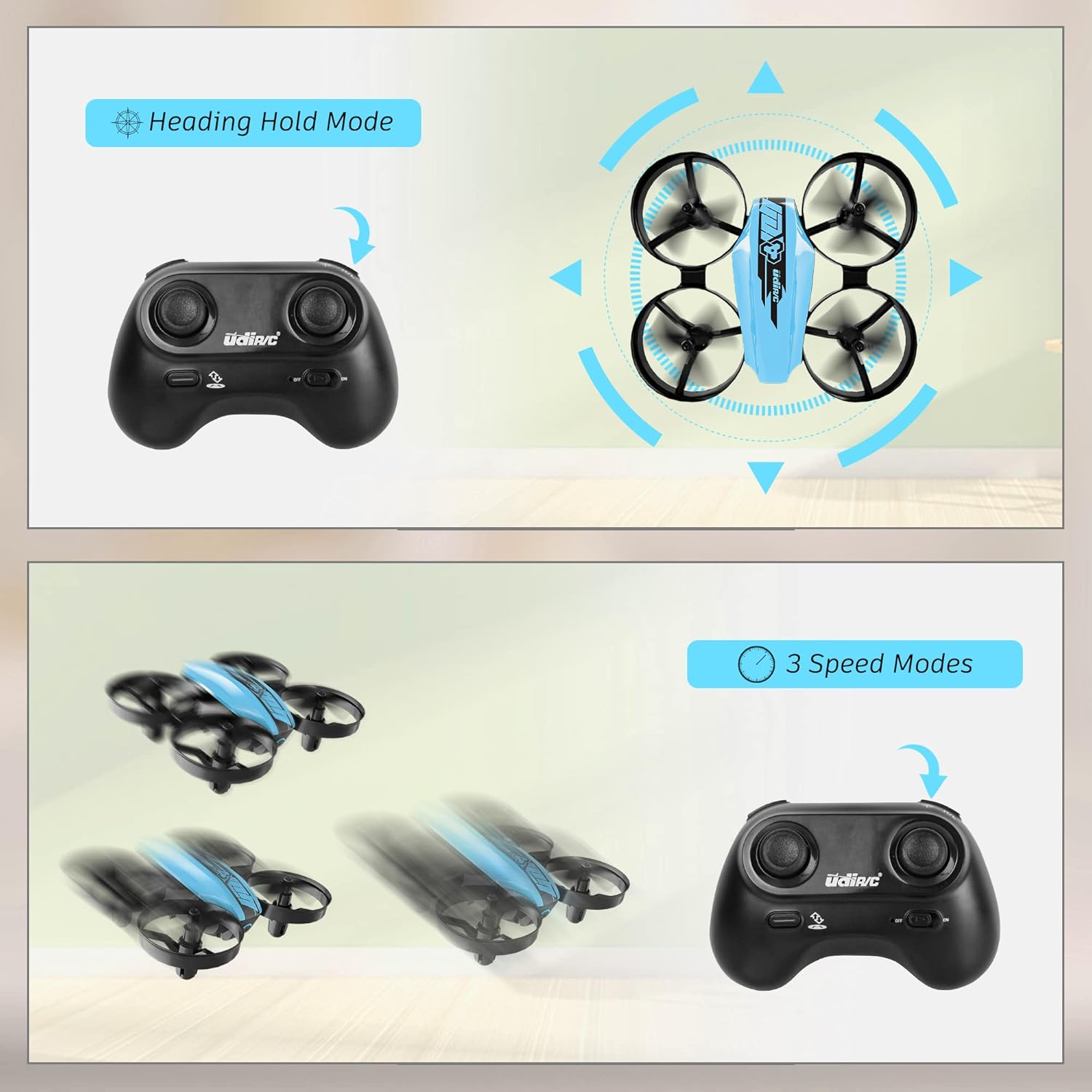
Image 6.1: Illustration of the Headless Mode feature and its activation on the controller.
6.4 Функция удержания высоты
- The U46 drone features an altitude hold function, allowing it to maintain a stable height automatically. This simplifies control, especially for beginners.

Image 6.2: Visual representation of Altitude Hold Mode, One Button Take Off/Landing, and Emergency Stop features.
6.5 Режимы скорости
- The drone has three speed modes (low, medium, high). Press the Speed Mode button to cycle through them.
- Start with low speed for learning and gradually increase as you gain proficiency.
6.6 Аварийный останов
- In case of an emergency or loss of control, press and hold the One Key Take-off/Landing button for a few seconds to perform an emergency stop. The propellers will immediately cease rotation.
7. Техническое обслуживание
7.1 Замена пропеллера
- If a propeller is damaged, carefully remove it and replace it with a new one from the spare parts. Ensure the correct propeller (A or B) is installed on the corresponding motor.
7.2 Чистка и хранение
- Wipe the drone with a soft, dry cloth after use. Avoid using water or cleaning agents.
- Храните дрон и пульт управления в прохладном, сухом месте, вдали от прямых солнечных лучей и экстремальных температур.
- Remove batteries from the controller if storing for extended periods.
8. Поиск Неисправностей
- Дрон не отвечает: Ensure both drone and controller are powered on and successfully paired. Check controller batteries.
- Дрон дрейфует во время полета: Perform calibration on a flat surface. Use the trim buttons on the controller to adjust for minor drifts.
- Короткое время полета: Ensure batteries are fully charged. Flight time can vary based on flight style and environmental factors.
- Пропеллеры не вращаются: Check for obstructions or damage to propellers. Ensure they are correctly installed.
- Сигнализация низкого заряда батареи: The controller will emit an alarm sound when the drone's battery is low, indicating it's time to land and recharge.
9. Технические характеристики
| Бренд | UDIRC |
| Название модели | U46S |
| Вес дрона | 0.05 фунта (приблизительно 22.68 граммов) |
| Габариты дрона | 3.54"Д x 3.54"Ш x 1.25"В |
| Время полета | 6-7 minutes per battery (up to 21 minutes with 3 batteries) |
| Частота контроллера | 2.4 ГГц |
| Аккумулятор контроллера | 3 батарейки типа АА 1.5 В (не входят в комплект) |
| Емкость аккумулятора | 180 миллиamp Часы (Li-Po) |
| Уровень мастерства | Начинающий |
| Особые возможности | Altitude Hold, Headless Mode, One Key Take-off/Landing, 3 Speed Modes, 360° Protection |

Image 9.1: Flight time illustration, showing extended flight with multiple batteries.

Image 9.2: Dimensions of the UDIRC U46 Mini Drone, shown next to a smartphone for size comparison.
10. Гарантия и поддержка
For warranty information or technical support, please refer to the contact details provided with your purchase or visit the official UDIRC webСохраните чек о покупке для предъявления гарантийных претензий.