1. Введение
The ANNKE 1080P Indoor Wireless Security Camera (Model 41CJ) provides high-definition video surveillance for your home or business. Featuring pan and tilt capabilities, two-way audio, motion detection, and night vision, this camera offers comprehensive monitoring. It is designed for easy setup and remote access via mobile and desktop applications.

Image 1.1: The ANNKE 1080P Indoor Wireless Security Camera, a compact device for indoor surveillance.
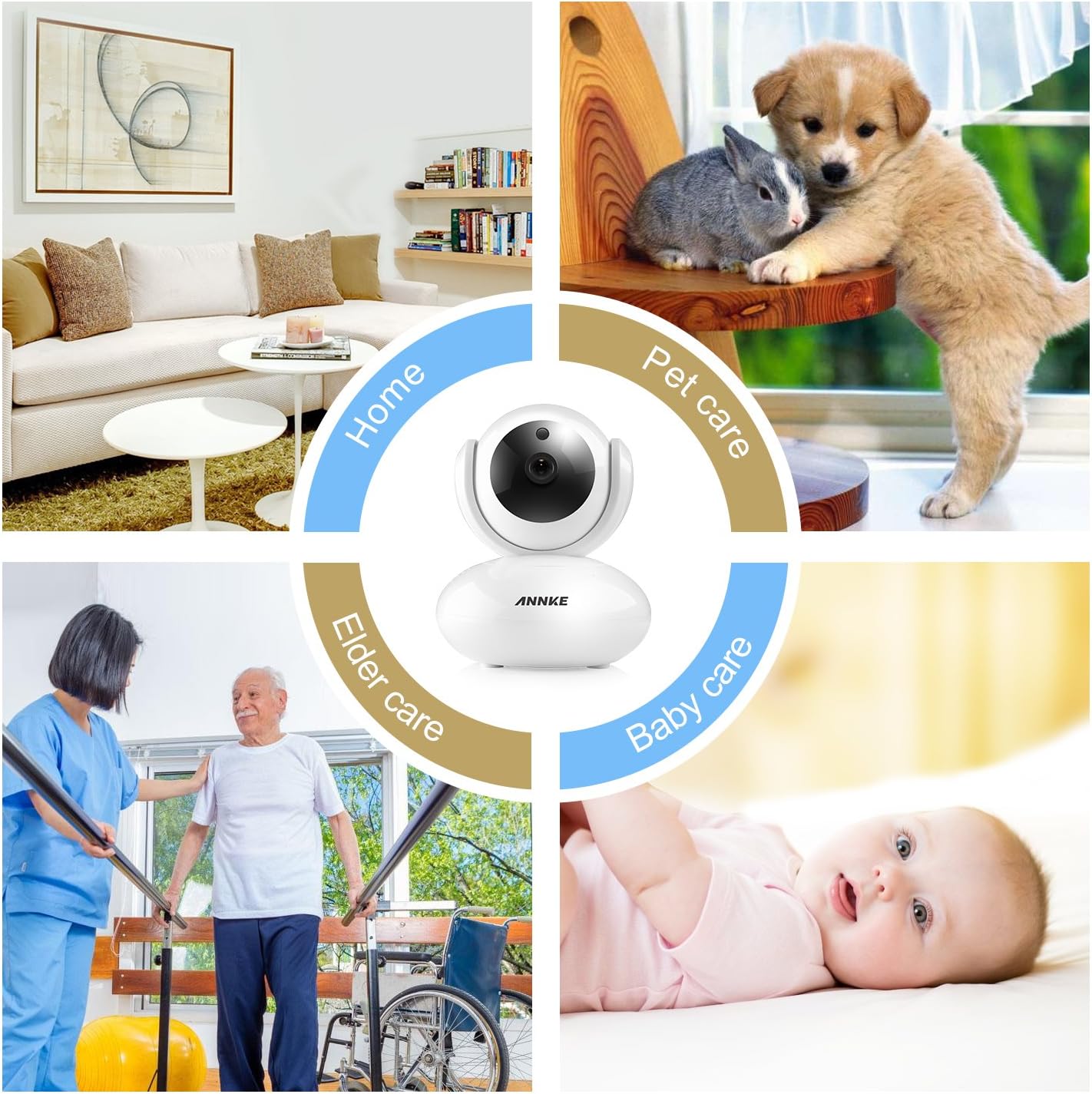
Image 1.2: The camera is suitable for various indoor applications including home security, pet monitoring, elder care, and baby monitoring.
2. Содержимое упаковки
Убедитесь, что все перечисленные ниже предметы входят в комплект. Если какие-либо предметы отсутствуют или повреждены, обратитесь в службу поддержки клиентов.
- 1 беспроводная камера видеонаблюдения
- 1x Руководство пользователя
- 1x Адаптер питания
- 1x CD Software
- 1x крепежных винта
- 1x Drill Template Sticker
- 1x кабель Ethernet
- 1x монтажный кронштейн
3. Особенности продукта
- Видео в формате 1080p HD: Experience clear video quality with smooth on-screen movements.
- Функциональность панорамирования и наклона: The camera offers 350° horizontal pan and 100° vertical tilt for a wide monitoring area, eliminating blind spots.
- Двустороннее аудио: Built-in microphone and speaker with noise reduction allow for clear communication.
- Ночное видение: Automatic night vision with IR LEDs provides clear visibility up to 33ft (10m) in low-light conditions.
- Motion Detection & Push Alerts: Receive instant alarm push notifications with snapshots and email alerts when unexpected movements are detected.
- Удаленный доступ: Access and control the camera remotely using free desktop and mobile applications for smartphones, tablets, and PCs.
- Сжатие H.264: Efficient video compression reduces storage space requirements without significant loss of quality.
- Поддержка карт Micro SD: Supports up to 64GB Micro SD card for local video storage, useful during network interruptions.
- Обновление прошивки онлайн: The camera automatically detects and allows for firmware upgrades via your smartphone.

Image 3.1: The camera features 350° horizontal rotation and 100° vertical rotation for comprehensive coverage.

Image 3.2: The camera provides clear 1080P video quality during both day and night conditions.

Image 3.3: Smart motion-triggered push notifications keep you informed of detected activity.
4. Руководство по установке
Follow these steps to set up your ANNKE 1080P Indoor Wireless Security Camera.
4.1 Начальная настройка
- Включение питания: Plug in the power adapter to the camera and a power outlet.
- Скачать приложение: Download and install the free 'My ANNKE' app from your device's app store (iOS or Android).
- Регистрация/Вход в аккаунт: Зарегистрируйте новую учетную запись или войдите в систему, если она у вас уже есть.
- Добавить камеру: In the app, tap the '+' icon to add a new camera. Select 'PTC cameras'.
- Отсканируйте QR-код: Scan the QR code located on the label at the bottom of the camera to obtain its ID and password.

Image 4.1: The camera is designed for quick and straightforward setup without complicated configurations.
4.2 Network Connection (Wireless or Wired)
The camera supports both wireless (Wi-Fi) and wired (Ethernet) connections. Choose the method that best suits your needs.
Video 4.2: This video demonstrates the process of connecting your ANNKE camera to a Wi-Fi network and via an Ethernet cable.
4.2.1 Беспроводное соединение
- Ensure your smartphone is connected to a 2.4GHz Wi-Fi network (5GHz Wi-Fi is not supported by the camera).
- In the app, select 'Wireless Connection'.
- Check the camera's indicator lights and confirm they are blinking as instructed by the app.
- Press the reset button on the camera for 1-2 seconds to enter Wi-Fi connection mode. You will hear a voice prompt.
- Input your Wi-Fi password into the app.
- Move your phone close to the camera, ensuring your phone's speaker is turned on. The app will transmit a sound to pair the camera.
- Wait for the camera to connect to the network.
- Once connected, change the default password (admin) for security purposes.
- Измените название устройства по своему усмотрению.
4.2.2 Проводное соединение
- Connect one end of the provided Ethernet cable to the camera and the other end to your router.
- In the app, after scanning the QR code, select 'Ethernet Connection'.
- Check the camera's indicator lights as prompted by the app.
- Change the default password (admin) for security.
- Choose an available Wi-Fi network for the camera and configure it if you wish to use Wi-Fi after initial wired setup.
- Отредактируйте имя устройства.
- You can now unplug the Ethernet cable if Wi-Fi was configured, or keep it connected for a more stable network connection.

Image 4.3: The camera can be accessed and controlled remotely via free desktop and mobile applications.
5. Инструкция по эксплуатации
5.1 Прямой эфир View и пульт дистанционного управления
Once connected, open the 'My ANNKE' app to view жить фуtage from your camera. You can control various functions directly from the app.
- Панорамирование и наклон: Use the directional controls within the app to remotely adjust the camera's horizontal (pan) and vertical (tilt) viewуглы.
- Двустороннее аудио: Нажмите на значок микрофона в приложении, чтобы говорить через встроенный динамик камеры и слушать звук из окружающей среды.
- Snapshots and Video Recording: Захватывайте неподвижные изображения или записывайте видеоклипы прямо из трансляции view интерфейс.
- HD/SD Quality: Switch between High Definition (HD) and Standard Definition (SD) video quality based on your network conditions.
5.2 Настройки обнаружения движения
Configure motion detection to receive alerts for activity in the camera's view.
- Navigate to the camera settings within the 'My ANNKE' app.
- Locate the 'Motion Detection' or 'Alarm Settings' section.
- Включите обнаружение движения и при необходимости отрегулируйте уровни чувствительности.
- Set up notification preferences, such as push alerts to your phone or email alerts.
5.3 Запись на карту Micro SD
Для записи видеоtage locally, insert a Micro SD card (up to 64GB, not included) into the camera's designated slot. The camera will automatically begin recording based on your settings (e.g., continuous recording, motion-triggered recording).
6. Техническое обслуживание
- Обновления прошивки: The camera app will notify you of available firmware updates. It is recommended to keep your camera's firmware updated for optimal performance and security. Follow the in-app instructions to perform updates.
- Уборка: Аккуратно протрите объектив и корпус камеры мягкой сухой тканью. Избегайте использования едких химикатов или абразивных материалов.
- Размещение: Убедитесь, что камера размещена в стабильном, сухом помещении, вдали от прямых солнечных лучей, источников тепла и чрезмерной влажности.
7. Поиск Неисправностей
Если у вас возникли проблемы с камерой, воспользуйтесь следующими распространенными решениями:
- Камера не подключается к Wi-Fi:
- Ensure your Wi-Fi network is 2.4GHz. The camera is not compatible with 5GHz Wi-Fi connections.
- Проверьте правильность пароля вашего Wi-Fi.
- Try pairing the camera via a wired Ethernet connection first, then configure Wi-Fi through the app.
- Во время настройки убедитесь, что ваш телефон подключен к той же сети Wi-Fi 2.4 ГГц.
- Reset the camera by pressing the reset button for 1-2 seconds and try the setup process again.
- Intermittent Signal or Connection Breaks:
- Inspect your router status and ensure it is functioning correctly.
- Check the network range and signal strength where the camera is placed. Move the camera closer to the router or consider a Wi-Fi extender.
- If possible, use an Ethernet cable for a more stable connection.
- Нет видеозаписи:
- Ensure a Micro SD card (max 64GB) is properly inserted into the camera.
- Check the recording settings in the app to confirm continuous or motion-triggered recording is enabled.
- Format the SD card through the app if it's a new card or if you're experiencing issues.
- Плохое качество изображения:
- Убедитесь, что объектив камеры чистый и на нем нет пыли и пятен.
- Check your network bandwidth. A stable and sufficient internet connection is required for optimal 1080P streaming.
- Switch to HD quality in the app if it's currently set to SD.
8. Технические характеристики
| Спецификация | Деталь |
|---|---|
| Название модели | I41CJ-OP |
| Номер модели товара | 41CJ |
| Использование внутри и снаружи помещений | В помещении |
| Разрешение видеозахвата | 1080p |
| Эффективное разрешение видео | 1080 пикселей |
| Технология связи | Беспроводное (Wi-Fi), проводное (Ethernet) подключение |
| Технология беспроводной связи | Wi-Fi (только 2.4 ГГц) |
| Диапазон панорамирования/наклона | Поворот на 350° по горизонтали, наклон на 100° по вертикали |
| Диапазон ночного видения | 33 футов (10 м) |
| Поддержка хранения | Карта Micro SD (до 64 ГБ) |
| Метод контроля | Приложение |
| Совместимые устройства | Настольный компьютер, смартфон, планшет |
| Размеры продукта | 4.7 x 3.6 x 4 дюйма (119.4 x 91.4 x 101.6 мм) |
| Вес товара | 1.21 фунта (0.55 кг) |
| Тип крепления | Настенное крепление |
| Цвет | Белый |
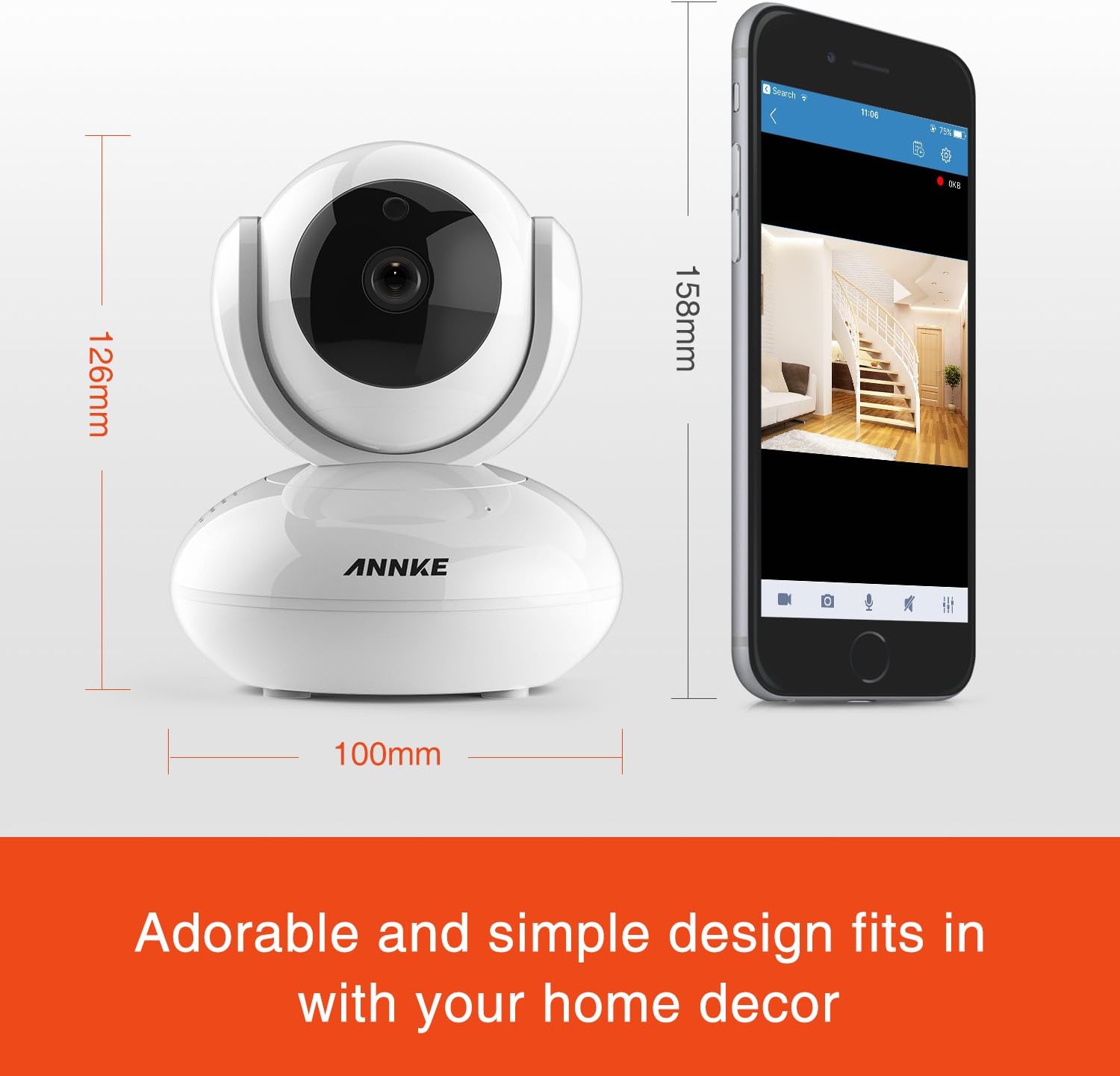
Image 8.1: Detailed dimensions of the ANNKE 1080P Indoor Wireless Security Camera.
9. Поддержка клиентов
For technical assistance, warranty information, or any other inquiries, please contact ANNKE customer service:

Image 9.1: ANNKE Customer Service contact details.
- Электронная почта: support@annke.com
- Фейсбук: @annke.system
- US Number: 404-620-4370 (EST 07:00-11:00 and 20:00-24:00)


