Введение
Thank you for choosing the VR SHINECON SC-G04 Smartphone Virtual Reality Device. This manual provides essential information for setting up, operating, maintaining, and troubleshooting your new VR headset. Please read it carefully before use to ensure optimal performance and safety.
The SC-G04 is designed to transform your smartphone into an immersive virtual reality viewer, compatible with both Android and iOS devices. It features integrated headphones for a complete audio-visual experience and adjustable lenses for personalized viewУтешение.
Содержимое упаковки
- VR SHINECON SC-G04 VR Headset
- Руководство пользователя
- Чистящая салфетка
Настраивать
Follow these steps for initial setup of your VR SHINECON SC-G04 headset:
- Подготовьте свой смартфон: Ensure your smartphone is charged and has VR-compatible applications installed. For the best experience, disable screen rotation lock and adjust screen brightness to a comfortable level.
- Open the Front Cover: Gently press the release button on the side or top of the headset to open the front cover where the smartphone is inserted.
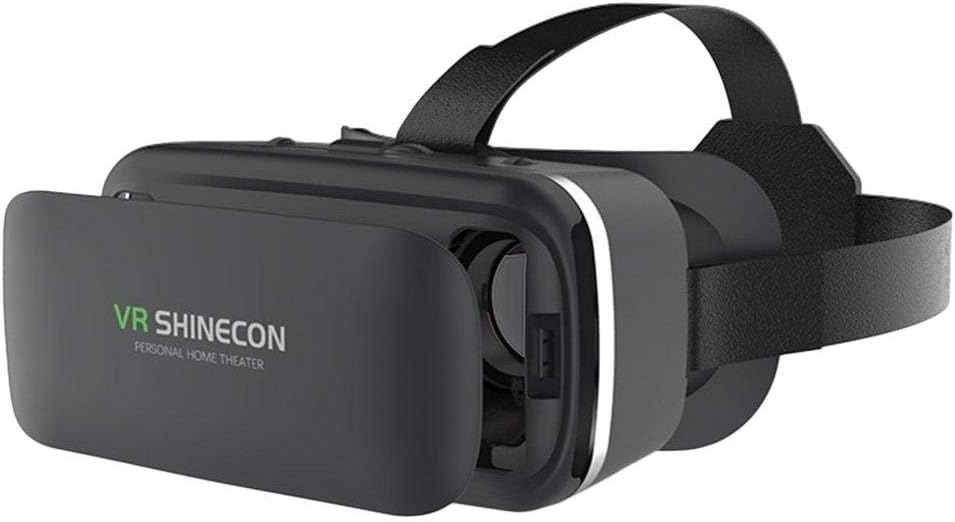
Image: The VR SHINECON SC-G04 headset with its front cover open, revealing the internal tray designed to securely hold a smartphone. This view demonstrates how the phone is placed inside the device.
Вставьте свой смартфон: Carefully place your smartphone into the adjustable tray inside the front compartment. Ensure the phone is centered and securely held by the clamps. Connect the audio jack of the headset to your smartphone's headphone port for integrated sound.- Close the Front Cover: Close the front cover firmly until it clicks into place.
- Отрегулируйте головные ремни: Put on the headset. Adjust the elastic head straps to ensure a snug yet comfortable fit. The straps should distribute the weight evenly across your head.

Изображение: вид сбоку view of the VR SHINECON SC-G04 VR headset, highlighting its sleek black design and the adjustable head strap that ensures a secure and comfortable fit for various head sizes.
Adjust Focus and Pupil Distance: Use the adjustment knobs on the top of the headset to fine-tune the focus for each eye and the interpupillary distance (IPD) to match your eyes. Rotate the knobs until the image appears clear and comfortable.
Инструкция по эксплуатации
Once your smartphone is securely in place and the headset is adjusted, you are ready to begin your VR experience:
- Launch VR Content: Open your preferred VR application or content on your smartphone before inserting it into the headset.
- Погружение Viewing: The headset provides a 110-degree field of view, offering an expansive and immersive experience.
- Аудиоопыт: The integrated headphones deliver high-quality audio directly to your ears, enhancing the realism of your VR content. Adjust volume using your smartphone's controls.
- Удобная одежда: The lightweight design (380g) and adjustable straps ensure comfort during extended use. Take breaks as needed to prevent eye strain or discomfort.

Image: A composite image displaying various angles and features of the VR SHINECON SC-G04 headset, including its adjustable lenses, integrated headphones, and overall ergonomic design.
Обслуживание
Proper maintenance will prolong the life of your VR SHINECON SC-G04 headset:
- Очистка линз: Используйте прилагаемую салфетку для чистки или мягкую сухую салфетку из микрофибры, чтобы аккуратно протереть линзы. Не используйте жидкие чистящие средства или абразивные материалы, так как они могут повредить покрытие линз.
- Очищающее тело: Протрите внешнюю поверхность гарнитуры слегка влажной тряпкой.ampМягкая ткань. Избегайте попадания влаги в отверстия.
- Хранилище: Храните гарнитуру в прохладном, сухом месте, вдали от прямых солнечных лучей и экстремальных температур. Берегите её от пыли и царапин.
Поиск неисправностей
If you encounter issues with your VR SHINECON SC-G04, refer to the following common problems and solutions:
| Проблема | Возможная причина | Решение |
|---|---|---|
| Изображение размыто или не в фокусе. | Incorrect focus or IPD adjustment. | Adjust the focus and interpupillary distance (IPD) knobs on the top of the headset until the image is clear. |
| Smartphone does not fit or is not secure. | Incorrect phone placement or phone size incompatibility. | Ensure your smartphone is within the compatible size range and is properly centered and clamped in the tray. |
| No sound from integrated headphones. | Audio cable not connected or phone volume too low. | Verify the audio jack is fully inserted into your smartphone's headphone port. Check your smartphone's volume settings. |
| Дискомфорт во время использования. | Head straps too tight or loose, or prolonged use. | Adjust the head straps for a comfortable fit. Take regular breaks during extended VR sessions. |
Технические характеристики
Key specifications for the VR SHINECON SC-G04 VR Device:
| Особенность | Деталь |
|---|---|
| Бренд | VR-ШИНЕКОН |
| Модель | СК-Г04 |
| Совместимые устройства | Смартфоны (Android, iOS) |
| Поле View (поле обзора) | 110 градусов |
| Integrated Headphones | Да |
| Регулируемые линзы | Yes (Focus and IPD) |
| Вес продукта | 380 грамм |
| Цвет | Черный |
| Метод подключения | Wireless (for VR content streaming from phone) |
Гарантия и поддержка
Specific warranty details for the VR SHINECON SC-G04 are not provided in this manual. For information regarding warranty coverage, technical support, or service, please refer to the official VR SHINECON webили обратитесь в службу поддержки напрямую. Сохраните чек в качестве подтверждения покупки.
For the latest software updates and compatible VR applications, please visit your smartphone's app store or the VR SHINECON official resources.


