Введение
Спасибо за покупкуasing the Muse M-1520 SBT Soundbar. This device is designed to enhance your audio experience with 50W of power and versatile connectivity options including Bluetooth, AUX-IN, RCA, and Optical inputs. Please read this manual carefully before use to ensure proper setup and operation.

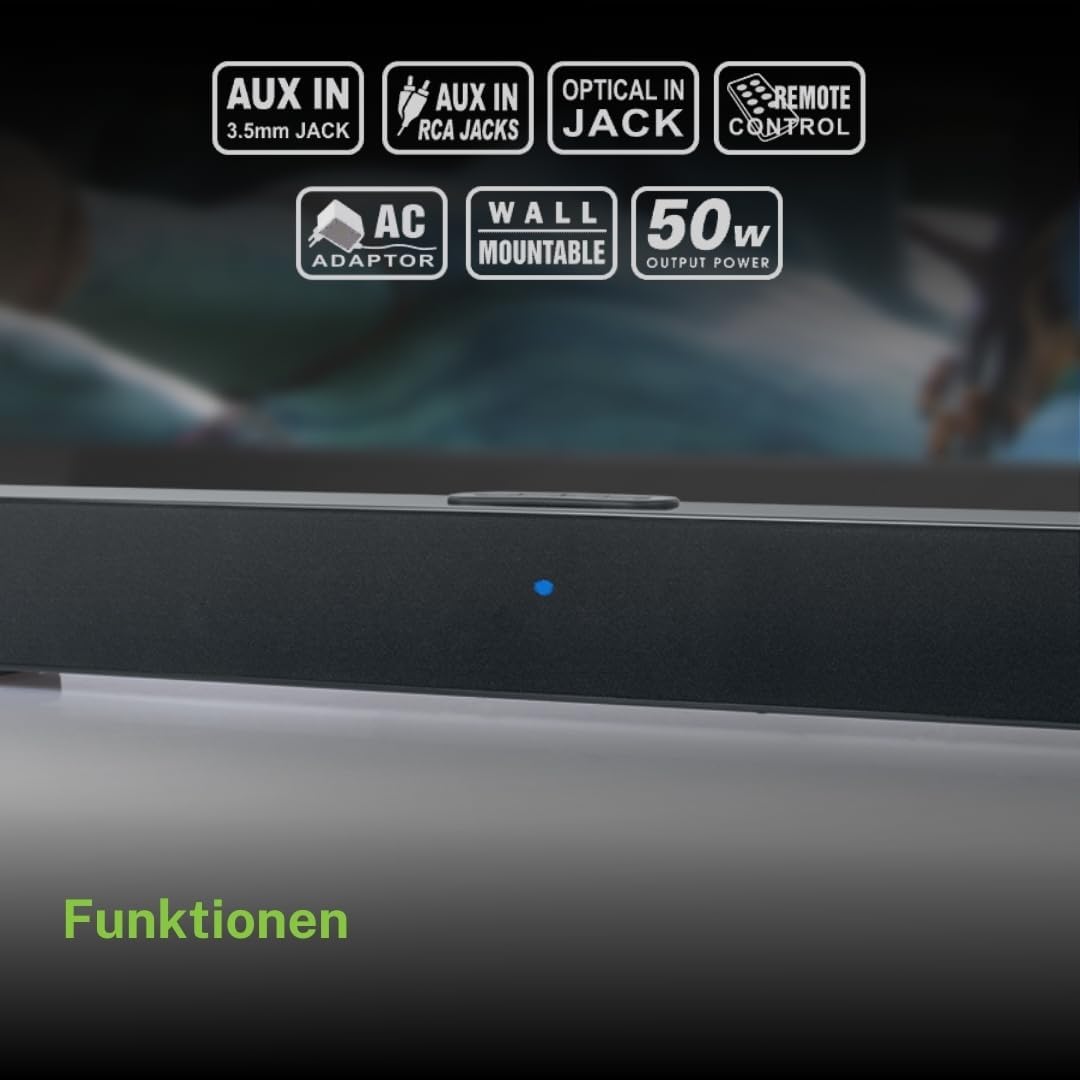
The Muse M-1520 SBT Soundbar integrated into a home entertainment setup.
Инструкции по технике безопасности
- Не подвергайте устройство воздействию дождя или влаги.
- Не открывайте сasinг; поручайте все работы по обслуживанию квалифицированному персоналу.
- Обеспечьте надлежащую вентиляцию вокруг устройства.
- Держите устройство вдали от прямых солнечных лучей, источников тепла и сильных магнитных полей.
- Используйте только прилагаемый адаптер питания.
- Do not place heavy objects on the soundbar.
- Утилизируйте батареи ответственно.
Содержимое упаковки
Пожалуйста, проверьте, что все перечисленные ниже предметы включены в ваш пакет:
- Muse M-1520 SBT Soundbar
- Адаптер переменного тока
- RCA кабель
- 3.5 mm Aux-In Cable
- Дистанционное управление
- 2 батарейки типа АА (для пульта дистанционного управления)

All accessories included with the Muse M-1520 SBT Soundbar.
Элементы управления и соединения
Подключения на задней панели

Подробный view of the soundbar's rear input ports.
- AUX 1 (3.5mm): Подключите внешние аудиоустройства с помощью аудиокабеля 3.5 мм.
- AUX 2 (RCA L/R): Connect external audio devices using an RCA stereo cable.
- ОПТИЧЕСКИЙ: Connect to a TV or other device with an optical digital audio output.
- 12 В постоянного тока: Подключите прилагаемый адаптер переменного тока.
Top Panel Controls and Indicators
Top panel controls and LED indicator for the soundbar.
The top panel features buttons for power, volume control, and source selection. A blue LED indicator shows the current status or selected input.
Настраивать
1. Размещение
Place the soundbar on a stable, flat surface in front of your television, or mount it on the wall below your TV. Ensure there are no obstructions blocking the sound.
2. Подключение питания
- Connect the AC power adapter to the DC 12V input on the rear of the soundbar.
- Подключите адаптер питания переменного тока к розетке.
3. Аудиоподключение
Choose one of the following methods to connect the soundbar to your audio source (e.g., TV, DVD player):
- Оптическое соединение: For best audio quality, connect an optical cable (not included) from your TV's optical output to the OPTICAL input on the soundbar.
- RCA-соединение: Connect the supplied RCA cable from your audio source's RCA L/R output to the AUX 2 (RCA) input on the soundbar.
- 3.5mm AUX-IN Connection: Connect the supplied 3.5mm Aux-In cable from your audio source's headphone jack or AUX output to the AUX 1 (3.5mm) input on the soundbar.
Инструкция по эксплуатации
Включение/выключение питания
- Нажмите ВЛАСТЬ button on the remote control or the soundbar's top panel to turn the unit on or off.
Выбор источника
- Нажмите ИСТОЧНИК button on the remote control or the soundbar's top panel repeatedly to cycle through input sources: Bluetooth, AUX 1, AUX 2, Optical.
- The LED indicator will change color or pattern to indicate the selected source.
Регулятор громкости
- Нажмите ГРОМКОСТЬ+ or VOL- buttons on the remote control or the soundbar's top panel to adjust the volume.
Bluetooth-сопряжение
- Turn on the soundbar and select the Bluetooth input source. The LED indicator will flash, indicating it is in pairing mode.
- Включите Bluetooth на вашем мобильном устройстве (смартфоне, планшете и т. д.).
- Искать available Bluetooth devices. The soundbar will appear as "M-1520 SBT".
- Select "M-1520 SBT" to pair. Once connected, the LED indicator will stop flashing and remain solid.
- Теперь вы можете воспроизводить аудио со своего устройства через звуковую панель.
Примечание: При запросе пароля введите «0000».
Настенный монтаж
The Muse M-1520 SBT Soundbar is designed to be wall-mountable. Mounting hardware (screws, anchors) is not typically included and must be purchased separately based on your wall type.
Важный: Ensure the wall can support the weight of the soundbar (approximately 1.2 kg). Consult a professional if you are unsure about wall mounting.
Обслуживание
- Уборка: Для очистки поверхности звуковой панели используйте мягкую сухую ткань. Не используйте жидкие чистящие средства или абразивные материалы.
- Хранилище: При длительном хранении устройства отключите его от розетки и храните в прохладном, сухом месте.
Поиск неисправностей
| Проблема | Возможная причина | Решение |
|---|---|---|
| Нет электричества | Power adapter not connected or wall outlet not active. | Убедитесь, что адаптер питания надежно подключен к саундбару и к исправной розетке. |
| Нет звука | Incorrect input source selected, volume too low, or audio cable not connected properly. | Select the correct input source. Increase the volume. Check all audio cable connections. Ensure the TV/source audio output is enabled. |
| Сбой сопряжения Bluetooth | Саундбар не находится в режиме сопряжения, устройство слишком далеко или имеются помехи. | Ensure the soundbar is in Bluetooth pairing mode (flashing LED). Move your device closer to the soundbar. Turn off other Bluetooth devices to reduce interference. |
| Пульт дистанционного управления не работает | Batteries are dead or inserted incorrectly, or line of sight is blocked. | Replace the batteries (2 x AA). Ensure batteries are inserted with correct polarity. Remove any obstructions between the remote and the soundbar. |
Технические характеристики
| Название модели | М-1520 СБТ |
| Выходная мощность | 50 Вт |
| Связность | Bluetooth, AUX-IN (3.5mm), RCA, Optical |
| Беспроводные технологии | Bluetooth |
| Совместимые устройства | TV, smartphone, PC, tablet |
| Размеры (Д x Ш x В) | 66 x 6 x 5.9 см (25.98 x 2.36 x 2.32 дюймов) |
| Масса | 1.2 кг (2.65 фунта) |
| Метод контроля | Дистанционное управление |
| Источник питания | Адаптер переменного тока (12 В постоянного тока) |
| Цвет | Черный |

Dimensional diagram of the Muse M-1520 SBT Soundbar.
Гарантия и поддержка
Specific warranty information for the Muse M-1520 SBT Soundbar is not available in the provided product details. Please refer to the warranty card included in your product packaging or contact your retailer for details regarding warranty coverage and customer support.


