1. Заview
The Talking Products Voice Pad Voice Recorder (Model VP3-40-BLU) is a versatile digital voice recorder designed for capturing and playing back up to 40 seconds of audio. It serves as an excellent resource for communication, educational activities like phonics and speaking practice, and creating personalized audio messages. Its user-friendly design makes it suitable for various applications, including sensory learning and independent living aids.
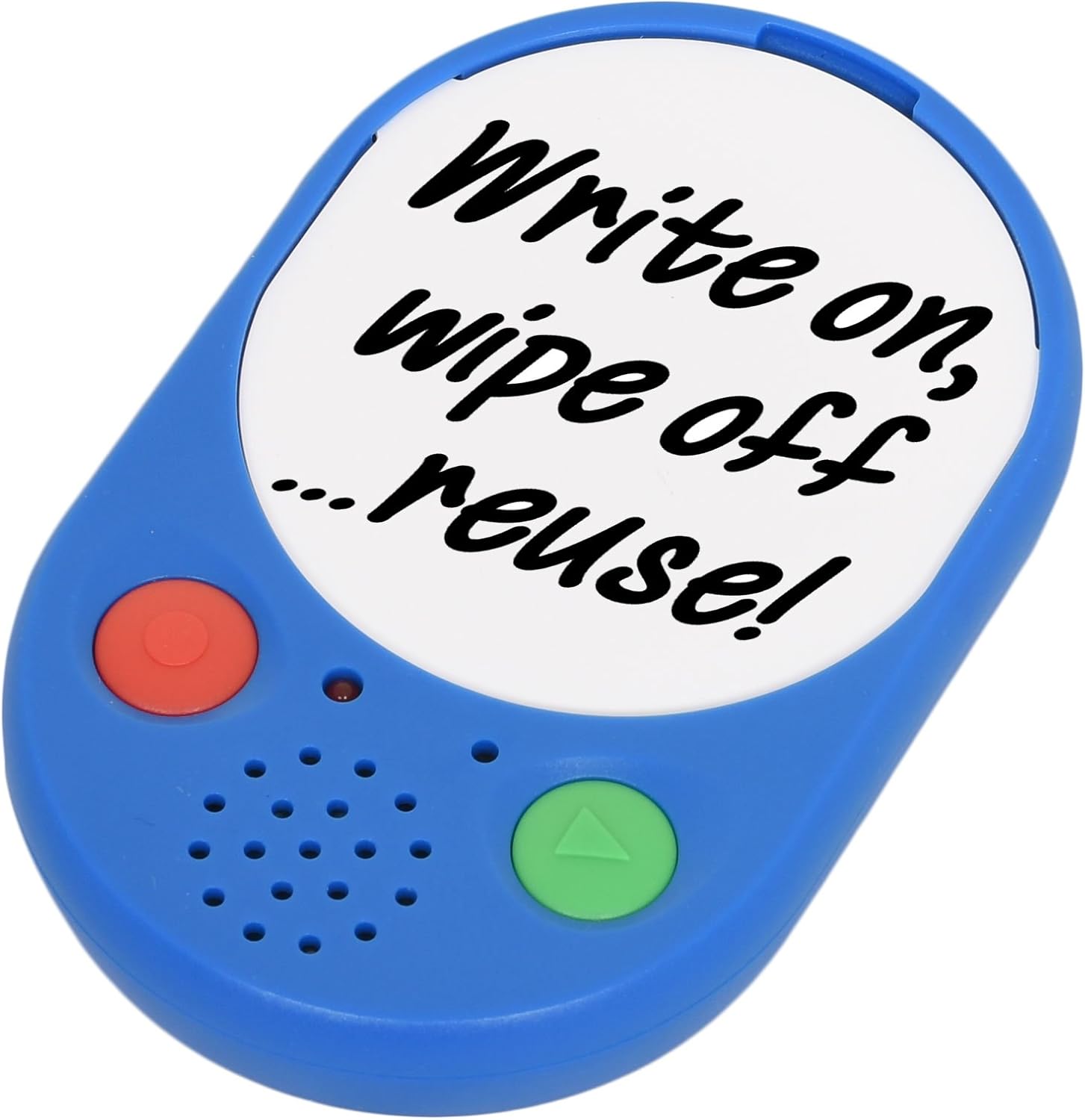
Image 1: The Voice Pad Voice Recorder, highlighting its reusability for custom messages.
2. Особенности
- 40-Second Recording: Record and playback up to 40 seconds of speech, music, or sound effects.
- Re-recordable: Messages can be re-recorded as many times as desired, overwriting previous content.
- Настраиваемый дисплей: Includes a removable clear cover, allowing you to insert photographs or pictures to match your recordings.
- Универсальное размещение: Features a wall mounting hole, built-in magnets, and a kickstand for flexible positioning.
- Удобный: Equipped with large, tactile buttons for easy operation.
- Работает от батареи: Requires replaceable AAA batteries for power.

Изображение 2: Детальный вид спереди view of the Voice Pad, highlighting its key components.

Изображение 3: Детальное изображение задней части. view of the Voice Pad, illustrating its mounting and control features.
3. Содержимое упаковки
Пожалуйста, убедитесь, что в посылке присутствуют все предметы:
- 1 x Voice Pad Voice Recorder Unit
- 1 x Removable Clear Cover
- 1 x Dry Wipe Insert
Примечание: Для работы требуются 3 батарейки типа ААА, которые не входят в комплект.
4. Настройка
- Установка аккумулятора:
- Locate the battery compartment on the rear side of the Voice Pad.
- Carefully open the battery door.
- Вставьте 3 батарейки типа ААА, соблюдая правильную полярность (+/-).
- Надежно закройте крышку батарейного отсека.
- Включение/выключение питания:
- Сдвиньте Переключатель ВКЛ/ВЫКЛ on the rear of the device to the 'ON' position to power it on.
- Slide to 'OFF' to power down.
- Регулятор громкости:
- Отрегулируйте громкость воспроизведения с помощью LOW/HIGH Switch located on the rear side.
- Message Protection Lock:
- To prevent accidental erasure of your recorded message, slide the БЛОКИРОВКА Переключатель on the rear to the 'ON' position after recording.
- Настройка отображения:
- Gently remove the clear cover from the front of the Voice Pad.
- Insert a photograph, picture, or use the provided dry wipe insert to write a message.
- Replace the clear cover securely.
5. Инструкция по эксплуатации
5.1 Запись сообщения
- Ensure the Voice Pad is powered on (ON/OFF switch to 'ON').
- Убедитесь, что Message Protection LOCK Switch on the rear is in the 'OFF' position.
- Нажмите и удерживайте red 'REC' button on the front of the device.
- Speak clearly into the built-in microphone. The device will record for up to 40 seconds.
- Release the 'REC' button to stop recording. The new recording will automatically overwrite any previous message.
5.2 Воспроизведение сообщения
- Ensure the Voice Pad is powered on.
- Нажмите green 'PLAY' button on the front of the device once to play your recorded message.
- Press the 'PLAY' button again to pause playback.
5.3 Protecting Your Message
To prevent accidental erasure of your recorded message:
- After recording, slide the Message Protection LOCK Switch on the rear of the device to the 'ON' position. This will disable the recording function until switched back to 'OFF'.

Image 4: Voice Pads used for phonics programs, demonstrating the customizable inserts.
Video 1: An official product video from Talking Products Limited demonstrating the Voice Pad's use for creating talking photo frames and fridge magnets, showcasing its recording and customization features.
6. Уход и обслуживание
- Уборка: Wipe the Voice Pad with a soft, dry cloth. Avoid using abrasive cleaners, solvents, or harsh chemicals, as these may damage the device.
- Уход батареи: Если устройство не будет использоваться в течение длительного времени, извлеките батарейки, чтобы предотвратить возможную протечку и повреждение.
- Хранилище: Store the Voice Pad in a cool, dry place, away from direct sunlight, extreme temperatures, and excessive moisture.
- Умение обращаться: Handle the device with care to avoid dropping or subjecting it to strong impacts, which could damage internal components.
7. Поиск Неисправностей
- No Sound or Low Sound During Playback:
- Убедитесь, что устройство включено.
- Проверьте LOW/HIGH Switch on the rear and set it to 'HIGH' for maximum volume.
- Verify that the batteries are correctly installed and have sufficient power. Replace with fresh AAA batteries if necessary.
- Cannot Record a Message:
- Обеспечить Message Protection LOCK Switch on the rear is in the 'OFF' position.
- Confirm that the batteries have sufficient power. Low battery levels can prevent recording.
- Recorded Message is Unclear or Distorted:
- Ensure you are speaking clearly and directly into the microphone during recording.
- Избегайте записи в чрезмерно шумных условиях.
- Try re-recording the message.
- Устройство не включается:
- Check battery installation and ensure polarity is correct.
- Замените батареи новыми.
- Обеспечить Переключатель ВКЛ/ВЫКЛ is firmly in the 'ON' position.
8. Технические характеристики
| Особенность | Деталь |
|---|---|
| Время записи | 40 секунд |
| Источник питания | 3 батарейки типа ААА (не входят в комплект) |
| Размеры продукта | 4.92 x 3.15 x 0.79 дюйма |
| Вес товара | 2.82 унции |
| Номер модели | VP3-40-BLU |
| Производитель | Говорящие продукты, ООО |
9. Гарантия и поддержка
На данный товар распространяется 30-дневная политика возврата с целью возмещения стоимости или замены в соответствии со стандартными условиями розничной торговли.
For any product inquiries, technical support, or further assistance, please contact Talking Products Ltd directly. Refer to the product packaging or the official Talking Products webсайт для получения самой актуальной контактной информации.


