1. Продукт закончилсяview
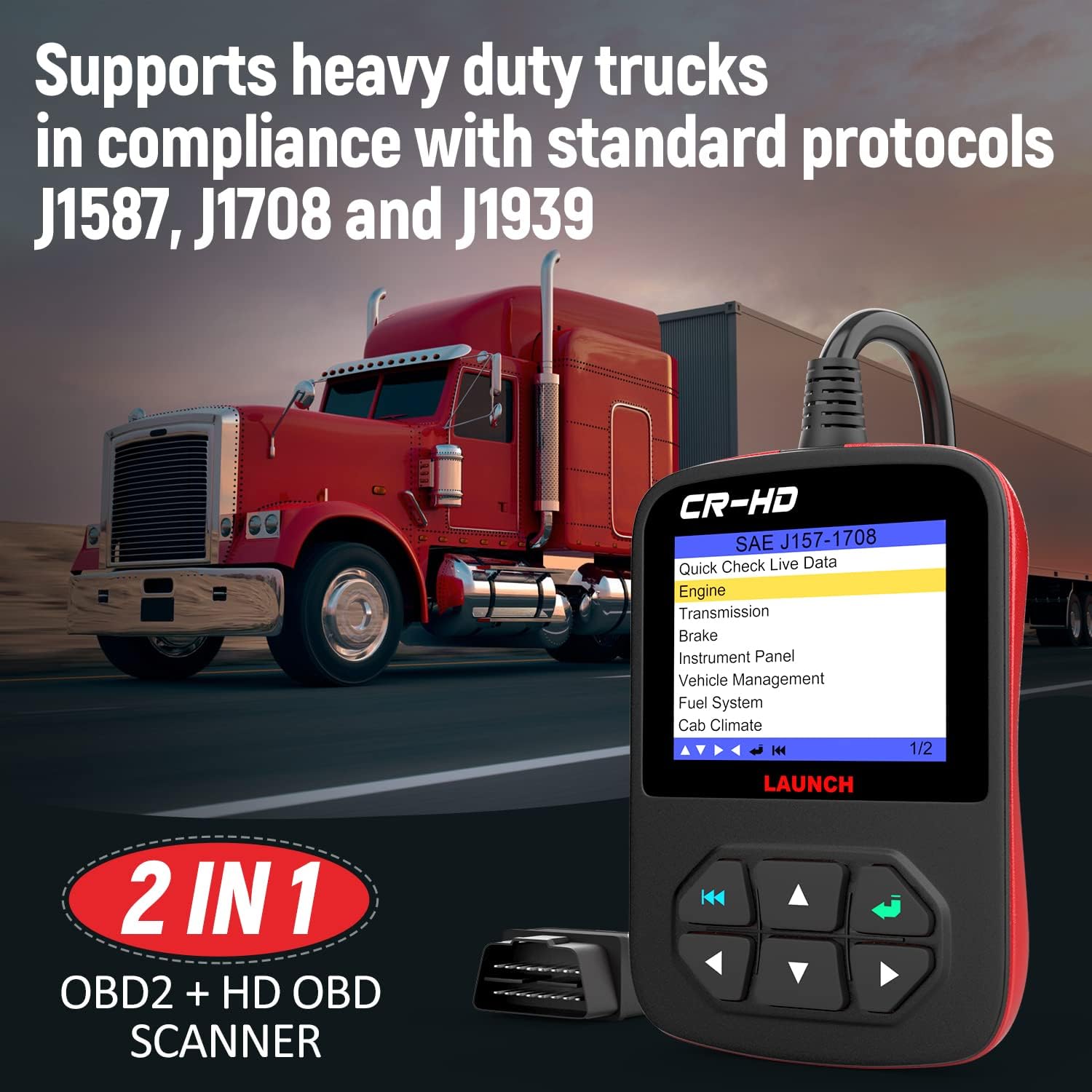
The LAUNCH CR-HD Plus is a versatile heavy-duty truck scanner and diagnostic scan tool designed for both diesel trucks and cars. It offers comprehensive diagnostic capabilities for various vehicle systems, supporting multiple protocols including J1587, J1708, J1939, and standard OBD II/EOBD/HOBD.
Ключевые особенности включают в себя:
- Covers Class 4 (14,001 lbs) through Class 8 (33,000 lbs and over) Heavy Duty Trucks.
- Includes 6-pin and 9-pin Deutsch connectors, plus OBDII 16-pin connectors.
- Supports J1587, J1939, and J1708 protocols for heavy-duty standards.
- Includes Generic/Global OBD II 16 PIN communication (cars and light trucks) - Modes 1-10.
- Ability to read and clear active and inactive fault codes, turn off Check Engine Light (MIL), clear codes, and reset monitors.
- Reads, records, graphs, and plays back live sensor data, including O2 sensor test data and EVAP data stream.
- Отображает состояние готовности монитора и системы мониторинга/инспекции (излучение).
- Provides coverage for Engine, Transmission, Brakes, and more via Heavy Duty Standard.
- Monitors all data and views live data streams for efficient engine health assessment and sensor location.
- Features a full-color 2.8" LCD Display with an extra-long 6.5 ft. cable.
- Comes with a padded storage case.
- Offers lifetime free internet updates.

2. Что в коробке
Открыв упаковку, убедитесь, что в комплект входят все следующие предметы:
- CR HD Plus Diagnostic Tool
- Руководство пользователя
- Padded Storage Case
- 6-pin Deutsch connector
- 9-pin Deutsch connector

3. Руководство по установке
- Identify the Diagnostic Port: Locate the diagnostic port in your vehicle. For heavy-duty trucks, this is typically a 6-pin or 9-pin Deutsch connector. For cars and light trucks, it is usually a 16-pin OBDII port. Consult your vehicle's manual for the exact location.
- Выберите правильный разъем: Choose the appropriate diagnostic connector (6-pin, 9-pin, or 16-pin) from the included accessories that matches your vehicle's port.
- Подключите сканер: Firmly connect the selected adapter to your vehicle's diagnostic port. Then, connect the other end of the adapter cable to the LAUNCH CR-HD Plus device.
- Включение питания: Once connected, the device should power on automatically. If not, ensure the vehicle's ignition is in the ON position (engine off or running, depending on the diagnostic task).
- Начальная настройка: Follow the on-screen prompts for initial language selection and system settings if prompted.
4. Инструкция по эксплуатации
The LAUNCH CR-HD Plus offers various diagnostic functions. Navigate through the menus using the directional buttons and confirm selections with the 'Enter' button.
4.1 Считывание и снятие кодов
- From the main menu, select "Read Codes" or "Diagnostic" (menu options may vary slightly).
- The scanner will establish communication with the vehicle's ECU and display any active or pending Diagnostic Trouble Codes (DTCs).
- To clear codes, select "Clear Codes" from the menu. Confirm the action when prompted. Clearing codes will turn off the Check Engine Light (MIL) and reset monitor status.

4.2 Поток данных в реальном времени
Эта функция позволяет view real-time data from the vehicle's sensors and components.
- Выберите пункт «Данные в реальном времени» в главном меню.
- Вы можете выбрать view Все параметры данных или выбранные конкретные.
- The data can be displayed in numerical, graph, or combined formats for easier analysis.

4.3. Системное покрытие
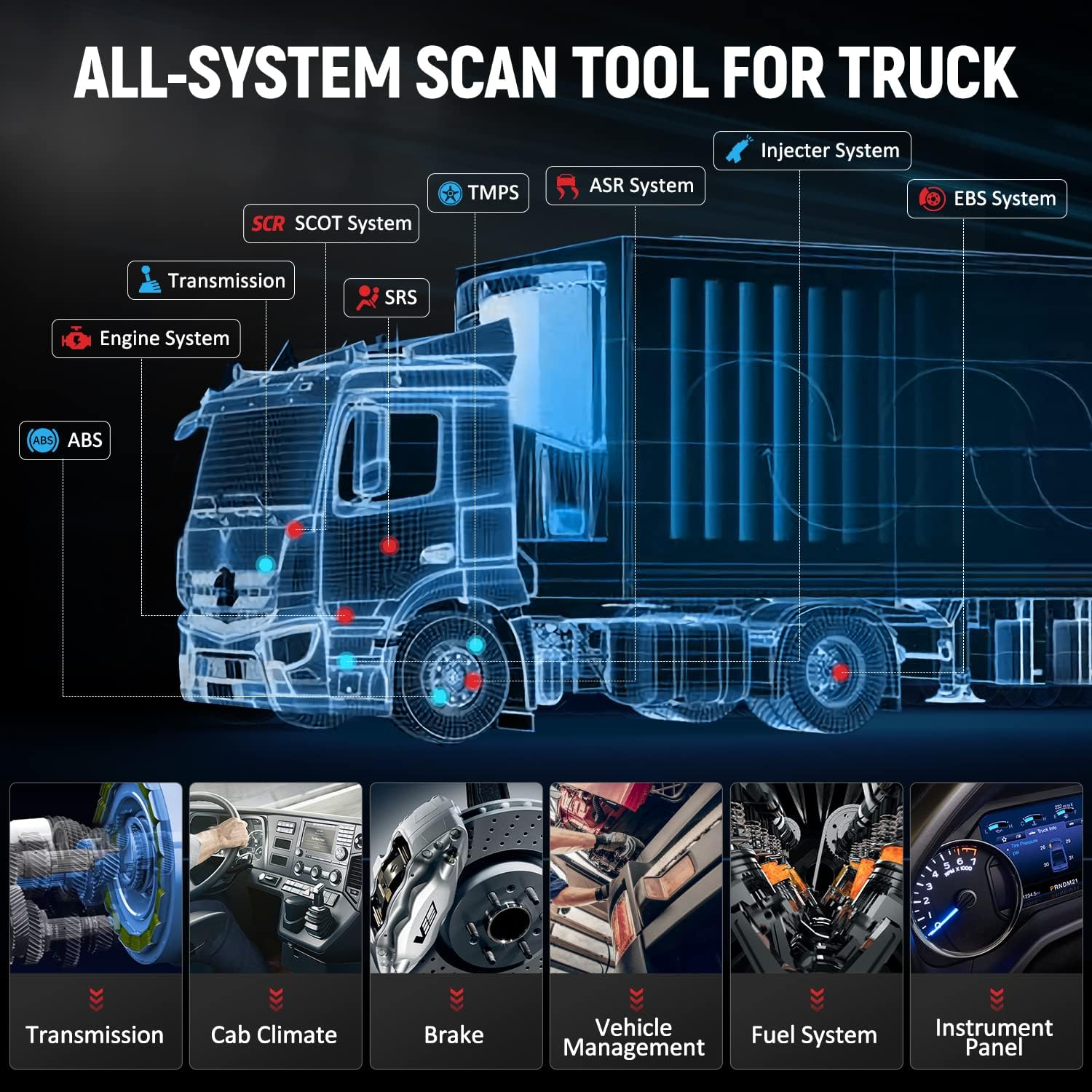
The LAUNCH CR-HD Plus provides OE-level diagnosis for various systems in heavy trucks, pickups, buses, and vans. This includes, but is not limited to:
- Система двигателя
- Система трансмиссии
- Braking System (ABS, ESP)
- Трансмиссия
- Приостановка
- Cluster/Instrument Panel
- Выхлопная система
- Топливная система
- Климат кабины
- Контроль тела
- И многое другое.
5. Техническое обслуживание
To ensure the longevity and optimal performance of your LAUNCH CR-HD Plus, follow these maintenance guidelines:
- Уборка: Используйте мягкий, damp Ткань для чистки устройства. Не используйте абразивные чистящие средства или растворители.
- Хранилище: Store the scanner in its padded storage case when not in use to protect it from dust, moisture, and physical damage. Keep it in a dry, cool environment.
- Уход за кабелем: Avoid bending or crimping the diagnostic cable excessively. Always grasp the connector ends when plugging or unplugging to prevent damage to the pins or cable.
- Обновления программного обеспечения: Regularly check for and install software updates. The device offers lifetime free internet updates, which can improve compatibility, add new features, and fix bugs.
6. Поиск Неисправностей
This section addresses common issues you might encounter while using the LAUNCH CR-HD Plus.
6.1 Устройство не включается
- Ensure the diagnostic cable is securely connected to both the vehicle's DLC (Data Link Connector) and the scanner.
- Verify that the vehicle's ignition is turned ON.
- Проверьте уровень заряда аккумулятора автомобиля.tage. A low battery might prevent the scanner from powering up or communicating correctly.
- Inspect the diagnostic port for any bent or damaged pins.
6.2 Ошибка связи
- Confirm that the correct diagnostic connector (6-pin, 9-pin, or 16-pin) is being used for your vehicle type.
- Убедитесь, что все соединения прочны и надежны.
- Убедитесь, что зажигание автомобиля включено.
- Try connecting to a different vehicle (if available) to determine if the issue is with the scanner or the vehicle.
- Обновите программное обеспечение сканера до последней версии.
6.3 Incorrect Connector Fit (as seen in customer video)
A customer video highlighted an issue where the provided connector did not fit the vehicle's port, despite appearing similar. This can occur due to subtle differences in pin configuration or connector design between various vehicle models or manufacturing years.
If you encounter a connector fit issue:
- Проверка совместимости: Double-check the compatibility of the scanner and its connectors with your specific vehicle's make, model, and year. Refer to the product's compatibility list or contact LAUNCH customer support with your vehicle's VIN.
- Inspect Pins: Carefully compare the pin layout of your vehicle's diagnostic port with the connector. Even a slight difference in arrangement can prevent a proper connection.
- Обратиться за поддержкой: If the provided connectors do not fit, contact LAUNCH customer support for assistance. They may be able to provide an alternative adapter or guidance.
7. Технические характеристики
| Особенность | Деталь |
|---|---|
| Бренд | ЗАПУСК |
| Модель | CReader HD Plus |
| Вес товара | 1.9 фунта |
| Размеры продукта | 4.7 x 3 x 1 дюйма |
| Операционная система | линукс |
| Поддерживаемые протоколы | J1587, J1708, J1939, OBDII (Modes 1-10) |
| Отображать | 2.8" Full Color LCD |
| Длина кабеля | 6.5 фута |
| СКП | 712321438010 |
8. Гарантия и поддержка
The LAUNCH CR-HD Plus comes with a 2-year warranty and lifetime free software updates. For any technical assistance or inquiries, please refer to the following contact information:
- Поддержка по электронной почте: autoscope@163.com
- Онлайн поддержка: You can contact the seller through the product detail page on Amazon by clicking the seller's store name and then "Ask a question."
- Гарантийный срок: 2 года
- Обновления программного обеспечения: Lifetime Free Internet Updates
- Политика возврата средств: 60 Days Unconditional Refund