1. Введение
Спасибо за покупкуasing the MAX LED Partybar4. This versatile RGBW light set is designed to create dynamic and colorful light shows for various events. It features four PAR spots with RGBW LEDs, multiple operating modes, and comes with a sturdy stand for easy setup. This manual provides essential information for safe operation, setup, and maintenance of your device. Please read it thoroughly before use and keep it for future reference.

Image 1.1: The MAX LED Partybar4, showcasing its four PAR spots with vibrant purple illumination.
2. Инструкции по технике безопасности
- Перед эксплуатацией устройства внимательно прочтите все инструкции.
- Сохраните это руководство для дальнейшего использования.
- Убедитесь, что источник питания соответствует мощностиtagе указано на устройстве.
- Не подвергайте устройство воздействию дождя или влаги во избежание возгорания или поражения электрическим током.
- Always disconnect from the mains power supply before cleaning or servicing.
- Do not open the housing; there are no user-serviceable parts inside. Refer servicing to qualified personnel.
- Избегайте прямого попадания света в глаза, так как это может привести к повреждению зрения.
- Обеспечьте надлежащую вентиляцию вокруг устройства во избежание перегрева.
- Position the device on a stable surface or mount it securely using appropriate hardware.
3. Продукт закончилсяview
3.1 Компоненты
- LED Partybar4 unit with 4 PAR spots
- Регулируемая подставка для штатива
- Беспроводной пульт дистанционного управления
- Кабель питания
- Руководство пользователя
3.2 Основные характеристики
- 4 PAR spots with RGBW LEDs for vibrant color mixing.
- Plug and Play design for quick setup.
- Multiple operating modes: Sound-activated, Auto, DMX, and Master/Slave.
- Pre-programmed shows for instant effects.
- Беспроводной пульт дистанционного управления для удобства использования.
- Integrated control panel with LED display for easy settings adjustment.
- Sturdy, adjustable tripod stand with a maximum height of 1.8m.

Image 3.1: The MAX LED Partybar4 with its included wireless remote control, highlighting ease of color and function adjustment.
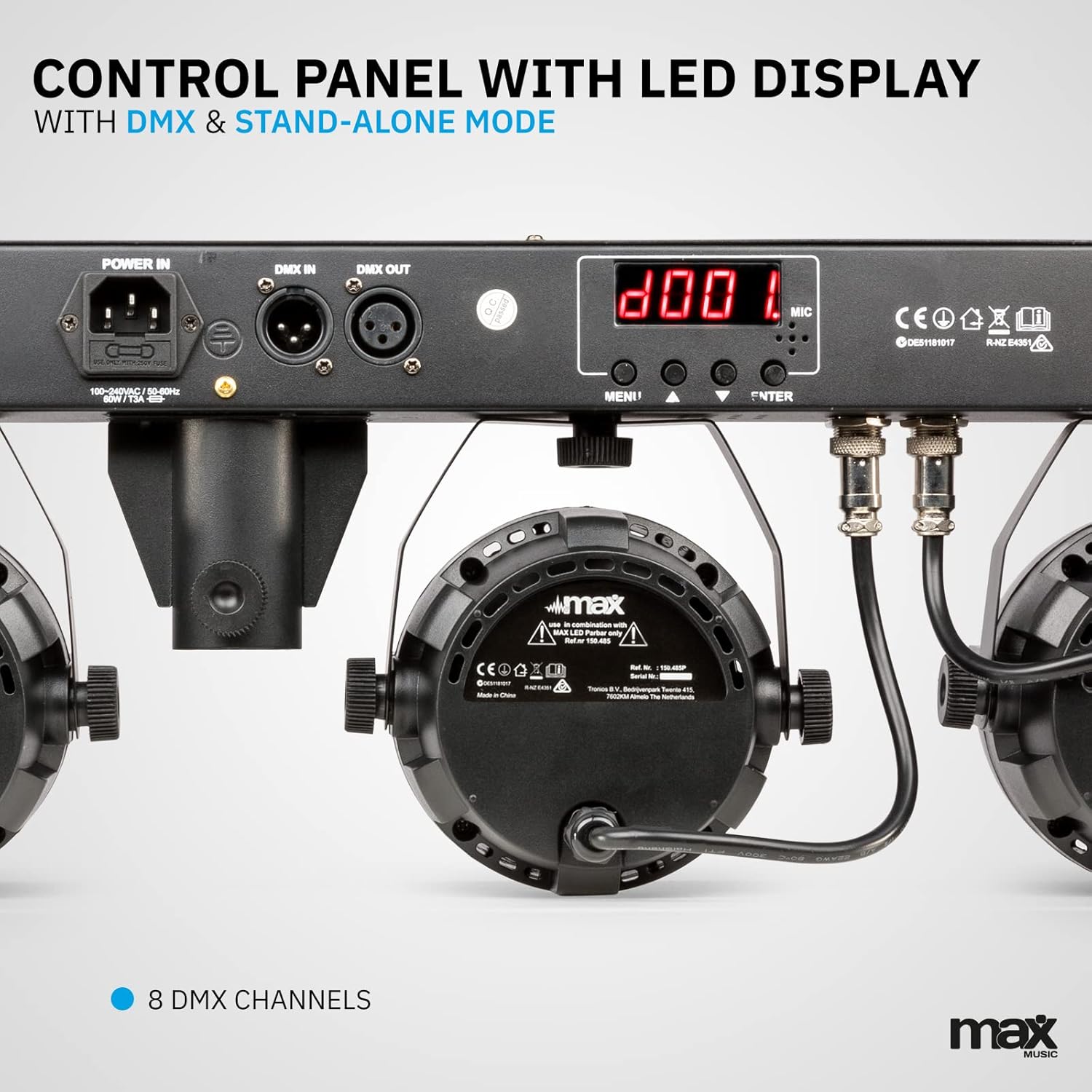
Изображение 3.2: Подробно view of the control panel, featuring power input, DMX connections, and the LED display for mode selection.
4. Настройка
4.1 Сборка подставки
- Unfold the tripod legs and ensure they are fully extended and stable.
- Loosen the height adjustment knob on the stand.
- Extend the central pole to the desired height, ensuring it is securely locked in place. The maximum height is 1.8 meters.
- Плотно затяните ручку регулировки высоты.
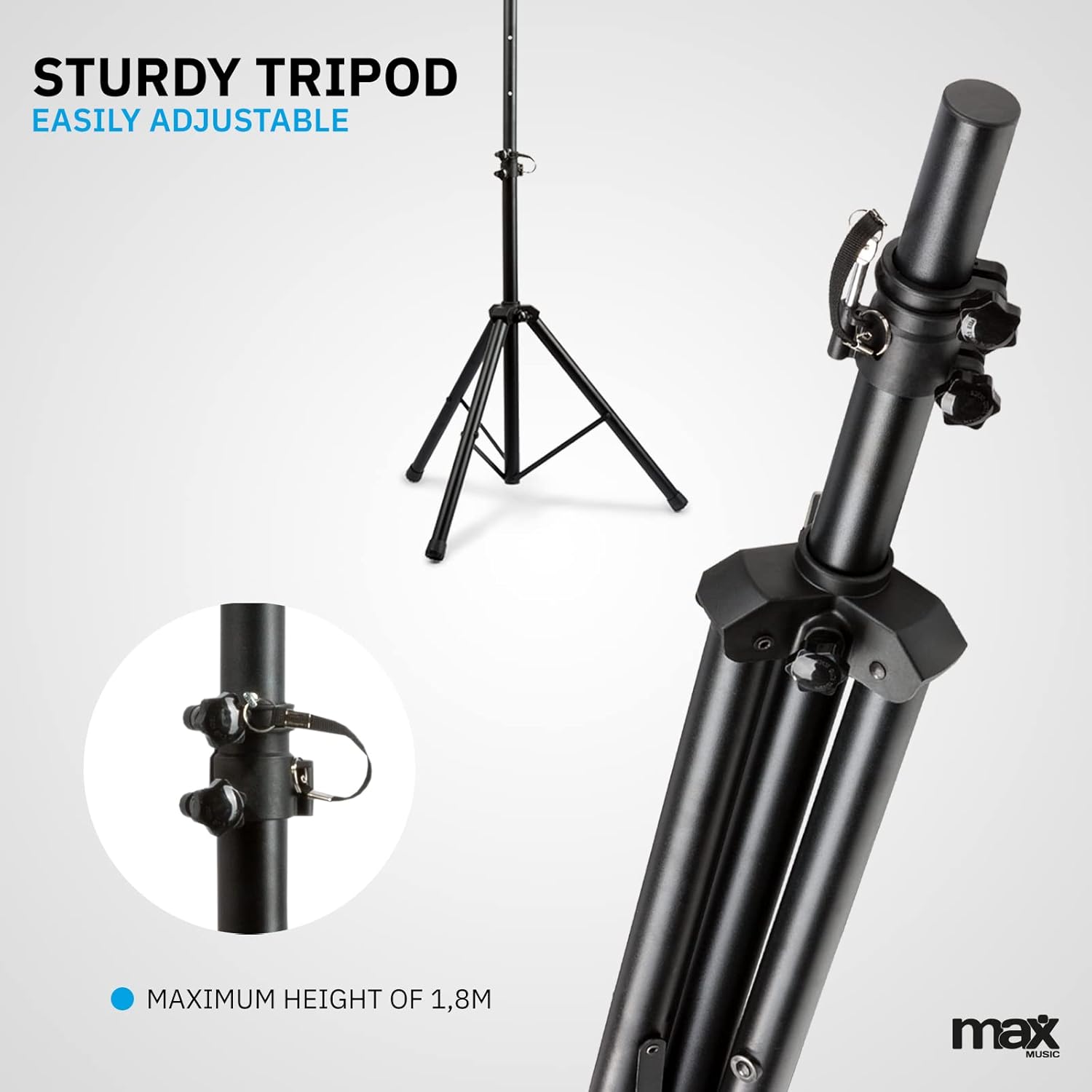
Image 4.1: The sturdy tripod stand, illustrating its adjustable height mechanism for optimal positioning.
4.2 Mounting the Partybar4 Unit
- Carefully place the Partybar4 unit onto the top of the assembled tripod stand.
- Secure the unit to the stand using the provided mounting hardware (if applicable) to prevent accidental dislodgement.
- Adjust the angle of the PAR spots as desired by loosening and tightening their side knobs.
4.3 Подключение питания
- Connect the power cable to the "POWER IN" socket on the Partybar4 unit.
- Вставьте другой конец кабеля питания в подходящую розетку.
- Ensure the power switch on the unit is in the "OFF" position before connecting to power.
4.4 Подключение DMX (опционально)
For advanced control, connect a DMX controller to the "DMX IN" port using a standard 3-pin DMX cable. If linking multiple units, connect the "DMX OUT" of the first unit to the "DMX IN" of the next unit in a daisy chain.
5. Режимы работы
The MAX LED Partybar4 offers several operating modes, which can be selected via the control panel on the unit or the wireless remote control.
5.1 Эксплуатация панели управления
Use the "MENU", "UP", "DOWN", and "ENTER" buttons on the control panel to navigate through the settings and select your desired mode. The LED display will show the current mode or setting.
5.2 Дистанционное управление
Входящий в комплект беспроводной пульт дистанционного управления обеспечивает удобный доступ к различным функциям:
- ВКЛ/ВЫКЛ: Включение или выключение питания.
- AUTO/MUTE: Активирует автоматический режим программирования.
- SOUND/SEEK: Активирует режим звуковой активации.
- DMX: Selects DMX control mode.
- PAR/FLASH: Controls PAR spot flash function.
- LED/COLOR: Adjusts LED colors or color mixing.
- MOTOR/SEN: Adjusts motor speed or sound sensitivity.
- +/-: Adjusts parameters (speed, sensitivity, DMX address).
5.3 Автоматический режим
In Automatic mode, the Partybar4 cycles through pre-programmed light shows. You can adjust the speed of these shows using the remote control or control panel.
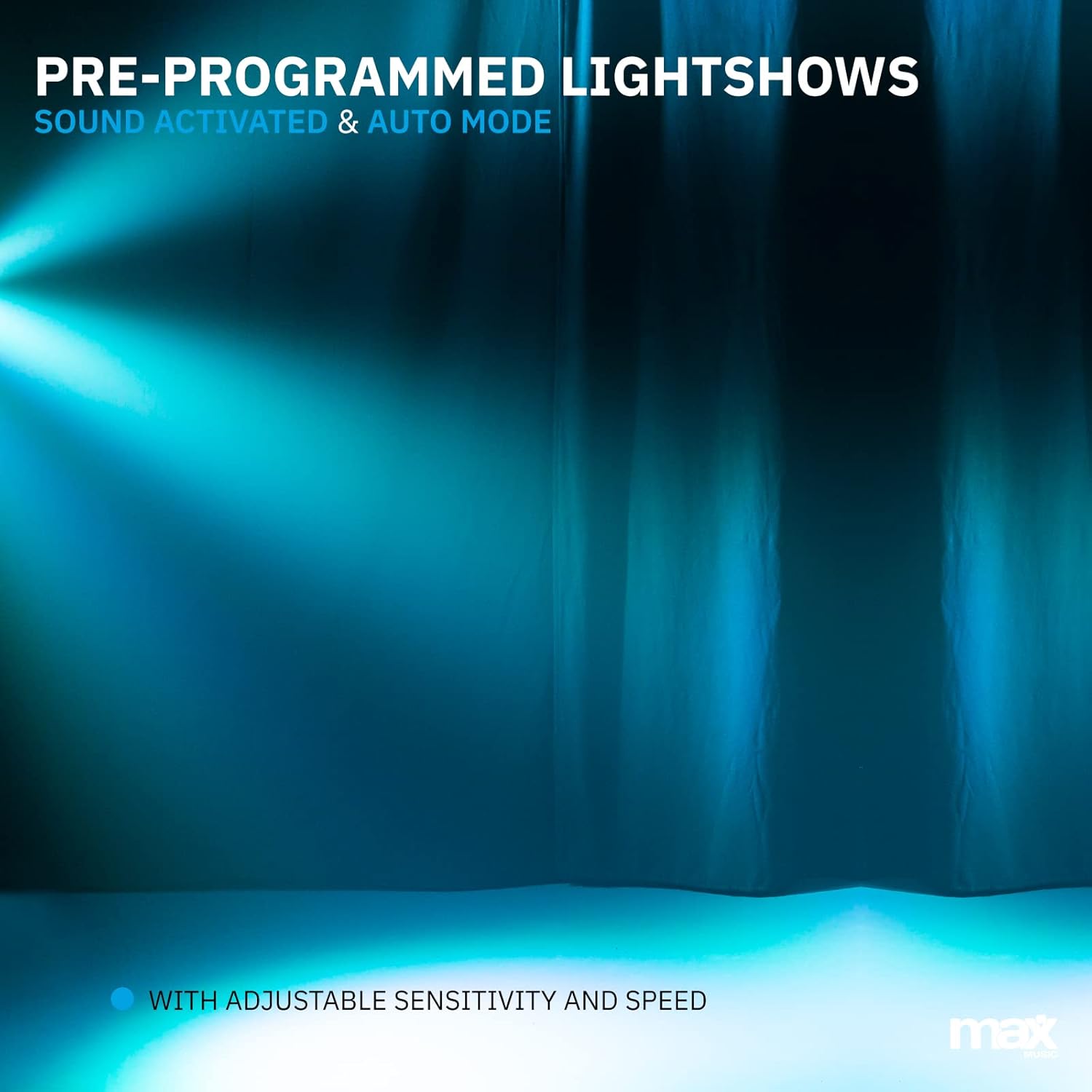
Изображение 5.1: Бывшийample of a pre-programmed light show, demonstrating dynamic blue and white light effects.
5.4 Режим активации звуком
In Sound-activated mode, the light effects react to the beat of the music detected by the built-in microphone. Adjust the sensitivity using the remote control or control panel to fine-tune its response.
5.5 Режим DMX
For professional control, use DMX mode. Set the DMX start address via the control panel. The Partybar4 uses 8 DMX channels, allowing precise control over colors, dimming, strobe, and program selection from an external DMX controller.
5.6 Смешивание цветов
The RGBW LEDs allow for a wide spectrum of colors. In certain modes, you can mix red, green, blue, and white to create custom hues.

Image 5.2: Illustration of RGBW color mixing capabilities, producing a vibrant blue light effect.
6. Техническое обслуживание
6.1 Очистка
- Всегда отключайте устройство от источника питания перед чисткой.
- Для протирки внешней поверхности устройства используйте мягкую безворсовую ткань.
- For lenses, use a specialized lens cleaning solution and a soft cloth to avoid scratches.
- Не используйте абразивные чистящие средства или растворители.
6.2 Хранение
- Когда устройство не используется, храните его в сухом, защищенном от пыли месте.
- If storing for extended periods, consider using the original packaging or a protective case.
- Ensure the tripod is collapsed and secured to prevent damage.
7. Поиск Неисправностей
| Проблема | Возможная причина | Решение |
|---|---|---|
| Нет электричества | Power cable disconnected; power outlet faulty; unit switch off. | Проверьте подключение кабеля питания; попробуйте другую розетку; убедитесь, что выключатель питания включен. |
| Lights not responding to music (Sound-activated mode) | Microphone sensitivity too low; music volume too low; incorrect mode selected. | Increase microphone sensitivity; increase music volume; ensure Sound-activated mode is active. |
| Пульт дистанционного управления не работает | Battery depleted; obstruction between remote and unit; remote not pointed at IR receiver. | Replace remote control battery (CR2); remove obstructions; ensure remote is pointed at the IR receiver on the unit. |
| Проблемы с управлением DMX | Incorrect DMX address; faulty DMX cable; DMX controller issue; unit not in DMX mode. | Verify DMX address settings; check DMX cable connections; test with another DMX controller; ensure DMX mode is selected on the unit. |
8. Технические характеристики
| Особенность | Деталь |
|---|---|
| Номер модели | ВечеринкаБар4 |
| Источник света | RGBW светодиоды |
| DMX-каналы | 8 |
| Режимы работы | Auto, Sound-activated, DMX, Master/Slave |
| Источник питания | Сетевой кабель питания |
| Размеры продукта | 20 х 20 х 9 см |
| Вес товара | 7.3 Килограмма |
| Максимальная высота штатива | 1.8 метров |
| Батарея для пульта дистанционного управления | 1 батарея CR2 (входит в комплект) |
| Сертификаты | CE |
9. Официальное видео о продукте
Video 9.1: A Closer Look at the MAX LED Partybar4. This video provides a detailed visual overview of the product's features and components.
10. Гарантия и поддержка
The MAX LED Partybar4 comes with a standard manufacturer's warranty. Please refer to the warranty card included in your packaging for specific terms and conditions. For technical support, troubleshooting assistance, or warranty claims, please contact your retailer or the MAX customer service department. Keep your proof of purchase for all warranty-related inquiries.
Note: The manual provided with the item may not be available in Dutch. This document serves as a comprehensive English instruction guide.


