1. Продукт закончилсяview
The Fender Monterey Bluetooth Speaker delivers clear, powerful audio with a design inspired by classic Fender amplifiers. This speaker is engineered for high-fidelity sound reproduction, featuring 120 watts of power, two woofers, and two tweeters. It supports audio streaming via Bluetooth and direct connection through a 3.5mm auxiliary jack or RCA inputs.
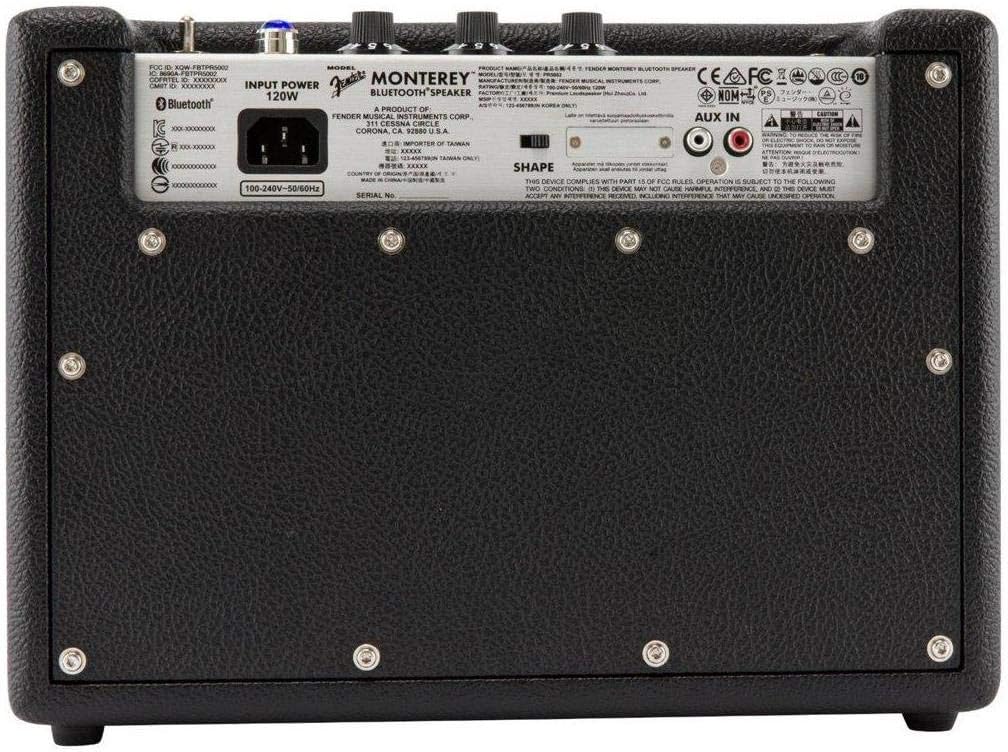
Рисунок 1: Передняя часть view of the Fender Monterey Bluetooth Speaker, showcasing its classic amplifier-inspired grille and Fender logo.
2. Что в коробке
Убедитесь, что все перечисленные ниже предметы включены в ваш пакет:
- Fender Monterey Bluetooth Speaker
- Вспомогательный кабель 3.5 мм
- RCA кабель
- Силовой кабель
3. Руководство по установке
3.1 Подключение питания
- Ensure the speaker's volume control is set to minimum before connecting power.
- Connect the supplied power cable to the AC input on the rear panel of the speaker.
- Plug the other end of the power cable into a suitable wall outlet (100-240V, 50/60Hz).
- Flip the power switch on the top panel to the "ON" position. The speaker will emit a chime indicating it is powered on.
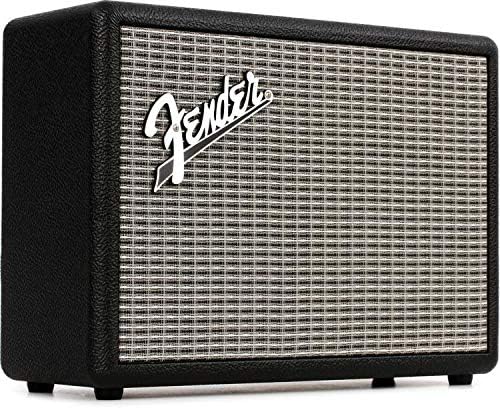
Figure 2: Rear panel of the Fender Monterey speaker, showing the power input and auxiliary connections.
3.2 Сопряжение по Bluetooth
- При включенном динамике нажмите ПАРА button on the top panel. The Bluetooth indicator light will begin to flash, indicating it is in pairing mode.
- На вашем аудиоустройстве (смартфоне, планшете, компьютере) перейдите в настройки Bluetooth.
- Select "Fender Monterey" from the list of available devices.
- Once successfully paired, the Bluetooth indicator light on the speaker will turn solid blue, and a confirmation chime will sound.
3.3 Подключение вспомогательного входа
For devices without Bluetooth, use the provided 3.5mm auxiliary cable or RCA cable.
- 3.5mm Aux: Connect one end of the 3.5mm cable to your audio device's headphone jack and the other end to the МИНИ input on the speaker's top panel.
- РКА: Connect the RCA cable to your audio device's RCA outputs and the other end to the РКА inputs on the speaker's rear panel.
Select the appropriate source (БЛЮТУЗ, МИНИ, или РКА) используя ИСТОЧНИК кнопка на верхней панели.

Figure 3: Top panel controls of the Fender Monterey speaker, including Volume, Treble, Bass, Source, and Pair buttons.
4. Инструкция по эксплуатации
4.1 Воспроизведение аудио
- Ensure your audio source is connected and selected (Bluetooth, Mini, or RCA).
- Начните воспроизведение звука с подключенного устройства.
- Отрегулируйте ОБЪЕМ knob on the speaker's top panel to your desired listening level.
4.2 Регуляторы тембра
The Fender Monterey speaker features dedicated controls for customizing your sound:
- ВЫСОКИЕ: Adjusts the high-frequency response of the audio. Turn clockwise for brighter sound, counter-clockwise for warmer sound.
- БАС: Adjusts the low-frequency response of the audio. Turn clockwise for more bass, counter-clockwise for less bass.
- ФОРМА: A toggle switch located on the rear panel. This control modifies the overall tonal character, offering different sound profiles. Experiment with both positions to find your preferred sound.
5. Техническое обслуживание
- Уборка: Use a soft, dry cloth to clean the speaker's exterior. Avoid abrasive cleaners, solvents, or sprays that may damage the finish.
- Хранилище: Если динамик не используется в течение длительного времени, храните его в прохладном, сухом месте, вдали от прямых солнечных лучей и экстремальных температур.
- Вентиляция: Обеспечьте надлежащую вентиляцию вокруг динамика, чтобы предотвратить перегрев. Не закрывайте вентиляционные отверстия.
- Воздействие жидкости: Keep the speaker away from liquids. In case of accidental spills, immediately disconnect power and allow it to dry completely before re-use.
6. Поиск Неисправностей
Нет питания
- Убедитесь, что кабель питания надежно подключен к динамику и рабочей розетке.
- Verify the power switch on the top panel is in the "ON" position.
- Проверьте работоспособность розетки, подключив к ней другое устройство.
Нет звука
- Confirm the correct audio source (Bluetooth, Mini, or RCA) is selected using the ИСТОЧНИК кнопка.
- Увеличить ОБЪЕМ knob on the speaker and the volume on your connected audio device.
- If using Bluetooth, ensure the device is properly paired and connected. Try re-pairing if necessary.
- If using auxiliary inputs, ensure cables are fully inserted and not damaged.
Проблемы с сопряжением Bluetooth
- Ensure the speaker is in pairing mode (flashing Bluetooth indicator). Press the ПАРА button if it's not flashing.
- Move your audio device closer to the speaker to ensure it's within range.
- Turn off and on the Bluetooth function on your audio device.
- If the speaker was previously paired with another device, disconnect it from that device first.
7. Технические характеристики
| Номер модели | 6960200000 |
| Бренд | Крыло |
| Выход Втtage | 120 Вт |
| Конфигурация динамиков | Two woofers, two tweeters |
| Связность | Bluetooth, 3.5mm Auxiliary Input, RCA Input |
| Размеры продукта (Д x Ш x В) | 9.3 x 16.8 x 14.6 дюйма (23.6 x 42.7 x 37.1 см) |
| Вес товара | 18.6 фунта (8.44 кг) |
| Цвет | Черный |
| Производитель | Fender Musical Instruments Corp. |
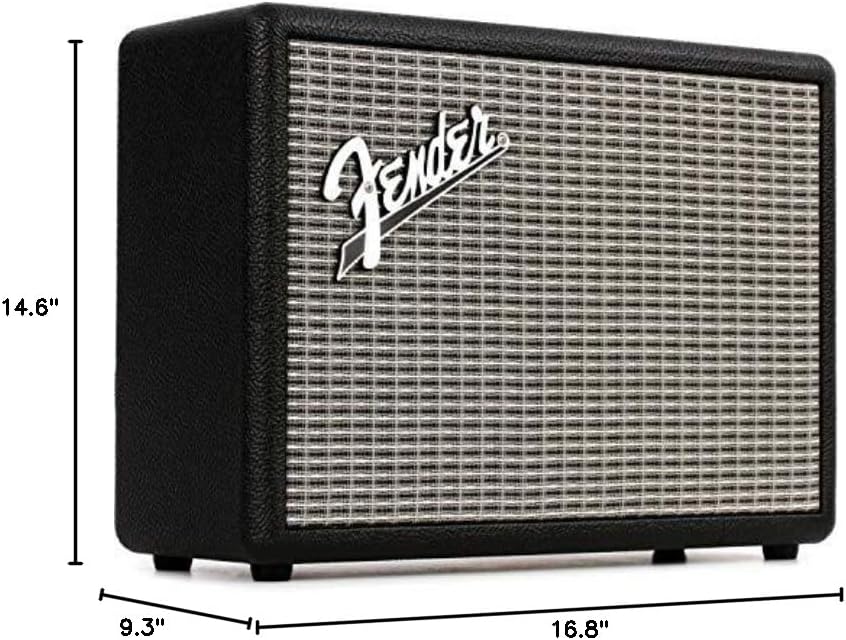
Figure 4: Dimensions of the Fender Monterey Bluetooth Speaker.
8. Гарантия и поддержка
For warranty information, product registration, or technical support, please refer to the official Fender webПосетите сайт или свяжитесь со службой поддержки клиентов Fender. Сохраните чек о покупке для предъявления гарантийных претензий.
Интернет-ресурсы: www.fender.com


