1. Введение
The HyperX Cloud Pro Gaming Headset is engineered for serious console and PC gamers, offering superior comfort and audio performance. Featuring a durable aluminum frame, memory foam ear cushions, and 53mm drivers, this headset delivers crystal clear highs, mids, and lows. The convenient in-line audio control provides easy access to volume adjustments and microphone muting, ensuring an immersive gaming experience.
2. Содержимое упаковки
- HyperX Cloud Pro Gaming Headset
- Съемный микрофон с шумоподавлением
- In-line Audio Control Box
- PC Extension Cable (2M) with Stereo and Mic Plugs
- Сумка для переноски

Image: All components included with the HyperX Cloud Pro Gaming Headset.
3. Продукт закончилсяview
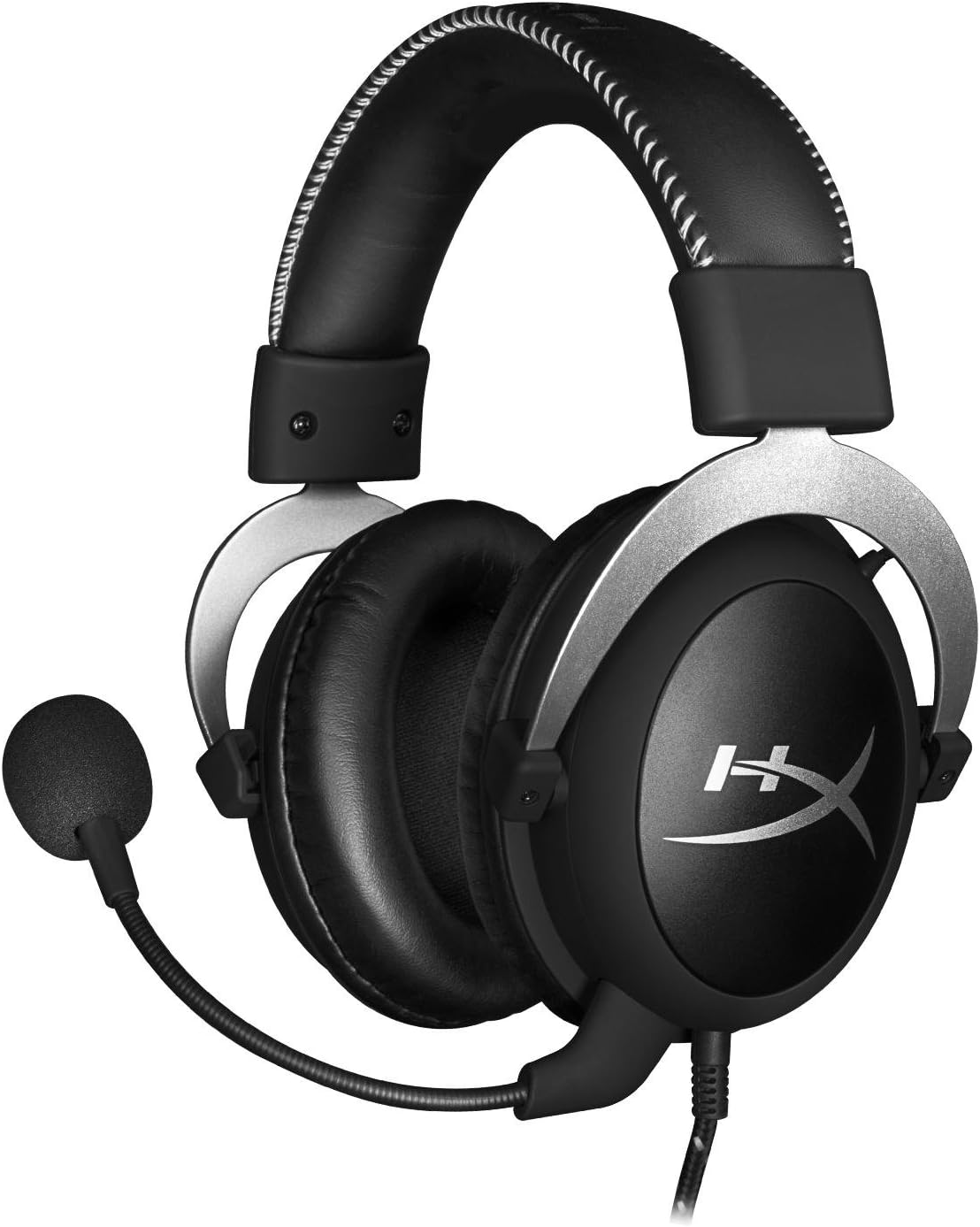
Передний view of the headset with microphone.
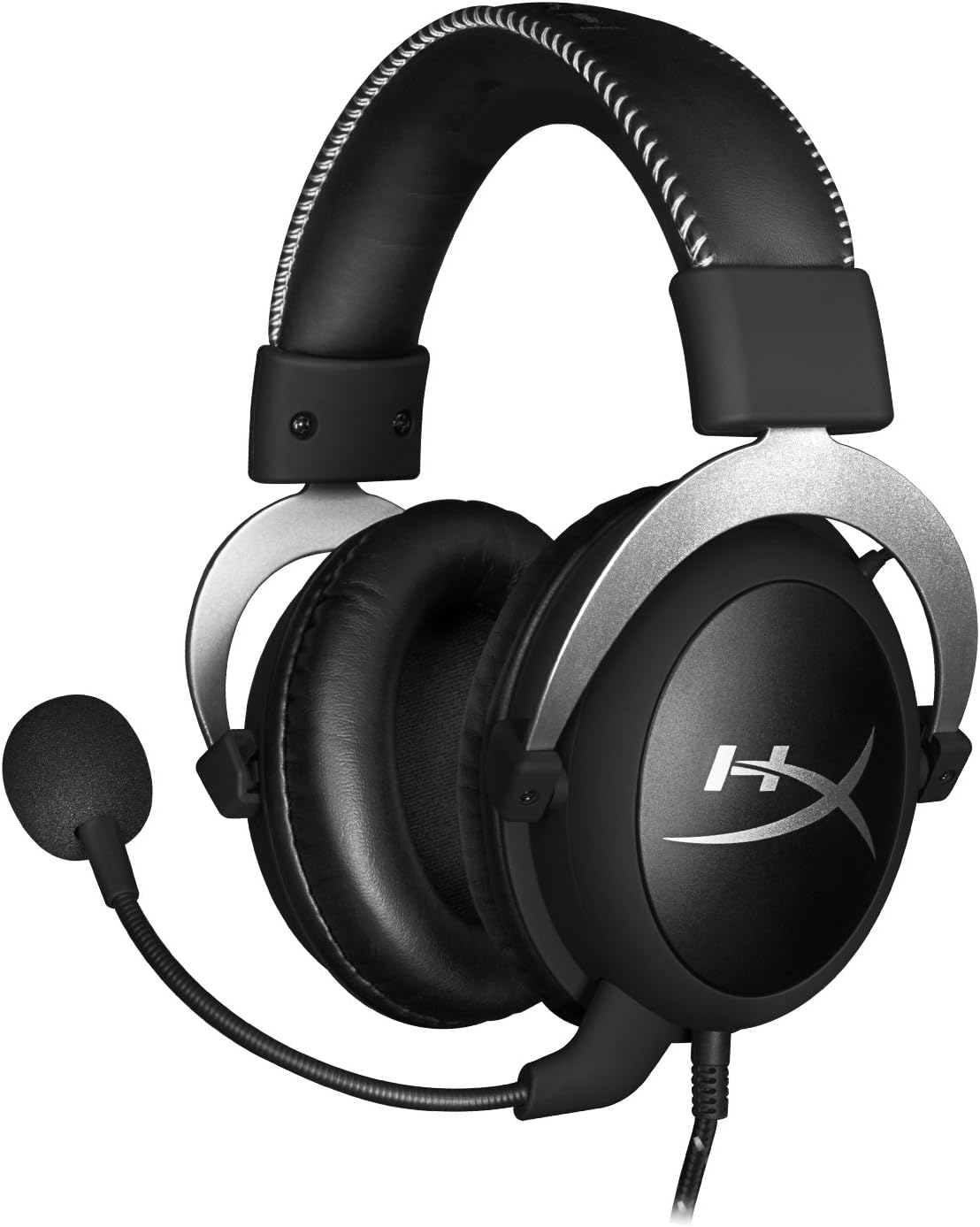
Сторона view гарнитуры.

Headset folded flat for storage.

Вершина view of the headband.
Ключевые компоненты:
- Оголовье: Padded with leatherette for comfort during extended use.
- Амбушюры: Over-ear design with memory foam cushions, providing passive noise isolation.
- Съемный микрофон: Flexible, noise-cancelling microphone for clear communication.
- In-line Audio Control: Integrated unit on the cable for volume adjustment and microphone mute.
4. Настройка и подключение
4.1 Соединение с ПК
- Connect the headset's 3.5mm plug to the in-line audio control box.
- Attach the PC extension cable to the in-line audio control box.
- Plug the green audio jack of the extension cable into your PC's audio output (headphone) port.
- Plug the pink microphone jack of the extension cable into your PC's microphone input port.
- Ensure the detachable microphone is securely inserted into the headset's microphone port.
4.2 Console Connection (PS4, Xbox One, Wii U)
- Connect the headset's 3.5mm plug directly into your console controller's 3.5mm port.
- Ensure the detachable microphone is securely inserted into the headset's microphone port.
- Adjust audio settings on your console as needed to route chat and game audio through the headset.
4.3 Mobile Device Connection
- Connect the headset's 3.5mm plug directly into your mobile device's 3.5mm audio jack.
- The microphone can be attached for calls or detached if not needed.

Image: In-line audio control unit.
5. Инструкция по эксплуатации
5.1 Регулятор громкости
The in-line audio control features a rotary volume wheel. Rotate the wheel upwards to increase volume and downwards to decrease volume. This adjusts the headset's output volume independently of your device's master volume.
5.2 Отключение микрофона
A switch on the in-line audio control allows you to quickly mute or unmute the microphone. Slide the switch to the 'Mute' position to disable the microphone, and slide it back to enable it. This is useful for privacy or when you do not wish your voice to be transmitted.
6. Техническое обслуживание и уход
- Уборка: Для протирки гарнитуры используйте мягкую сухую ткань. Амбушюры можно слегка протереть сухой тканью.amp Можно использовать ткань, но убедитесь, что она полностью сухая перед использованием. Избегайте агрессивных химикатов или абразивных чистящих средств.
- Хранилище: When not in use, store the headset in the provided carrying pouch to protect it from dust and scratches. Avoid extreme temperatures and humidity.
- Уход за кабелем: Do not excessively bend or pull the cables. Store them neatly to prevent tangling and damage.
7. Поиск Неисправностей
| Проблема | Возможная причина | Решение |
|---|---|---|
| Нет звука с гарнитуры | Неправильное подключение; Слишком низкая громкость; Настройки звука устройства. | Ensure all cables are securely connected. Increase volume using the in-line control and device settings. Verify audio output settings on your PC/console. |
| Микрофон не работает | Microphone muted; Incorrect connection; Device microphone settings. | Check the microphone mute switch on the in-line control. Ensure the microphone is fully inserted. Verify microphone input settings on your PC/console. |
| Плохое качество звука / Помехи | Плохое соединение; Помехи; Поврежденный кабель. | Reconnect all cables. Test on another device to rule out interference. If issues persist, the cable may be damaged. |
| Неудобные наушники | Неправильная посадка. | Adjust the headband for a comfortable fit. The memory foam ear cushions are designed for extended comfort. |
8. Технические характеристики
- Название модели: HyperX Cloud Pro Gaming Headset - Silver - with In-Line Audio Control
- Номер модели: HX-HSCL-SR/NA
- Связь: Проводной (разъем 3.5 мм)
- Водители: Динамические драйверы 53 мм
- Частотная характеристика: 15 Гц - 25 кГц
- Материал: Foam, Aluminum, Leather
- Вес товара: 0.6 килограммов (1.32 фунта)
- Совместимые устройства: PS5, PS4, Xbox One, Wii U, Mac, Mobile Devices, PC
- Тип управления: Регулятор громкости, отключение микрофона
- Контроль шума: Активное шумоподавление (микрофон)
9. Гарантия и поддержка
The HyperX Cloud Pro Gaming Headset is backed by a Гарантия 2 год. For technical support or warranty claims, please contact HyperX customer service. You can also refer to the official Руководство пользователя (PDF) для получения дополнительной информации.


