1. Введение
This manual provides essential information for the safe and effective use of your ProForm Le Tour De France Upright Exercise Bike, Model PFEX01215. Please read all instructions carefully before assembly and operation. Retain this manual for future reference.
Информация по безопасности:
- Проконсультируйтесь с врачом перед началом любой программы упражнений.
- Держите детей и домашних животных подальше от оборудования.
- Установите велотренажер на ровной поверхности.
- Перед каждым использованием убедитесь, что все детали надежно затянуты.
- Максимальный вес пользователя: 250 фунтов (113.4 кг).
2. Настройка и сборка
Unpack all components and ensure all parts are present. Refer to the included assembly guide for detailed step-by-step instructions. Basic assembly typically involves attaching the stabilizers, pedals, seat, handlebars, and console.

Рисунок 2.1: Fully assembled ProForm Le Tour De France Upright Exercise Bike. This image shows the complete bike from a front-side angle, highlighting the console, handlebars, seat, pedals, and the distinctive "Le Tour De France" branding on the flywheel.
2.1 Stabilizer Installation
Attach the front and rear stabilizers to the main frame using the provided bolts and washers. Ensure they are firmly secured to prevent wobbling during use.
2.2 Крепление педали
The pedals are marked 'L' for left and 'R' for right. Attach the left pedal by turning it counter-clockwise and the right pedal by turning it clockwise into the crank arms. Tighten securely with a wrench.
2.3 Регулировка сиденья и руля
Adjust the seat height and handlebar position to ensure a comfortable and ergonomic riding posture. The seat features an adjustable post for vertical positioning, and the handlebars can be adjusted for angle.

Рисунок 2.2: A user adjusting the seat height of the exercise bike. This image illustrates the process of loosening and tightening the knob to set the seat to the desired vertical position.

Рисунок 2.3: A user adjusting the handlebar angle on the exercise bike. This image shows how to manipulate the adjustment mechanism to find a comfortable handlebar position.
3. Инструкция по эксплуатации
3.1 Консоль поверхview
The console displays key workout metrics such as time, distance, speed, calories, and resistance level. Familiarize yourself with the buttons and display functions.

Рисунок 3.1: Подробный view of the exercise bike's console. This image highlights the digital display, control buttons for incline, gears, and various workout modes, and the iFit branding.
3.2 Начало тренировки
- Sit on the bike and place your feet securely in the pedal straps.
- Press any button on the console to activate it.
- Select a workout program or begin in manual mode.
- Adjust resistance using the '+' and '-' buttons on the console.
3.3 Система сопротивления
The bike utilizes a magnetic resistance system for smooth and quiet operation. Resistance levels can be adjusted electronically via the console, simulating various terrains and inclines.

Рисунок 3.2: Close-up of the SMR (Silent Magnetic Resistance) system. This image focuses on the flywheel and the resistance mechanism, showing the "SMR" branding.
3.4 iFit Connectivity
This exercise bike is iFit compatible. Connect your device to access interactive workouts, global routes powered by Google Maps, and personalized training programs. Refer to the iFit manual or webПодробные инструкции по настройке см. на сайте.
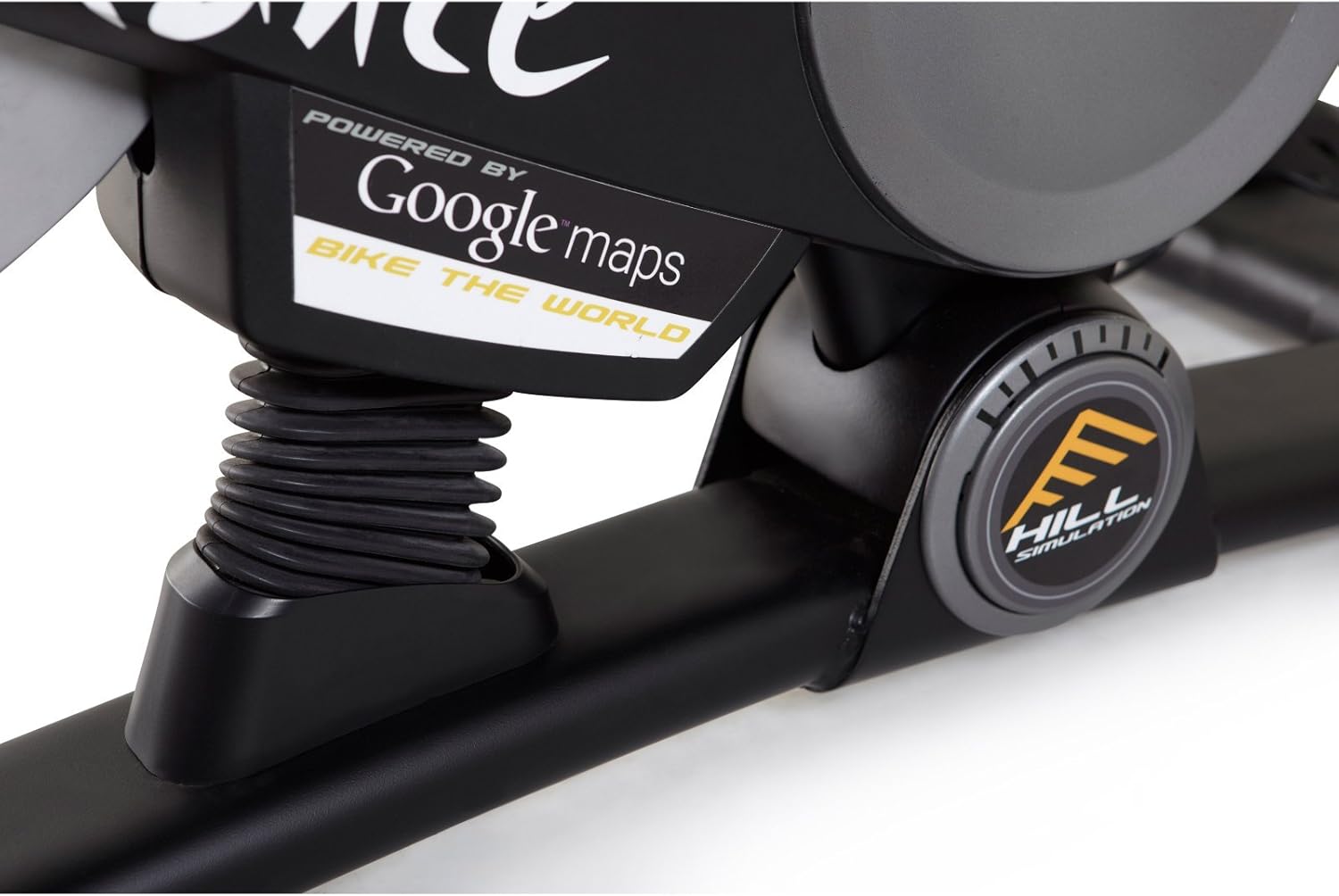
Рисунок 3.3: Branding indicating "Powered by Google Maps" on the exercise bike's frame. This highlights the bike's integration with iFit for virtual routes.
4. Техническое обслуживание
Регулярное техническое обслуживание обеспечивает долговечность и оптимальную работу вашего велотренажера.
- Уборка: После каждого использования протирайте велосипед средством Ad.amp Для удаления пота и пыли используйте тряпку. Избегайте абразивных чистящих средств.
- Инспекция: Periodically check all bolts and nuts for tightness. Tighten any loose fasteners.
- Смазка: No lubrication is required for the magnetic resistance system.
- Хранилище: Store the bike in a dry, cool environment away from direct sunlight and moisture.
5. Поиск Неисправностей
| Проблема | Возможная причина | Решение |
|---|---|---|
| Консоль не включается | Батарейки разряжены или установлены неправильно. | Замените батареи или убедитесь в правильной полярности. |
| Нестабильна во время использования | Stabilizer feet not adjusted or loose bolts. | Отрегулируйте опорные ножки стабилизаторов. Затяните все крепежные болты. |
| Сопротивление не меняется | Console connection issue or internal fault. | Check console cables. If problem persists, contact customer support. |
| Pedals making noise | Loose pedals or crank arms. | Ensure pedals are tightly screwed into crank arms. |
6. Технические характеристики
| Особенность | Деталь |
|---|---|
| Номер модели | PFEX01215 |
| Размеры (Д x Ш x В) | 136.4 см x 62.7 см x 135.1 см (53.7 дюйма x 24.7 дюйма x 53.2 дюйма) |
| Вес собранного продукта | 54.4 кг (120 фунта) |
| Максимальный вес пользователя | 113.4 кг (250 фунта) |
| Механизм сопротивления | Magnetic (SMR™ Silent Magnetic Resistance) |
| Тип дисплея | ЖК-дисплей |
| Источник питания | Питание от батареи |
| Особые возможности | Adjustable Seat, iFit Compatible, Google Maps Integration |
7. Информация о гарантии
ProForm products are manufactured with high-quality materials and craftsmanship. For specific warranty details regarding your ProForm Le Tour De France Upright Exercise Bike, please refer to the warranty card included with your purchase or visit the official ProForm webСохраните чек о покупке для предъявления гарантийных претензий.
8. Поддержка клиентов
If you have questions, require assistance with assembly, or need to troubleshoot an issue not covered in this manual, please contact ProForm customer support.
- Онлайн поддержка: Посетите официальный сайт Поддержка ProForm Webсайт.
- Поддержка по телефону: Refer to your product registration card or the ProForm webсайт региональных контактных телефонов.


