1. Введение
Спасибо за покупкуasing the Blaupunkt BB 1000 Speaker. This portable boombox is designed to provide a versatile audio experience with multiple playback options, including Bluetooth, CD, USB, FM radio, and auxiliary input. It also features inputs for a microphone and guitar, allowing for enhanced entertainment. Please read this manual carefully before using the device to ensure proper operation and to maximize its lifespan.
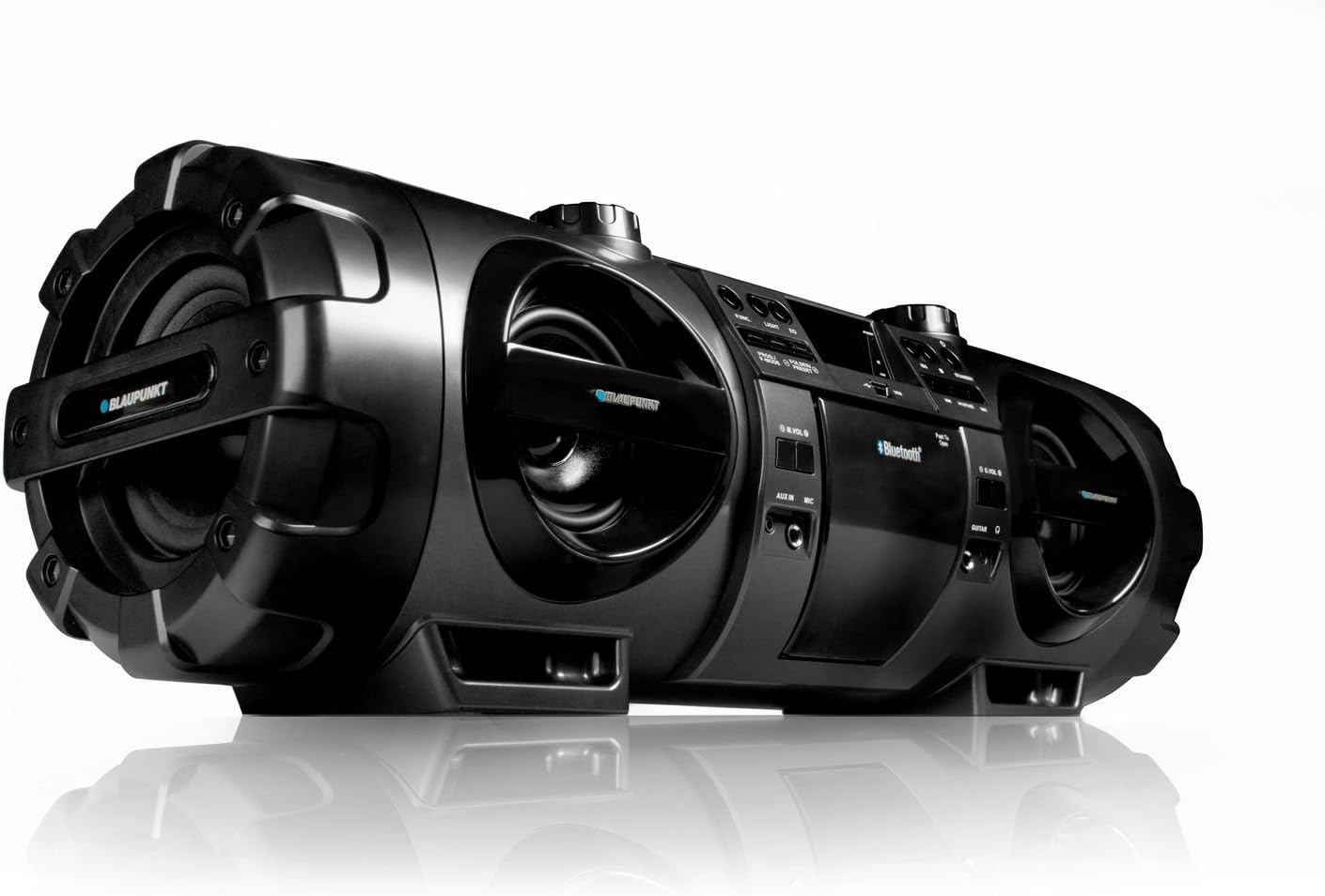
Figure 1.1: Blaupunkt BB 1000 Speaker, showcasing its robust design and speaker configuration.
2. Информация по технике безопасности
Для обеспечения безопасной эксплуатации и предотвращения повреждений соблюдайте следующие меры предосторожности:
- Не подвергайте устройство воздействию дождя, влаги или экстремальных температур.
- Избегайте размещения устройства вблизи источников тепла, таких как радиаторы, плиты или другие тепловыделяющие приборы.
- Обеспечьте достаточную вентиляцию вокруг устройства. Не закрывайте вентиляционные отверстия.
- Use only the power adapter supplied with the unit or one specified by the manufacturer.
- Не открывайте сasinг. По всем вопросам обслуживания обращайтесь к квалифицированному персоналу.
- When using batteries, ensure correct polarity. Do not mix old and new batteries, or different types of batteries. Remove batteries if the unit will not be used for an extended period.
- Держите устройство вдали от сильных магнитных полей.
3. Содержимое упаковки
Пожалуйста, проверьте наличие всех предметов в упаковке:
- Blaupunkt BB 1000 Speaker Unit
- Дистанционное управление
- Ремень для переноски
- Кабель питания переменного тока
- Руководство пользователя (этот документ)
4. Продукт закончилсяview
The Blaupunkt BB 1000 features a comprehensive control panel and various input/output ports for versatile audio playback.
4.1 Передняя и верхняя панели

Рисунок 4.1: Вверху view of the Blaupunkt BB 1000, highlighting the CD player, USB port, and main controls.
- Отделение для компакт-дисков: Для воспроизведения аудиодисков.
- USB-порт: Connect USB storage devices for MP3 playback.
- Отображать: Digital negative LCD for status and track information.
- Кнопки управления: Power, Mode, Play/Pause, Skip/Search, Volume, EQ.
- Спикеры: Two 10W speakers and a 30W subwoofer for powerful sound.
4.2 Side and Rear Panel
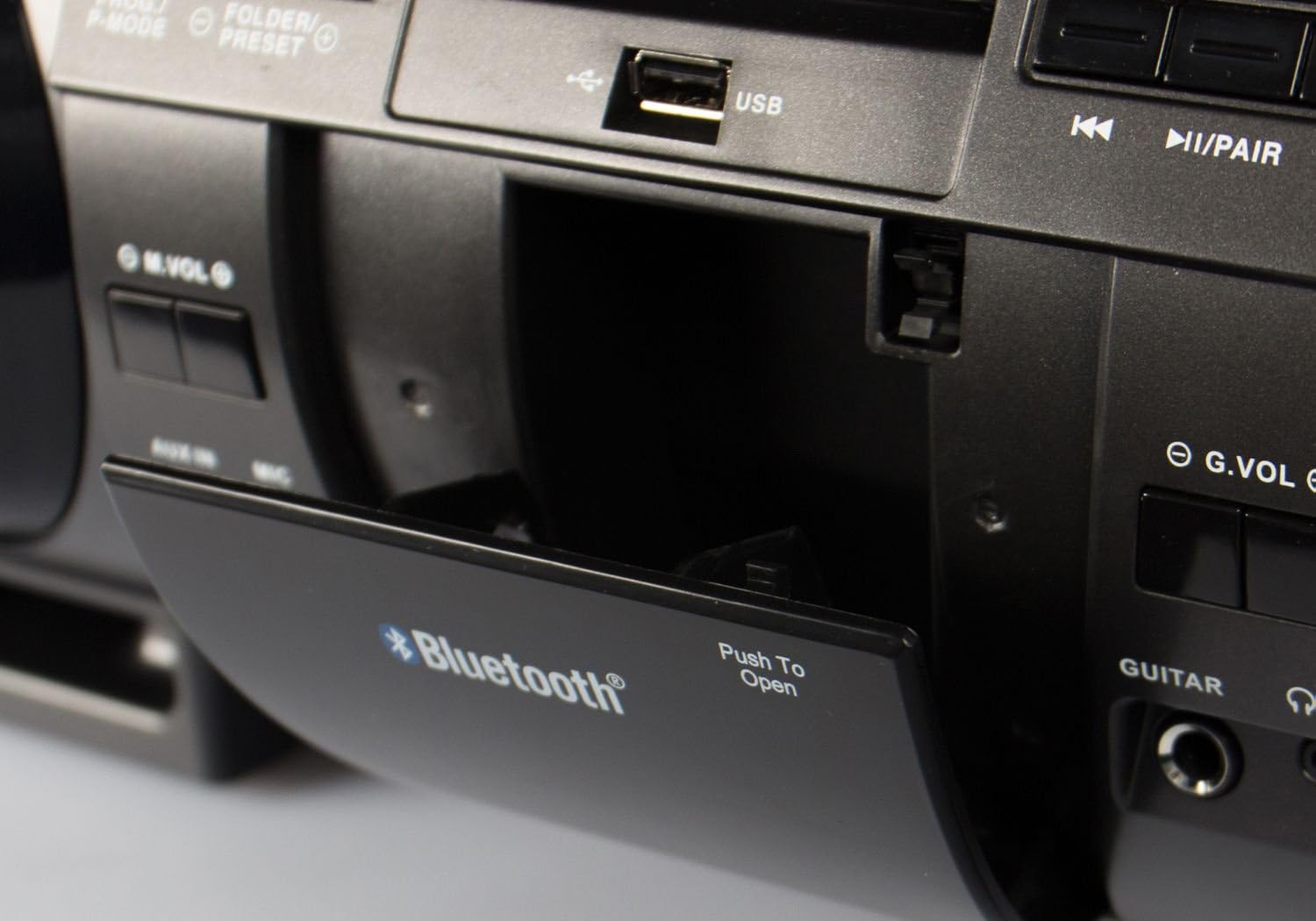
Figure 4.2: Close-up of the Blaupunkt BB 1000's USB port and Bluetooth indicator, located within a protective compartment.
- ДОПОЛНИТЕЛЬНЫЙ ВХОД: 3.5-мм вход для подключения внешних аудиоустройств.
- Вход микрофона: 6.3mm input for connecting a microphone.
- Гитарный вход: 6.3mm input for connecting an electric guitar.
- Выход для наушников: Выход 3.5 мм для индивидуального прослушивания.
- Вход питания переменного тока: Для подключения кабеля питания.
- Отсек для батареи: Located on the underside, for 10 x D-size batteries.
5. Настройка
5.1 Питание устройства
The Blaupunkt BB 1000 can be powered by AC mains or batteries.
Мощность переменного тока
- Connect the supplied AC power cable to the AC input on the unit.
- Вставьте другой конец кабеля питания в стандартную настенную розетку.
Мощность аккумулятора
For portable use, the unit requires 10 x D-size (mono) batteries (not included).
- Найдите батарейный отсек на нижней стороне устройства.
- Откройте крышку батарейного отсека.
- Вставьте 10 батареек типоразмера D, соблюдая полярность (+/-), указанную внутри отсека.
- Плотно закройте крышку батарейного отсека.
5.2 Крепление ремня для переноски
Attach the carrying strap to the designated loops on the sides of the unit for easy portability.
6. Инструкция по эксплуатации
6.1 Основные элементы управления
- Кнопка питания: Нажмите, чтобы включить или выключить устройство.
- Кнопка режима: Press to cycle through input sources: CD, USB, Bluetooth, FM Radio, AUX.
- Регуляторы громкости: Rotate to adjust the master volume. Separate volume controls may be available for microphone/guitar inputs.
6.2 Bluetooth-соединение
The BB 1000 can wirelessly connect to Bluetooth-enabled devices.
- Turn on the BB 1000 and press the Mode button until "Bluetooth" is selected on the display. The unit will enter pairing mode, indicated by a flashing Bluetooth icon or voice prompt.
- На мобильном устройстве (смартфоне, планшете) включите Bluetooth и выполните поиск доступных устройств.
- Select "BB 1000" from the list of devices.
- Once connected, the Bluetooth indicator will stop flashing, and a confirmation sound may be heard. You can now play audio from your device through the BB 1000.
- Радиус действия Bluetooth составляет приблизительно 15 метров (49 фута).
6.3 Воспроизведение компакт-дисков
- Press the Mode button to select "CD" mode.
- Откройте крышку отсека для компакт-дисков.
- Поместите аудиодиск на шпиндель этикеткой вверх.
- Close the CD compartment cover. The unit will begin reading the CD and playback will start automatically.
- Use the Play/Pause, Skip/Search buttons to control playback.
6.4 Воспроизведение через USB
- Press the Mode button to select "USB" mode.
- Insert a USB flash drive (up to 128GB, formatted as FAT32) containing MP3 audio files в порт USB.
- The unit will automatically detect the USB drive and begin playing MP3 files.
- Use the Play/Pause, Skip/Search, and Folder/Preset buttons to navigate and control playback.
6.5 FM PLL Radio
- Press the Mode button to select "FM Radio" mode.
- Для оптимального приема выдвиньте телескопическую антенну.
- Автоматическое сканирование: Press and hold the Scan button to automatically search and store available FM stations (up to 30 presets).
- Ручная настройка: Use the Skip/Search buttons to manually tune to desired frequencies.
- Вызов пресетов: Use the Folder/Preset buttons to cycle through stored stations.
6.6 Дополнительный вход
- Press the Mode button to select "AUX" mode.
- Подключите внешнее аудиоустройство (например, MP3-плеер, смартфон) к порту AUX IN с помощью аудиокабеля 3.5 мм (не входит в комплект).
- Play audio from your external device. The sound will be output through the BB 1000.
6.7 Входы для микрофона и гитары
- Connect a microphone or electric guitar to the respective 6.3mm input jacks.
- Adjust the microphone/guitar volume using the dedicated volume controls (G.VOL, M.VOL) if available, or the main volume knob.
- The audio from the microphone/guitar will be mixed with the selected audio source (CD, USB, Bluetooth, AUX).
6.8 Выход для наушников
For private listening, connect 3.5mm headphones to the Headphone Output jack. The main speakers will be muted automatically.
Пульт дистанционного управления 6.9
The included remote control allows for convenient operation of the BB 1000 from a distance. Ensure the remote control's battery is inserted correctly and that there are no obstructions between the remote and the unit's IR sensor.
6.10 Настройки звука (эквалайзер)
The unit features an equalizer to adjust the sound profile. Press the EQ button to cycle through preset modes: Flat, Rock, Pop, Jazz, and 3D. The 3D mode amplifies the sound for a more immersive experience.
7. Техническое обслуживание
7.1 Очистка
- Протрите внешнюю поверхность устройства мягкой сухой тканью.
- Не используйте абразивные чистящие средства, воски или растворители, так как они могут повредить отделку.
- Для очистки линзы компакт-диска при необходимости используйте специальное средство для чистки линз компакт-дисков.
7.2. Замена батареи
If using battery power, replace all 10 D-size batteries when the unit's performance diminishes or it fails to power on. Always replace all batteries at once with new ones of the same type.
7.3 Хранение
If storing the unit for an extended period, remove all batteries to prevent leakage and damage. Store in a cool, dry place away from direct sunlight.
8. Поиск Неисправностей
If you encounter issues with your Blaupunkt BB 1000, refer to the following table for common problems and solutions.
| Проблема | Возможная причина | Решение |
|---|---|---|
| Блок не включается. | No power connection or dead batteries. | Ensure AC cable is securely plugged in or replace batteries. |
| Ни звука. | Volume too low, incorrect mode, or headphones connected. | Increase volume, select correct input mode, or disconnect headphones. |
| Bluetooth-соединение не работает. | Устройство не находится в режиме сопряжения, находится вне зоны действия или уже подключено к другому устройству. | Ensure BB 1000 is in Bluetooth pairing mode, move device closer, or disconnect from other devices. |
| CD/USB not playing. | Disc dirty/scratched, incorrect file format, or USB drive unsupported. | Clean CD, ensure USB files are MP3, check USB drive compatibility (FAT32, max 128GB). |
| Плохой радиоприем. | Антенна не выдвинута или сигнал слабый. | Fully extend the telescopic antenna and reposition the unit for better reception. |
| Искаженный звук. | Volume too high, audio source issue, or unit requires break-in. | Reduce volume, check audio source quality. Note that some units may benefit from a 'break-in' period for optimal speaker performance. |
9. Технические характеристики
Detailed technical specifications for the Blaupunkt BB 1000 Speaker:
| Особенность | Спецификация |
|---|---|
| Модель | ББ 1000 |
| Бренд | Blaupunkt |
| Технология связи | Bluetooth |
| Тип динамика | Стереосистема с сабвуфером |
| Режим аудиовыхода | Mono (for specific outputs) |
| Номинальная выходная мощность динамиков | 2 x 10 Watts + 30 Watts (Subwoofer) |
| Общая выходная мощность Втtage | 50 Вт |
| Поддерживаемые аудиоформаты | МП3 |
| Тип оптического привода | CD-плеер |
| USB-порт | USB 2.0 (max. 128GB storage) |
| Поддерживаемые радиодиапазоны | FM, PLL (30 station memory) |
| Входы | AUX IN (3.5mm), Microphone (6.3mm), Electric Guitar (6.3mm) |
| Выход | Наушники (3.5 мм) |
| Технология отображения | Цифровой негатив ЖК-дисплей |
| Источник питания | AC Power / Battery Powered (10 x D-size batteries) |
| Размеры (Д x Ш x В) | 66.5 х 23 х 22.5 см |
| Масса | 6 кг |
| Включает пульт дистанционного управления | Да |
10. Гарантия и поддержка
Blaupunkt products are manufactured to high-quality standards. For information regarding warranty coverage, please refer to the warranty card included with your purchase or contact your retailer. For technical support or service inquiries, please visit the official Blaupunkt webсайте или обратитесь в их отдел обслуживания клиентов.


